
Updates from January
New year, [so many] new design options
January started simply enough. We added a new option to put an announcement bar at the top of your archives. Hit the toggle in your archive settings and type a message, simple as that.
Then, our hands already dirty with code changes, we figured we might as well throw in two new archive themes—an image-heavy option named after photographer Diane Arbus and a minimalist no-CSS theme in honor of Ada Lovelace. You can find either in the Theme dropdown at the top of your Archive design page.
Deep in design decisionland and far from simpler shores, it felt silly to make all of these updates without adding better accent fonts and color settings. So they ended up in the cavalcade of January updates as well.
And at that point why not just redo our entire approach to design settings?
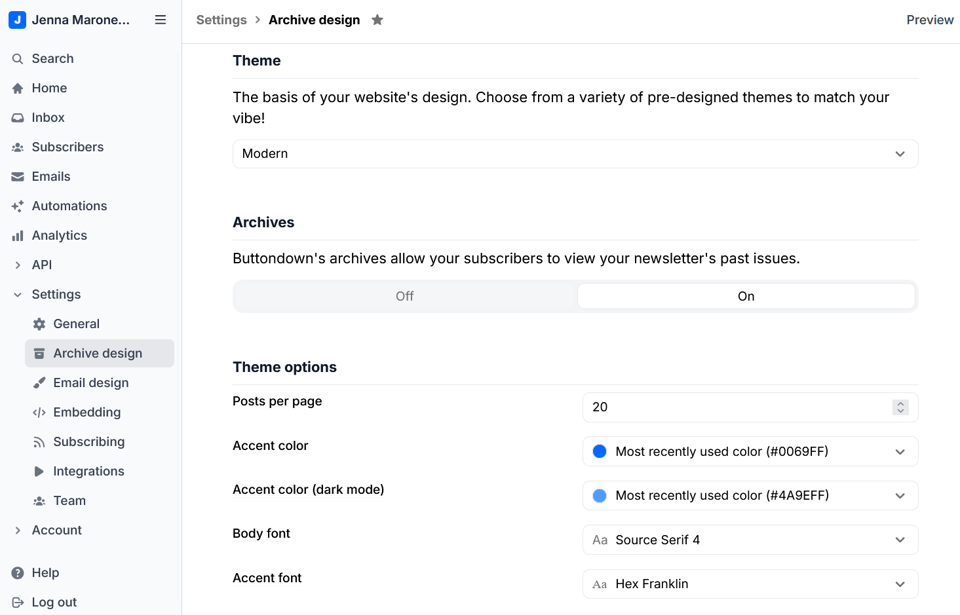
Now there are separate Archive design and Email design pages, with settings that straddle both (e.g. Tint color, Icon, and Share image) on the General settings page. Send a message to support@buttondown.email if you have any questions or issues with any of these changes!
More ways to manage and [ethically] track subscribers
There are lots of reasons to ban a subscriber. But there are just as many reasons to unban subscribers, individually or in bulk. Go to the Subscribers view, filter by the Banned status, select one or more banned subscribers, and click the Unban button at the bottom of the screen.
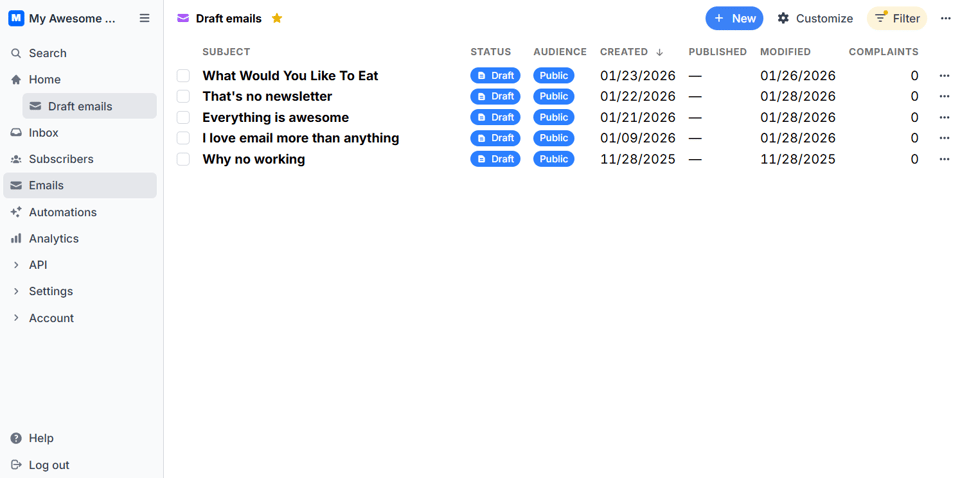
In a similar vein, customized or filtered views (e.g. unactivated subscribers, year-to-date analytics, etc.) can now be pinned to your sidebar as starred items. All you have to do is add the dimensions and restrictions you want to save, click the star above the list of items, and it should appear in your sidebar immediately.
We also added a few new analytics integrations and tools. First up, you can connect your newsletter to Seline and Tinylytics for privacy-friendly, Google-free tracking, by choosing either platform within the Integrations tab. The other option is to add a Mastodon followers metric to your Analytics tab. As long as your Mastodon profile is added to your newsletter’s social links, you can view its follower count from the Customize dropdown on the Analytics page.
Lastly, going forward, every tag you’ve created will have a Subscriber editable option to let subscribers add or remove tags themselves. Just make sure to remind them that they can update their settings at any time via buttondown.com/portal.
From the blog
We only publish longform articles about backend updates when they’re worth sharing, and Matias’s post about migrating our database to PlanetScale is a perfect example. It’s detailed, educational, and relatively approachable considering the topic. Give it a read! And, if you like that, you’ll probably love our most recent email history piece, which explains what it was like back when you had to give your email turn-by-turn directions.
Not everyone is comfortable peeking behind the SMTP curtain, though, which is why our Ask A Nerd series answers common newsletter questions from creators who are just getting started. This month we covered:
Are there any technical or logistical questions you’d like us to answer in the coming months? Let us know as a reply to this email!
Other stuff
If you’re constantly plunking the same block of text into your newsletter, create a snippet to drop it in every time you type
/followed by its identifier.As of this month, API keys have a raft of permission options for more granular security management.
We recently shipped an update so you can filter the Inbox tab by All, Unread, and Needs response messages.
Custom buttons didn’t used to work in Markdown mode, but they do now! Add the
<buttondown-button>attribute to turn plain text into a call to action.A new "Re-evaluate filters after delay" makes sure that automations with delays are based on the latest data (previously they relied on data from the time of creation).


Add a comment: