
Updates from February
Custom templates for all
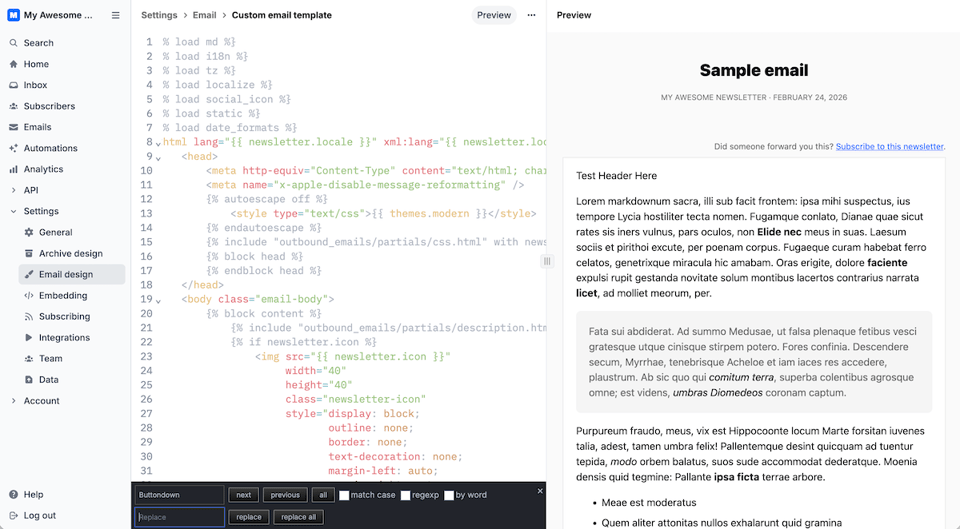
You’re not writing a Buttondown. You’re writing your newsletter. It should be uniquely yours, with Buttondown bits only visible if you want.
Take links, for example. Buttondown’s click tracking by default wrapped links in something like track.buttondown.com. Now, though, if you have a custom sending domain managed through Buttondown, we use your custom domain to track clicks. It makes your emails more trustworthy, and improves deliverability, too.
Same for custom templates. We’re pretty proud of our default email templates, but your brand deserves your own branding. So now, everyone on our Professional plan (or any list with over 5,000 subscribers) gets custom email templates included so you can edit every bit of your email’s HTML design. Goodbye “this looks like a Buttondown email,” hello “I didn’t know you could do that in an email!” (Though, to be clear, generally the latter is not a good thing.)
Speaking of customization, you can now add a custom description for subscriber-editable tags, to replace, say, “changelog” with “A day-by-day log of everything we ship.” And we threw in a new feature for you-the-email-sender, too: You can now cancel your Buttondown subscription anytime. We’ll keep your new subscribers coming in and your archives alive. When you’re ready to publish again, just restart your paid subscription to re-enable sending. Perfect for lists on a once-every-few-months cadence.
APIs everywhere
Customizing your Buttondown archive theme got a bit simpler this month with our new OpenAPI spec for archives. It lists every field, nested object, every bit of newsletter metadata that Buttondown surfaces from your account. And now, your code editor’s autocomplete (and, perhaps, your favorite LLM) can simplify coding the Buttondown archives theme and integrations you’ve always wanted. And your archive theme is worth investing time in: We’d argue that your newsletter’s archives are more valuable than your list itself.
Along with that, we’ve enabled new newsletter settings in the API, including locale, template, archive_theme, timezone, customized sharing, archive announcement bars, reply-to address, subscription redirect, and socials. You can control more of your newsletter than ever straight from the API without needing to open Buttondown’s dashboard.
From the blog
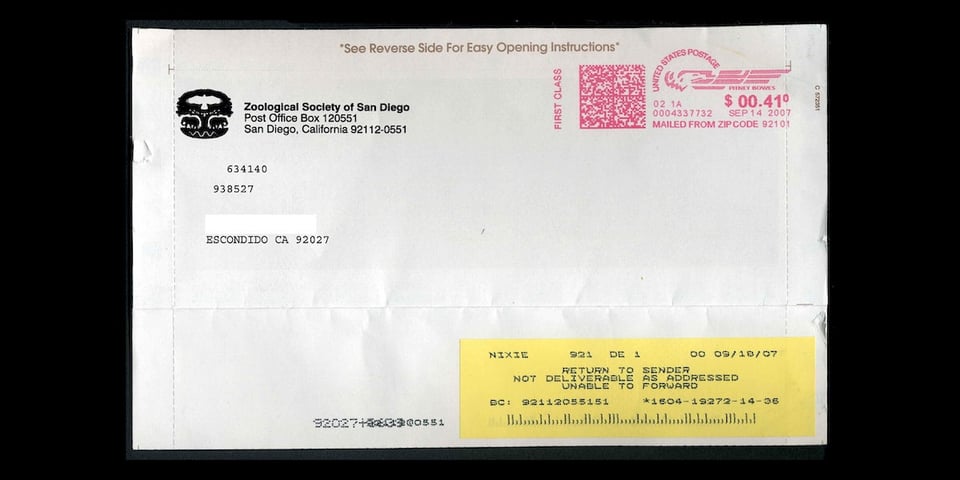
Email forwards were the original way for stuff to go viral online, for better (cookie recipes!) and worse (no, a tech mogul doesn’t want to share their wealth with people who forward an email). They’ve all-but died off, but their legacy lives on in your email app’s keyboard shortcuts and its features to automatically redirect messages. That, and more, in our Forwarding is not always straightforward story.
Then we answered a common question: Does email length affect deliverability? (tl;dr: No, but email apps may truncate your message after 5k words or so). We found workarounds to add subscribers to your Buttondown list, even if your favorite app only supports another newsletter service.
And we heard from Buttondown customers, too. Brandon Lucas Green replaced Patreon with Buttondown and a handful of other tools to promote his music, while Rodrigo Ghedin uses Buttondown for bilingual blogging.
Other stuff
Buttondown now always tracks replies, and both sends them on to you and shows them in your Buttondown inbox with our newly revamped replies.
You can now sort and filter emails by open and click rates to see which of your newsletter issues got people clicking the most.
And that’s only a few of the things we did this month. Check our newly reborn changelog with literally everything our team shipped this month, from a confirmation to delete your account to squashing 39 bugs.


Add a comment: