
This article is part of a series that answers newsletter questions we often hear from users. Send us any questions you'd like us to answer!
There are two best ways to unsubscribe from email newsletters: The Unsubscribe button that shows at the top of subscription emails in Gmail, Apple Mail, Outlook, and other email apps, or the Unsubscribe link in the footer of all well-formatted recurring emails.
You should never click the Spam button as a break glass in case of emergency way to unsubscribe, unless you’ve got a particular grudge against an email newsletter author, or you already unsubscribed from their newsletter but they continue to email you.
Clicking the unsubscribe button in your email app, though, is just as good as clicking in the footer. Neither option hurts your local email writer. Neither makes Gmail or other email sending services ding their deliverability. The Unsubscribe button has zero of the consequences that the spam button does, with the same general benefit of keeping an email from filling up your inbox.
If anything, it’s better to unsubscribe from an email than to stay subscribed and leave every message unread. Low open and clickthrough rates are more likely to hurt the email sender, so removing yourself from their rolls directly helps emailers if you no longer want to receive their messages.
What happens when you click unsubscribe?
You’ve clicked Unsubscribe links—or their more tricky, less compliant alternative, the Manage my subscription links—enough times to know what to expect. You open an email, decide it’s not for you, scroll to the bottom, click Unsubscribe. Your browser opens with an unsubscribe page that in the best of circumstances instantly unsubscribes you; in worse circumstances, you’ll have to confirm your email address and choose which of the senders’ emails you wish to stop receiving. Then the email sending software typically marks your email address as unsubscribed, keeping a record of your email address on what is sometimes called a “suppression list” so they know that you once subscribed but now are not (something that GDPR, interestingly enough, requires. Even if someone asks to have their info deleted, “because we don’t consider that a suppression list is used for direct marketing purposes, there is no automatic right for people to have their information on such a list deleted.”).
Your email app (Outlook, Apple Mail, Thunderbird, Gmail’s mobile app, and more) don’t know that you’ve unsubscribed, any more than they know about any other links you click. And your email service (Gmail, Outlook.com, and so on) are similarly in the dark. One day the emails come; the next, they stop.
And by design, that’s the case if you click the Unsubscribe button in your email app, too.
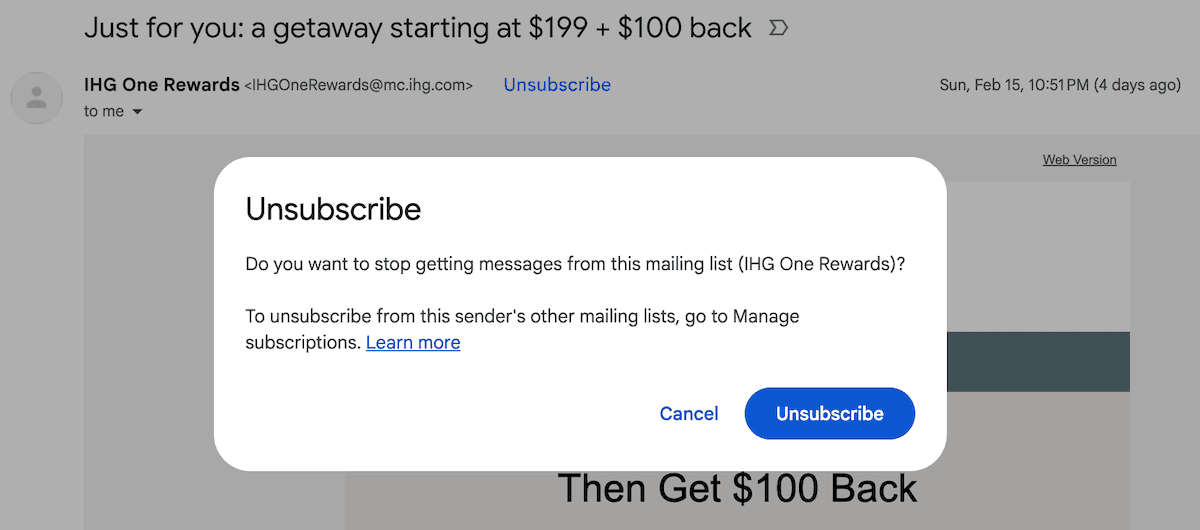
If you click Gmail’s Unsubscribe button, it pulls an unsubscribe URL from the email’s headers, sends a POST request with your email address asking for it to be unsubscribed. Apple Mail takes a different approach: It sends an email from your account to an unsubscribe email address in the email header. The end result is the same: You get unsubscribed from the list without needing to open an unsubscribe link in your browser.
And it all started because people kept marking emails as spam when in reality they just wanted to unsubscribe.
How the Unsubscribe button came to be
It seems like it might be a trick, almost, that your email app can unsubscribe you from a newsletter in two clicks. It seems, at best, like your email app will simply suppress the emails it claims to unsubscribe from, and at worst would log that email as undesirable and hurt their deliverability in the process.
In fact, it’s the other way around: The Unsubscribe button was designed specifically because people kept clicking the spam button on legitimate emails they wanted to unsubscribe from, and email apps wanted a better way to separate the subscriptions from the spam.
“Users do not make a clear distinction between unsubscription and junk,” stated RFC 8058 of the problem facing mailing list and newsletter operators. “For a lot of users it's easier just to click the junk button until the messages go away,” wrote co-author John Levine.
The spam button is a terrible way to unsubscribe for everyone involved. For you, the subscriber, it’s not a guarantee that your email app will continue to mark every email from that sender as spam, so you’ll end up likely marking multiple emails as spam before they disappear from your inbox forever. And while email providers are supposed to let list owners know when someone marks their message as spam, according to RFC 5965, they often send heavily redacted info. They may not tell list owners who marked their email as spam. They often send only a message ID, leaving senders to correlate it backwards to take someone off their list. It’s more trouble for the sender, and dings their deliverability every time.
Email senders and email apps alike would prefer that people actually unsubscribe, leaving the spam button for actual spam.
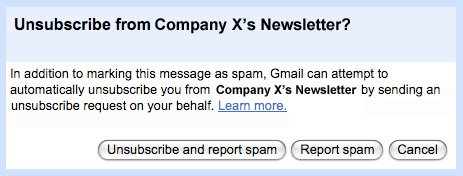
And so “a few people at Gmail, AOL, Optivo (the [then] bulk e-mail part of the German post office) and I have come up with an automatic one-click unsubscribe scheme,” said Levine about his work defining what he called one-click unsubscription. His goal, in fact, was that “when the user clicks junk, a little window asks whether to unsubscribe too,” something that Gmail had already offered since 2009 but that had the side-effect of both reporting the email as spam and unsubscribing the reader from the offending newsletter.
Email contained prior art that, in theory, already enabled automatic unsubscription. Starting with RFC 2369 from 1998, email messages could include a List-Unsubscribe field with a reply email address like mailto:[email protected]?subject=unsubscribe or a link. Email apps could use that field to automatically send an unsubscribe message to the mailing list’s server, or open the link in the background to unsubscribe.
The only problem was, spam filters typically would automatically open every link in an email to ensure they’re not malicious, and in the process could inadvertently unsubscribe you from a list. That, or the link would require you to confirm you want to unsubscribe (a feature partly added to prevent spam filters from automatically unsubscribing readers), negating the idea of one-click unsubscription.
RFC 8058 simplified things with webhooks. Compliant newsletters and other bulk emails today also include a List-Unsubscribe-Post address that email apps can surface through an Unsubscribe button they show after checking to ensure DMARC, SPF, and other headers match. When you click it, your app sends a POST request with your email address or account identifier to the endpoint, and instantly unsubscribes you from the list. No web page or click-through confirmation needed, and no GET request to simply fetch a web page—which is what spam filters typically use to check if a page’s contents are malicious.
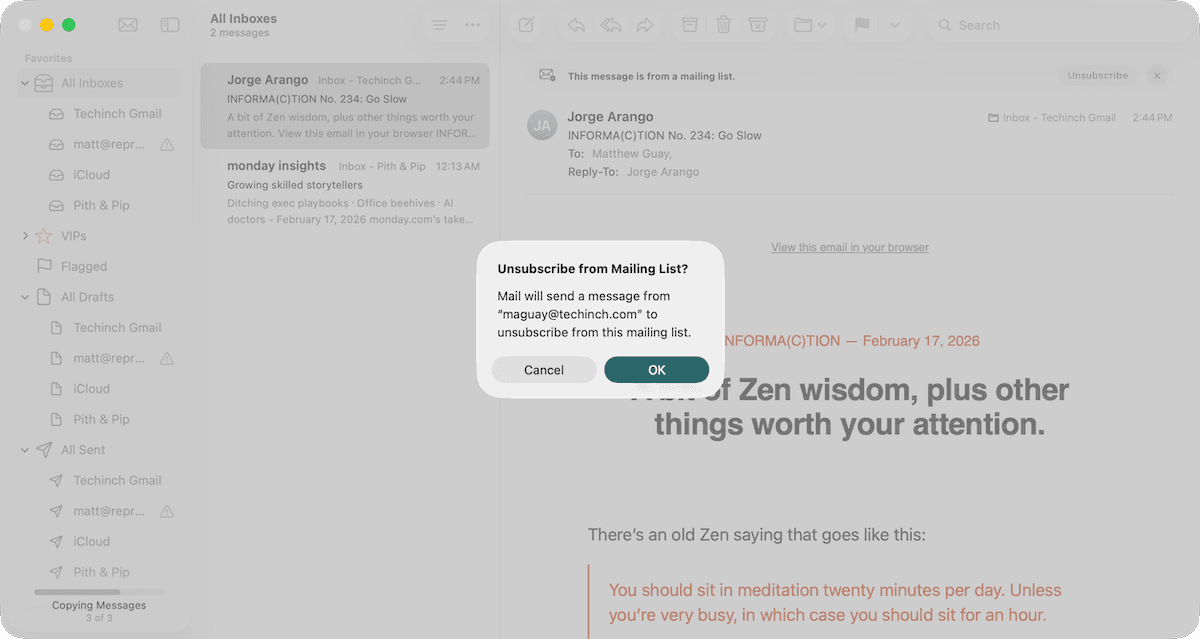
Real-world implementations never quite got down to a single click. Typically you’ll click Unsubscribe then confirm, one additional click to ensure you don’t accidentally unsubscribe. Gmail seems to unsubscribe via the POST request when possible, while Apple Mail still relies on the original List-Unsubscribe field’s email address and sends a message requesting removal from a list (as does Gmail, if the POST field isn’t available). Either way, the result’s the same: You get unsubscribed from emails with less trouble than the footer unsubscribe link, without hurting the email sender.
And the unsubscribe buttons served their purpose: “We have seen by implementing this unsubscribe affordance in the UI that spam marks go down and in some cases are being reduced by 30 to 40%,” Marcel Becker, Sr. Director of Product Management at Yahoo, told Mailgun.
Only you can prevent incorrect spam button clicks
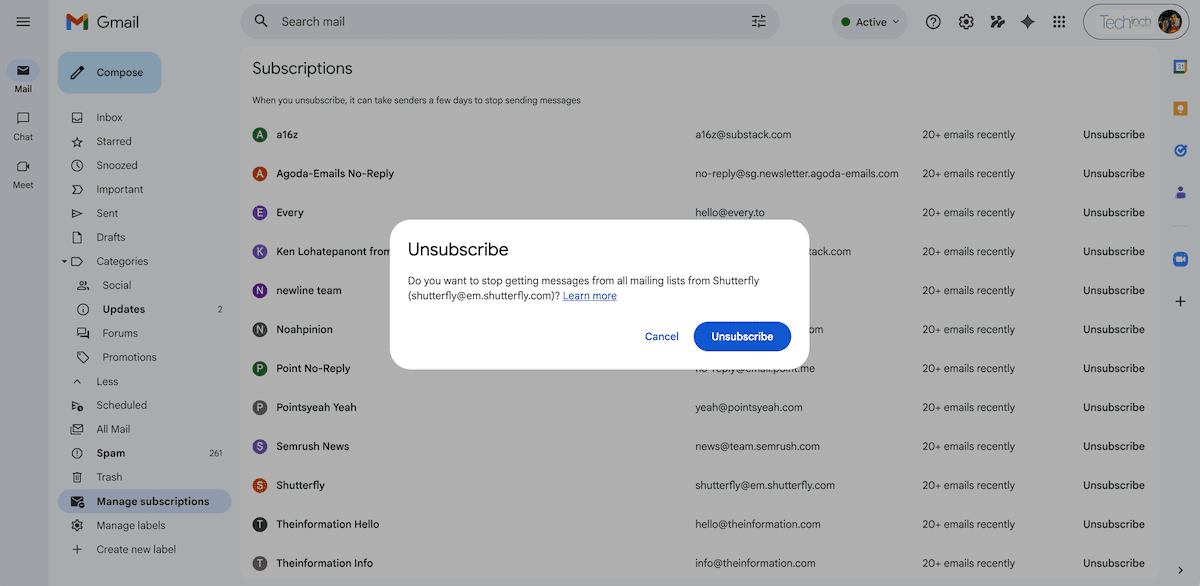
As an email subscriber, things are pretty good in the post-RFC 8058 days. Email apps had already started showing unsubscribe buttons before it was codified. Today, they’re going beyond it, with Gmail, Outlook.com, and iCloud Mail all offering a Subscriptions page that extracts the List-Unsubscribe details from your email newsletters and lists them together for an easy way to unsubscribe without waiting for an email from that sender to show back up in your inbox.
As an email sender, you’ve got one extra thing to include in your emails, as Gmail requires the unsubscribe header for all lists sending 5,000 or more messages per day. But odds are, your email sending service will take care of it for you. Buttondown, for instance, automatically includes one-click unsubscribe headers in every email header. You still need to include an unsubscribe link in your email footers for CAN-SPAM compliance, just in case a recipient’s email app doesn’t show the unsubscribe button, but you don’t have to worry about whether people click the unsubscribe button or footer link. Both keep your email list clean and prevent your emails from being marked as spam.
Image Credit: Exit sign by Andrew Teoh via Unsplash