
Updates from June
A dynamic link to your most recent newsletter issue

There’s a split second between when someone lands on your newsletter signup page and when they decide to subscribe or bounce. They could always dig deeper, click through to your archives, and jump into your most recent issue. Or you could tantalize them with your latest subject line, right from your archives homepage, with the new dynamic link to your most recent issue in Buttondown’s default themes.
Our Modern theme now includes the most-recent-issue feature that our Classic and Lovelace themes have had for a bit. Along with that, we’ve included new variables to dynamically pull out your latest newsletter’s subject line and list, along with an option for a loop of emails so you could show a list of the most recent if you’d like instead. Customize away!
Updated settings and tracking for custom domains
Newsletters are intensely personal. And nothing dampens that like a sending platform forcing features or settings on you that you don’t want, especially when they’re related to privacy. Back in February, we turned on reply tracking for all senders using a custom domain. That was about simplifying the user experience more than anything else, but it was a mistake nonetheless.
As of last week, we will never set MX records for custom sending domains. Reply tracking is off by default (you can turn it on in your Sending domain settings). And if you’re using a custom domain managed by our team, you can update your reply-to address from the Domain settings page.
Check out the changelog entry for more information and details.
From the blog
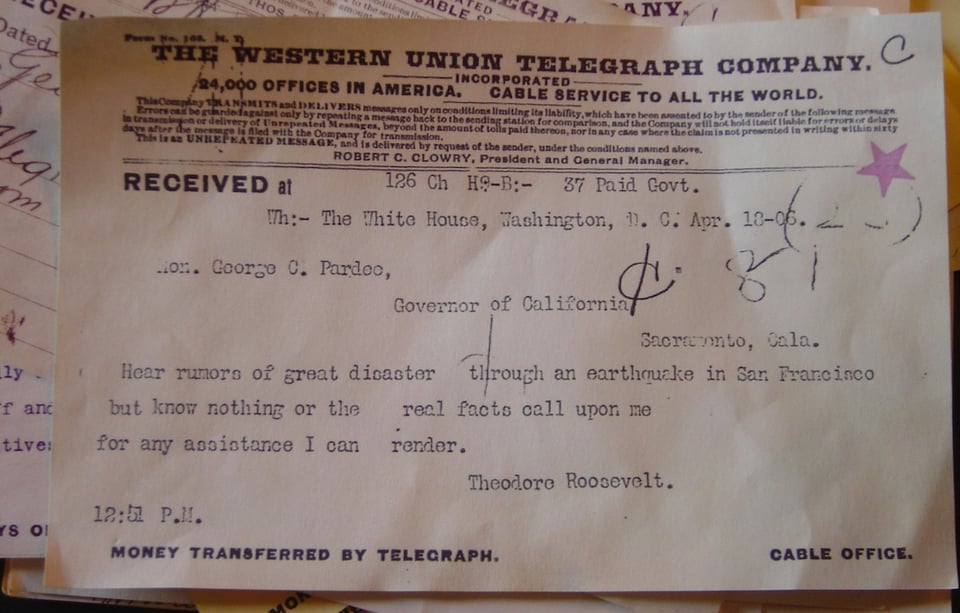
In one of the nerdiest months on record, we published four articles covering 100+ years of email-related history articles.
Consider the telegraph. It, as technology so often is, was both underhyped and underappreciated at first. It lingered on for decades after email first appeared. And, it lent ideas to email, everything from the r shortcut for replying to delivery and read receipts. The future, you could say, was telegraphed.
That, and it was blasted through tunnels under our feet—at least if you lived in New York. For a brief window around the turn of the 20th century, pneumatic tubes were the fastest way to send messages across town, 15 times faster than telegraphs.
So by the time Lotus Notes landed on desktops in 1989, inspired by the University of Illinois’ email-esque system from over a decade and a half before, it was following a grand tradition of the future being here long before it’s evenly distributed.
Maybe, in a slight stretch, that’s why we rounded out the month with the idea that being weirder than AI is practicable and valuable. It’s seldom that we remember the carefully placed bets and safe choices, decades later. It’s the swing-for-the-fences bets, the “why don’t we send messages over wires” or “shooting letters through vacuum tubes is a good idea, actually” ventures that live rent-free in our minds long after they’ve been supplanted by newer, bolder bets.
Other stuff
Buttondown had some fires to fight this month! Sorry about that, and we’ve written about them all: June 1 (link tracking downtime), June 10 (broken images), June 11 (platform downtime), and June 14 (broken subscriber updates).
You can now add notes to users attached to your Buttondown Teams account. Team member notes are private and free-form, and you don’t need to enable anything to start using them.
We shipped an updated so Surveys work in transactional emails (e.g. Welcome, Confirmation, Gift emails, and others), recording responses the same way as surveys in “regular” emails.
Archives using the Modern theme now have a two-column layout option for desktop readers.
An update to your Inbox means that you can send attachments to subscribers who reply to your newsletter.
Want to backdate an article in your archives? Your email Details panel now includes a Published Date setting, so you can backdate a sent post to sit where you want it in your archive without resending it.
Hei! Buttondown is now available in Finnish.
こんにちは! And Japanese, too.


Add a comment: