
April StoryTime Update
Want to start using StoryTime with your team? Send us a message at [email protected].
You’re reading this e-mail because you signed up to get updates about the StoryTime development process.
Check Out StoryTime NowWant to start using StoryTime with your team? Reply to this e-mail, or send us a message at [email protected]
This month: Sharing rooms with read-only access. This is a feature we’ve wanted to do in some form since basically the beginning of the project, but last month a founding customer asked for it specifically so they could share their project with client stakeholders.
If you have access to the paid version of StoryTime, you’ll see a new button on the top of your backlogs that says “Sharing”
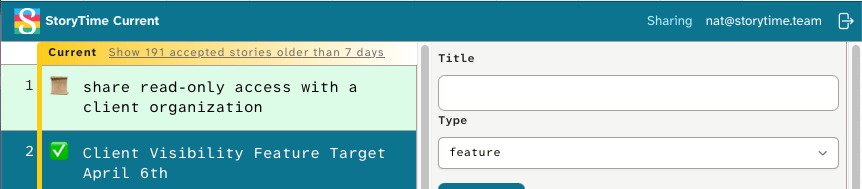
That button brings you to a “sharing” page, which lets you add e-mail addresses to that room.
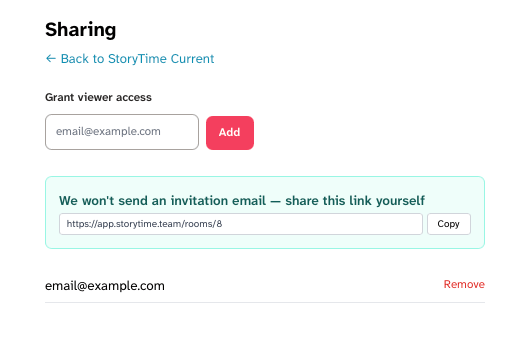
If someone has shared a room with you, you’ll see that room in a “Shared With You” Section on the Rooms page.
We’ve also got the usual handful of bug fixes and tidying.
Marker predictions & iteration scope refresh immediately after events that change them, rather than requiring a reload of the entire page
Edited titles are show correctly after closing the edited story
Stories in the “long accepted” section can be closed without crashing the session
Link previews (for sharing stories on social, Slack, etc.) now include the Story ID
Opening a story is now much, much faster


