Software Updates — Week of June 2, 2026
Good morning everyone! Here's what's new this week in GovPossible:
Permitting: Repeatable Field Groups
We're excited to introduce a new capability for your online permit and application forms: repeatable field groups. Some applications require collecting the same set of information multiple times — for example, a tree removal permit might need details about each individual tree being removed, including a photo, species, diameter, and height. Previously, forms could only capture a fixed number of entries.
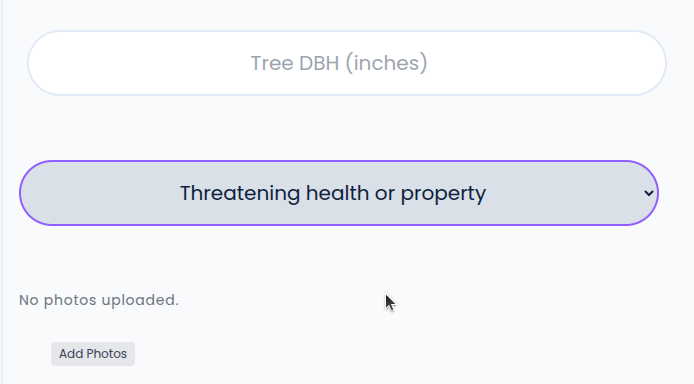
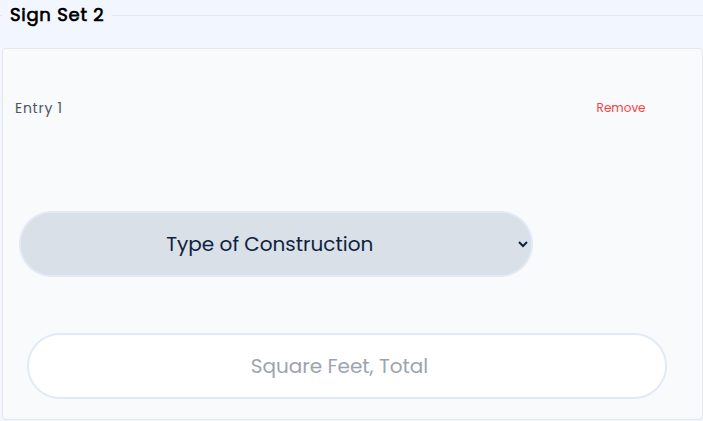
Now, when building your application forms, you can designate a group of fields as repeatable. Applicants simply click a button to add another entry — whether that's another tree on a removal permit, another vehicle on a parking application, or another sign on a building permit.
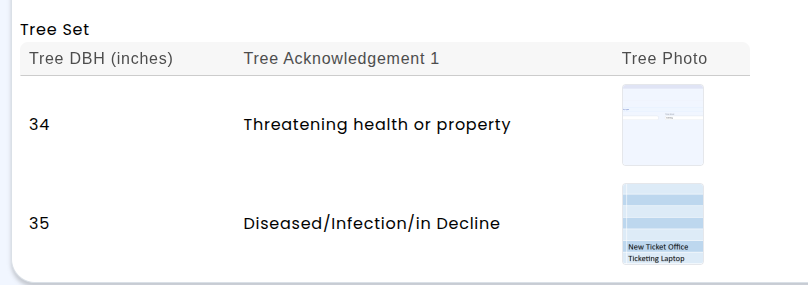
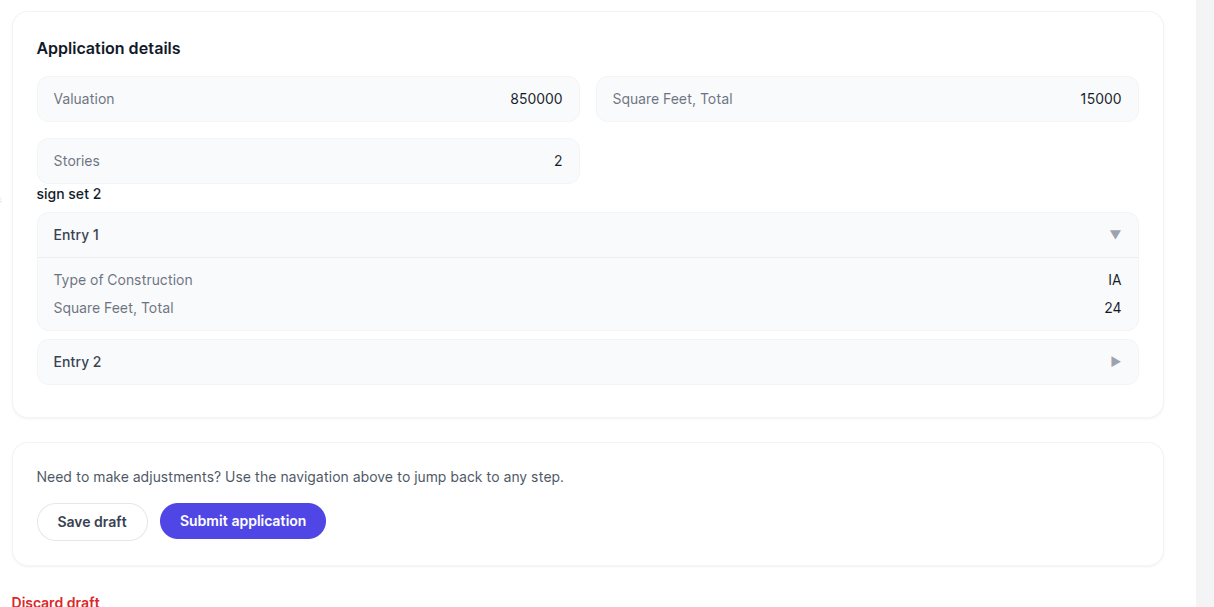
Applicants can also add the same information in the portal — add as many entries as they need, remove any mistakes, and submit everything in one go. On the staff side, all the information comes through organized and ready for review, reducing back-and-forth and speeding up processing times.
Permitting & Licensing: Linking Permits and Licenses
Managing the relationship between contractor permits and job-only licenses is a key part of keeping your licensing and permitting workflows running smoothly. We've made it easier than ever to connect these records so nothing falls through the cracks.
When a job-only contractor applies for a permit but doesn't yet have a linked job-only license on file, you can now link their existing license applications or active licenses directly to the permit — right from the permit screen. The same works in reverse: from a license record, you can link any related permitting applications belonging to that contractor.
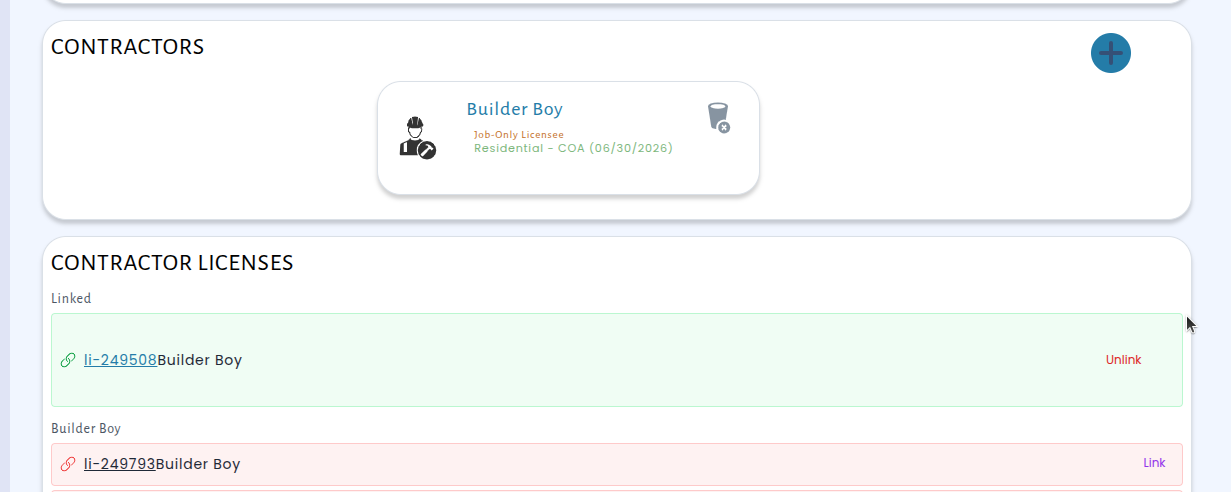
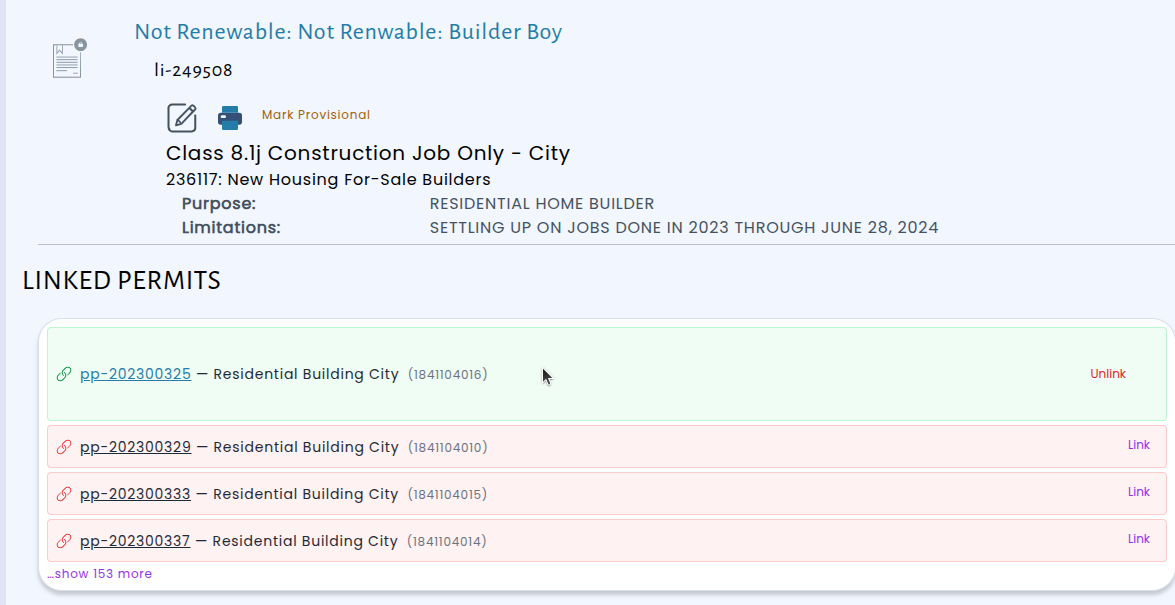
To help you see the status at a glance, permit and license cards now display a link icon — green when the records are connected, and red when they still need to be linked. This visual cue makes it simple to spot any unlinked records during your review, so you can take action.
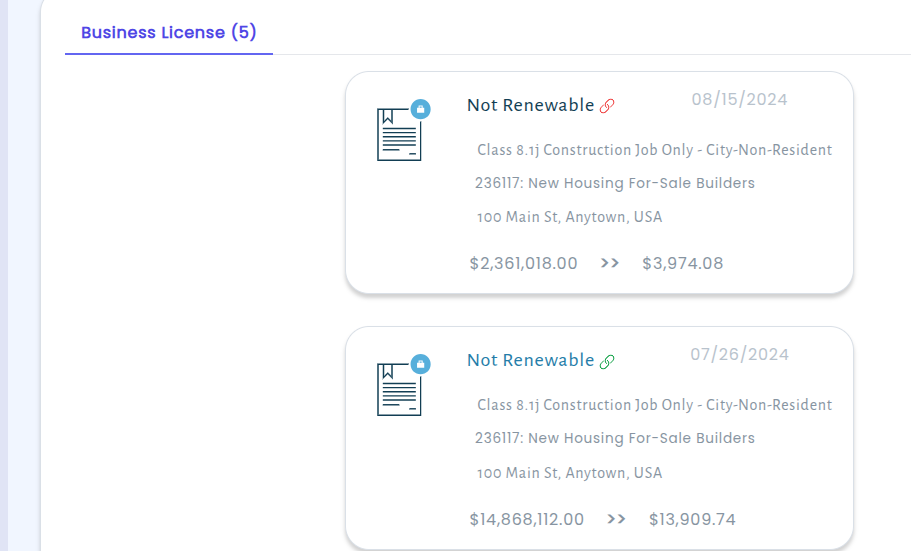
This update having to back and recheck each record and helping ensure that every contractor's documentation is complete before work begins.
All Modules: Hat-Specific Contact Routing for Emails, Alerts, and Printed Documents
We've made an important improvement to how GovPossible handles contact information for businesses that work across multiple departments. Many businesses need permitting correspondence sent to one email address, licensing notices sent to another, and finance communications directed to a third. Previously, all notifications and printed documents went to a single set of contact details regardless of the department involved. Now, each department can have its own designated email addresses and mailing addresses on a contact record, and the system will automatically route communications to the right place.
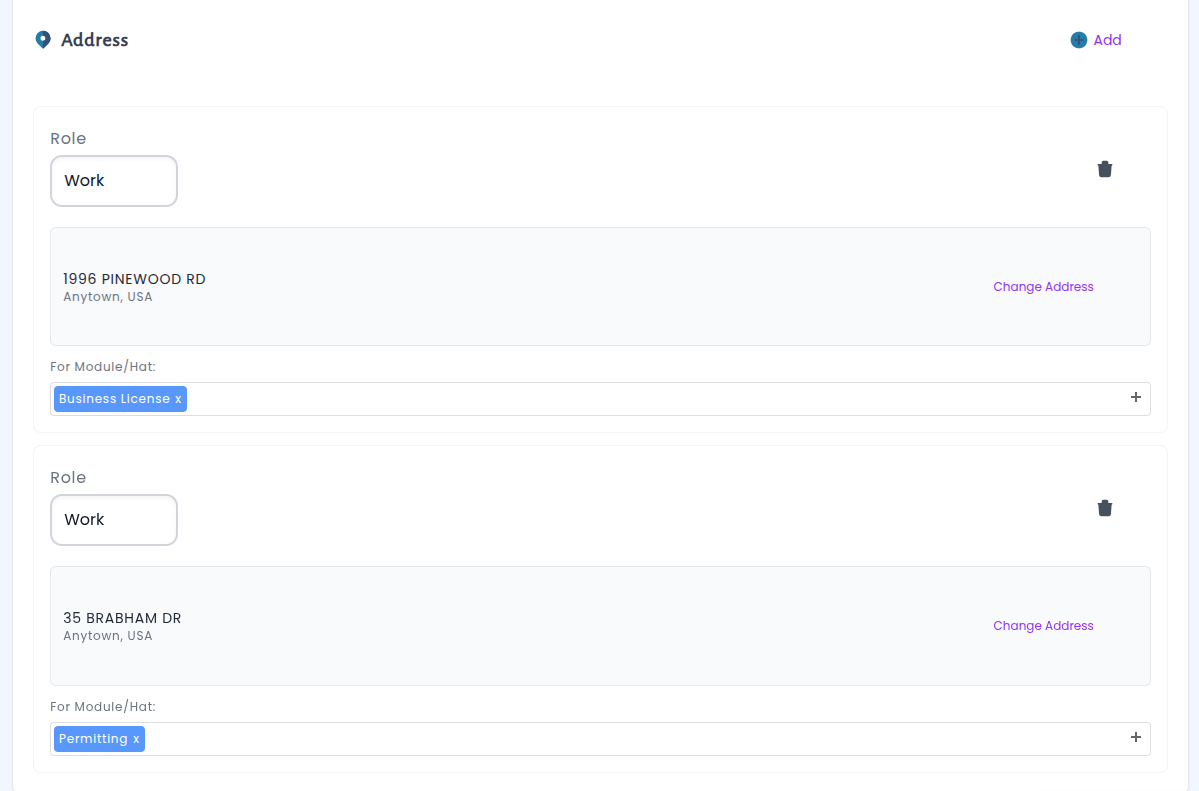
This update applies across the board — email notifications, payment and licensing alerts, and all printed permits, license applications, and licenses now respect department-specific designations when they've been set up. If a contact hasn't configured separate addresses for a particular department, the system continues using their default contact information, so nothing changes for simpler setups. And when someone submits an application through the portal, they'll always receive a copy of any related correspondence regardless of department routing, ensuring submitters stay informed.
Inspections: Phone Numbers Now Visible on Inspection Cards
Inspectors using the day planner can now see the requestor's phone number directly on each inspection card. Previously, confirming an appointment meant clicking into the full record.
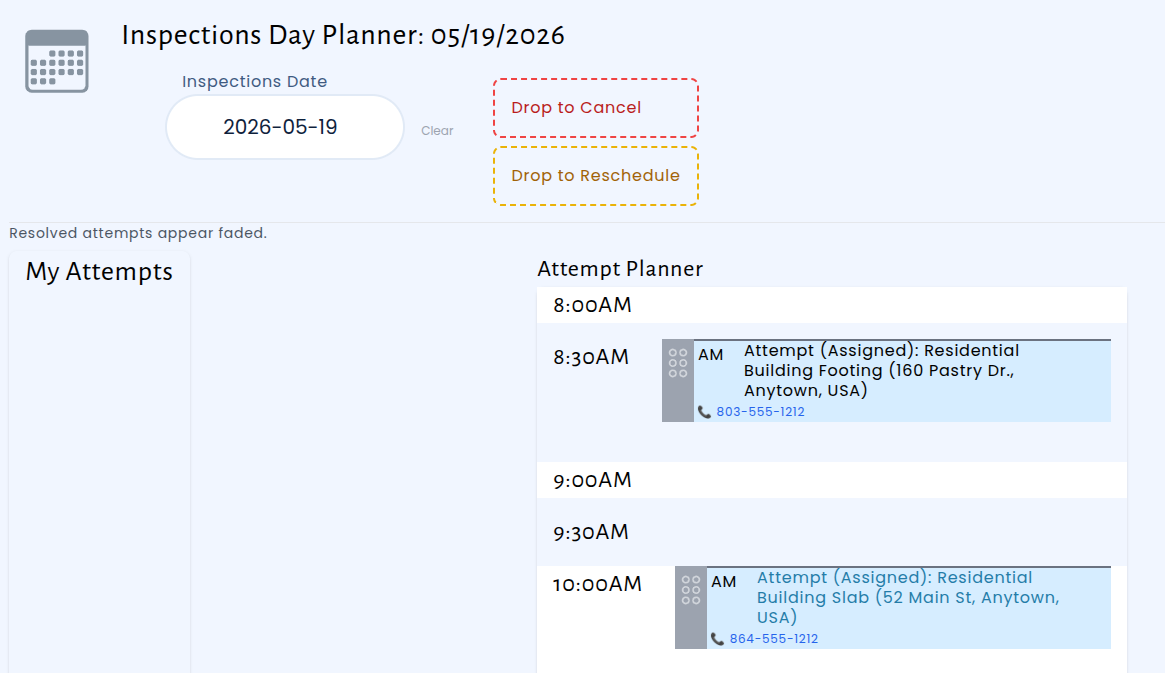
With this update, the phone number is displayed right where inspectors need it. Whether they're in the office planning their route or out in the field between stops, one quick glance at the day planner is all it takes to call and confirm the next appointment. It's a small change that removes a common point of friction and helps inspectors move through their day more efficiently.