GovPossible Updates — Week of June 9, 2026
Good morning everyone! A pretty big set of updates converged this week for you. :-)
This week we're releasing our second AI feature in GovPossible (the licensing module NAICS recommender was the first). In general, our goals are:
- Use AI where it makes it easier to do your job, not replace it.
- Keep your data safe: no sharing of your data with AI vendors.
That's why we're building with caution and are only using an engine internal to GovPossible. None of your data leaves the GovPossible space and nothing is transmitted to a third-party like OpenAI or Anthropic. Please feel free to ask any questions!
For licensing folks, the parcel reference is a pretty big deal. We've had this in limited access to a couple of y'all, but just for construction (8.1j) licenses. Now it's easier to put in place and more flexible.
Finally, for our permitting customers, we now have active document sharing between the applicant and staff for the entire permit lifecycle, and it's all versioned!
Oh and there's a couple of improvements in inspections and codes enforcement as well. :-)
Update Details:
Finance: AI Suggestions for General Ledger Transactions
Something that's been in works for several months: When creating a general ledger transaction, you now have the option to ask an AI Chat to build it for you:
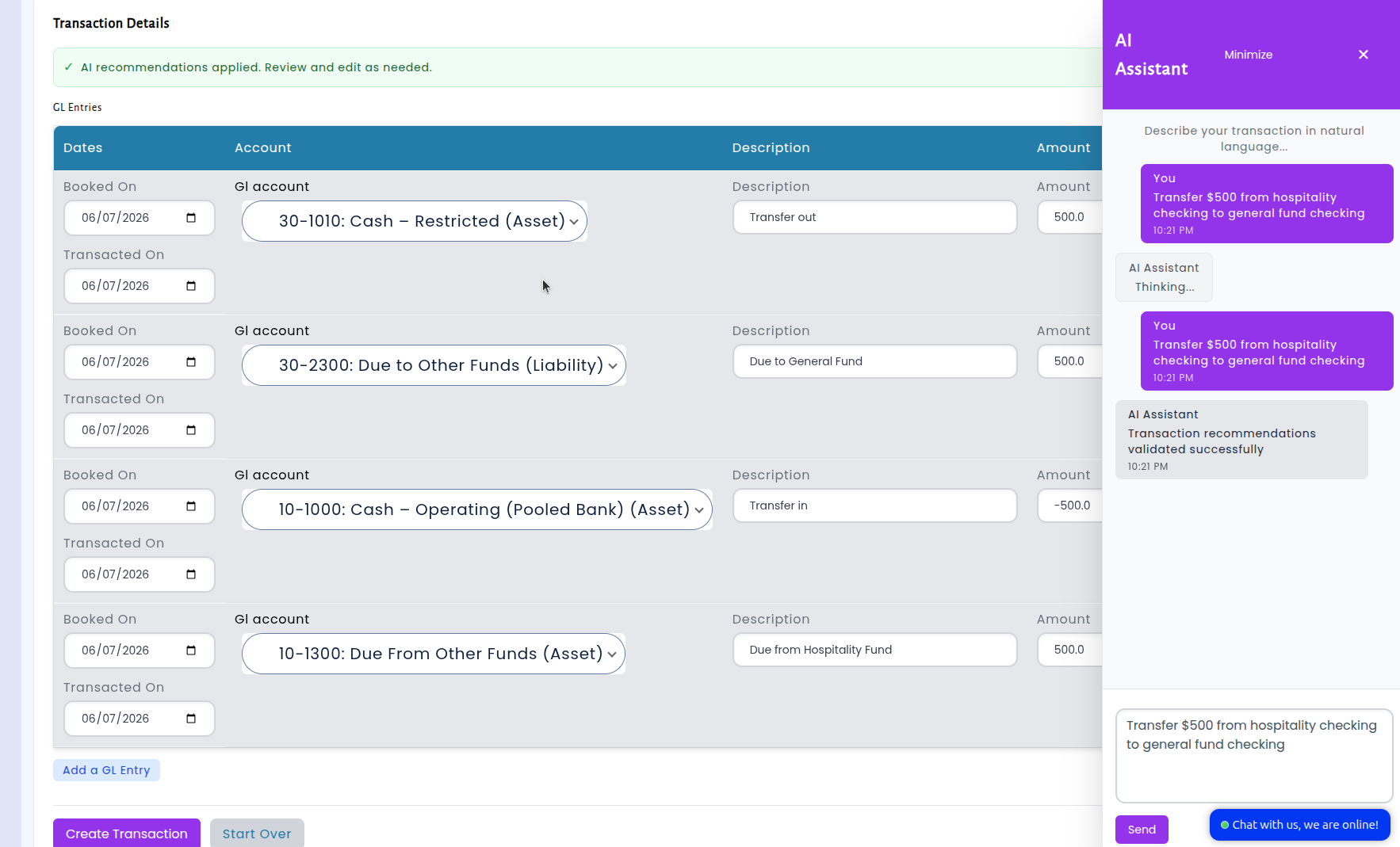
The recommendation engine has an understanding of municipal accounting conventions — including how different account types work, which accounts are debit-normal versus credit-normal, and the fund structures your organization uses. The result is we're now seeing reliably accurate suggestions that better match how your chart of accounts is actually organized.
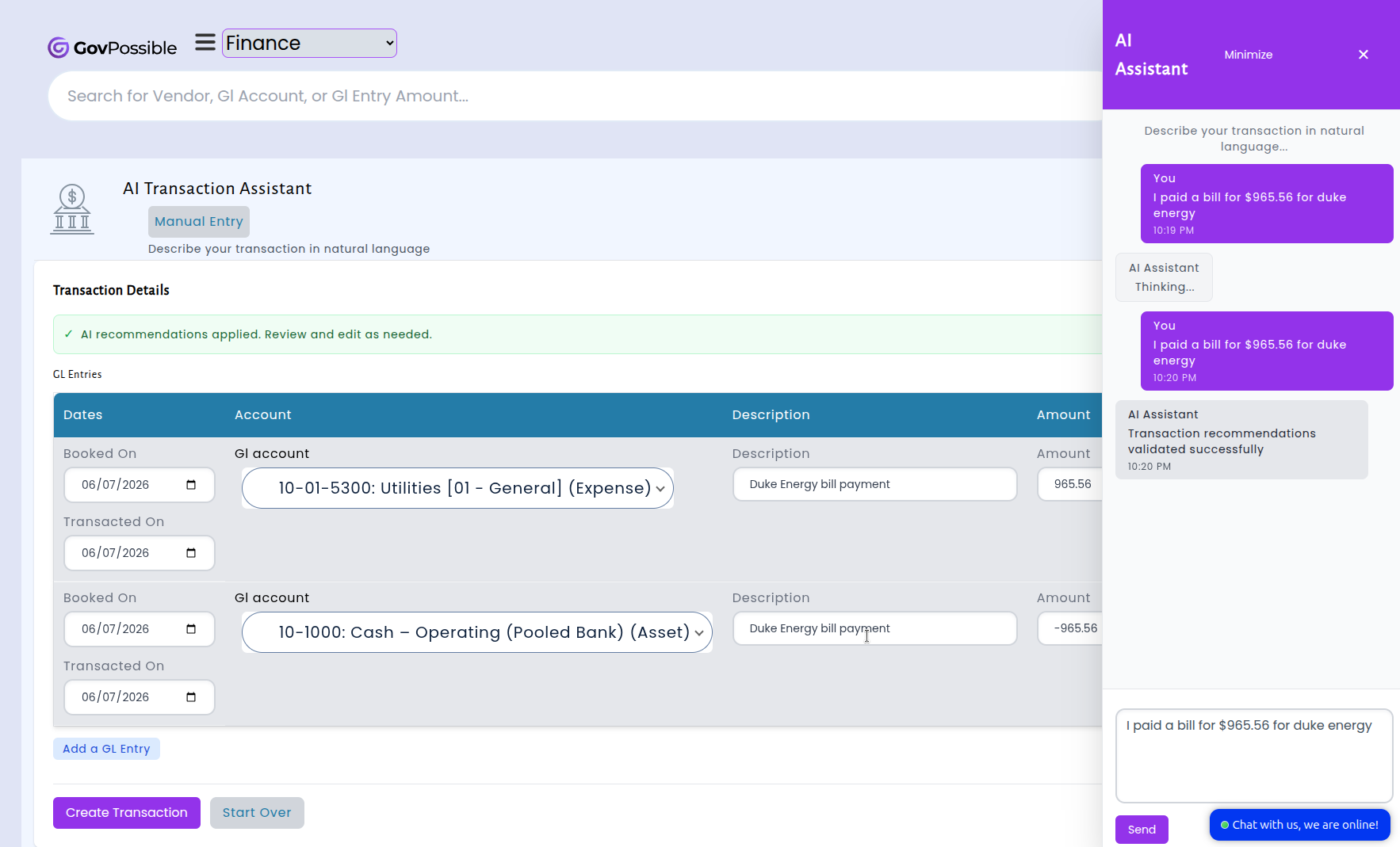
We've put tooling into place so that if you receive a poor recommendation, let us know and we can use that example to improve suggestions going forward.
Codes Enforcement: Summons Notice Template
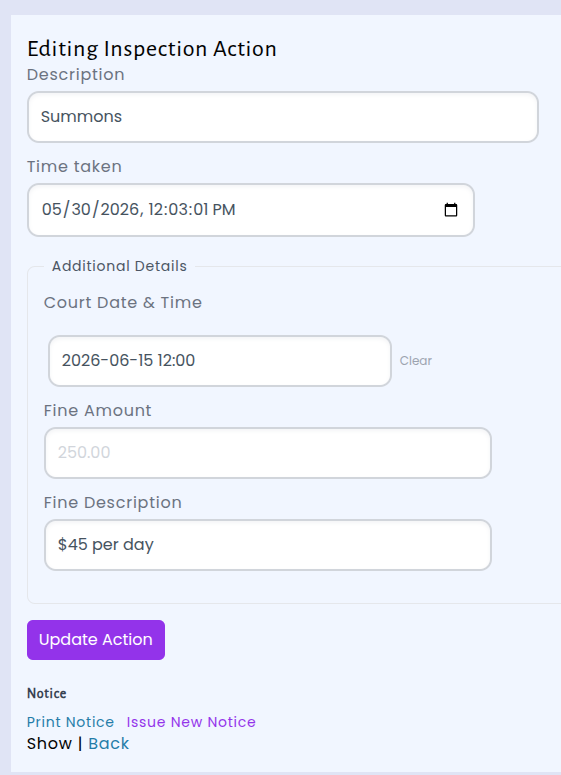
We've added a built-in default summons notice template that lets you fill in court details — including the court date and time, court location, and fine amounts. When you apply a Summons action to a violation, the system now automatically generates a notice document with all the relevant details filled in.
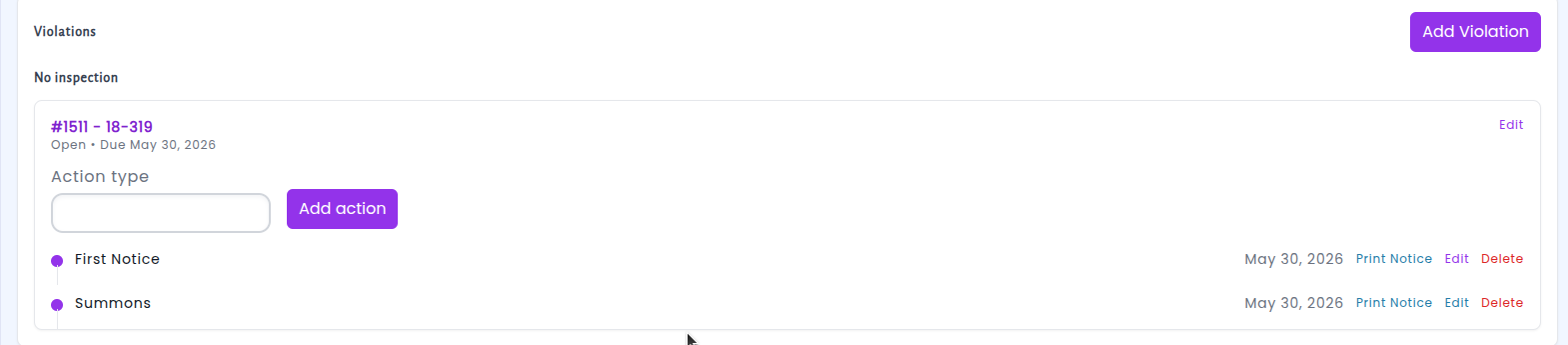
The new template pulls in your municipality's logo, the property and violation details, the respondent's information, and the court/fine parameters you entered — all formatted into a clean, print-ready summons document. Once you've filled in the action details, just click "Print Notice" to generate the PDF.
Licensing: Parcel References
Business licenses often involve properties — a contractor has job sites, a property manager has rental units, a food truck vendor has serving locations.
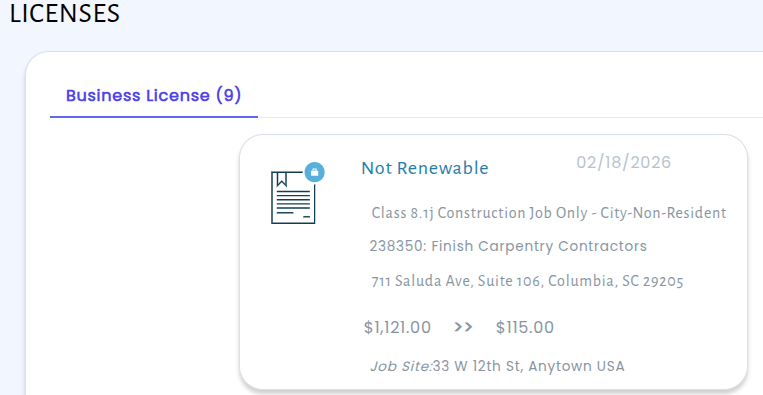
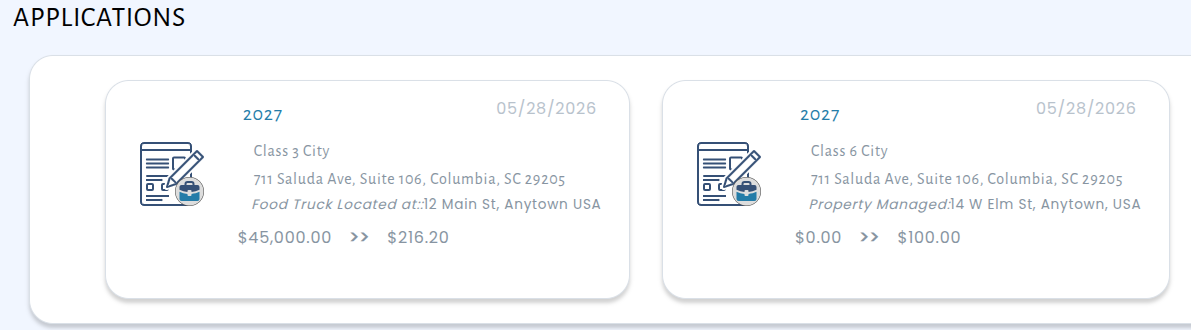
We've updated the licensing module so that you can link a parcel to the license and we can adjust the labels based on the type of business. A rental property business (NAICS 531110) will see "Properties Rented". A mobile food service will see "Vending Locations". Contractor licenses can display "Work Being Performed At". These context-aware labels appear everywhere: on license and application screens, on printed certificates, in renewal notices, and on the parcel detail page itself.
Permitting: Applicant Portal Now Captures Contractor License Information
We've enhanced the permitting application wizard to make it easier to collect and track contractor licensing details. When an online user manually adds a contractor to a permit application, the form now includes fields for the contractor's state license number and license expiration date.
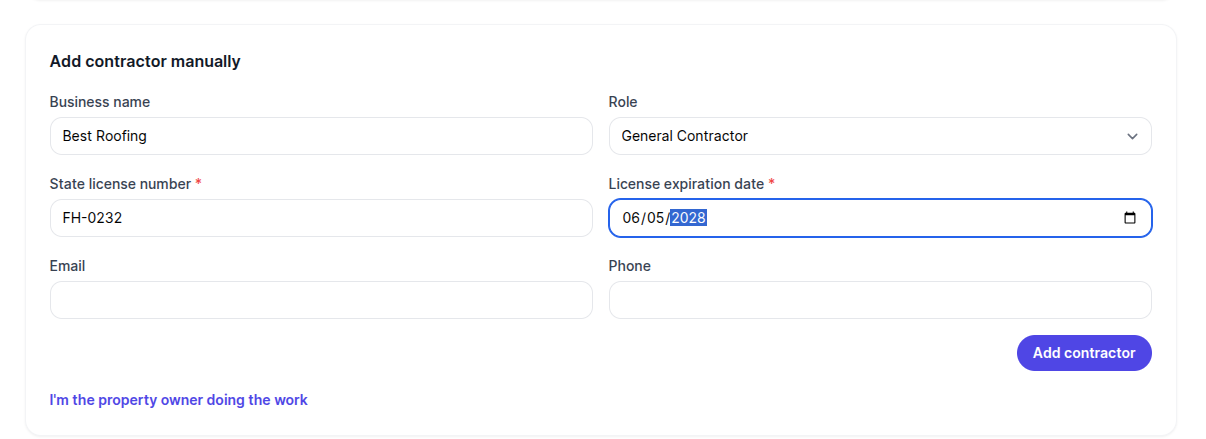
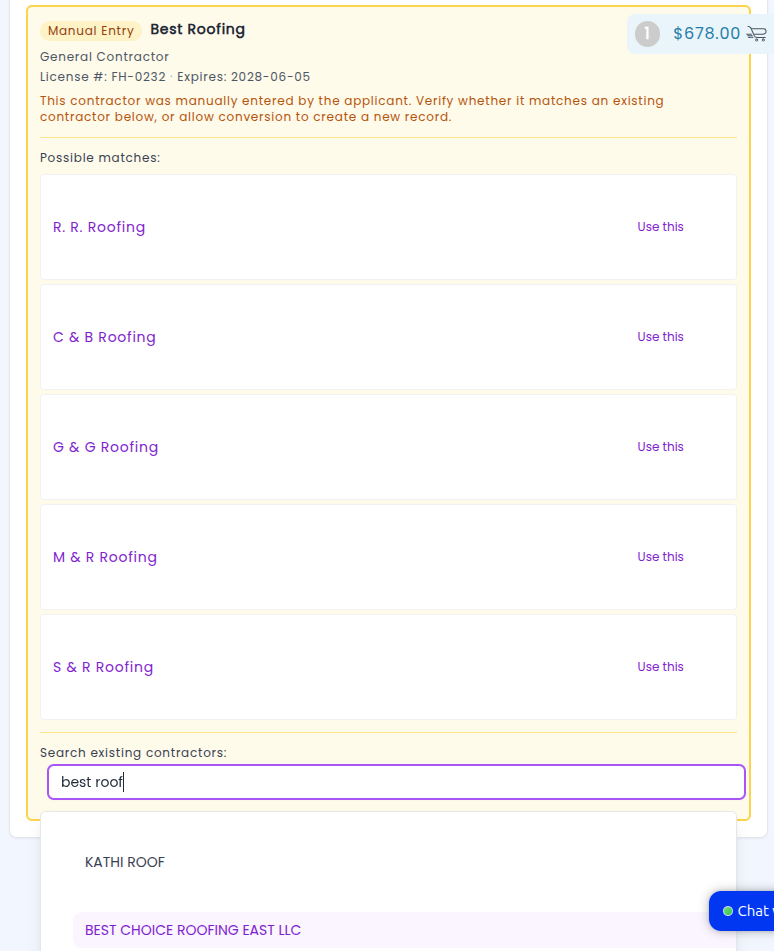
When the application is accepted, the contractor is created and the system automatically records a certification for that license on the contractor's business record, keeping everything organized in one place. When you're reviewing the application, you also have the option to search through and replace it with an existing contractor to reduce duplicates:
Codes Enforcement: Notices Pre-Formatted for Windowed Envelopes
Violation notices, first notices, and summons now include properly positioned address blocks that align with standard windowed envelopes. When you print a notice and fold it for mailing, the recipient's name and address will show through the envelope window automatically — no extra labels or handwriting needed.
The update also adds your organization's return address in the top-left corner of each notice, so both the "to" and "from" addresses are ready to go as soon as the notice is printed. The mailing address is pulled directly from the case's location information, ensuring it always matches the property on file.
This means fewer steps in your mailing workflow and a more professional, consistent look for every notice that goes out the door. Just print, fold, and mail.
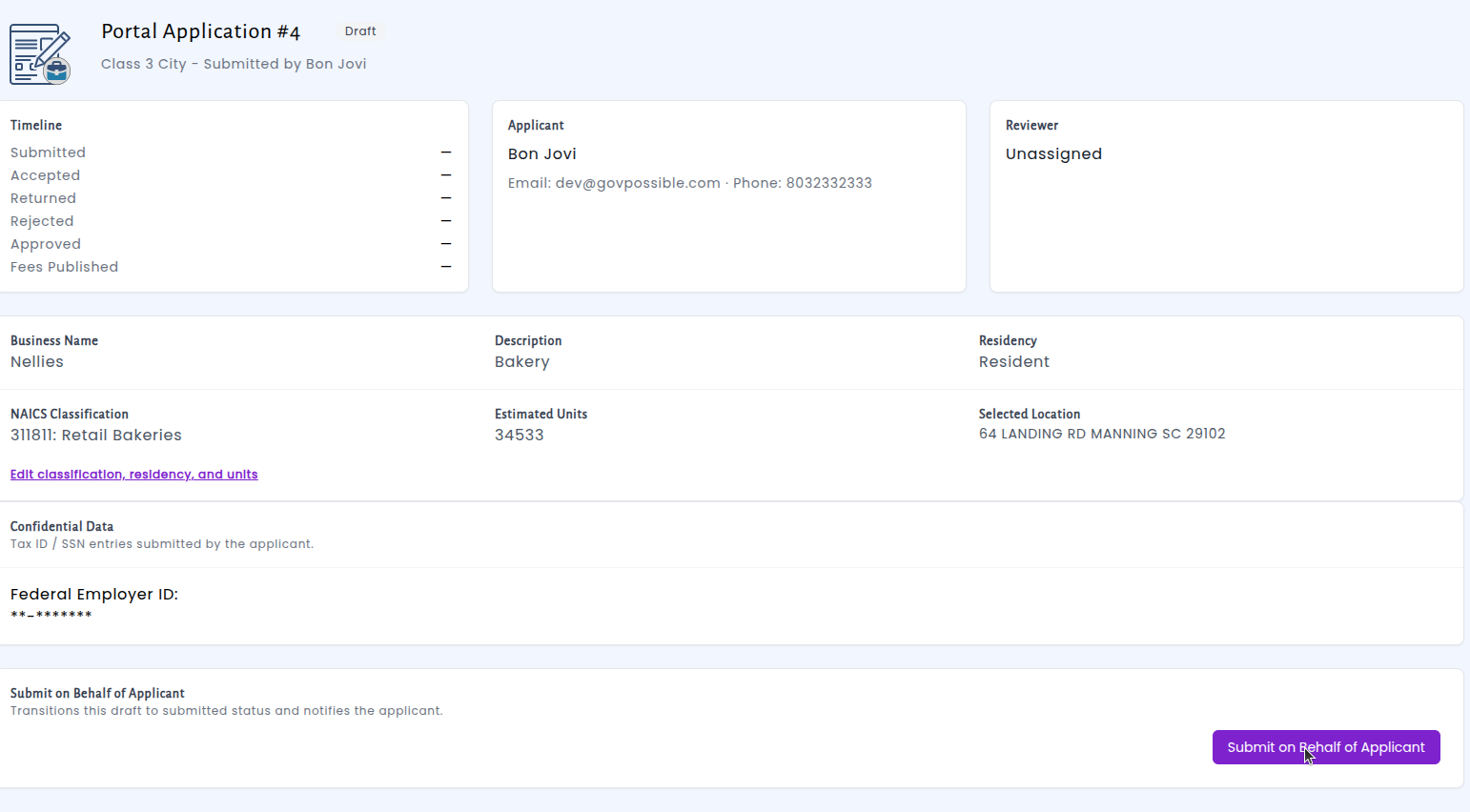
Licensing: Staff Can Now Submit Online Licensing Applications on Behalf of Applicants
We've made it easier for municipal staff to assist applicants with the online licensing process. Staff members can now submit a draft application on behalf of an applicant directly from the application detail screen. When a community member starts a license application through the portal but needs help completing it, staff can step in, review the draft, and submit it — triggering the same confirmation notifications the applicant would receive if they submitted it themselves.
Permitting: Active Permit Document Management Now Available on the Portal
We've expanded the document management capabilities on the citizen portal so that permit holders can continue uploading and managing documents after a permit has been approved. Previously, document uploads were only available during the initial application process. Now, applicants can submit revised plans, updated reports, or any other required files directly from their permit page throughout the life of their permit — no more emailing files or visiting the office.
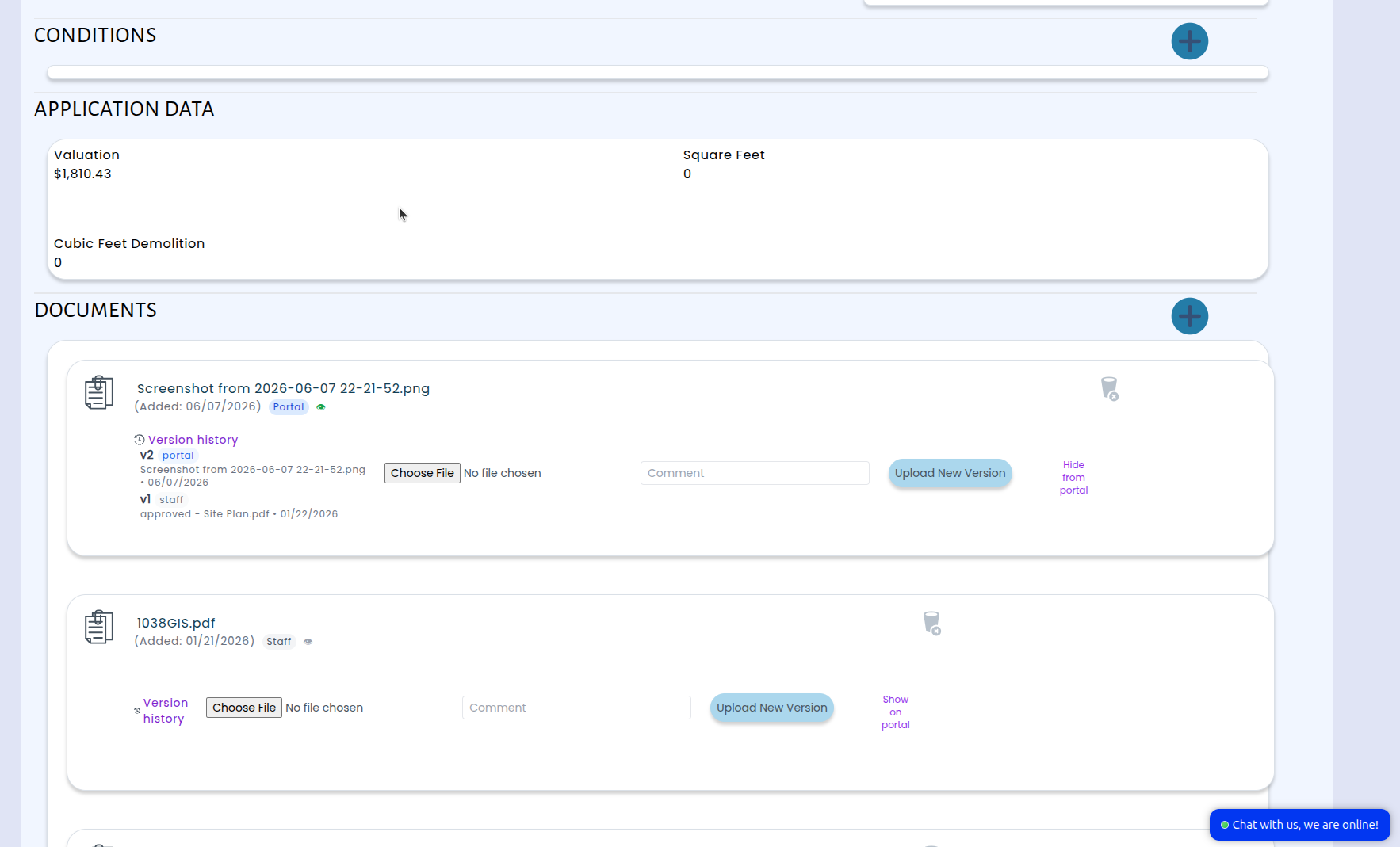
When an applicant uploads a new document through the portal, staff are automatically notified with a direct link to the permit and the uploaded file — no need to check for updates manually. Documents uploaded from either side are organized with full version history, so everyone can see the complete trail of revisions in one place. Staff can also upload new versions and choose to notify applicants, making two-way document sharing seamless.
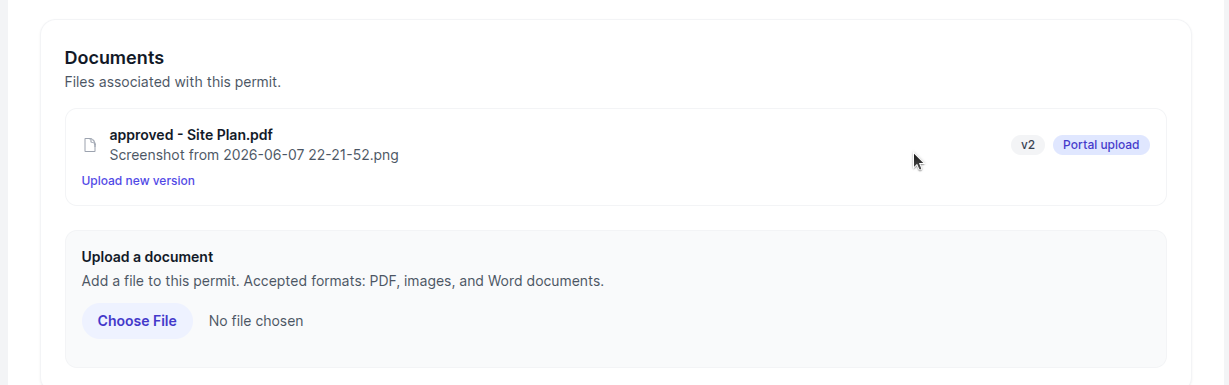
Staff have full control over which documents are visible on the portal. Each document can be toggled to show or hide from the applicant's view, so internal-only files stay private while shared documents are always up to date. This means faster collaboration between staff and applicants, fewer back-and-forth emails, and a clear record of every document exchange on every permit.
Inspections: Scheduling Email Backoff
We've improved how the inspection day planner handles email notifications when scheduling times are updated. Now, when an inspector sets or changes an inspection time, the system waits 10 minutes before sending the notification email to the permit requestor. This gives inspectors the flexibility to adjust their schedule without triggering multiple emails — only the final time is communicated.
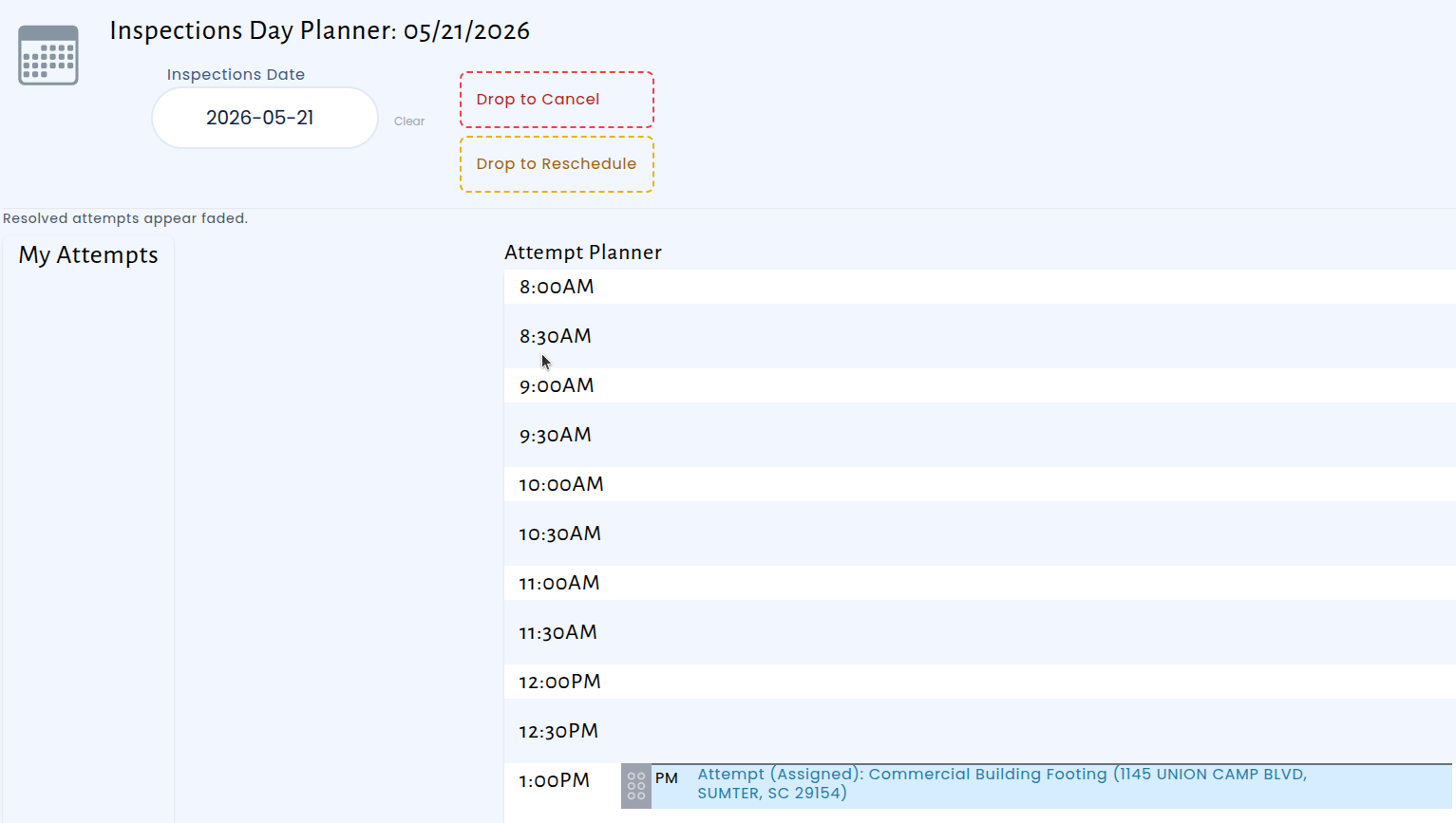
This is especially helpful for inspectors working on their iPads in the field, where schedules often shift throughout the morning. Previously, every time change would immediately send a new email, which could be confusing for permit holders receiving multiple updates in quick succession. With this change, the system automatically detects if a notification is already waiting to go out and prevents duplicates, so requestors receive one clear, accurate email with the confirmed inspection time.
The result is a cleaner experience for everyone — inspectors can finalize their day without worrying about premature notifications, and permit requestors get a single, reliable update about when to expect their inspection.