GovPossible Updates — Week of June 17, 2026
Happy Wednesday everyone! I'm very excited to share about the new improvements to our miscellaneous charges, available to all customers. A lot of you have been asking for more capabilities in this area over the years and I'm really happy about what we've been able to add, so read all the way to the end! :-)
Grants
Here are a few interesting grants we uncovered in the podcast last week:
- 6/22: USDOT: Pipeline emergency response grant
- 6/23: National Park Service: Historic Preservation Fund Paul Bruhn Historic Revitalization Subgrant Program $200k-$500k restoration of properties eligible for listing in the National Register of Historic Places. Towns under 5000 are specified as an eligible group and cities under 50k not part of a larger metro.
- 6/26 Preapplication deadline: Undiscovered SC Grants municipalities with less than 1.25m in Accommodations tax distributions. 50% reimbursement grant up to $200k for improvements or creation of public tourism attractions.
Checkout: Smarter Change Handling
From the very first moment in GovPossible when we setup checkout, I always allowed for the customer to pay more and give change. I reasoned at the time you may actually allow folks to request cash back on a credit card or check transaction. Since then, exactly.. well.. zero of y'all do that. :-D Instead we usually have a couple of times a year I get a helpdesk call where we've overcharged someone for a license or a permit.
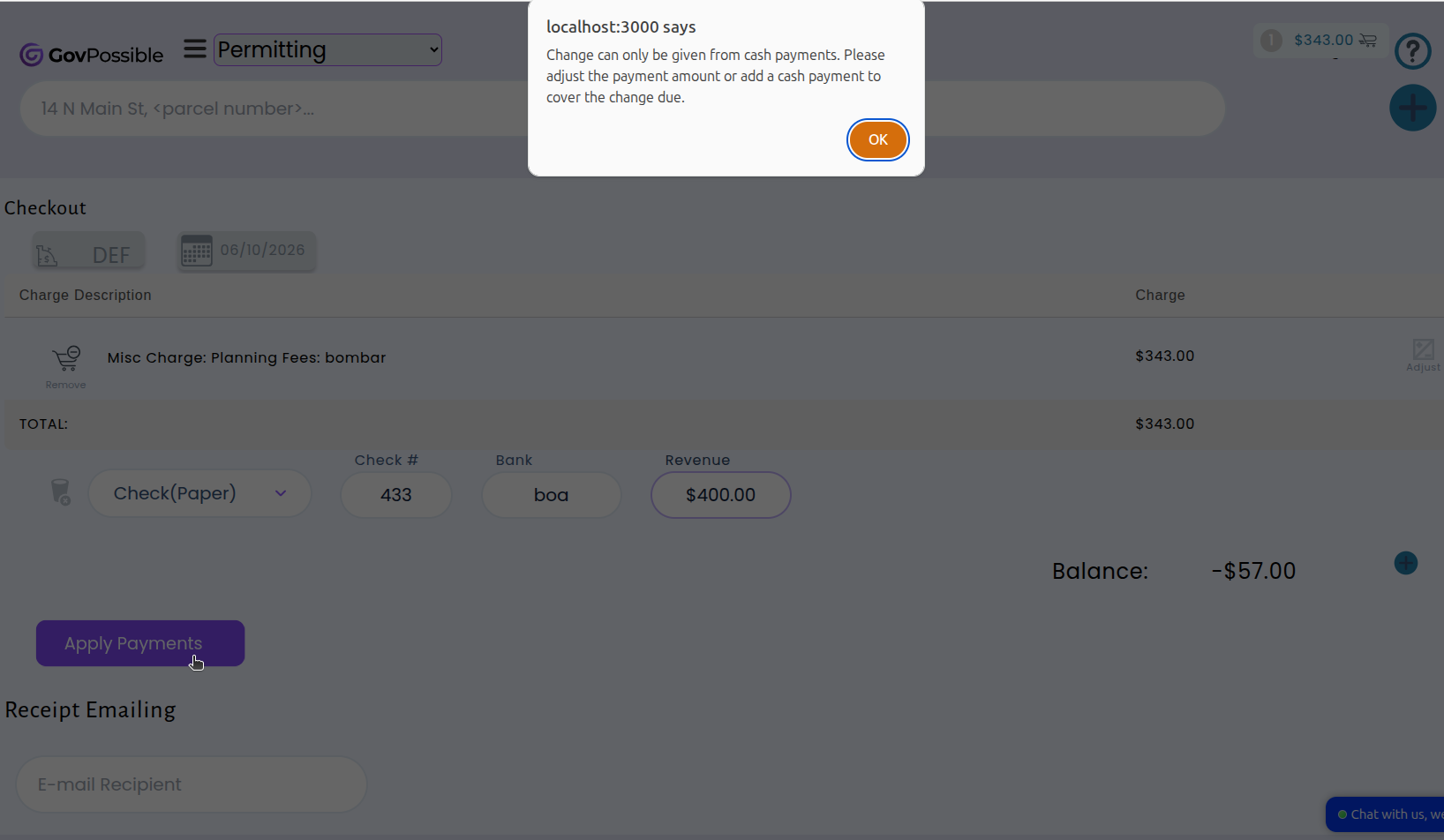
Now, the system enforces a straightforward rule: change can only be given when there is enough cash tendered to cover it. If a customer pays by check or credit card and the amount exceeds what's owed, the system will prompt your staff to adjust the payment amount before completing the transaction. When a customer pays with a mix of cash and another method, the system verifies that the cash portion is sufficient to cover any change due. This prevents overpayments from slipping through on non-cash transactions and keeps your books clean.
Permitting: Automatic Expiration for Unpaid Online Applications
Applications that are accepted but never paid for sit in the system indefinitely, cluttering your queue. We've added a new option that automatically cancels online permit applications that haven't been paid within 30 days of acceptance (or whatever you'd like).
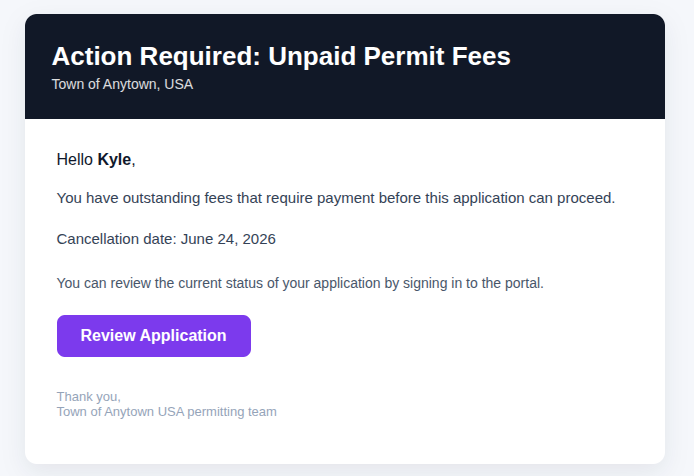
When enabled, the system checks daily for online applications that were accepted but remain unpaid. Those applications past the expiration window are automatically cancelled. It also gives the customer a warning 7 days before it's due and let's them know of the cancellation.
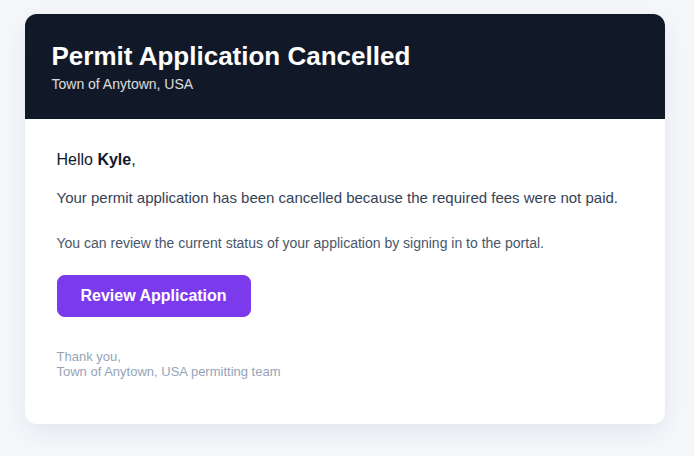
This feature is optional — your team can enable or disable it based on your jurisdiction's policies. If you'd like to start using automatic expiration for unpaid online applications, reach out and we'll help you get it configured.
Licensing: Report Filtering for Home-Based Business
We've added a new filter to the Licensing Activity Report that lets you view activity for home-based businesses, non-home-based businesses, or all businesses at once.
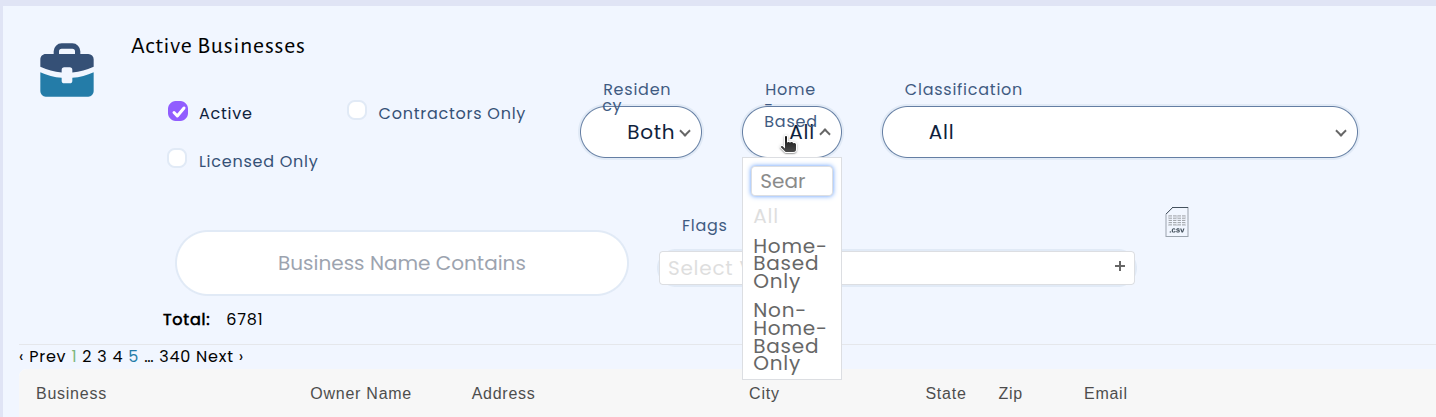
We've also improved the Business Directory filter:
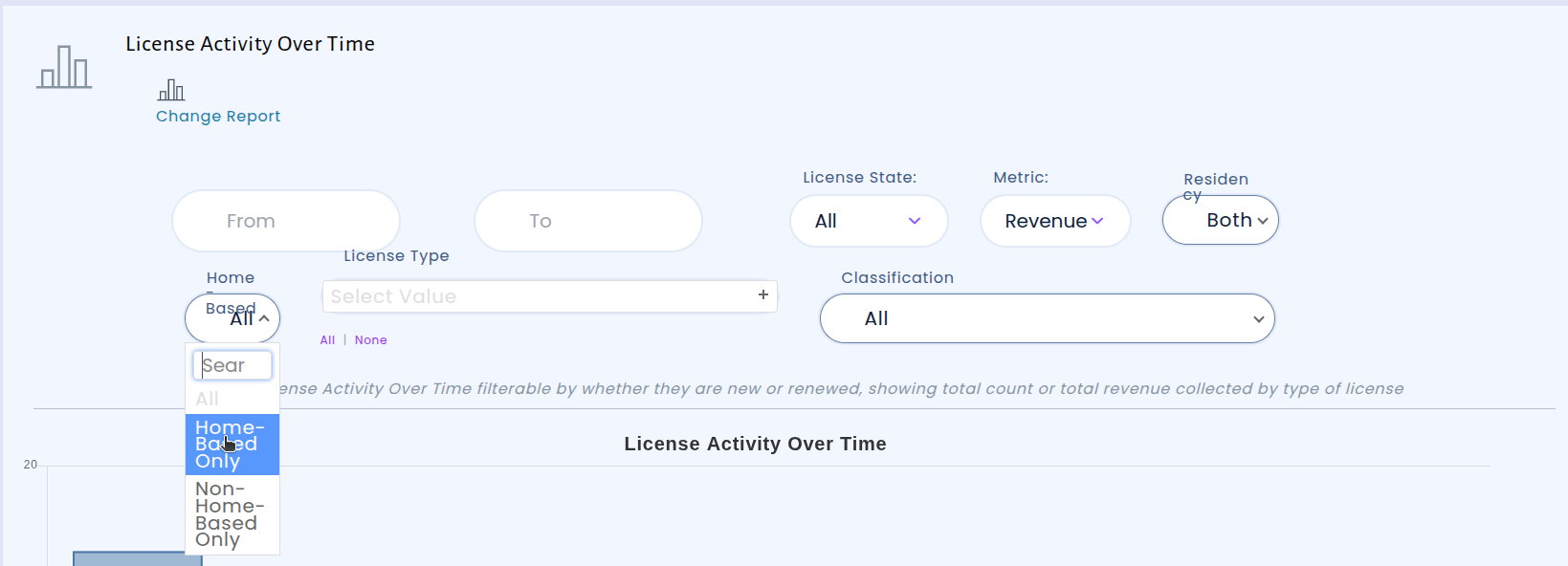
Together, these updates give your licensing team more reliable tools to track and report on home-based business activity across your jurisdiction.
Miscellaneous Charges Just Got Smarter
We've made significant improvements to how miscellaneous charges work in the system, giving you more flexibility and less manual effort when calculating and managing fees.
Charge types now support custom input fields and automatic calculations. Instead of manually computing a fee and entering a flat amount, we can now set up a charge type with its own input fields and formula. When you create a new charge, just fill in the values and the system calculates the total for you — no more pulling out a calculator or spreadsheet.
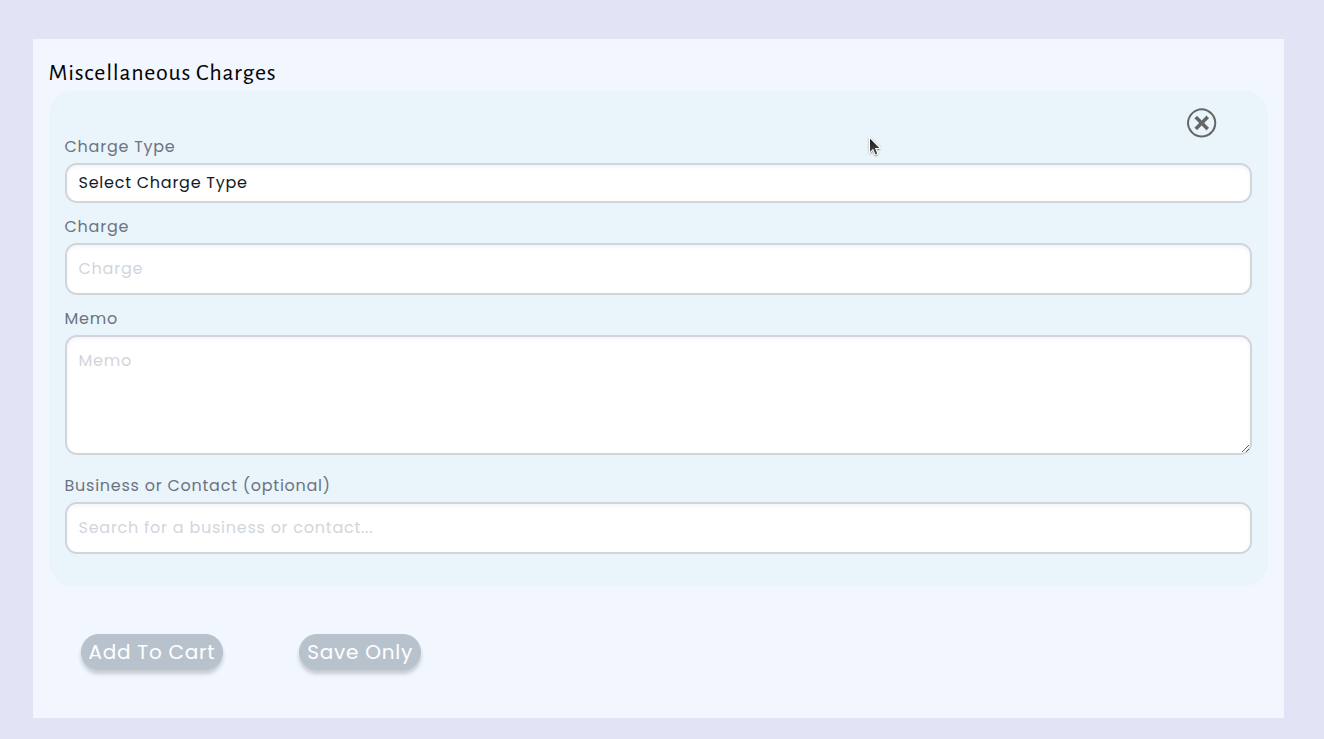
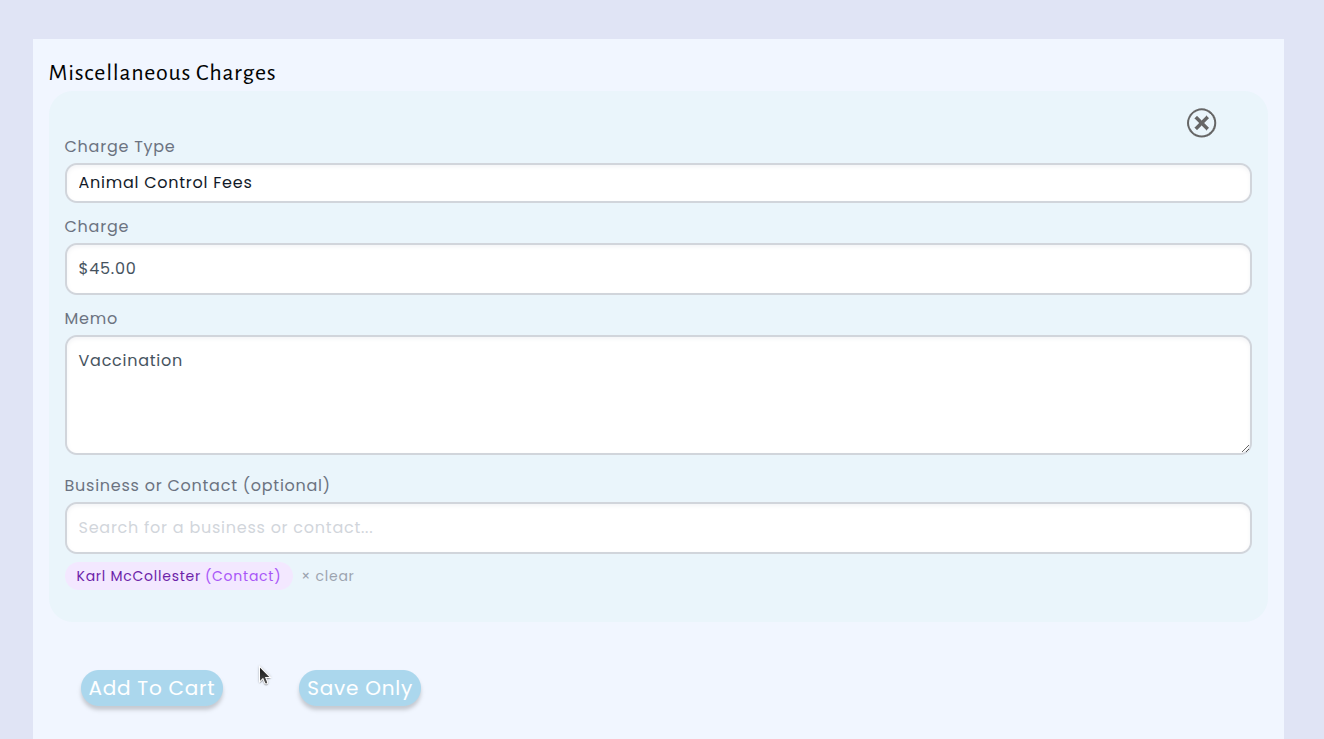
Link charges to businesses or contacts. You can now associate a miscellaneous charge with a specific business or contact in the system. This makes it easy to pull up their information when you need to send an invoice by email or mail — no more looking up addresses separately.
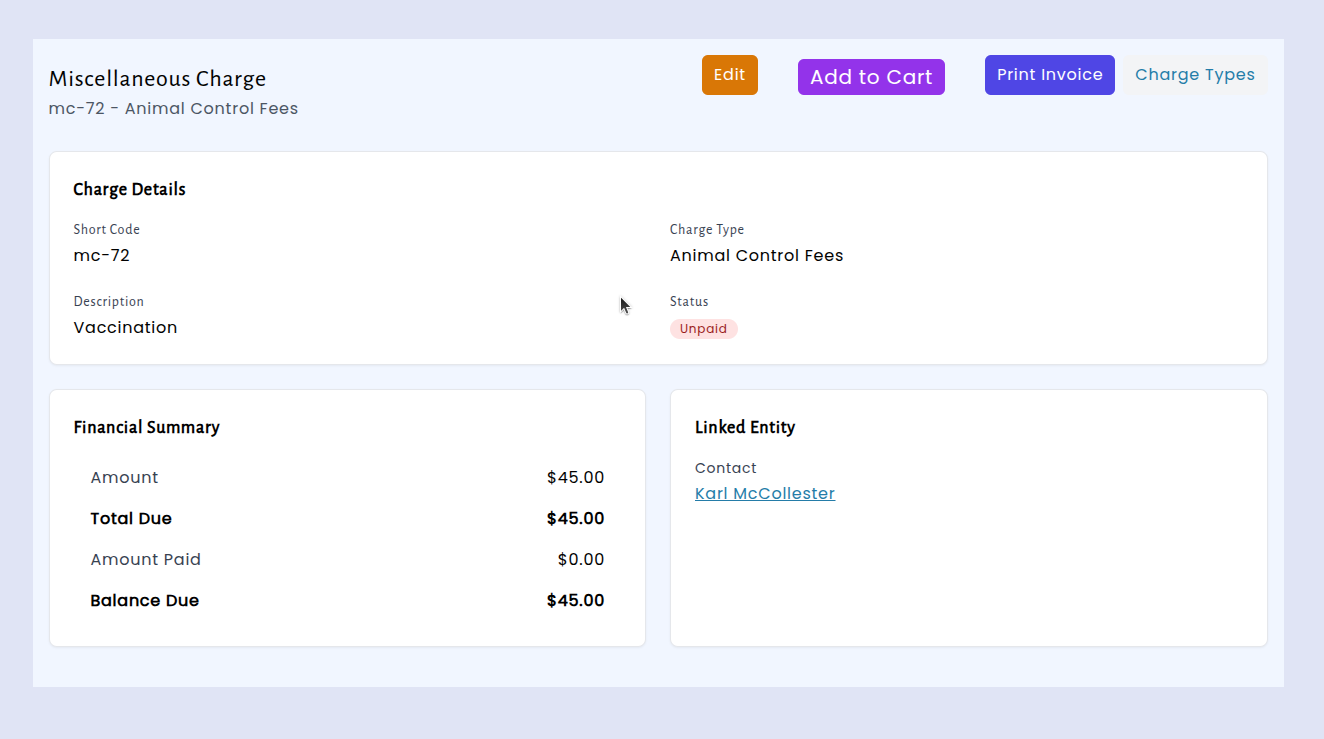
Quick search with short codes. Every miscellaneous charge now gets an automatic short code (like MC-42) that you can use to quickly find it in search. This is especially handy when you need to reference a specific charge in correspondence or look one up while on the phone.
Print-ready invoices. You can now generate a professional PDF invoice directly from any miscellaneous charge. The invoice template pulls in all the relevant details — charge description, calculated amounts, and contact information — so you can print or email a polished invoice with just one click.
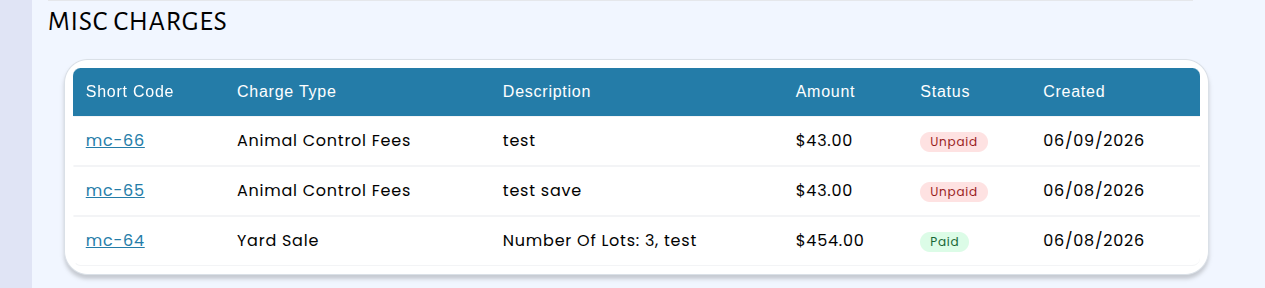
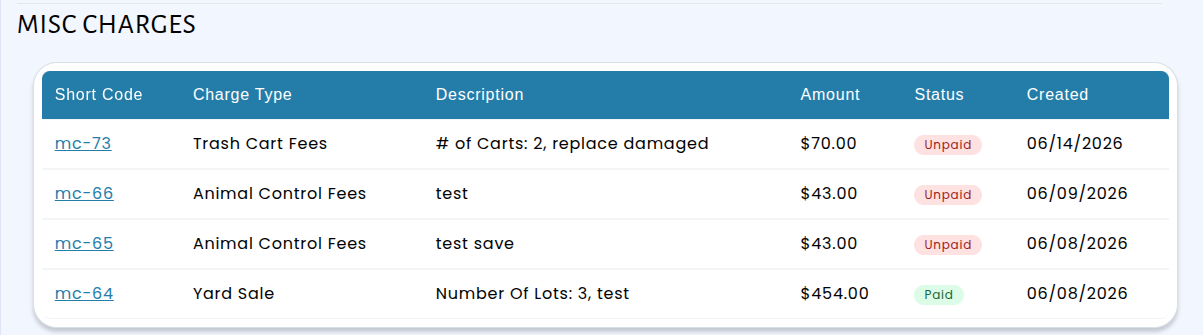
These improvements streamline the entire process of creating, tracking, and billing miscellaneous charges.