Software Updates — Week of July 28, 2026
Here's what's new this week in GovPossible:
Licensing: Conditions
Managing business license conditions just got easier. You can now attach conditions directly to license applications and licenses — and those conditions carry forward automatically through the entire licensing lifecycle. When an application is approved and converted to an active license, any conditions are migrated over. When a license is renewed, conditions are recreated on the new renewal application so nothing falls through the cracks.
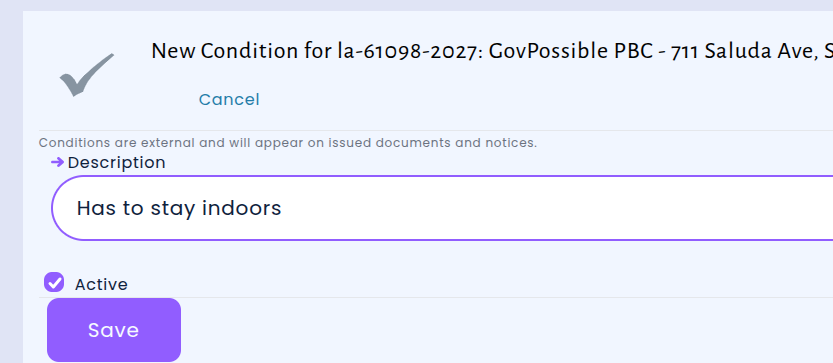
Conditions now appear everywhere you need them. Whether they're attached directly to the license or come from tasks on the underlying application, all active conditions are consolidated and displayed on the license screen, the application PDF, and the printed license PDF. This gives staff and license holders a complete, at-a-glance view of any requirements or restrictions tied to a license — no more hunting through separate records.
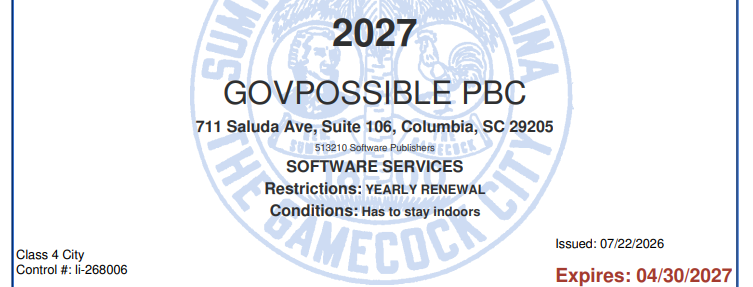
This update brings the licensing module in line with how conditions already work in Permitting, giving your team a consistent experience across both areas. Whether you're issuing a new license, processing a renewal, or printing documents for a license holder, conditions are always visible and always up to date.
Website Module: Events & News Now Display with Full Formatting and Images
When your staff create events and news posts in GovPossible, they often include formatted text — bold headings, bullet points, italics — along with photos and images to make announcementModules more engaging. Previously,only plain text was supported.
That's now improved. Events and news published from GovPossible to your community portal now display exactly as your staff intended — complete with text formatting, embedded photos, and any other images added to the post. Whether it's a flyer for a community cleanup, a photo from a council meeting, or a formatted agenda for an upcoming event, residents will see the full, polished version on your website.
Inspections: Add Conditions While Updating Status
We've made it easier for inspectors and staff to manage inspection attempts. Previously, if you needed to add a condition to an inspection visit while also updating its status, you had to complete those as separate steps. Now, you can do both at the same time — right from the inspection visit update screen.

This means fewer clicks and a smoother workflow when processing inspection results. For example, when an inspector completes a visit and needs to note a condition — such as a required correction or a follow-up item — they can now record that condition and update the visit status in a single step. Hopefully this saves you a few clicks!
Permit Index Now Shows Contractors and Linked Business Licenses
The permits list page just got a helpful upgrade. Each permit row now displays the contractors assigned to it — including their name, role, and license status — so you can see at a glance who is working on a job without having to open every individual permit. If a contractor has any license warnings, such as missing or expired licenses, those are flagged right on the list as well.
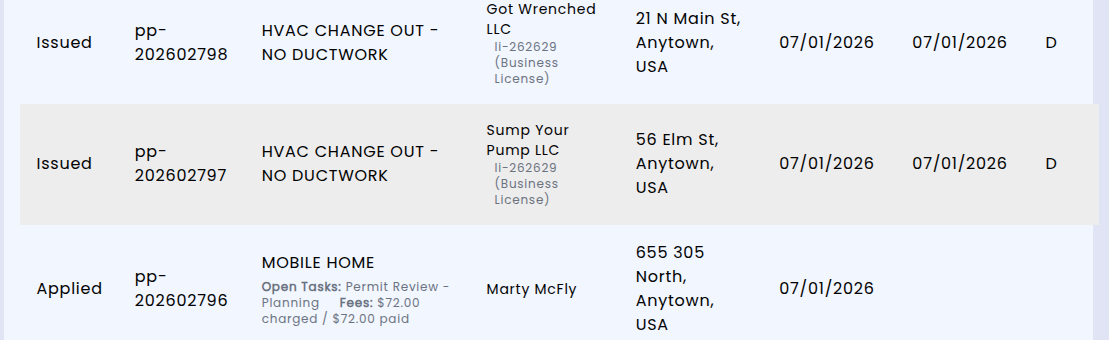
In addition to contractor details, the permits list now also shows linked business licenses directly on each row. If a contractor holds an active business license, you'll see a clickable shortcode that takes you straight to that license record. The same applies to job-only license links — all linked licenses appear as convenient shortcuts right in the table. This means less clicking back and forth between permits and licenses when you're reviewing permit activity or verifying contractor credentials.
These changes make the permits list a more useful at-a-glance tool for staff who need to quickly check contractor and licensing information across multiple permits, saving time during daily permit reviews and inspections planning.
Permitting: Monthly Report Now Includes Notices Issued
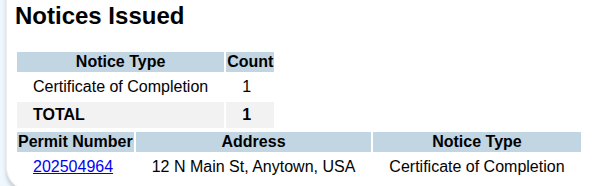
The Permitting Monthly Report has been expanded with a new Notices Issued section, giving you a clear summary of all notices generated during the reporting period. The report now displays a count of notices broken down by type, along with a detailed list showing each notice's permit number, property address, and notice type.