Software Updates — Week of August 18, 2026
Good morning everyone!
For those of you at the Small Cities Summit, it was great to see you and catch up.
I love talking with folks in the agency hall. During some downtime I learn all about barbeque trailer rules from the Department of Agriculture:
- Must be part of or combined onsite with a food truck
- Must be fully screened (to keep bugs off)
- Food carried between the two must be in a container (darn bugs again).
BUT if an event like a church picnic, auto dealer sale, or chili cookoff registers with (and is approved by) DoA, a lot of those restrictions can be eased up!
I also spent some time learning about Palmetto Pride. Did you know they can provide:
- Free trash pickup materials for a clean-up event?
- Free tarps and bungees for your officers to give to folks with trucks caught not covering their loads?
- Scholarships and clean-up events with schools?
- Grants for items like trash cans on main street?
Here's what's new this week with GovPossible:
Licensing: New Delinquency Management Tools
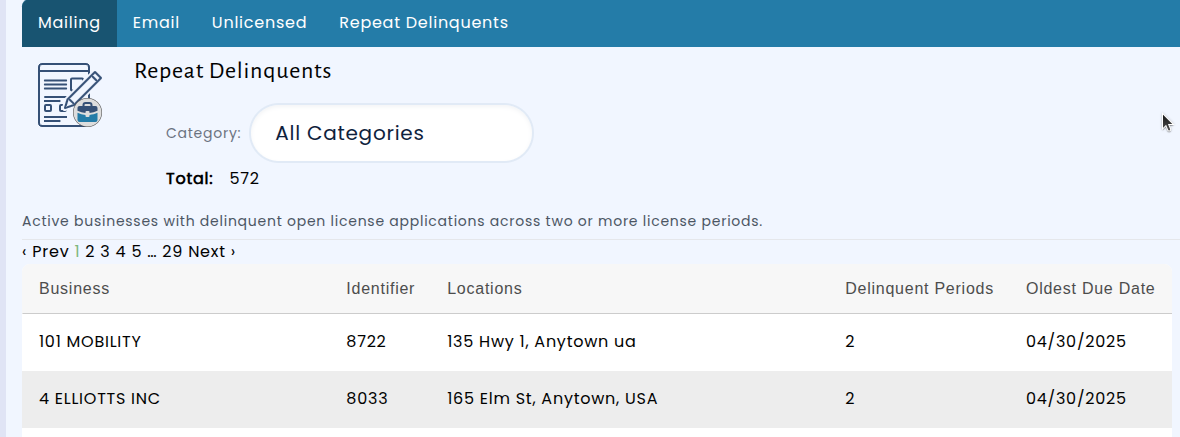
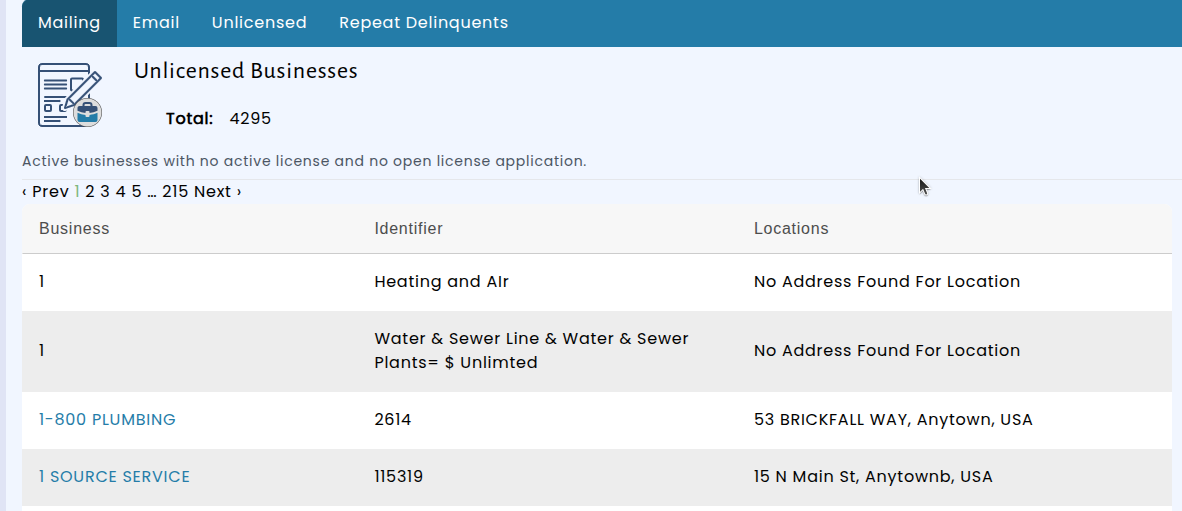
You now have more tools for keeping track of which businesses in your jurisdiction are properly licensed. We've added new views to the Delinquency Management section under 'Notices' in the admin area: businesses that are currently active but don't hold any active license, and businesses with multiple periods of overdue license applications. You can filter the delinquent applications list by license type category so you can focus on just Business Licenses versus Hospitality Tax:
To help your team stay on top of compliance without having to remember to check manually, we've also introduced a monthly delinquency summary email. Each month, designated staff members will receive an email with a count of unlicensed and delinquent businesses, along with direct links to the full reports.
Finance: Pay Bills Directly from the Bill Page
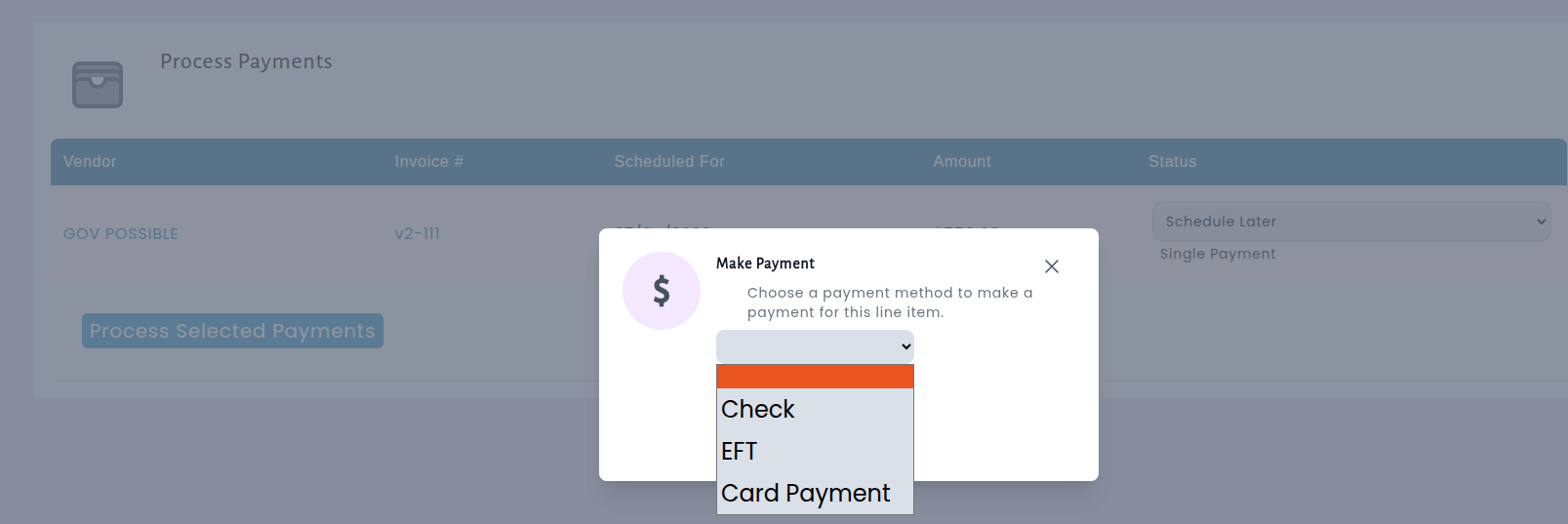
You can now pay a bill right from the bill page itself. When viewing a bill that hasn't been fully paid, you'll see a convenient "Pay Now" link in the Payments section. Clicking it opens the same payment window you're already familiar with from the Process Payments screen — so there's nothing new to learn.

Previously, if you were reviewing a bill and wanted to make a payment, you had to navigate away to the Process Payments page to complete it. Now you can handle the payment without leaving the bill you're already looking at, saving you time and extra clicks during your accounts payable workflow.
Codes Enforcement: Cases Now Have a Print View
You can now print a complete summary of any Codes Enforcement case directly from the case detail screen. Just click the new "Print Case" button, and a clean, print-ready version of the case opens in a new tab with the print dialog ready to go.
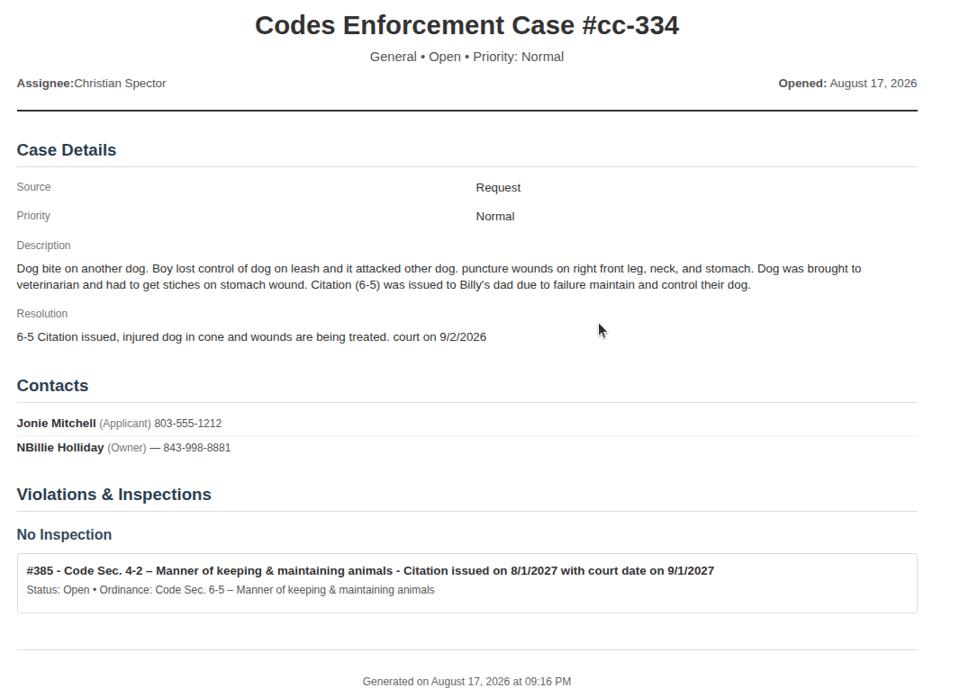
The printed report includes everything you need for your records: the case header with status and priority, case details and description, property locations, contact information, a full summary of all actions taken, and a breakdown of violations organized by inspection. Anonymous complainant information is automatically protected — their identity and contact details are hidden on the printed page, so you can share the printout without concern.
Whether you need a hard copy for a field visit, a paper record for your files, or a summary to share with other departments, the new print view gives you a professional, well-organized document with all the key case information at a glance.
Miscellaneous Charges Now Reflected in Memo Accounts
Miscellaneous charges linked to a business or contact now automatically appear in their memo account, giving you a complete picture of all outstanding balances in one place. Previously, these charges were tracked separately, which meant memo accounts didn't fully reflect what was owed. Now, when a miscellaneous charge is created, paid, partially paid, or voided, the memo account updates immediately to show the correct balance.
This update also handles situations where a charge is reassigned from one business or contact to another. When that happens, the system creates clear reversal entries on the original account and posts fresh entries to the new one — so both accounts stay accurate and the full history is preserved for auditing purposes.
Existing miscellaneous charges that are already linked to a business or contact will be brought into their memo accounts as part of this update, so no manual data entry is needed. Going forward, your memo account balances will always include miscellaneous charges alongside license fees, audits, and other items you're already accustomed to seeing there.
Introducing the Granting Management Module
Managing money going out the door has always been harder than tracking money coming in. Communities that offer grant programs — reimbursing business license fees for brick-and-mortar shops inside city limits, supporting façade improvements, or funding neighborhood projects — have often had to run those programs out of spreadsheets, email threads, and paper files. The new Granting Management Module brings the whole process into one place, from the moment an application arrives through the day the award is paid.
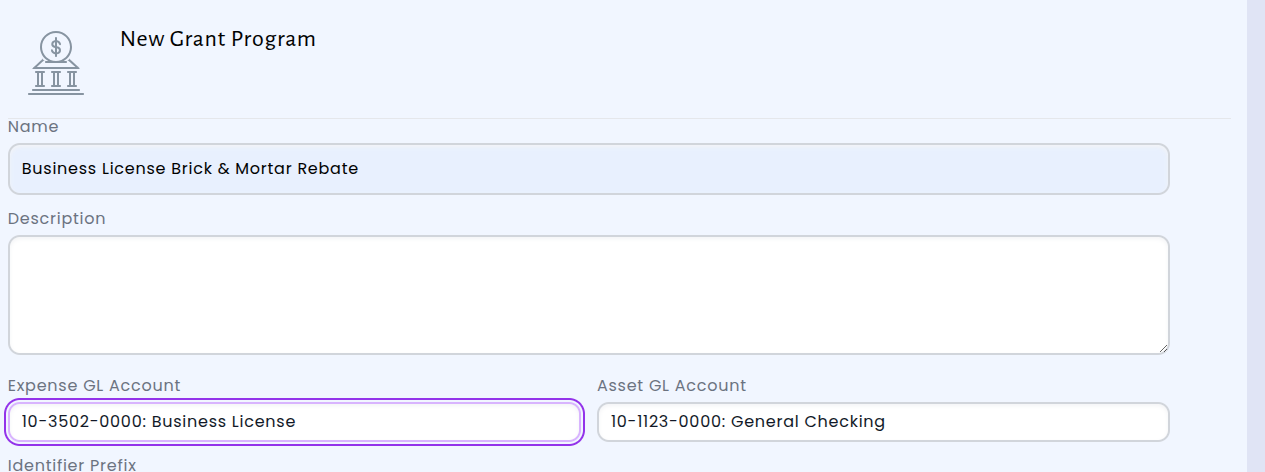
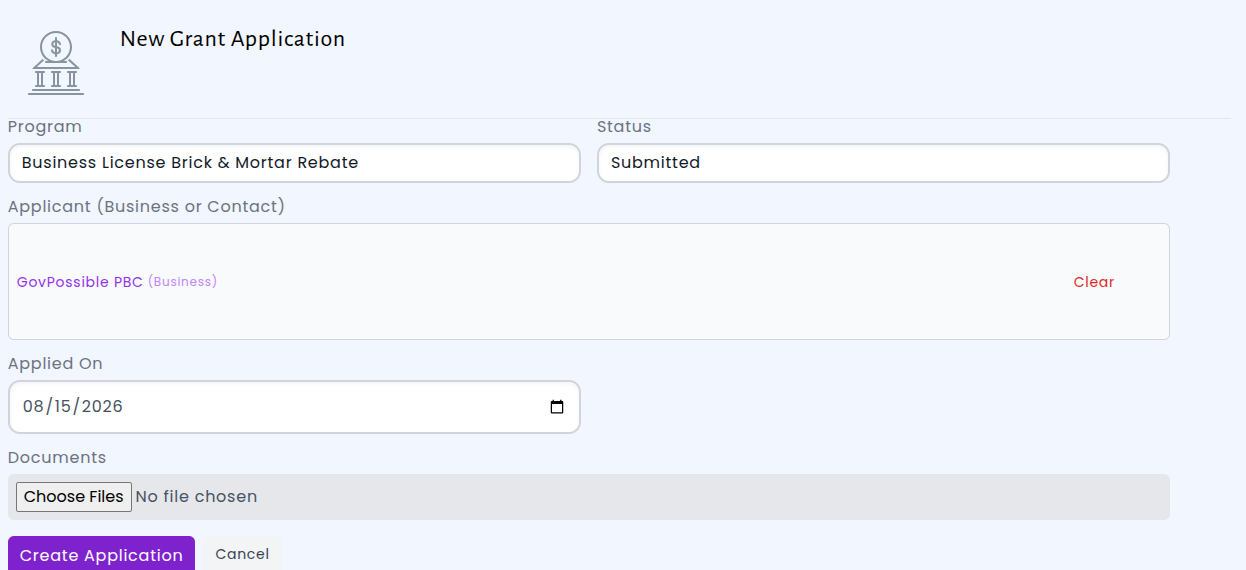
You start by setting up your grant programs. Each program is tied to the expense and asset accounts your finance team already uses, so awards land in the right place in your books automatically — no manual journal entries, no reconciling later. Once your programs are defined, applications can be submitted against them and linked to the person or business applying, the same way a reservation is tied to a customer. Staff can attach supporting documents, leave internal notes as the review progresses, and keep everyone on the same page without digging through inboxes.
When it's time to decide, reviewers record the decision and the award amount right on the application. Approving an award kicks off the rest of the work for you: an award letter is generated for the applicant, a payment request form is emailed to the grants finance contact you've designated in Customer Settings, and the accounting transaction for the expense and the asset withdrawal is created behind the scenes. What used to be a handoff between three or four people — and a common place for awards to stall — now happens the moment the decision is made.
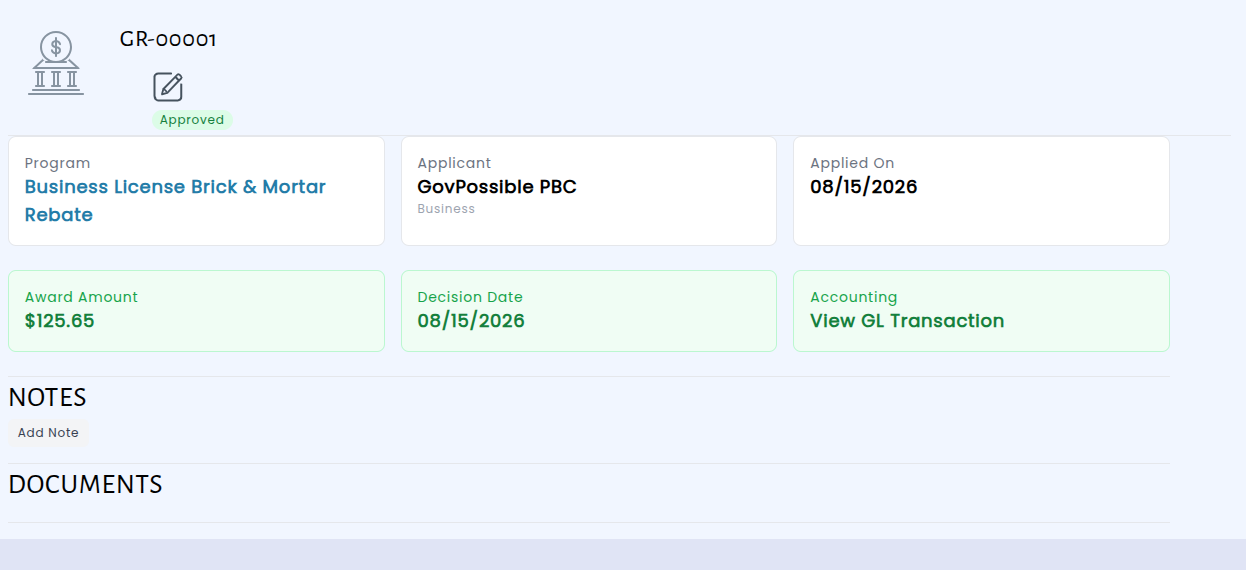
The result is a clear, auditable record of every grant your community awards: who applied, what was submitted, who decided, how much was awarded, and exactly how it hit your books. Applicants get faster answers and prompt payment, finance gets accurate records without chasing paperwork, and your council gets a straightforward answer whenever someone asks how a grant program is performing.
Inspection Results Now Email Automatically
Contacts on a permit inspection now receive an email as soon as the inspection is completed — no extra steps required from your staff. Previously, when an inspector marked an inspection as Approved, Corrections Required, or any other final result, the contact on file was not notified. Someone in the office had to remember to send the results manually, and in practice that meant applicants, contractors, and homeowners were often left waiting or calling in to ask how their inspection went. With this update, finishing the inspection is all it takes: the notification goes out on its own.
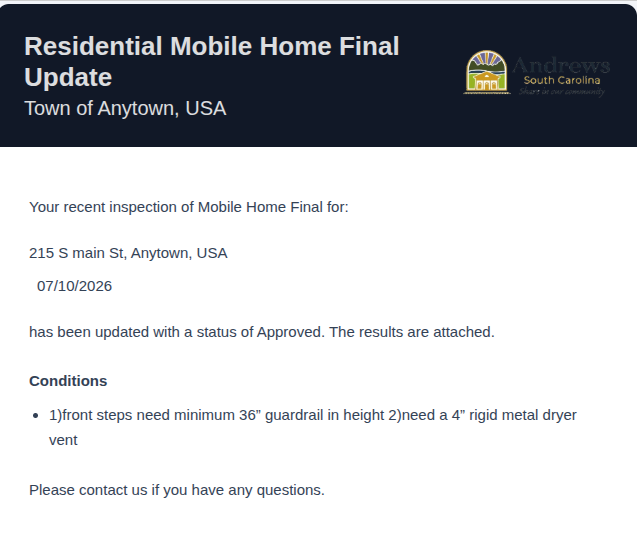
The email itself was also improved so it answers the recipient's questions in one place. It names the inspection and the property address, states the result clearly, and now lists any conditions the inspector recorded — so a contractor knows exactly what needs to be corrected before a re-inspection, rather than having to call the office to find out. The full inspection report is attached to the message for their records. The same improved format is used when your staff choose to send results manually, so every notification from your office looks consistent.
We also built in a short delay before the email sends. Inspectors often adjust a result or add a condition moments after saving, and this brief pause means the contact receives one accurate, final message instead of a string of corrections. The result is fewer status-check phone calls for your front desk, faster turnaround for applicants, and a clear record that the results were delivered.
Codes Enforcement: Photos Now Available on Violations
Code enforcement violations can now include photos. When you create or edit a violation, you'll find a new Pictures section where you can add images directly to the record — an overgrown lot, an unpermitted structure, a damaged sidewalk, or whatever prompted the notice. Those photos stay attached to the violation and are visible any time you or a colleague opens it.
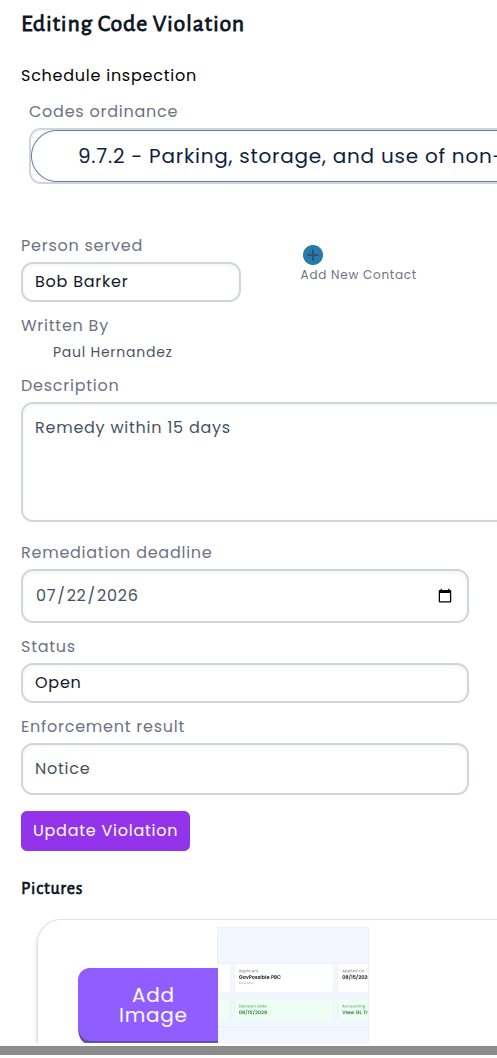
Photographic evidence is often the clearest record of what a property looked like on a given day. Keeping them on the record itself means the full picture travels with the case: the ordinance cited, the person served, the remediation deadline, and the visual proof, all in one place.
Licensing: Download a PDF of Your Filtered Delinquency Results
Licensing delinquency reporting is now more flexible. Previously, when you narrowed down the delinquency list — by license type, by date range, by status, or any other combination of filters — you could export those exact results to a spreadsheet, but a print-ready PDF wasn't an option. With this update, you can now generate a PDF of your filtered delinquency results directly from the same screen, using the same filters you already have applied.
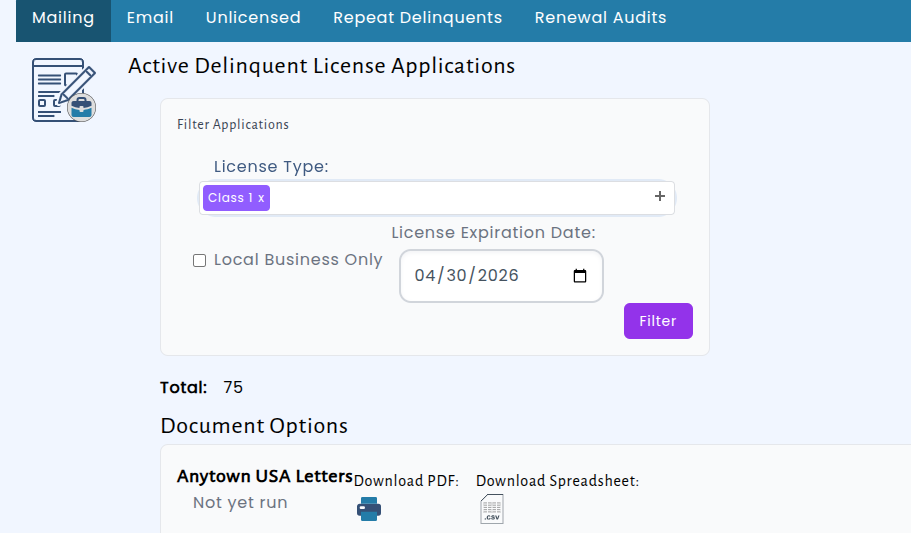
The PDF works exactly like the CSV export you're already familiar with. You set your filters, request the file, and keep working — the report is prepared in the background, and an email arrives with the finished document as soon as it's ready. There's no need to sit and wait on a loading screen, even when you're pulling a large batch of delinquent accounts.
Now you can print just the letters you need.
Checkout: Jump Straight to a Check Request from the Checkout Screen
Checkouts that include a check request payment now show that payment as a direct link to the check request itself. Instead of noting the reference, leaving the checkout, and searching for the matching record, you can click the payment line and go right to the check request's details page.
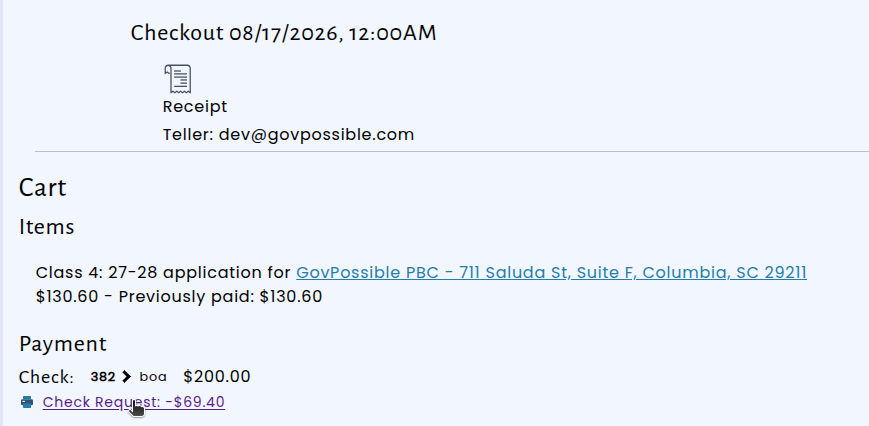
The link opens in a new tab, so the checkout you were reviewing stays open behind it. That means you can confirm the details of a check request — or print it — and then return to the checkout exactly where you left off, without losing your place or having to re-enter your search.
For staff reconciling payments or preparing checks for signature, this removes a small but frequent bit of back-and-forth. Everything related to a checkout is now one click away, making it faster to verify that the right check request is tied to the right transaction.