Software Updates — Week of April 28, 2026
Here's what's new this week in GovPossible:
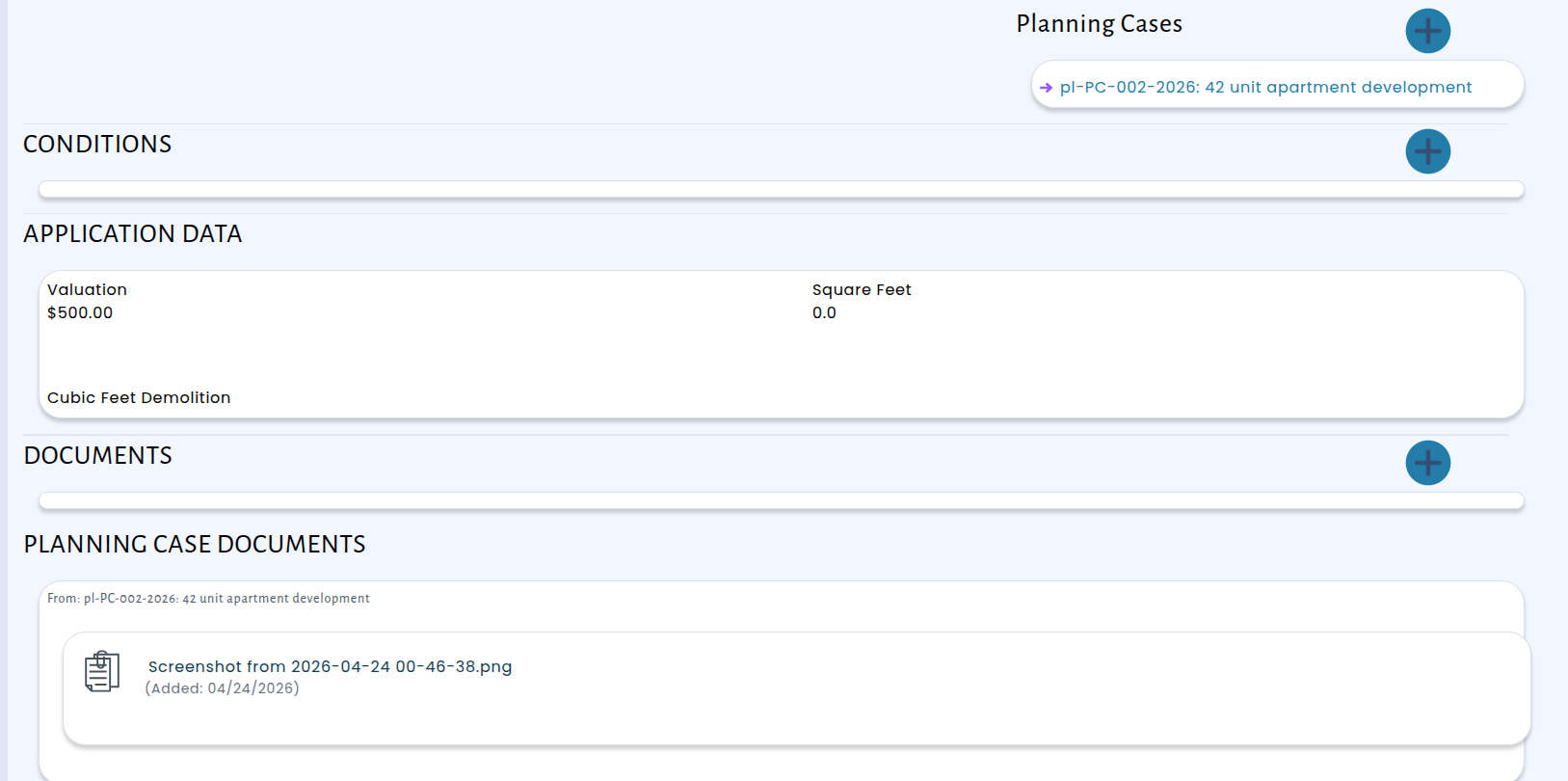
Permitting Applications Now Display Documents from Linked Planning Cases
When a permitting application is connected to a planning case, staff no longer need to switch back and forth between screens to view the planning documents. The permitting application page now includes a dedicated Planning Case Documents section that automatically displays all finalized documents from any linked planning case — right alongside the permit's own documents.
Permitting: Approval Warns You About Outstanding Tasks
To help prevent permits from being approved prematurely, the system now displays a warning whenever you set an approved date on a permit that still has outstanding tasks.
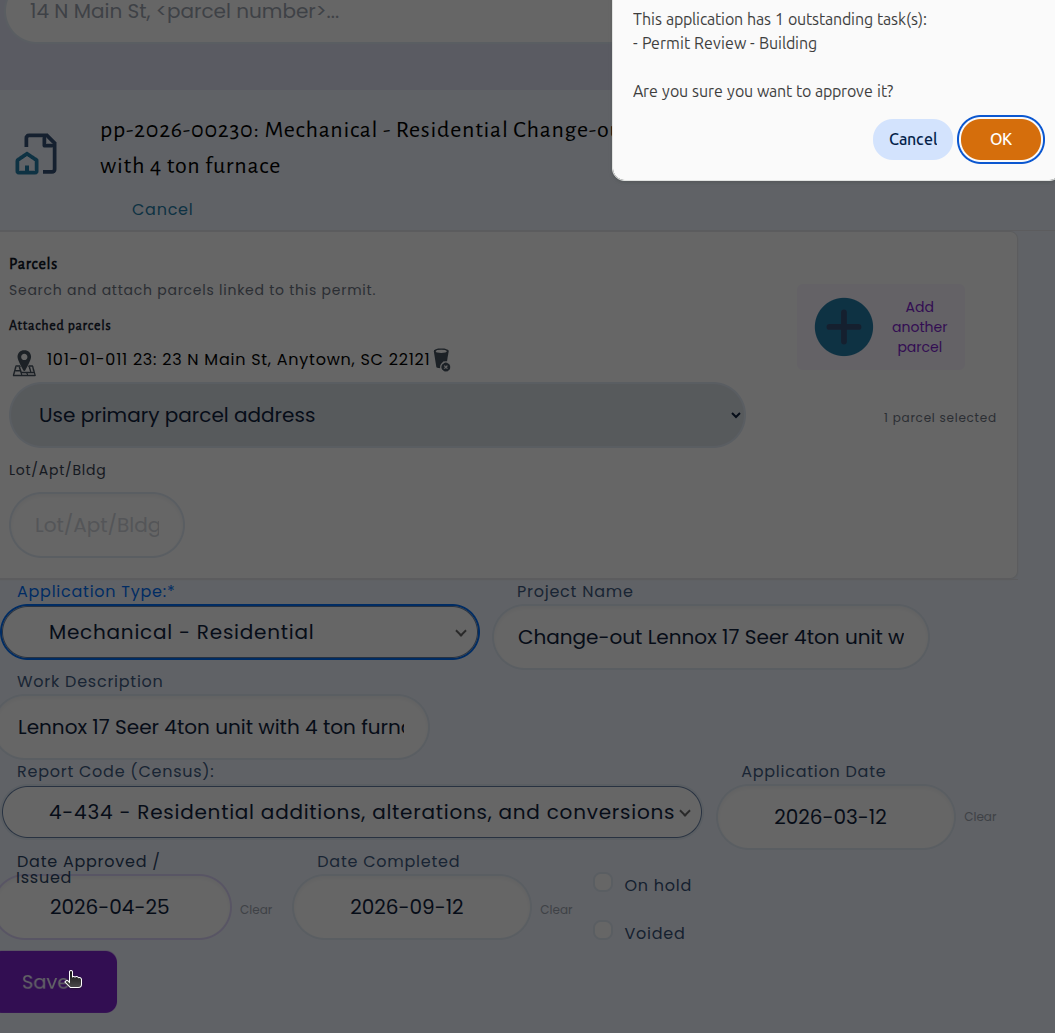
The warning clearly lists each incomplete task so you can review what's still pending before finalizing the approval. You can choose to go back and complete the remaining items, or proceed with the approval if the outstanding tasks don't apply. Either way, you'll always have full visibility into what's been done and what hasn't — so nothing slips through the cracks.
Permitting: Closure and CO Printing Warns You About Outstanding Inspections
When closing out a permit application or issuing a Certificate of Occupancy, it's important to know that all required inspections have been completed.
Now, whenever you mark a permit application as completed or create a CO notice, the system will check for any outstanding inspections and display a clear warning listing exactly which ones are still open. This gives you the opportunity to review and resolve any remaining inspections before moving forward.
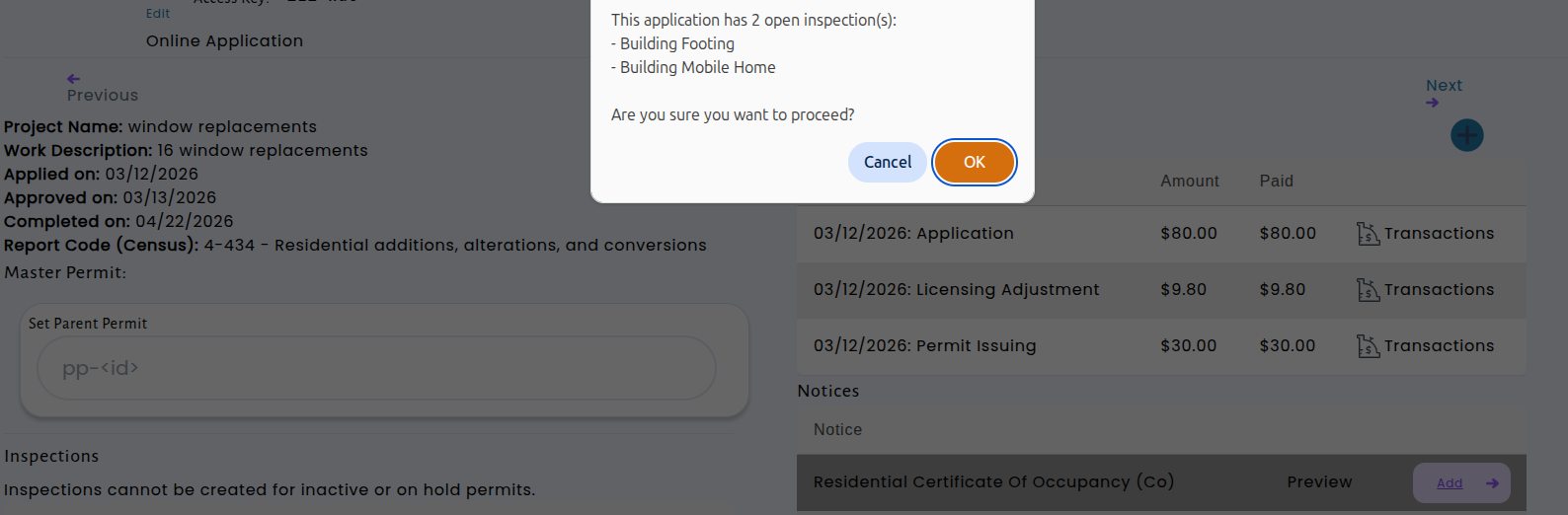
This improvement helps ensure that no inspection gets overlooked during the permitting process.
Codes Enforcement: Improved Cases Views
The Cases list in Codes Enforcement now displays the Remediation Date — the earliest upcoming deadline for a violation on each case — right on the main screen, replacing the previous "Created" date. This means you can quickly scan your open cases and see at a glance which ones have the most pressing deadlines, without having to open each case individually.
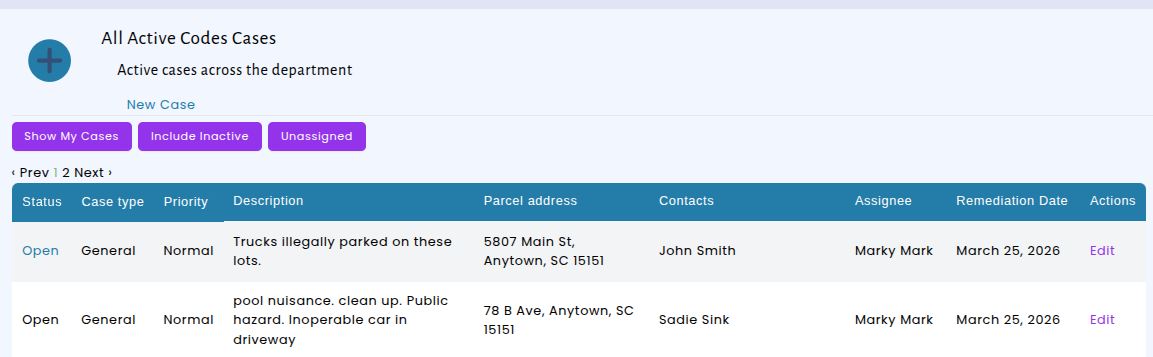
We've also made several improvements to the Codes Enforcement case detail page to make it easier to use. The Location field now displays the parcel number directly and links to the full location record.
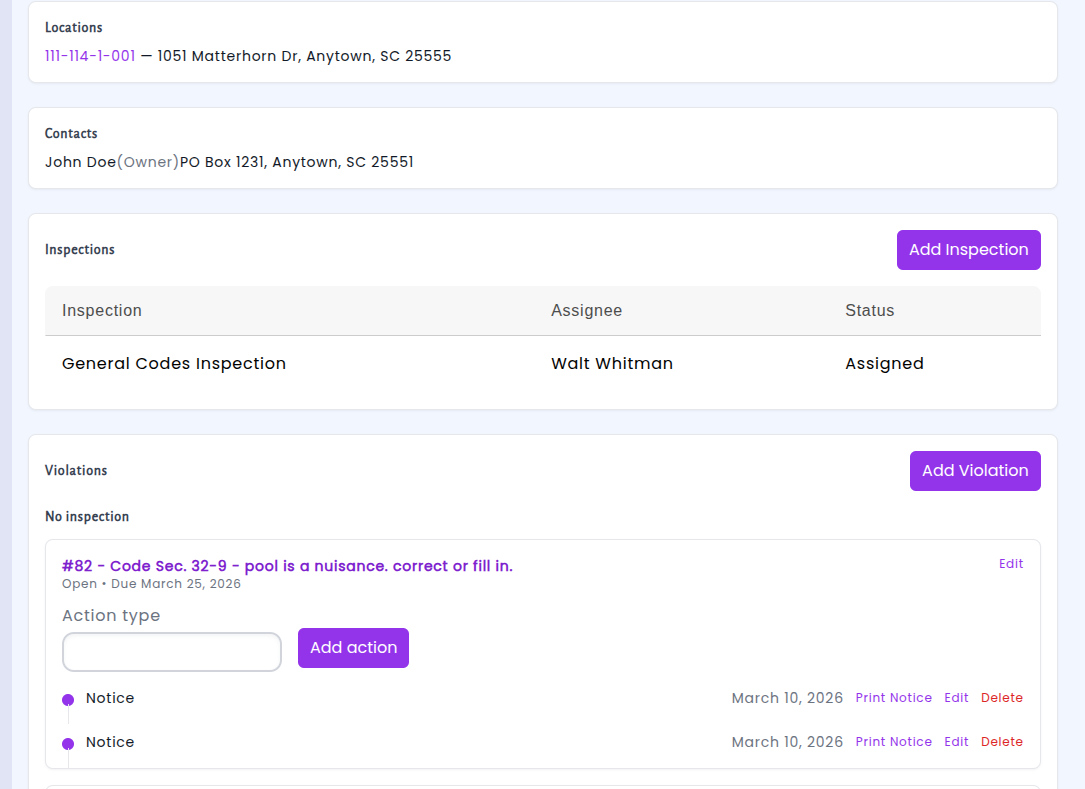
You can now also delete violations and actions directly from a case when they are no longer needed — for example, if a violation was added in error or an action is no longer applicable.These updates give you more flexibility to keep case records clean and up to date without losing accountability.
Weekly and Monthly Cash Receipting Reports E-mails
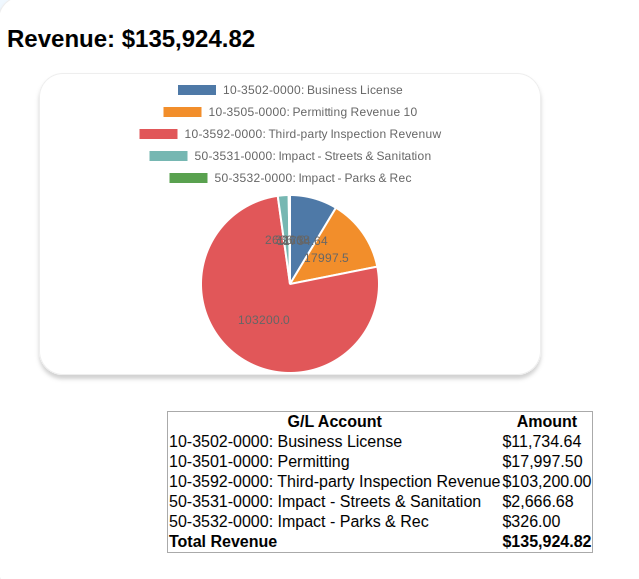
Cash Receipting Revenue Reports are now available in weekly and monthly formats, in addition to the daily reports you already receive. The weekly summary is delivered every Sunday evening, giving you a complete picture of the past seven days of collections and revenue activity. The monthly report arrives on the first of each month, covering the entire previous month at a glance.
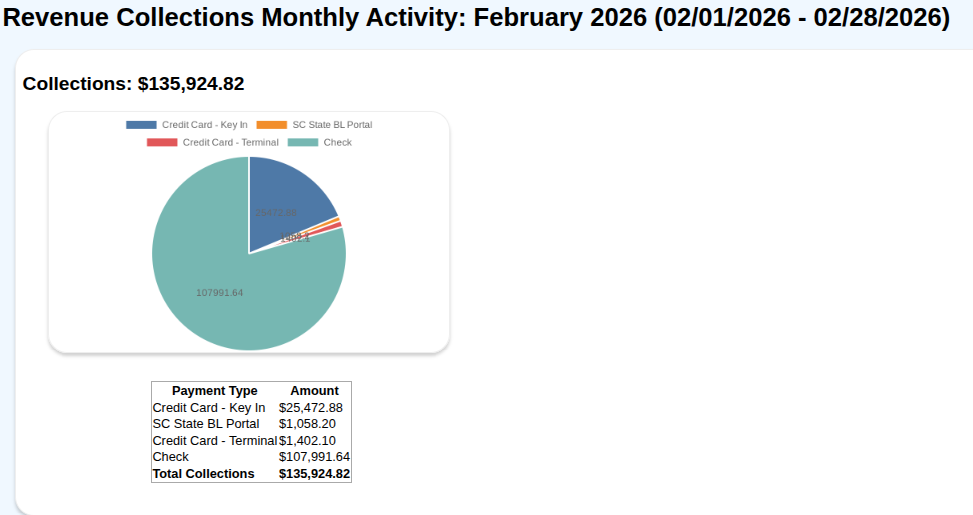
These new reports follow the same format as your daily report — with collections broken down by payment type, revenue organized by account, and visual charts.
Budget Analysis Report Updates
We've made an update to the budget analysis to improve readability. When you print the report, your data is now automatically organized into clear sections by Fund and Department, each with its own heading and subtotals. We hop this makes it easier to review spending and budget performance for each area of your organization.
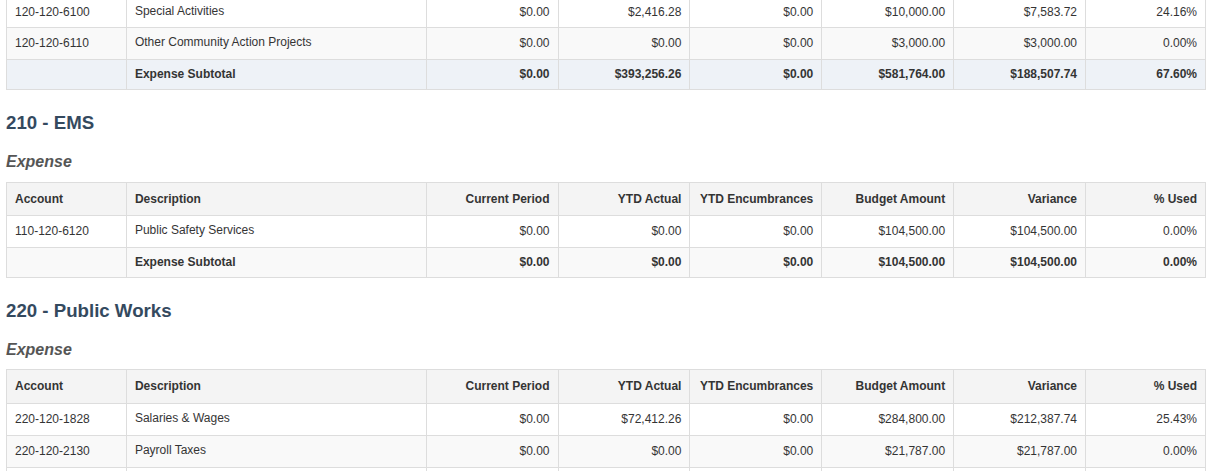
The CSV export has been improved as well — Fund and Department now appear as their own columns, making it easier to build your own reports.
Licensing: Activity Report Now Includes Contact Information
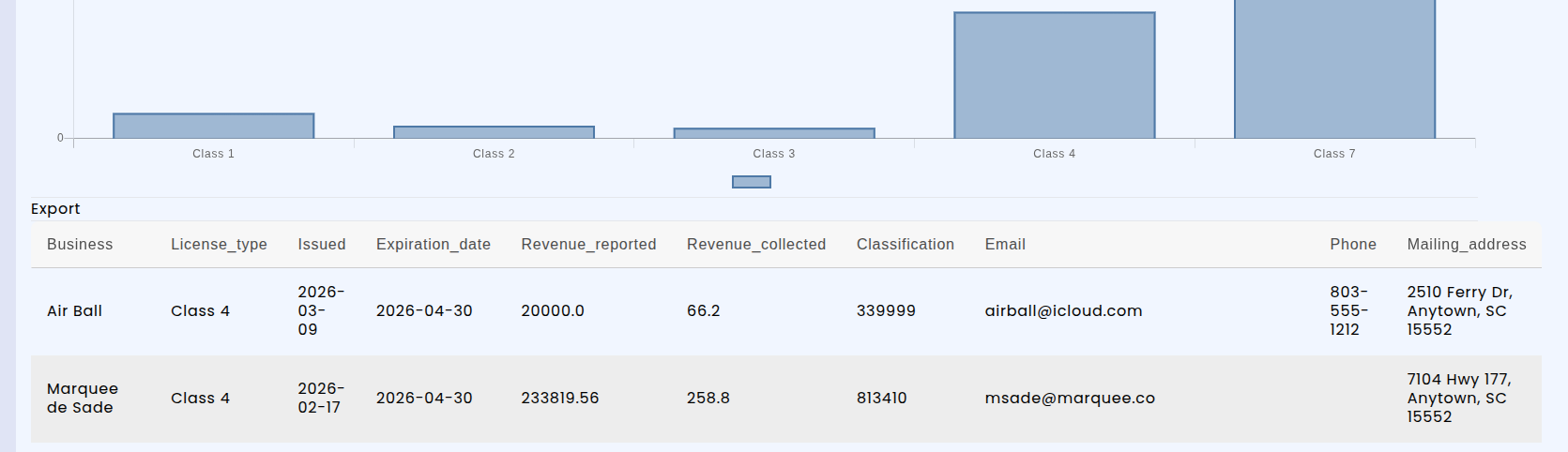
We've expanded the License Activity Report (under the Reports menu) to include key contact details — email address, mailing address, and phone number — directly in the report table and CSV export. This means you can now view and download licensee contact information alongside license activity without needing to look it up separately.
Meeting Management: Bylaws Now Available Online
Managing bylaws just got easier. Legislative bodies can now upload and maintain their bylaws as versioned documents, ensuring that every update is tracked and previous versions remain accessible. Staff can attach the current bylaws directly to the appropriate legislative body, and when changes are adopted, simply upload the new version — the system keeps a complete history automatically.
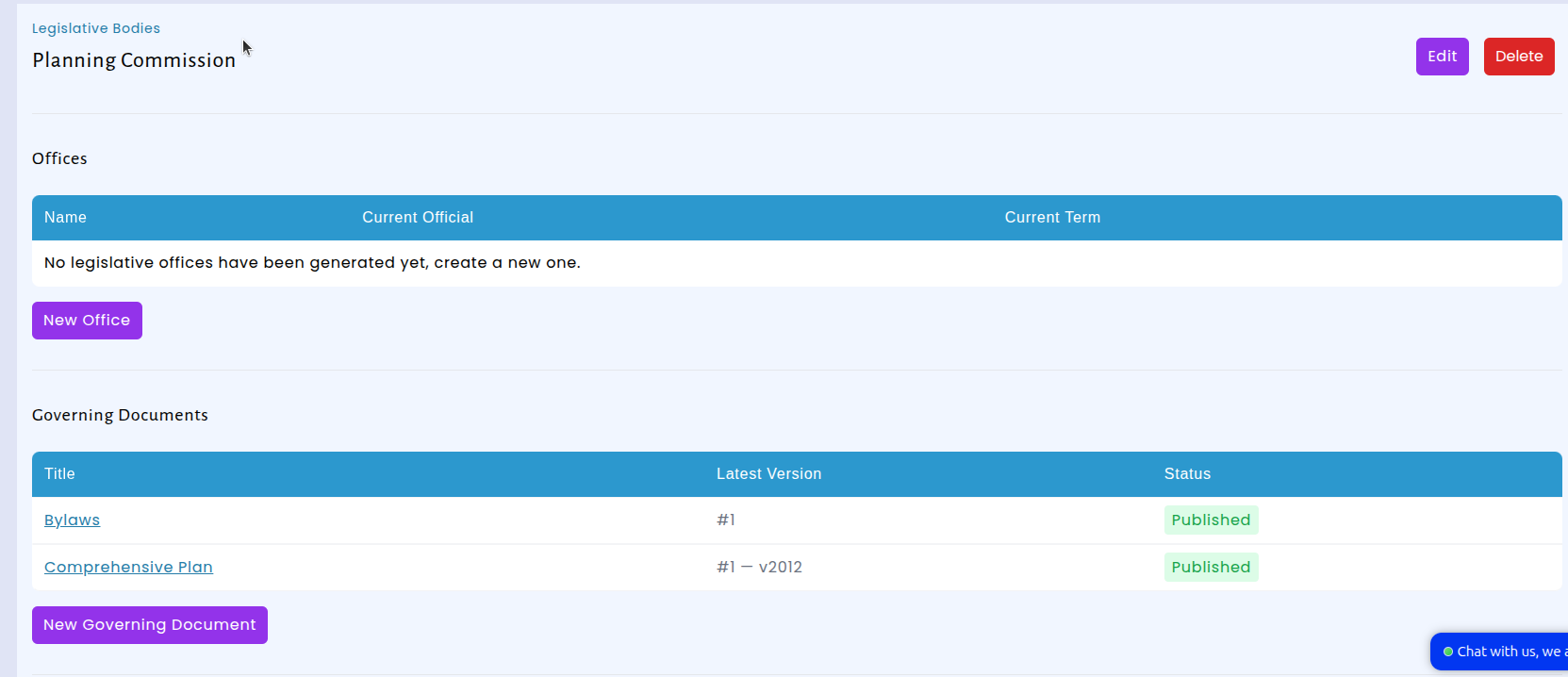
Committee members now have direct access to their body's bylaws through their view in the Portal. Instead of searching through emails or shared folders, members can view the current bylaws right alongside their meeting agendas and minutes — everything they need in one place.