GovPossible Software Updates — Week of May 5, 2026
Licensing folks, you made it another year!

I think we all are breathing a sigh of relief while catching up from any stacks of mail that came in... and getting ready for delinquencies!
I'll be out next week starting this Thursday taking my nephew on a post high-school graduation road trip. Seamus will be here supporting y'all, so we still have your back! That also means no updates next week, but we'll have plenty to talk about on the 19th!
Meetings Management: Now with Search
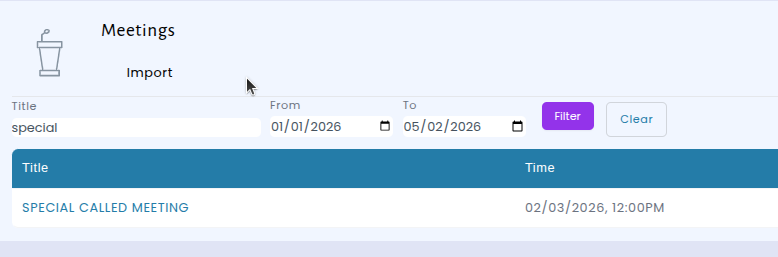
The Meetings page now includes a search bar where you can look up meetings by title and filter results by date range. Whether you're tracking down last month's council session or checking on an upcoming board meeting, you can narrow down the list in seconds instead of scrolling through every entry.
New Photo Upload Field for Custom Forms
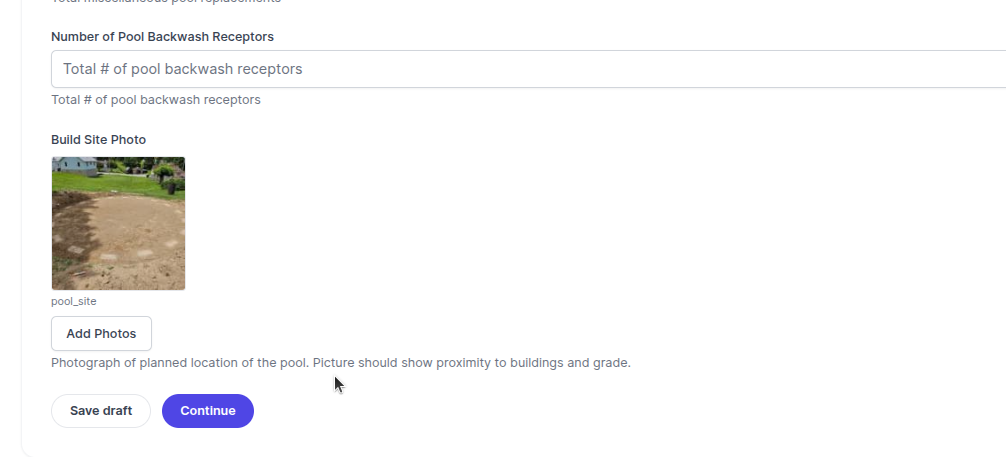
We're excited to introduce a new photo field option for custom input forms for cases, licenses, and permits. WE can now add a photo upload field for you to any form, making it easy for community members to submit images alongside their other information. Whether it's a photo of a property concern, documentation for a permit application, or an image to accompany a service request, users can now upload pictures.
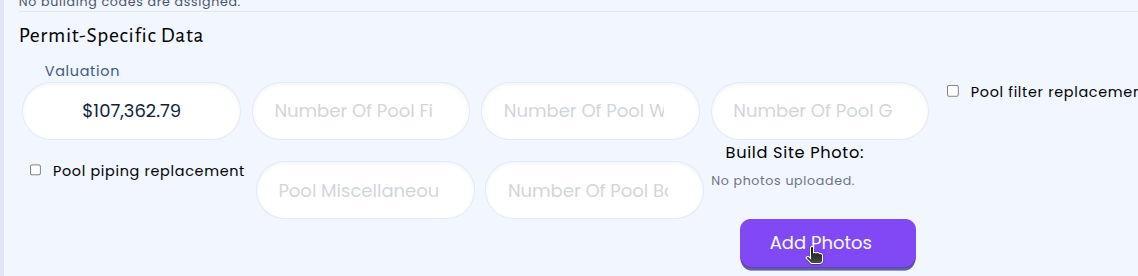
Community members can also then select and upload an image right from their device — whether they're on a desktop computer or using their phone in the field.
Permitting: Subpermit Management and Batch Inspection Requests Now Available in the Contractor Portal
We've made it easier for contractors to manage permits that include subpermits directly from the Contractor Portal. When viewing a permit that has associated subpermits, contractors will now see direct links to each subpermit right on the permit detail page. This means no more searching or navigating away — everything related to a permit and its subpermits is accessible in one place.
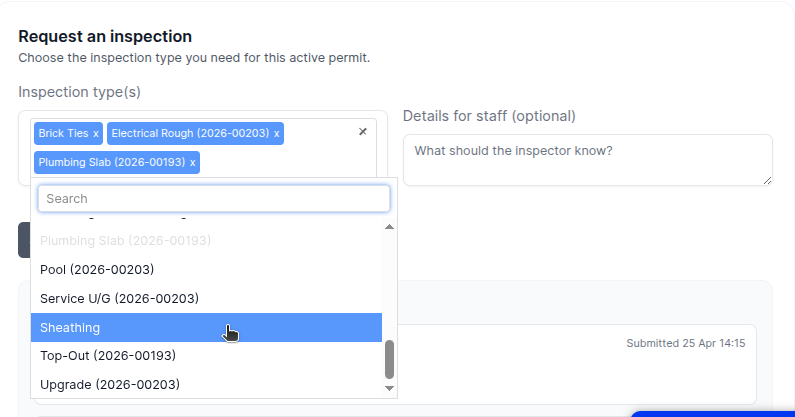
In addition, the inspection request process has been improved in two important ways. First, when requesting an inspection, the dropdown now includes inspection types for both the main permit and any subpermits, with clear labels indicating which permit each inspection type belongs to. This helps contractors quickly find and select the right inspection without confusion.
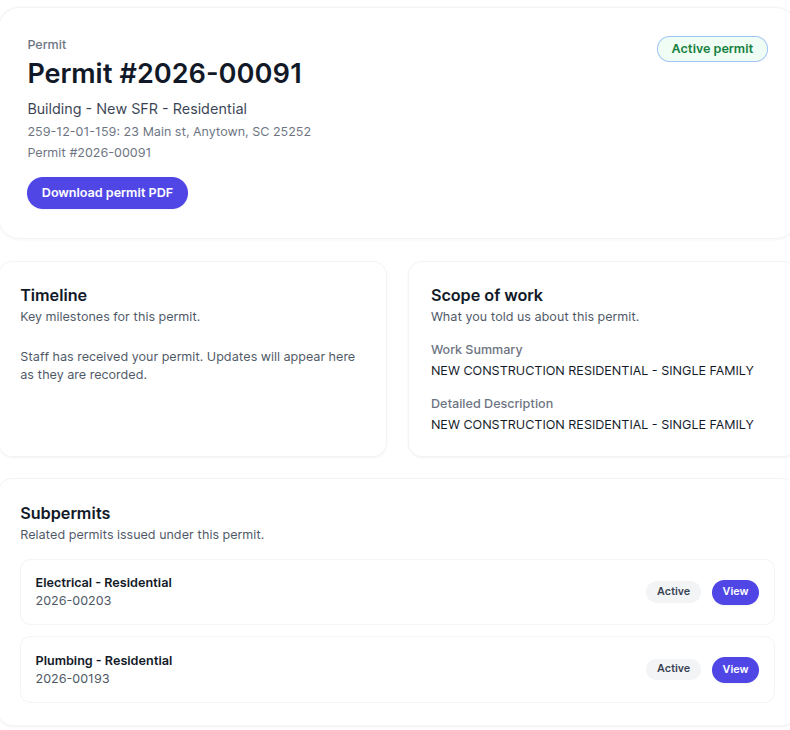
Second, contractors can now select multiple inspection types and submit them all at once with a single note. Previously, each inspection had to be requested one at a time — now a contractor working on a project with several upcoming inspections can request them all in one step, saving time and reducing repetitive data entry.
Permitting: Activity Now Visible on The Portal Dashboard
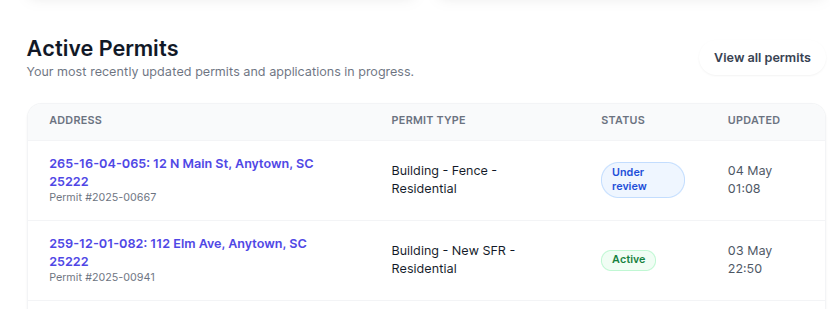
We've updated the community portal dashboard to give your contractors visibility into permitting activity on the very first page. If your organization uses the permitting module, your dashboard now displays the five most recent active permits right on the front page — so you can stay informed at a glance without navigating away.
Cash Receipting Reports Now Show Daily Breakdowns
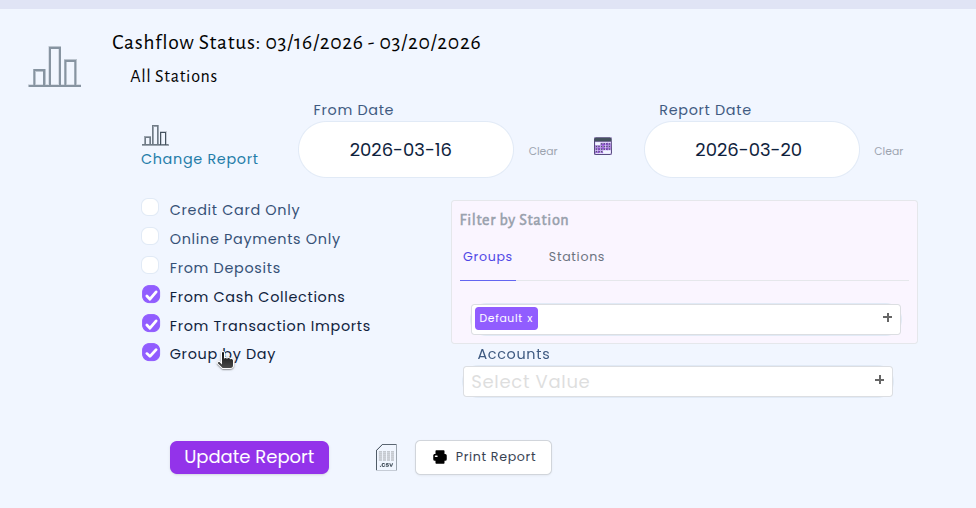
When running cash receipting reports over a date range, you can now view a day-by-day breakdown of receivables. Previously, selecting a multi-day range would show all transactions in summary. Now, the report has the option to organize results by each individual day.
This makes it much easier to reconcile daily deposits over a range of days.
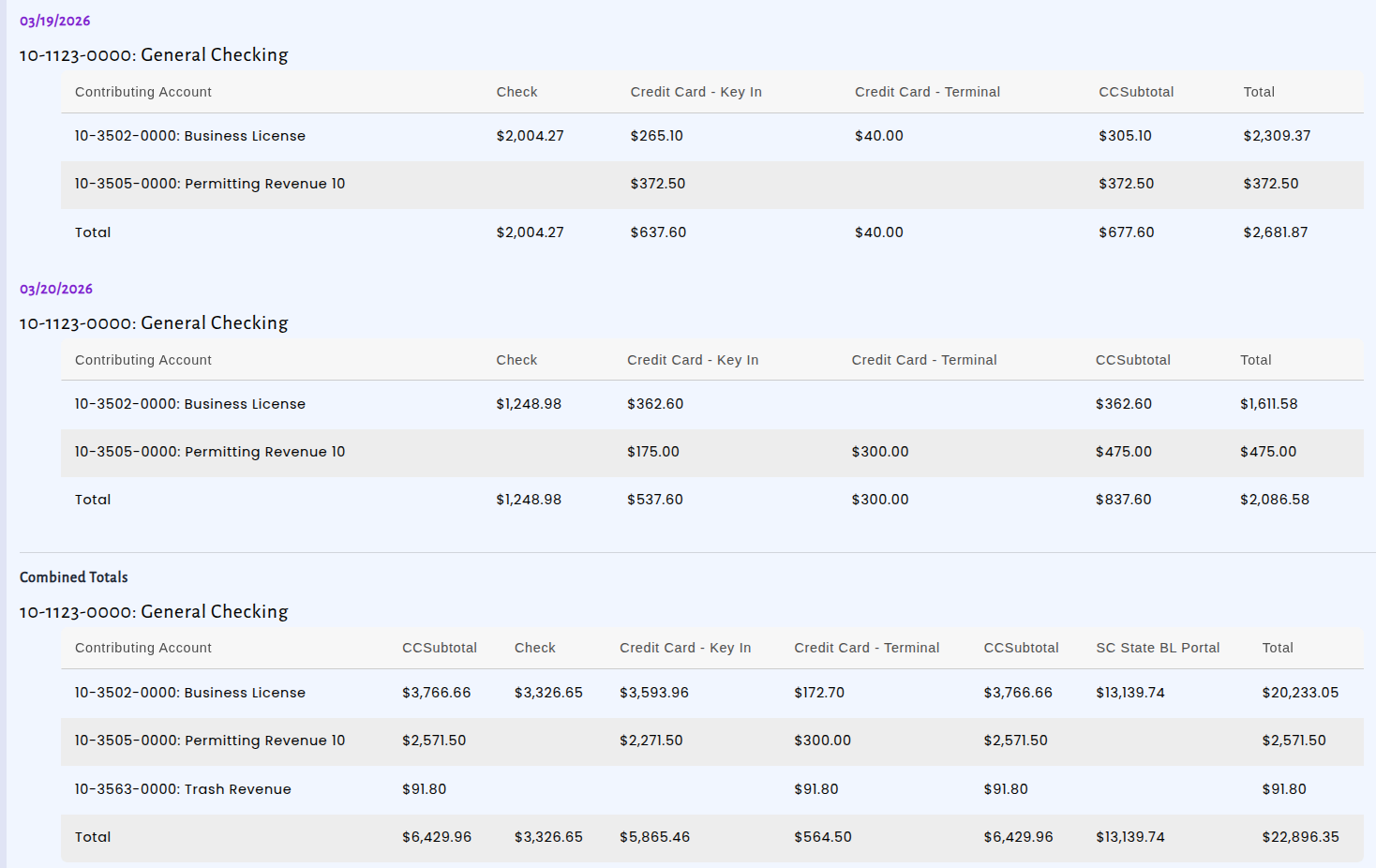
To use this feature, simply select a date range on the Cash Receipting report as you normally would and then check the 'Group by Day' checkbox. — the daily breakdown will then appear.