Software Updates — Week of April 14, 2026
Okay I know I promised no touching licensing, but I couldn't resist making some tweaks to make the process more consistent for y'all. :-) Don't worry, for the rest of you we have plenty of updates still to planning and permitting!
Oh, and scroll to the bottom for three new grant opportunities. See you next week! :-)
P.S.: If you're not tired thinking about business licensing yet, Mark Partin and I talk about various aspects of licensing in this week's episode of Mighty Municipalities!
Licensing Portal: Two-Step Fee Calculations
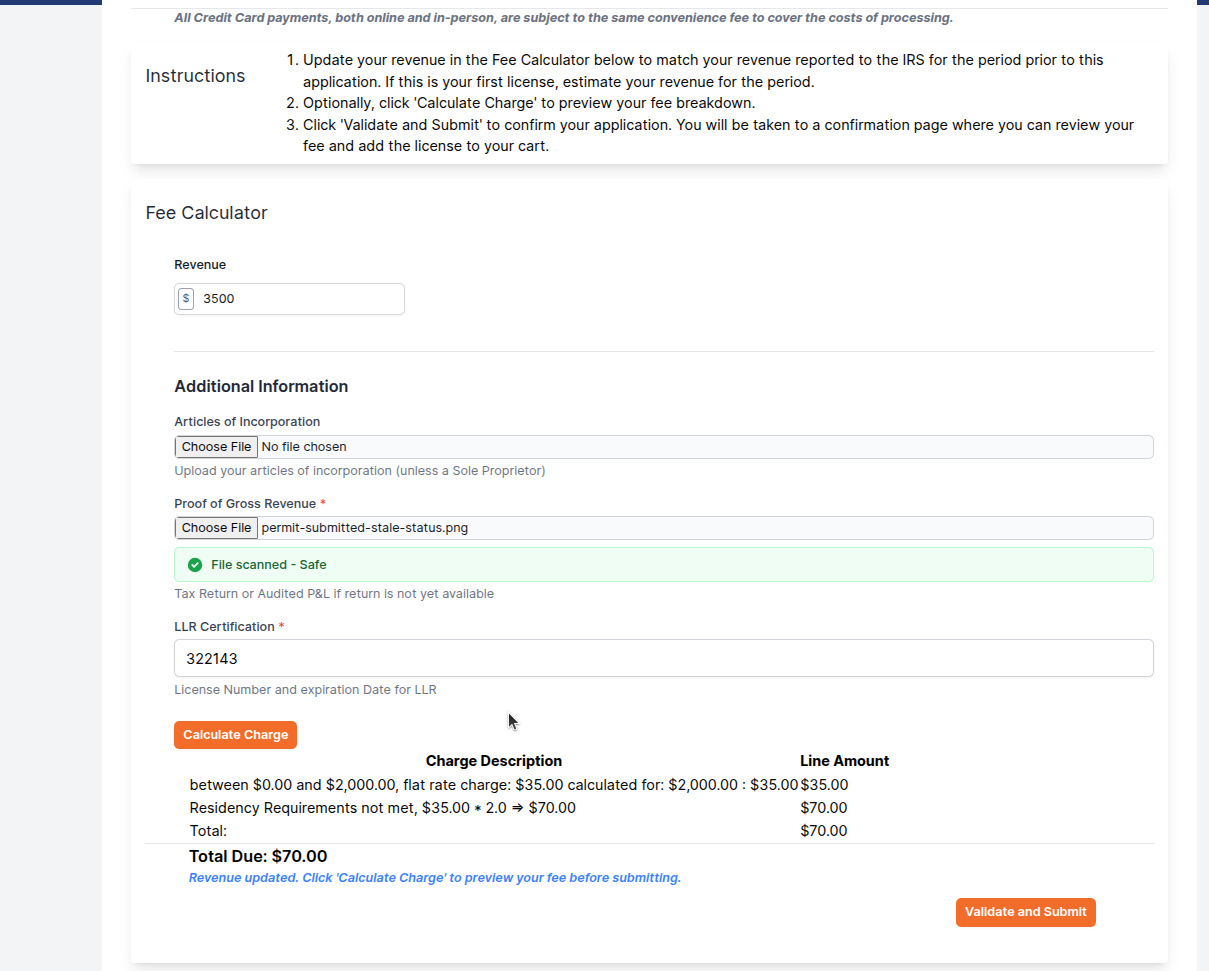
On renewals, we originally only required the fee to be calculated, so they just had to click the 'Calculate Charge' button and go on their merry way. When we added the ability to require fields and files on the license, we suddenly had two validations to consider: did the user calculate the fees and and did they upload the required documents? Sometimes that led to situations where, depending on when are where they stopped and started, they could bypass uploading a document, or the calculation was showing up on the cart differently than on the previous page.
To fix this, we've introduced a new confirmation step in the license renewal process. After entering their information and calculating the fee, they now click "Validate and Submit" to review a summary of their application — including a full charge breakdown — before adding it to their cart.
This confirmation page gives users a chance to double-check everything before proceeding:
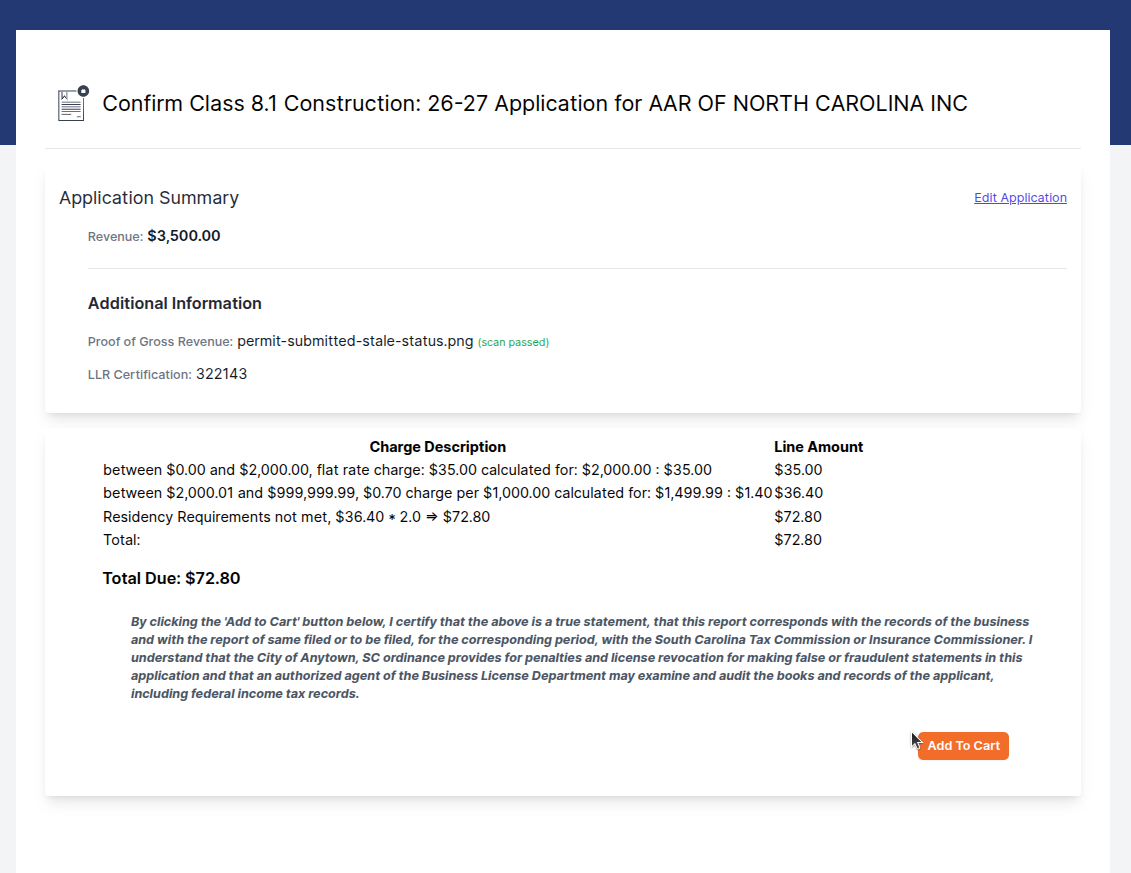
Once they've confirmed everything looks correct, they click "Add to Cart" to proceed. This extra step ensures the fee they reviewed is exactly the fee that gets added — no surprises. The result is a smoother, more trustworthy experience for anyone applying for or renewing a business license through the portal.
Planning: Conditions Now Available
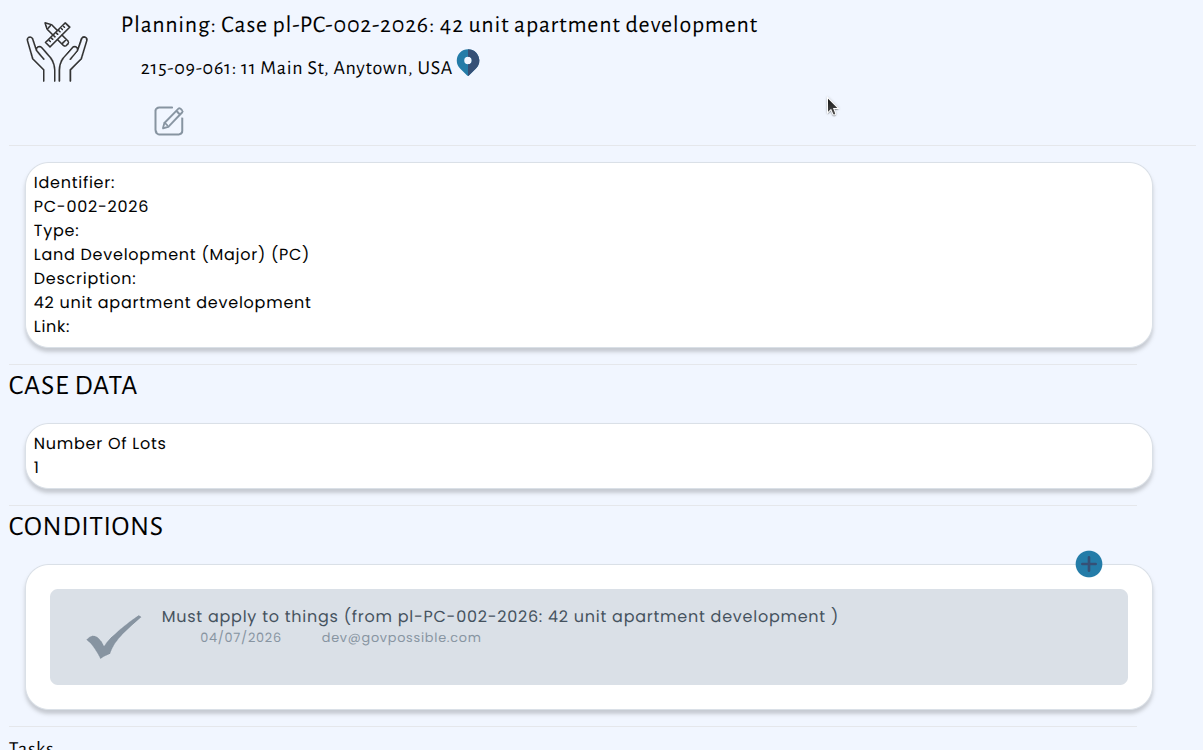
We've expanded the Conditions feature to Planning Cases, giving your planning team the same powerful tool that permitting staff have been using on applications. You can now attach specific conditions directly to a planning case — such as requirements that must be met before approval, ongoing obligations, or stipulations tied to a decision.
Portal: Users Can Now Hide Module Overview Text
Each module in the GovPossible portal includes an introductory overview that explains what the module does and how to get started. While this is helpful when you're users are first learning the system, it can get in the way once they're familiar with the tools you use every day. Now, your users can hide that overview text with a single click — and the portal will remember their preference so it stays hidden the next time they visit.
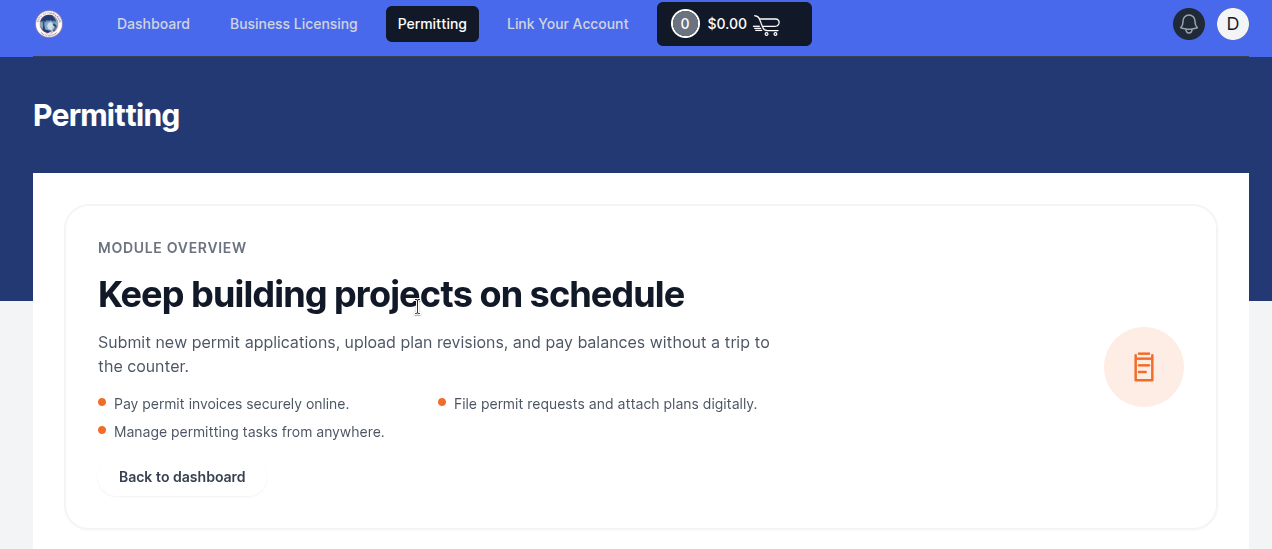
When they're on any module page, they'll see a "Hide overview" option. Click it, and the introductory text disappears, giving them a cleaner view.
Permitting: Contractor Search Now Available
We've added a new optional Contractor search option to the permitting module, making it easier than ever to find licensed contractors when processing permit applications.
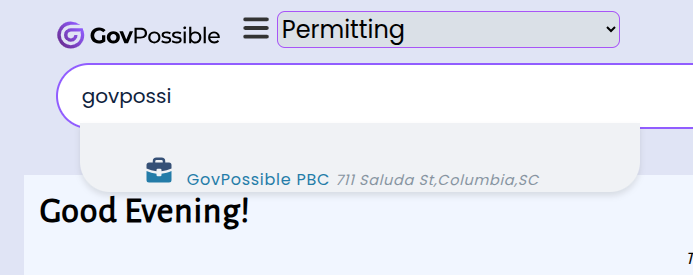
When enabled, staff can search specifically for contractors in the Permitting search bar instead of having to switch over to search in Licensing. If your office works with contractors regularly and would like it turned on, just let us know and we'll enable it for you right away.
Permitting: Notes from Tasks and Inspections Now Visible on Permit Applications
When reviewing a permit application, it's important to have all relevant information in one place. Previously, conditions attached to tasks and inspections were displayed on the application view, but any notes added to those same tasks and inspections were not — requiring staff to navigate away from the application to find them.
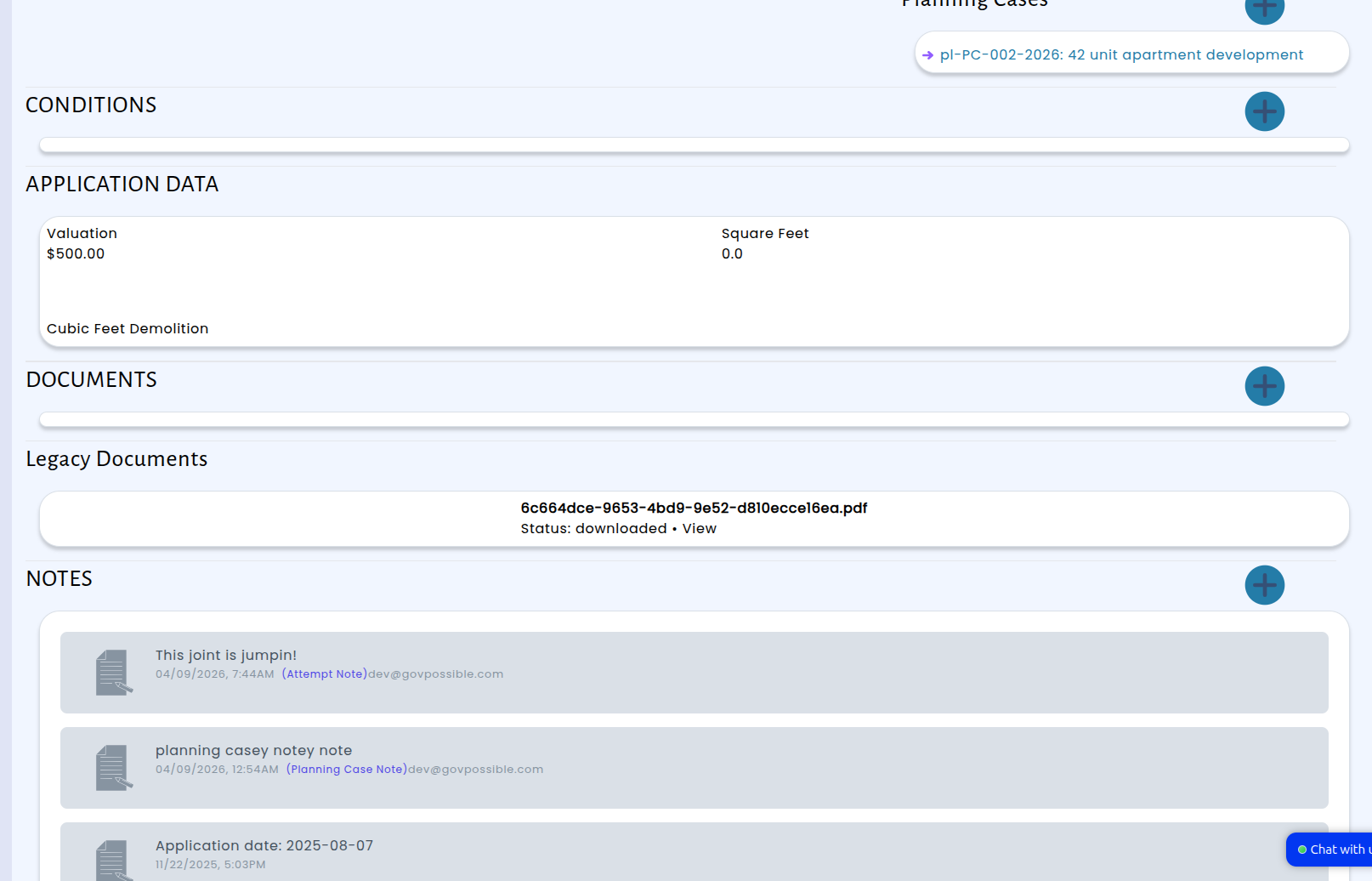
With this update, notes from tasks and inspections now appear directly on the permit application, right alongside the conditions you're already used to seeing.
Inspections: Add Specific Instructions for Your Inspectors
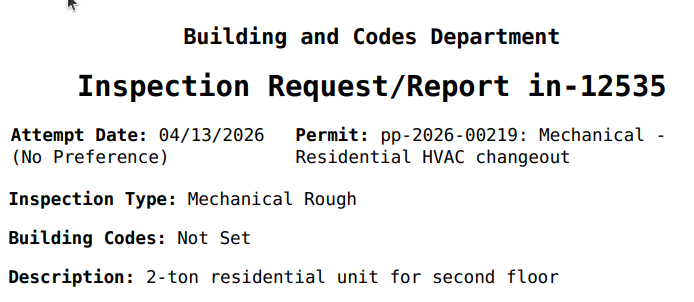
We've added a new Description field to inspections, giving you the ability to provide specific instructions and notes directly on each inspection. Whether it's special access requirements, areas of focus, or particular items to check, you can now communicate exactly what inspectors need to know before they head out.
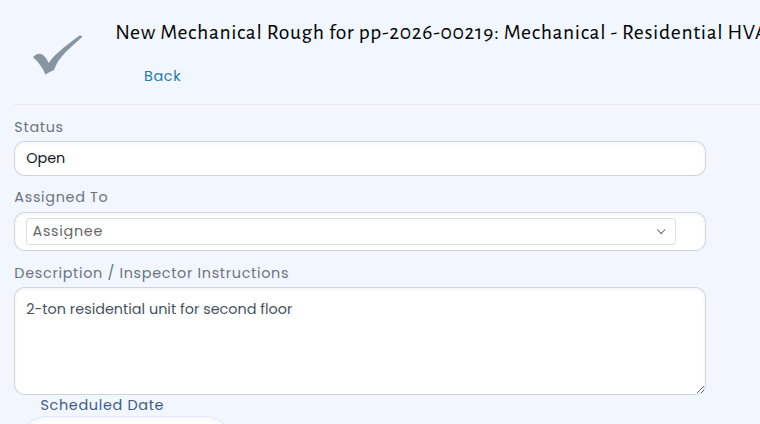
Once added, these details are visible to inspectors when they view or update their assigned visits.
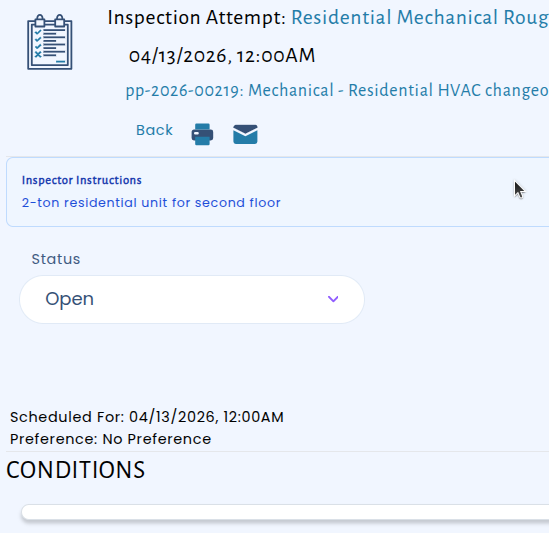
The description also prints directly on the inspection printout:
Grants
- HUD Continuum of Care (CoC) Supplemental / Special NOFOs (select rounds) — April 23, 2026 local competition deadlines. Municipalities often apply or partner for homelessness and housing initiatives. https://www.hud.gov/hud-partners/community-coc
- National Fish and Wildlife Foundation (NFWF) – Five Star and Urban Waters Restoration Grant Program — May 14, 2026. Funds urban greening, stormwater, and habitat restoration projects with strong municipal involvement. Grants seek to address water quality issues in priority watersheds, such as erosion due to unstable stream banks, pollution from stormwater runoff, and degraded shorelines caused by development. https://www.nfwf.org/programs/five-star-program?activeTab=tab-2
- Appalachian Regional Commission (ARC) – Area Development Grants (cycle deadlines vary by state) — many late April–early May 2026 submission cutoffs for local infrastructure and economic development. https://www.arc.gov/grants-and-opportunities/area-development-program/ https://scprt.widen.net/s/fvbgp66gtk/fy25-pard-guidelines_20241120 SC Contact: Barry Butler