GovPossible Updates — Week of March 24, 2026
As our licensing friends are ramping up into the last month of renewals, we're working hard to continue trying to make the process easier. :-) There are a lot of small tweaks this week, but here are the bigger changes, staring with a doozy!
Updated Contact Management
Our first and biggest update has been a long time coming; contact management has been a core part of the application since we started and this is it's first major refresh!
We've redesigned the contact form so you can enter a contact and all of their information — phone numbers, email addresses, and mailing addresses — on a single screen. Previously, adding contact details required navigating back and forth between multiple screens. Now, the form opens with sections for each type of contact method ready to go, so you can fill in everything at once and hit save.
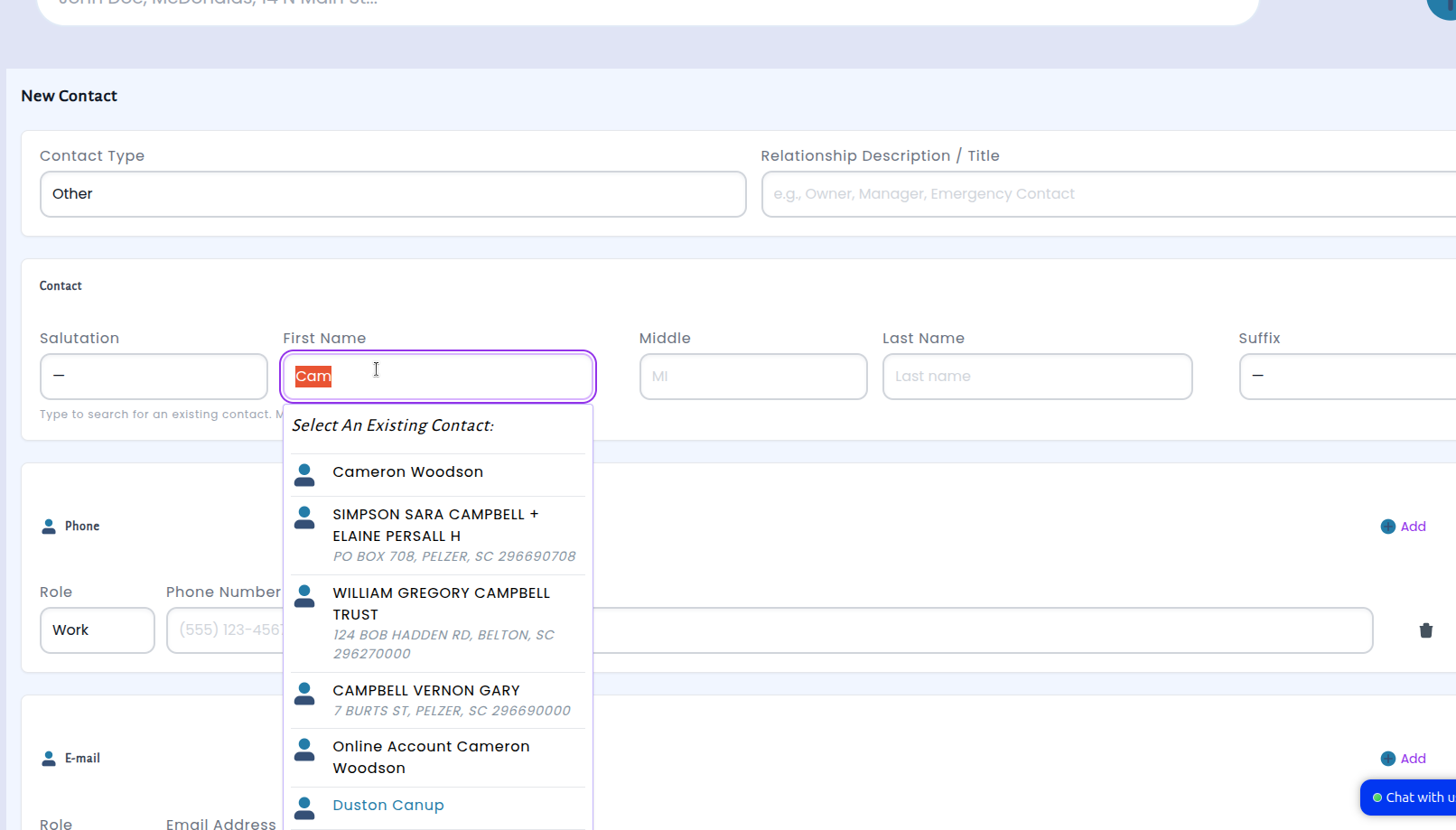
The new layout is designed to make better use of your screen. On desktop, fields are arranged side by side to reduce scrolling, and each contact method type — phone, email, and address — is organized into its own clearly labeled section. Need to add a second phone number? Just click the add button next to that section. When you search for an existing contact, any phone numbers, emails, or addresses already on file are automatically filled into the right sections, saving you from re-entering information that's already in the system.
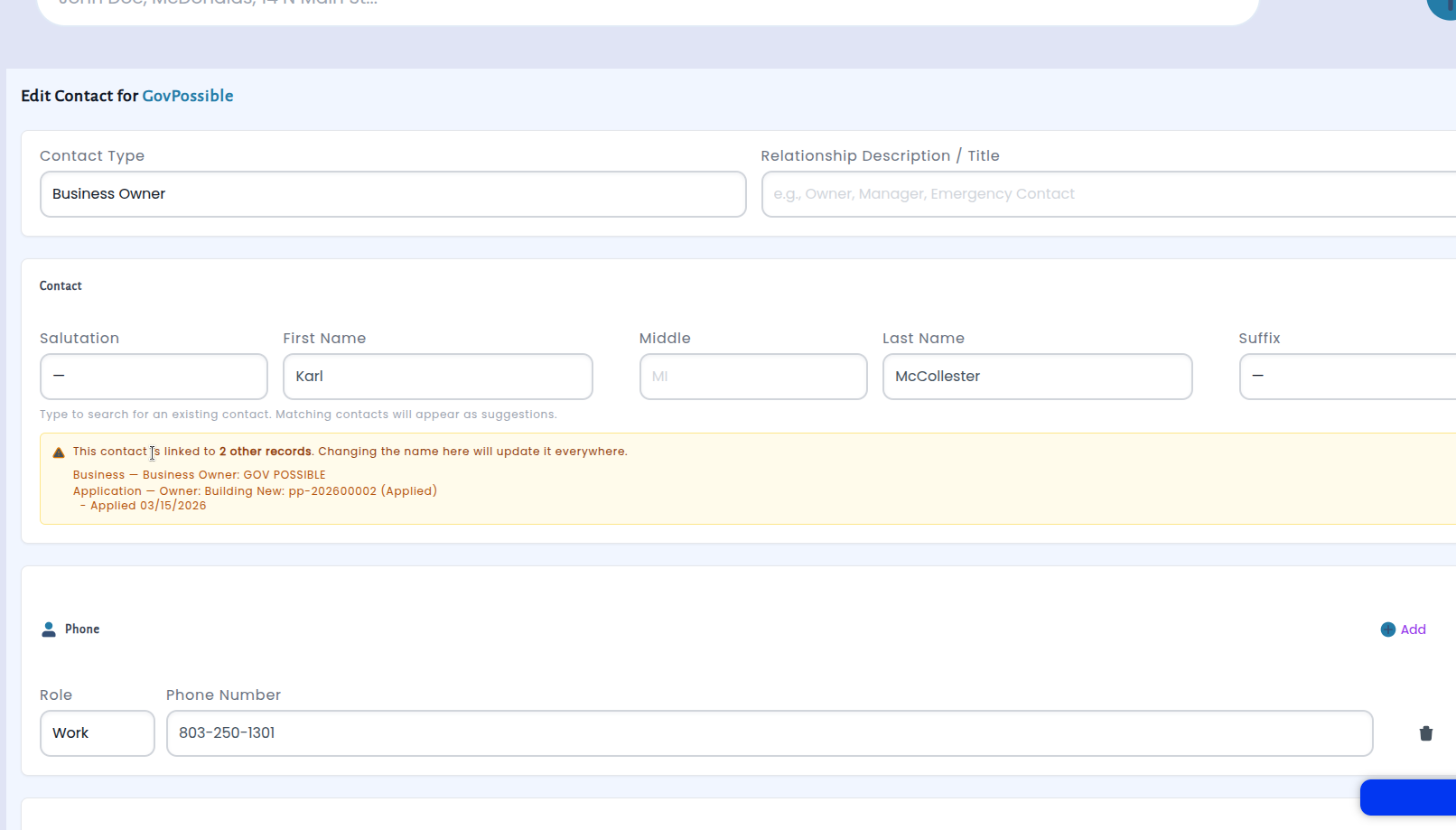
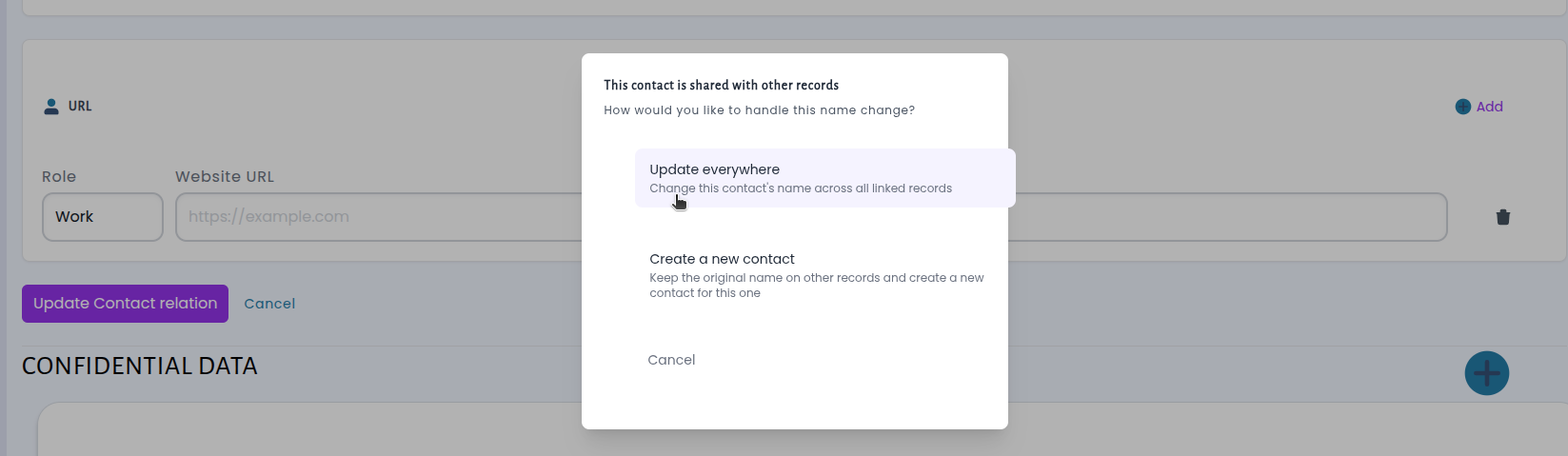
Finally, we've made it easier to update the contacts name while making it clear that, if it's related to other records, which will also be updated from the change.
Licensing: Quarterly Billing Now Available
We've added a new quarterly renewal option for hospitality tax licenses. Previously, hospitality tax accounts could only be set up on monthly or annual billing cycles. We heard from many customers that a quarterly option would better fit their reporting needs, and we're pleased to make that available now.
With this update, staff can configure hospitality tax license types to renew on a quarterly basis — Q1 through Q4 of each year. The license period selector makes it easy to choose the correct quarter, and all deadlines, expiration dates, and renewal windows are calculated automatically, just like they are for monthly and annual cycles.
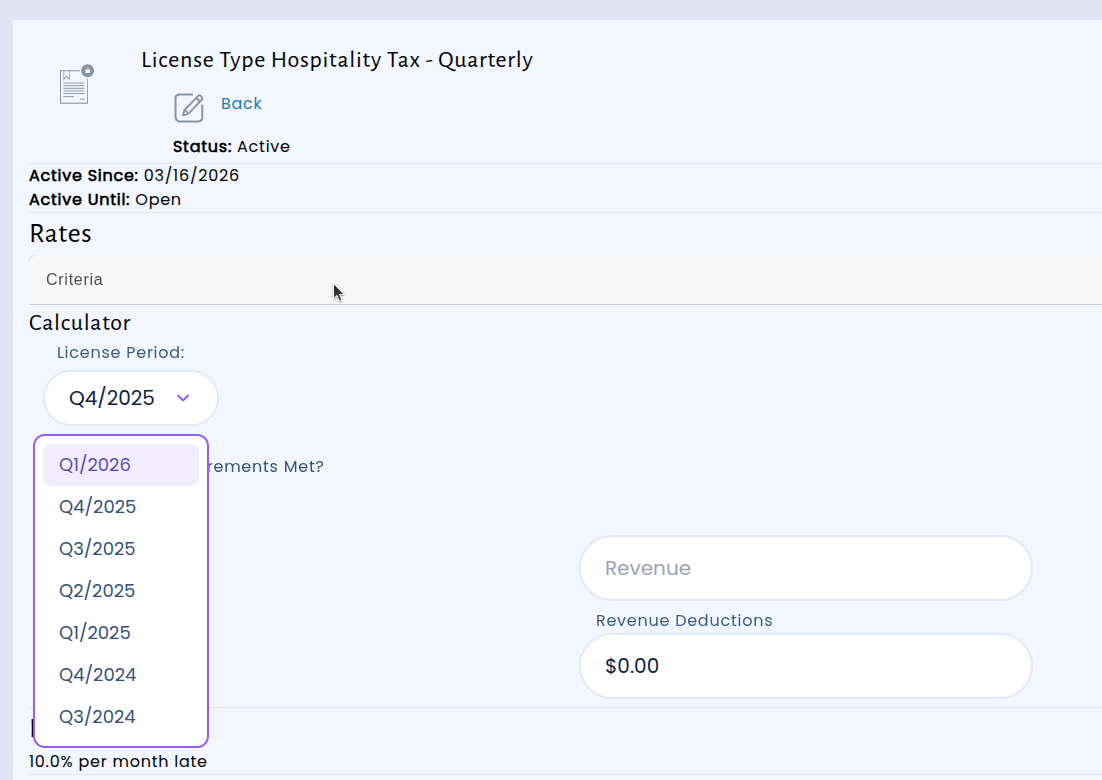
This gives municipalities more flexibility in how they manage hospitality tax collections, especially for businesses whose activity levels fall between what monthly and annual cycles are designed for. No changes are needed to existing monthly or annual licenses — the quarterly option is simply a new choice available when setting up or adjusting a license type.
Daily Cashflow Report: New Pagination and Print Options
The Daily Cashflow Close Out report also received a few tweaks. We've added two features based on your feedback: flexible page sizes and a dedicated print view.
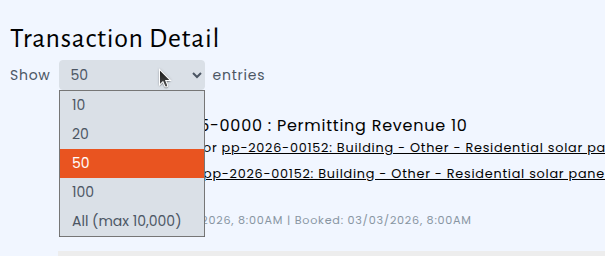
You can now choose how many transactions to display per page — 10, 20, 50, 100, or all at once. Whether you need a quick glance at recent activity or want to scroll through every transaction without clicking through pages, the new per-page selector puts you in control.

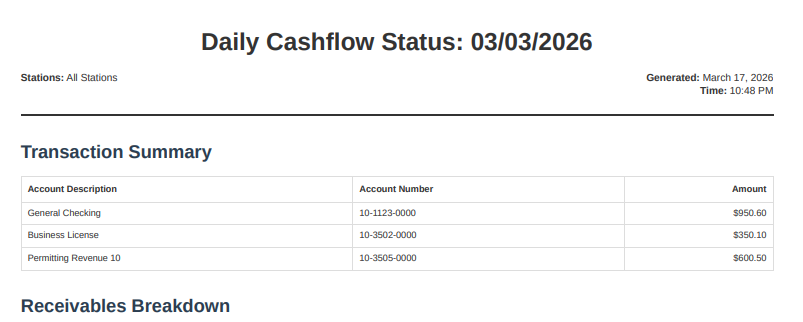
We've also added a Print View that shows the complete report — summary, all transaction details, and receivables breakdown — in a clean, printer-friendly layout. Click the print icon next to the CSV download button and your browser's print dialog opens automatically, giving you a professional hard copy for your files or to share with colleagues.
These improvements came directly from customers who needed a faster way to review longer transaction lists and a simple way to print the complete report. Whether you prefer working on screen or on paper, the cashflow report now fits your workflow.
Licensing: NAICS Codes Now Visible on Business License Cards
When reviewing a business's details, you can now see the NAICS (North American Industry Classification System) code displayed directly on each license card. This small but meaningful addition puts important industry classification information right where you need it — alongside the license details you're already looking at.
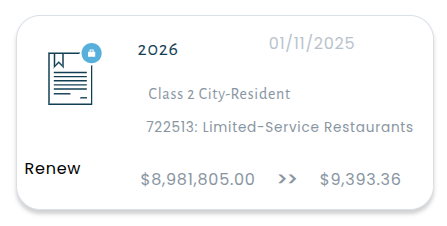
Previously, finding a business's NAICS code meant navigating away into the license view. Now it's displayed at a glance on the license card within the business view, saving you time.
Portal: Improved Account Sign-Up Confirmation Experience
We've made several improvements to the account creation and confirmation process to make signing up smoother and clearer for new users.
When you confirm your email address after creating a new account, you'll now see a prominent confirmation message in a clear pop-up window, reducing the chance a user misses it.
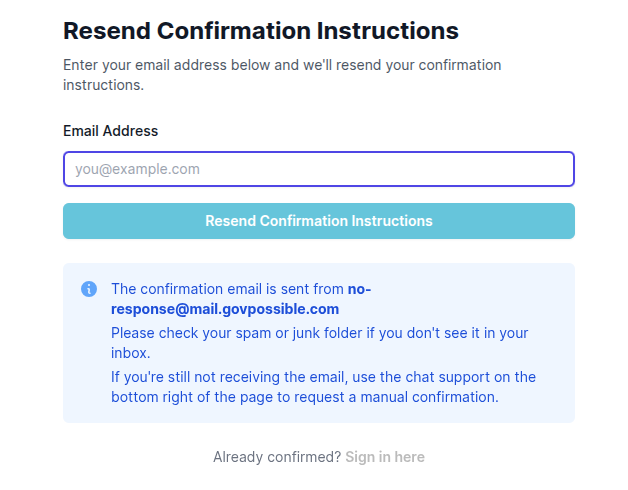
We've also improved the experience for anyone who needs to resend their confirmation email. The resend page now clearly tells you who the email comes from and suggests troubleshooting steps.
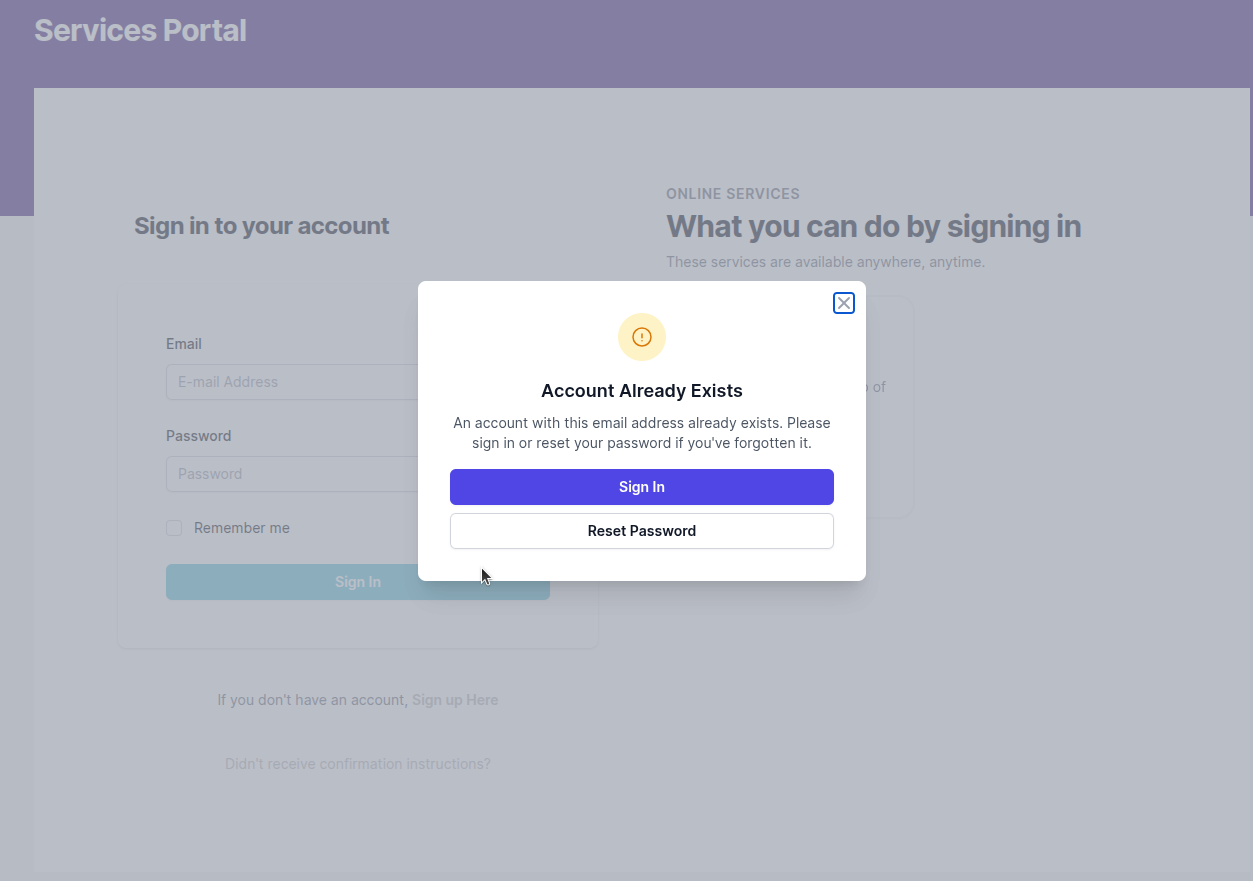
These updates are all about removing friction from the sign-up process so your customers can get into their account quickly and confidently.
Meeting Management: UI Improvements
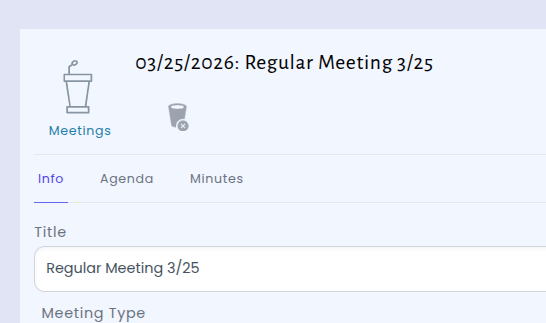
For those of you using our meeting management, we've updated the meetings screen to make it faster and easier to work with agendas and minutes. Instead of navigating to the bottom through multiple links to find what you need, the meeting page now features clean, organized tabs — Info, Agenda, and Minutes — right below the meeting title.
Licensing: Better License Organization
We've also improved how licenses are displayed on the business detail screen. Now, each license tab displays only the six most recent licenses, sorted by expiration date with the newest first — so the licenses that matter most are always right at the top.
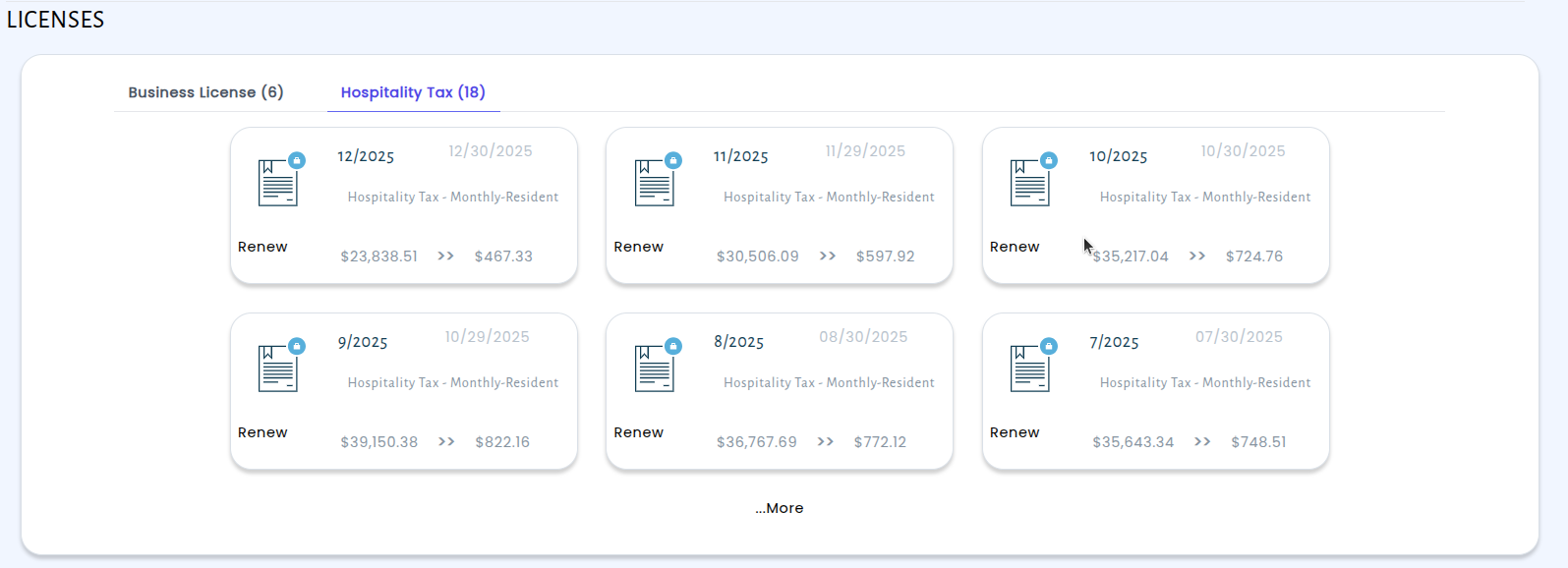
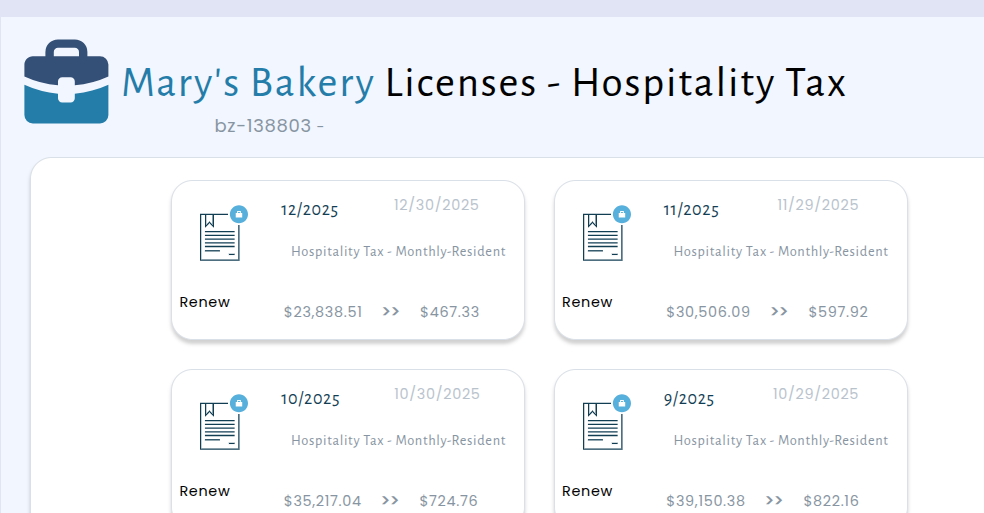
When a business has more than six licenses of a given type, you'll see a convenient "More" link that takes you to a full listing page. This page shows all available licenses for that type, still sorted by expiration date, and organized into pages of 20 for easy browsing. No more scrolling through long, unordered lists — just a clean, organized view of the information you need.
Inspections: Voided Instead of Permanently Deleted
We've updated how inspection records are handled when they need to be removed. Previously, deleting an inspection permanently erased it from the system with no way to recover the record. Now, inspections are voided instead — they're marked with a void date and hidden from view, but the underlying record is safely preserved for your records.
When an inspection is voided, it is automatically removed from all permit screens, reports, and the Community Portal. Your residents and contractors won't see voided inspections, and they won't appear in any of your internal reporting. From a day-to-day perspective, voiding works just like deleting — the inspection disappears from everywhere you'd expect — but the record remains available behind the scenes if you ever need to reference it for audit or compliance purposes.
This change gives your team greater confidence when managing inspection records. Accidental deletions are no longer permanent, and you maintain a complete history of all inspection activity on every permit. The update is live across both the staff portal and the Community Portal.