GovPossible Updates - 2025 License Renewal Issue
This edition covers annual license renewal FAQs to streamline your process with GovPossible.
Hello all! With the new year, many of start thinking about our annual license renewals. Here are some of the top questions our customers ask:
How do we get renewals created?
GovPossible automatically creates new business license renewals for you for all businesses that have a renewable license in place. Businesses without any licenses or those with only non-renewable licenses won’t get new ones.
When do they get created?
Licenses are created on your license renewal date, which is determined by the license type. To see when they’ll get created, click on ‘Admin’ in the menu:
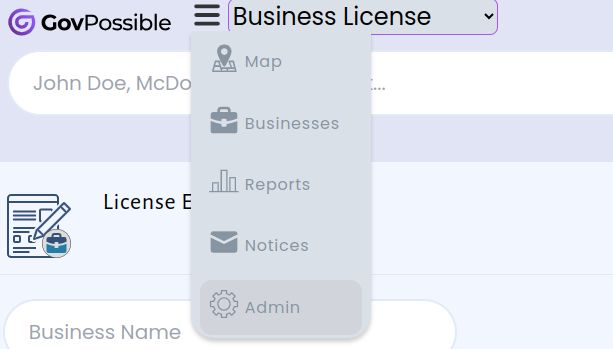
…and then click on a license type to see it’s details. Under the ‘Deadline Details’ section you’ll see the renewal date:

If it’s already happened you should have renewals on your businesses.
How do I print my renewal notices?
Once the licenses are created, the renewals letters are created automatically. To see them, got to ‘Notices’:
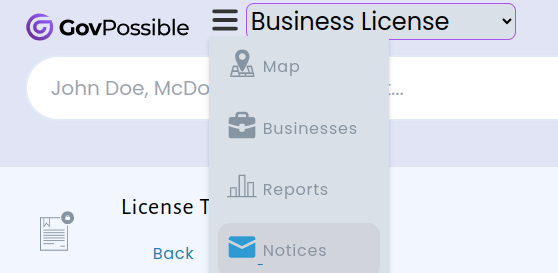
…and click on ‘Renewals’:
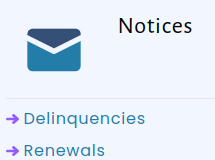
Renewals are create by class/license type.
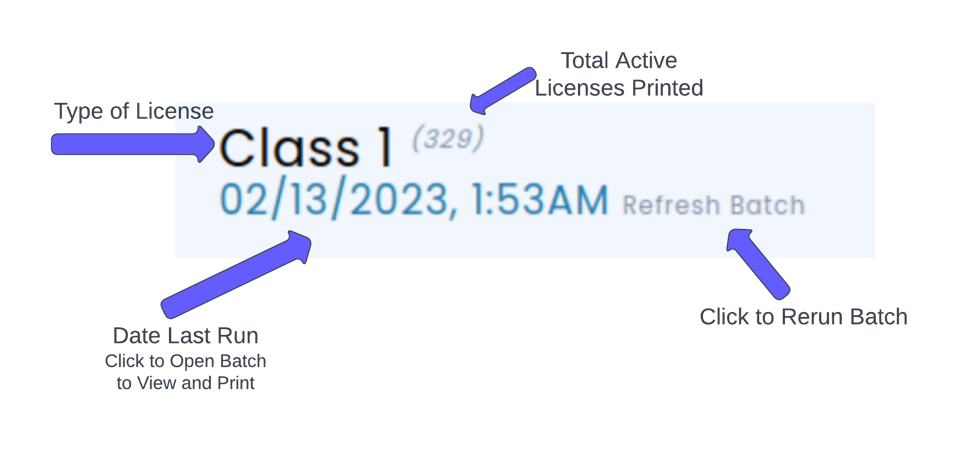
Renewals rebuild nightly, so any licenses paid that day will no longer be in the letters. The letters are designed to print double-sided with the address positioned to fit into a windowed envelope.
You can find more details by clicking on the help icon

…at the top right of the renewals screen.
I don’t see my renewals or I have other questions?
You probably know how to reach us already, but if not you can always reach us either by using the chat app in GovPossible, or emailing us at [email protected]!