GovPossible Updates - 1/16/2026: Online Permitting Aplications
Online Permitting Portal Application Wizard
Hello everyone! We're excited to announce the launch of our online permitting portal!
What's New?
Your residents and contractors can now submit and track permitting applications online through your community portal. This feature includes: multi-step application forms, document uploads, fee calculations, and real-time application tracking.
The Application Process
When someone visits your portal to apply for a permit, they'll be guided through a step-by-step wizard:
Choosing Who's Applying
Applicants select whether they're a homeowner or contractor. This choice can customize the steps of the wizard.
 Property Details
The system includes a parcel search feature, so applicants can find and select their property from your records. This ensures the permit gets tied to the correct location automatically.
Property Details
The system includes a parcel search feature, so applicants can find and select their property from your records. This ensures the permit gets tied to the correct location automatically.
 Project Details
Applicants provide their project details, including any permit-specific information.
Project Details
Applicants provide their project details, including any permit-specific information.
 Contact Information
Applicants provide their contact details, which get synced with your ERP system. If they're a returning user, their information is already filled in from their profile - they just need to verify it's current.
Contact Information
Applicants provide their contact details, which get synced with your ERP system. If they're a returning user, their information is already filled in from their profile - they just need to verify it's current.
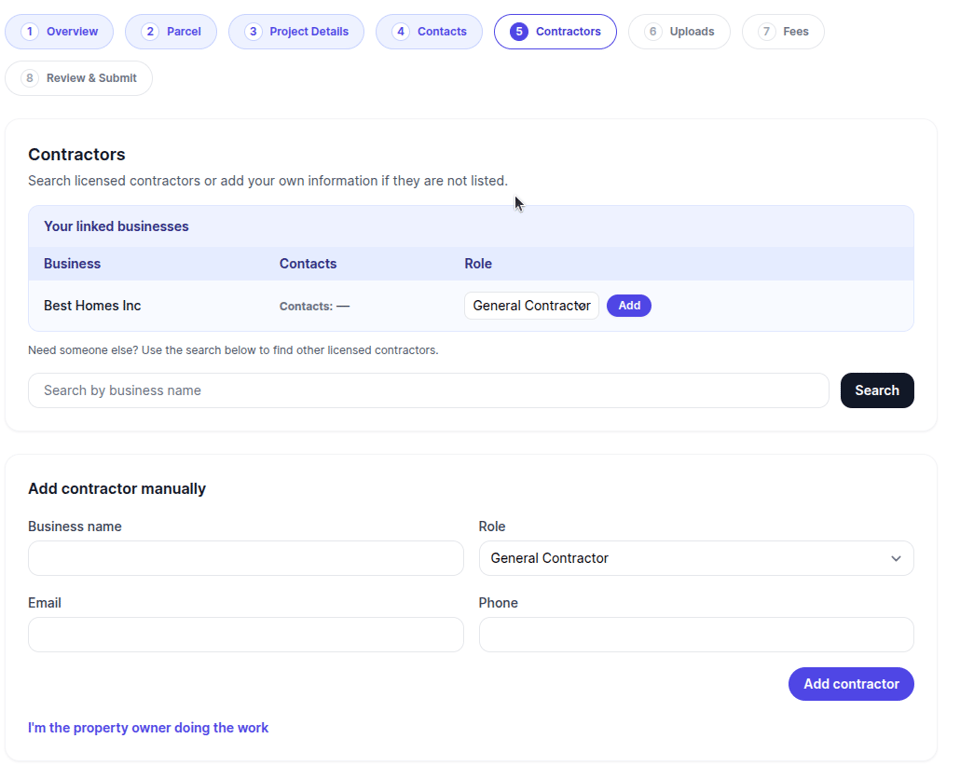
 Contractor Search
For projects requiring licensed contractors, the wizard includes a contractor search that pulls from your database of approved contractors, or they can add a new contractor. If the submitter is the contractor, they can select themselves.
Contractor Search
For projects requiring licensed contractors, the wizard includes a contractor search that pulls from your database of approved contractors, or they can add a new contractor. If the submitter is the contractor, they can select themselves.
Document Uploads
Applicants can upload required documents like site plans, building drawings, or other supporting materials. All uploads go through virus scanning automatically.
 Fees & Payment
The system calculates applicable fees based on the permit type and project details. Applicants can review the fees. You can have them pay up-front during the initial application process now, or add the fees later after you've reviewed the application.
Fees & Payment
The system calculates applicable fees based on the permit type and project details. Applicants can review the fees. You can have them pay up-front during the initial application process now, or add the fees later after you've reviewed the application.
 Review & Submit
Before submitting, applicants see a summary of their application and the system checks they've filled in all required data.. Once submitted, the application goes to your staff for review.
Review & Submit
Before submitting, applicants see a summary of their application and the system checks they've filled in all required data.. Once submitted, the application goes to your staff for review.
After Submission
Once an application is submitted, it shows up in the applicant's portal dashboard. They can click in to see:
- Current status (under review, approved, etc.)
- Any responses or requests from your staff
- Outstanding fees that can be paid online
- The issued permit information once approved
 If applicants have multiple properties, they can filter their permit list by address to quickly find what they're looking for.
For Your Staff
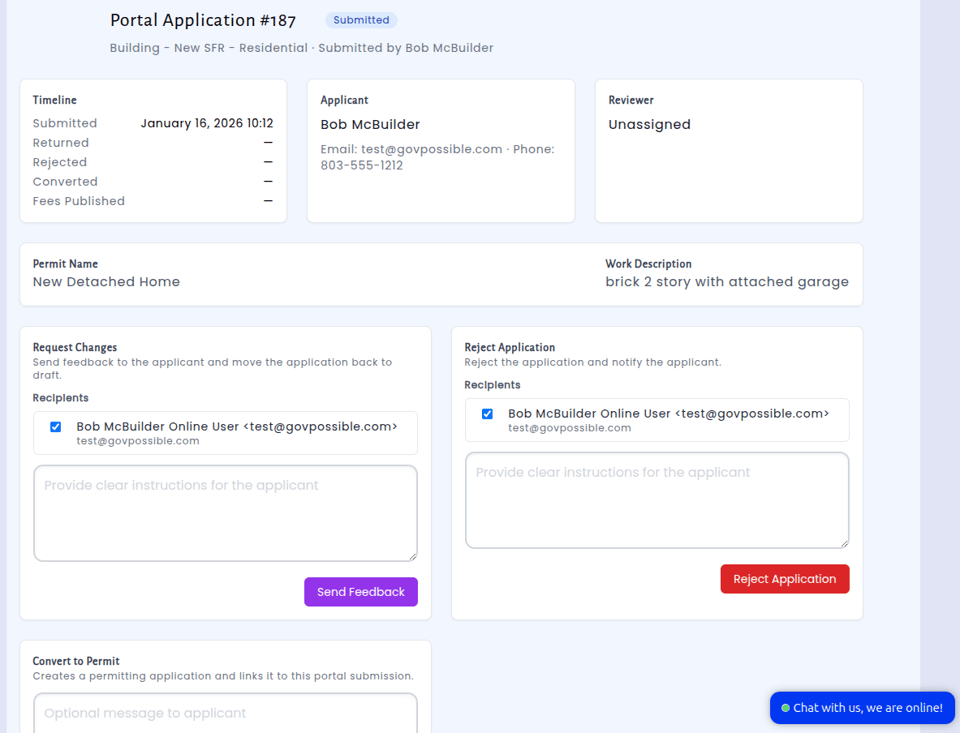
On the admin side, all applications flow into your existing permitting module. You'll see drafts as they're being worked on, completed applications ready for review, and you can communicate back to applicants through the system. When you approve an application and issue a permit, that information automatically syncs to the portal so applicants can see their permit status and details.
Saving Progress
Applicants don't need to complete the entire application in one sitting. At any step, they can save their progress as a draft and come back later to finish. Their information is safely stored and waiting for them.
Access Keys for Existing Permits
For permits that were issued before the portal went live, staff can generate access keys. This allows permit holders to add those existing permits to their online account, so they can pay fees or track inspections even for permits issued the traditional way.
Getting Started
This feature works with your existing permit types and fee structures. The wizard steps are configurable, so we can customize the flow for your specific permitting process.
If you'd like to enable online permitting for your community, reach out to us and we'll help you get it set up!