
Your July update from EntryThingy
We've been building a lot for artists lately and wanted a better way to keep you in the loop. This is the first edition of our monthly artist newsletter. Every month, we'll share new features, data studies, and tips to help you find more opportunities.
Here's what's new in July:
Galleries can now find you directly
We launched a public artist directory. Any artist with a public portfolio on EntryThingy can now be discovered there by galleries, curators, and organizers actively looking for artists that fit their next call or exhibition. They can search by name, medium, location, and bio keywords.
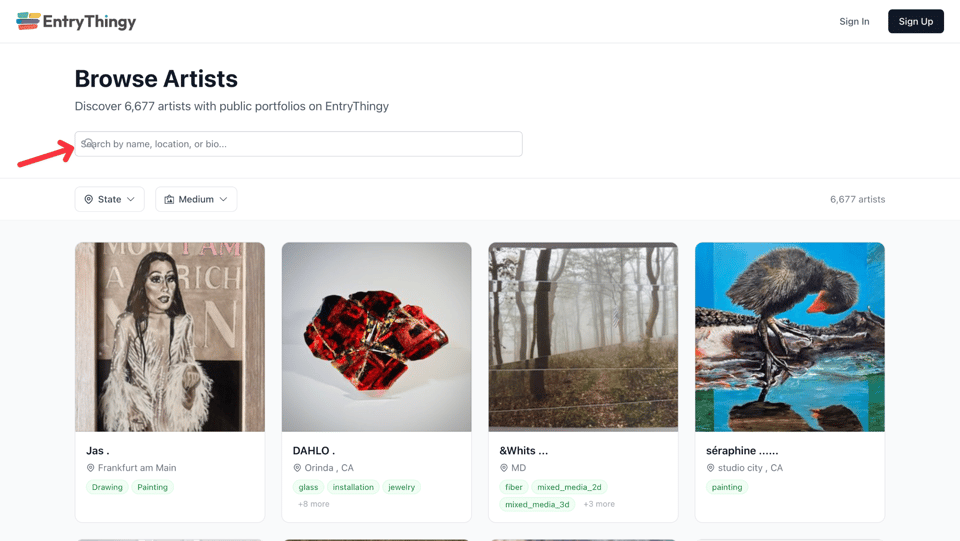
If your portfolio is public, you're already in it. If it isn't, it takes a few minutes to set up and it's free.
To make your portfolio public, go to My Art → Portfolio → Portfolio Settings and turn on Public display. You'll get your public link right there, ready to copy and share.
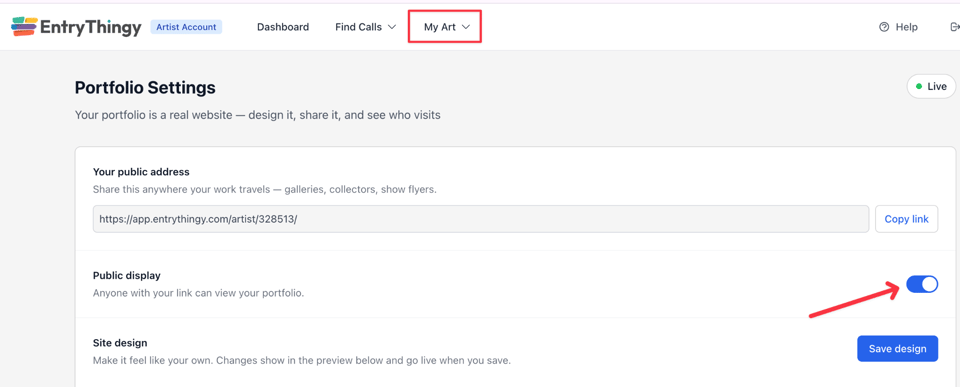
Getting discovered doesn't have to mean waiting for the right call to come along. This gives galleries a direct way to find you, and gives you a reason to make sure your portfolio is ready to be seen.
Our guide on how to build an artist portfolio for calls covers exactly what jurors and galleries look for when they land on your page.
And if you want to make sure your bio makes the right first impression, our artist bio examples and artist resume examples are a good place to start.
Upload your work once. Apply everywhere
If you've been re-uploading the same images to every call you apply to, there's a better way. Your EntryThingy portfolio stores your artwork in the cloud with all the details attached: title, medium, dimensions, price. When you apply to a call, you pull directly from your portfolio with a single click.
Your portfolio also comes with a public link you can share with galleries, add to your email signature, or post on social media. It updates automatically every time you make changes.
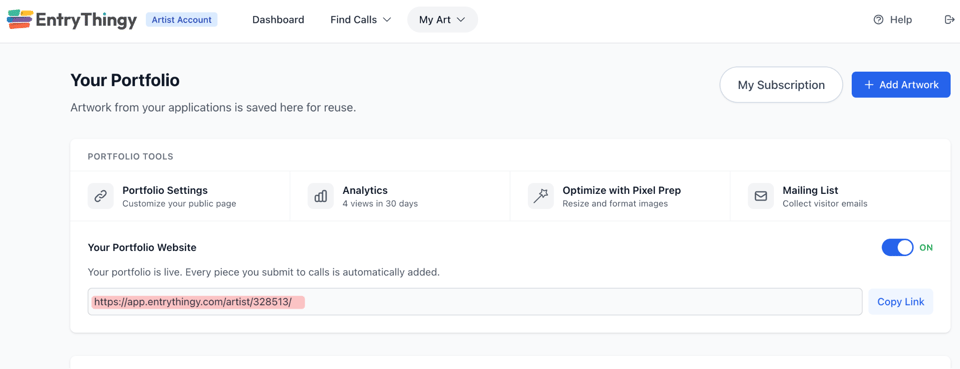
And if you want to make sure your images look their best before submitting, Pixel Prep is built right into your portfolio. It resizes and reformats your images for jury submissions, Instagram, web, and more. You can find it under My Art → Portfolio → Pixel Prep.
Plans start free with 3 pieces. See all portfolio plans. And if you're still figuring out how the application process works end to end, our guide on how to apply to art calls walks through every step.
A new tier for artists with a lot of work
We added a new Studio tier for artists who've outgrown their current plan. Here's what it includes:
5,000 portfolio pieces
Everything in Standard
$39.99 per month
It sits between Standard and Connoisseur and fills a gap we know a lot of you were running into. If you've been holding back on uploading work because of storage limits, this gives you a lot more room.
We improved how we recommend calls to you
Every week, we send you calls we think are a good match. Those emails now explain why each call was recommended. Not just "matches your medium" but things like "near you," "you've applied to this gallery before," or "matches your themes."
With this new feature, you can decide in seconds whether a call is worth your time, and it means the calls you do apply to are ones you actually have a reason to care about.
If you've ever wondered what your real odds are when you apply, our art call acceptance rates study has the most detailed breakdown we've seen. The data might surprise you.
If you're ever unsure whether a call is legitimate, our guide on how to spot scam calls for art covers the red flags to watch for.
That's everything for July. We'll be back next month with more. Reply to this email and you'll reach us directly 💜
Denisa, Myles & The EntryThingy team
