
Your August update from EntryThingy
A few things shipped this month that make it easier to communicate with artists and run your jury process from one place.
Your submission confirmation emails are now customizable
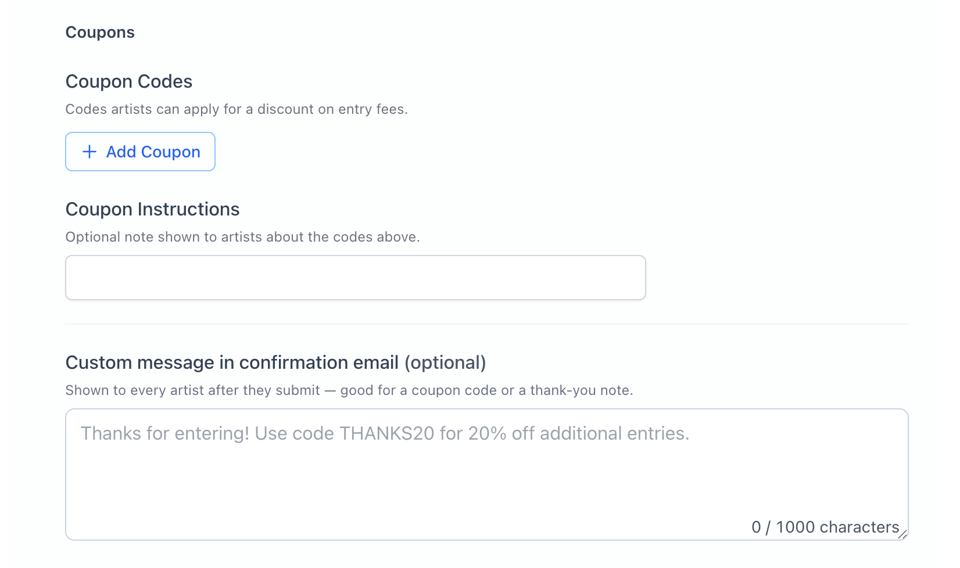
When an artist submits to your call, they now receive a confirmation email you control. Find it under Edit Call → Entry Fees → Advanced Settings → Confirmation Email.
Use it to share next steps, a discount code, your show date, or anything else your artists need to hear right after they hit submit. Leave it blank and nothing changes. Fill it in and it shows up right in that confirmation.
Here is what it looks like: the custom message field sits right under your coupon settings.
Invite artists to your show directly from EntryThingy
You can now invite artists to your call directly from the platform. Choose from artists EntryThingy recommends as a good fit, or drop in email addresses manually from Edit Call.
When editing your call, scroll past the Entry Fees section and select Invite Artists to get started.
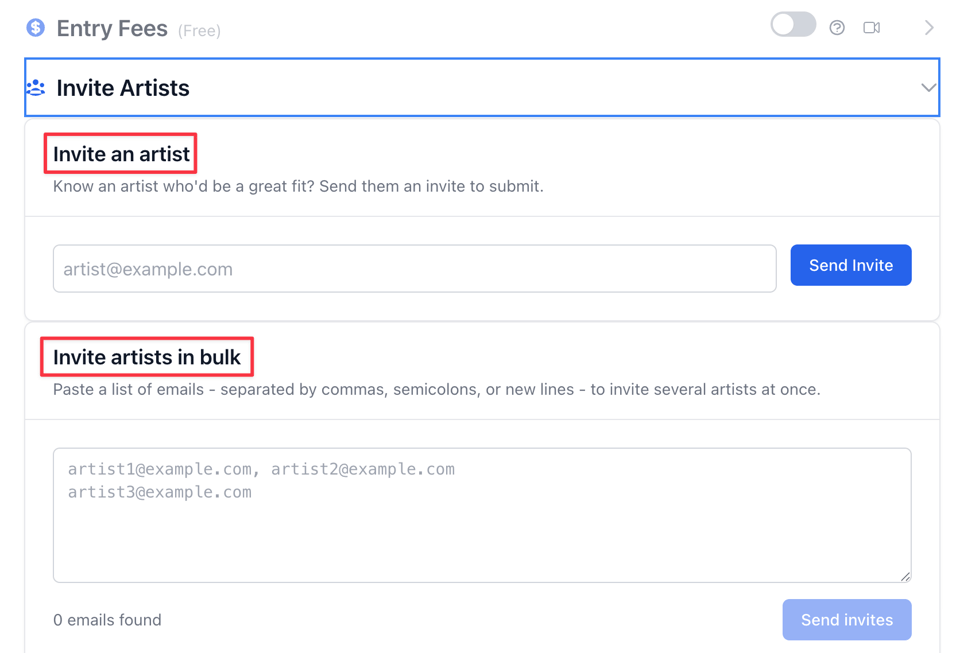
If you already have a marketing list or an email list of artists you have worked with before, you can paste them all in at once.
Each artist receives a personalized invite email with a direct link to your call. No external email tool needed, no copying and pasting links.
Invite jurors directly from the platform
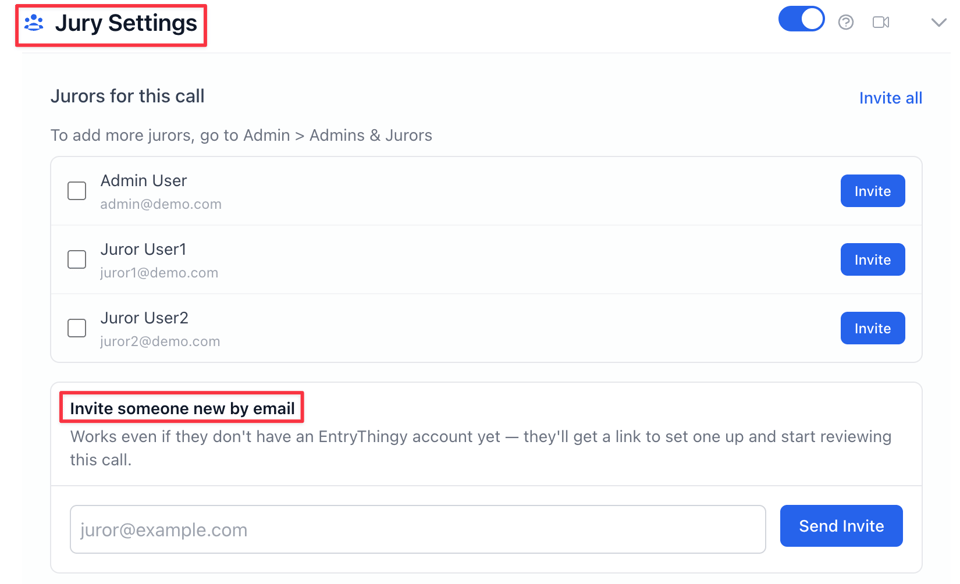
You can also invite jurors to your show from Jury Settings in Edit Call. Send the invitation directly to their email whether they are already on EntryThingy or brand new to the platform.
They receive everything they need to get started without any back and forth.
If you run into any questions setting this up, our help center has you covered.
Questions? Reply to this email and you'll reach us directly.
Denisa, Myles & The EntryThingy team
