Chichi Munga

Archives
Bluesky
Log in
Subscribe

Chichi Munga

Archive

Some Executive Decisions

I regret to inform you that I have again not had a lot of time to put into this project. This entire month I expect to be unproductive due to life things but I'm still trying my best.

Here's what I've worked on:

I'm tired of calling it Untitled First Game so I'm now going to call it Zetus (zee-tis) for no particular reason. And I'm naming the protagonist Zetus Lapetus (luh-pee-tis) for no particular reason, as well.

I've also decided that I'm no longer going to prototype this game before deciding it's worth building out or not. It's my first game and I think the most important thing is to finish it. Regardless if it's good or not. I haven't seen a roguelike game like mine that has a cycling active item inventory system so at least I have that going for me.

#9
September 13, 2026
Read more

Enjoying Life

I have no game updates.

#8
September 6, 2026
Read more

The First Enemy

Quick one this week. I did a lot of refactoring and created a Thing class, more commonly known as entity but I do not like saying that word as much as I do not like typing it, that the enemy and player will extend from. So far, its tree only consists of a sprite and its health points.

bafkreihiquw3juu6echqiqqcqvgdud7wf5bpbe3avw6ekqy5qrzjrpwzkq-1.webp

The monster spawns on a random open tile and does nothing. It has health but I haven't wired the attack functionality in yet. So he just sits there, menacingly.

#7
August 30, 2026
Read more

Drag, Rotate, and Drop

Implementing the details in the inventory system turned out to be a pain in the ass for no reason other than my poor comprehension of the functionality. After hours of playing around, I'm happy with how it's working.

CleanShot 2026-08-23 at 18.58.19.gif

On top of the incrementing column, and it being able to tally the damage types (shown in the bottom right corner of the GIF), it can now continue to do all that while the player drags, rotates, and drops their items around. Obviously, I will need to block a player from doing this willy-nilly whenever they want, but hey, it's working, it's working!

So many small details in the functionality of this, I'm surprised how much code it took to get here. The small details include showing a semi-transparent preview of the item as you drag it, an overlay (for lack of a better word) that colors the tiles green if the item can fit and red when it cannot, and even accounting for which tile you are dragging on the item so that becomes its center of origin when rotating. Wild!

#6
August 23, 2026
Read more

I Made Some Weapons

I didn't get to spend much time to work on my game this past week but I still managed to make meaningful progress. Most of the changes I made was from refactoring except for these neat weapons I made!

CleanShot 2026-08-16 at 12.31.10.gif

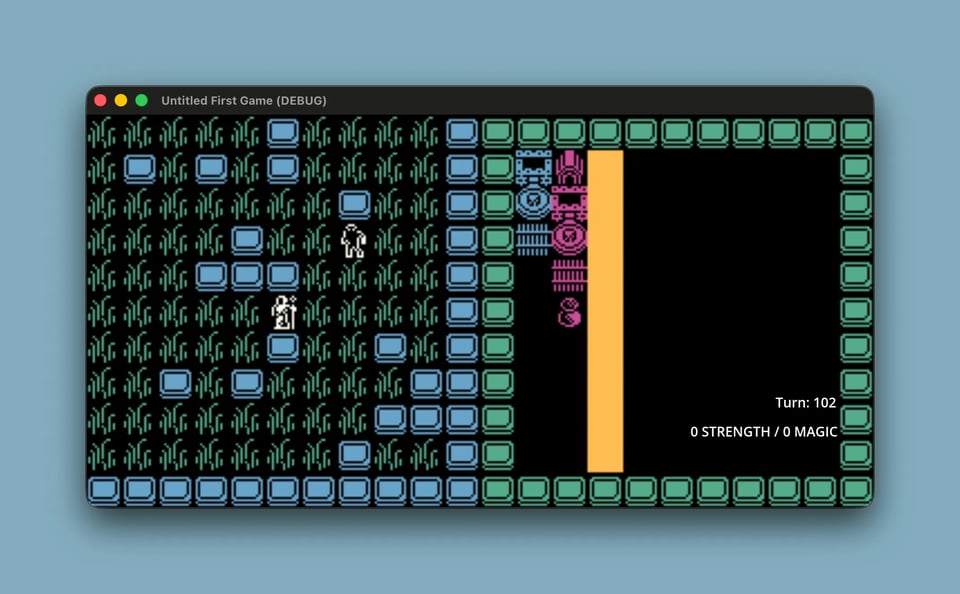
In the top-right corner of the player inventory on the right half of the screen, do you see the three blue tiles stacking vertically? I call that a dagger. I call the taller pink item next to it a scepter. Each tile contributes to a damage type if it sits in the active column.

So, on turns 1 and 10 of the GIF above, the player deals 3 strength damage because of the three blue tiles. On turns 2 and 11, the player then deals 5 magic damage from the scepter. As you can imagine, the player can deal massive damage at once by stacking items vertically, or spread the damage over several turns by placing them horizontally. Some next steps and things I need to figure out soon:

#5
August 16, 2026
Read more

A Little Refactoring and Tidying Up

Since last week, I've updated the tiles to something less distracting and closer to the art style I can create. I can't wait to learn pixel art, by the way — I already bought Aseprite but have managed to hold off using it for now.

I added icons for strength and magic weapons. Right now each weapon is a 16x16 sprite, but I want them to span multiple tiles — a sword in the player's inventory would look like the letter "t," a staff like the letter "l." You get the picture.

I also learned about Camera2d's limit method, which stops the camera from following the character so it can expose the level's bounds. Before I found it, I'd planned to detach the camera from the player and lock it onto a tile whenever the level's edges came into view. Setting limits was much easier.

A GIF of a 16x16 sprite traversing a 2d level

#4
August 9, 2026
Read more
Older archives  
Powered by Buttondown, the easiest way to start and grow your newsletter.