
Herdr: one terminal for every coding agent you're running
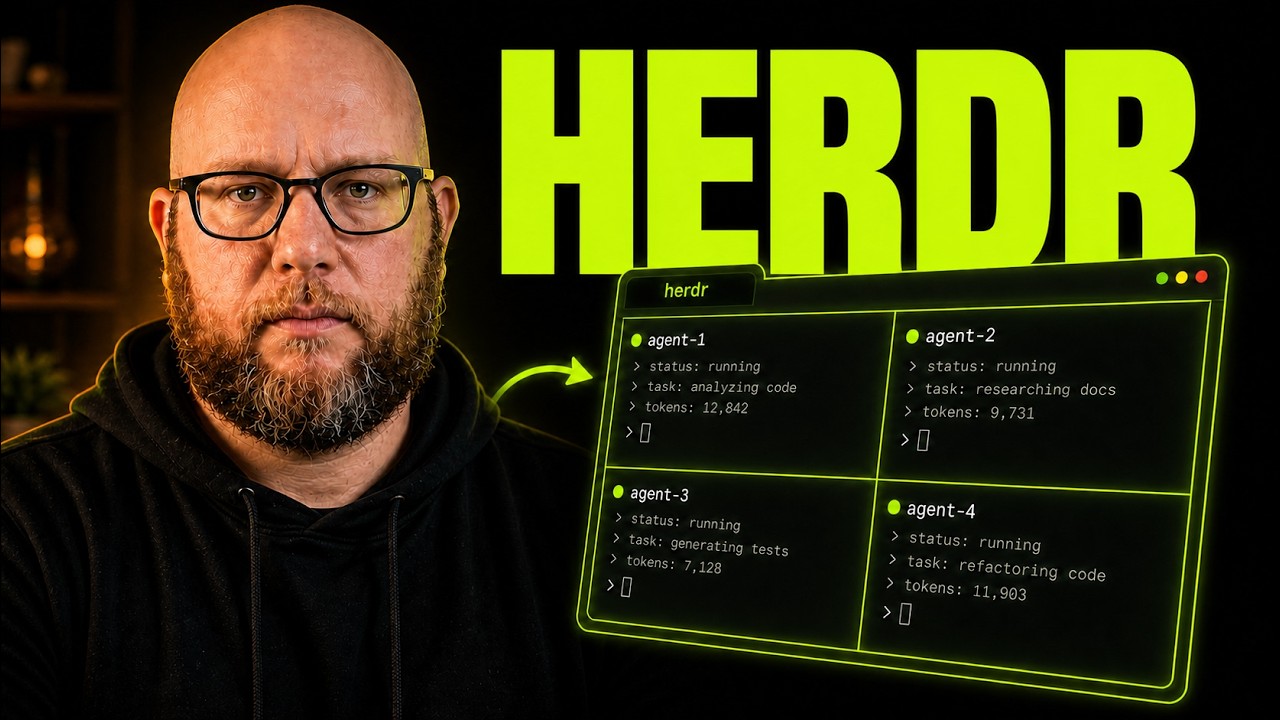
This week's video walks through Herdr, a terminal multiplexer built around running coding agents instead of shells. Plus two things the video didn't cover: checking on agents from your phone, and using Herdr to coordinate different agent types on the same problem.
This week's video
Over the past few months, Codex became my daily driver. Threads that can spin up and manage other threads in the desktop app turned out to be the feature I reached for constantly. Then I switched to Omarchy, and until this week there was no official Codex app for Linux, so I was back in the terminal looking for the same thing, one agent thread managing another. That's what got me into Herdr.
(As it happens, OpenAI shipped a Linux preview of the ChatGPT desktop app with Codex support this week, so that specific gap is closing. Herdr still lets agents of different kinds control each other, not just Codex threads managing Codex threads.)
Herdr is an agent-first terminal multiplexer, familiar if you've used tmux: panes, tabs, splits, a leader key. What's different is that agents in different panes can control each other, and it's not limited to one agent type. Claude Code can manage a Codex session. Codex can manage Pi. You're not stuck herding one kind of agent in isolation.
The video covers the full setup: install, the workspace and agent-status UI, the leader key and keybindings, and themes. From there it gets into the agent side: integrations for Claude Code, Codex, and Pi, plus an installable agent skill so an agent can drive Herdr itself, built-in git worktree management, and running multiple projects as separate workspaces with their own tabs and splits. It closes with the plugin marketplace, the Herdr Automations plugin for cron-scheduled agent runs, session persistence, and remote access over SSH.
Resources mentioned:
Worktrees are only useful if something manages them
Git worktrees solve a real problem: running two agents against the same repo without them stepping on each other's changes. The part that usually gets skipped is who manages the worktrees once you have more than two or three. In the video, I create a couple with Ctrl-B, Shift-G, then hand the job off entirely: I ask Pi, using Herdr's installed agent skill, what worktrees currently exist for a project, and it runs the Herdr CLI to find out and reports back. Then I tell it to start a new Pi session inside one of those worktrees to audit the last ten commits for documentation drift, and it spins up a second agent session on its own.
That's a different mode than "I opened a pane and typed a command." The agent is driving the multiplexer. Combined with session persistence (the server keeps running headless, so closing your terminal doesn't kill anything) and remote access over SSH as a thin client, that agent-managed worktree can keep running on a box you're not even connected to, and you reattach later to a state that picked up right where it left off. The SSH thin client also handles image paste correctly. Sending a screenshot to an agent on a remote box doesn't work if you SSH in and start Herdr manually instead of connecting through Herdr's own remote client, so that's a real gap the thin client closes.
Two things worth adding to what the video showed
The video demos Herdr on your desktop and over SSH from another terminal. Two extensions of that are worth calling out, because they're the difference between "checking on an agent" being a chore and being incidental.
Mobile access
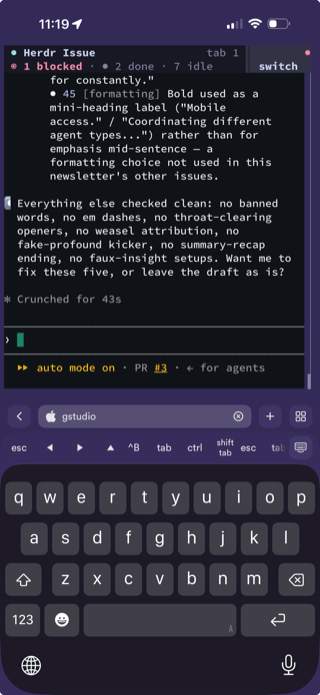
I use the Termius app to SSH into my Herdr sessions from my phone. Pair that with a dictation tool like Wispr Flow and I can dictate a prompt to a running agent instead of typing on a phone keyboard. That turns "nudge the agent" from a task that waits until I'm back at my desk into something I can do from a grocery line in under a minute.
Coordinating different agent types, not running them in parallel
The video's worktree demo uses several Pi sessions doing isolated work. Herdr doesn't restrict you to that. Because workspaces and agent status are agent-agnostic, you can have Claude Code, Codex, and Pi work the same problem from different angles inside the same set of workspaces, checking each other's output rather than running side by side in isolation. I haven't seen many people using it that way yet, but the primitives (shared worktrees, per-agent status, an agent that can drive the CLI itself) are already there for it.
Curated Links & Tools
AnyDoc — Firecrawl's Rust library that converts Word, PowerPoint, Excel, RTF, EPUB, CSV, and PDF into clean GitHub-Flavored Markdown, in single-digit milliseconds, with Node.js, Python, and WebAssembly bindings. It ships as an installable Agent Skill (npx skills add firecrawl/anydoc) that works with Claude Code, Codex, Cursor, and OpenCode, so the fix for "the agent can't read this .docx someone dropped in the repo" is one command instead of a manual conversion step. The browser demo runs the WASM build locally, so nothing you convert there leaves your machine.
diagram-design — Cathryn Lavery's agent skill for Claude Code, Codex, and Pi that generates 27 editorial diagram types (architecture, flowchart, sequence, ER, swimlane, and more) as self-contained HTML and SVG, no Figma and no generic Mermaid boxes. The part worth trying: tell it your website URL and it pulls your palette and font stack and applies them to every diagram it generates after that, so an architecture doc actually looks like it belongs on your site instead of looking like every other AI-generated diagram.
What's your current setup for running more than one coding agent at a time? Reply and tell me, I'm curious how much of this people are already doing by hand.
If you're weighing how much of your team's agent workflow to standardize versus leave ad hoc, that's the kind of call I help engineering teams make. Here's how I help →.
Damian


Add a comment: