
New in openDAW: Mastering, a sample editor and more
Mastering
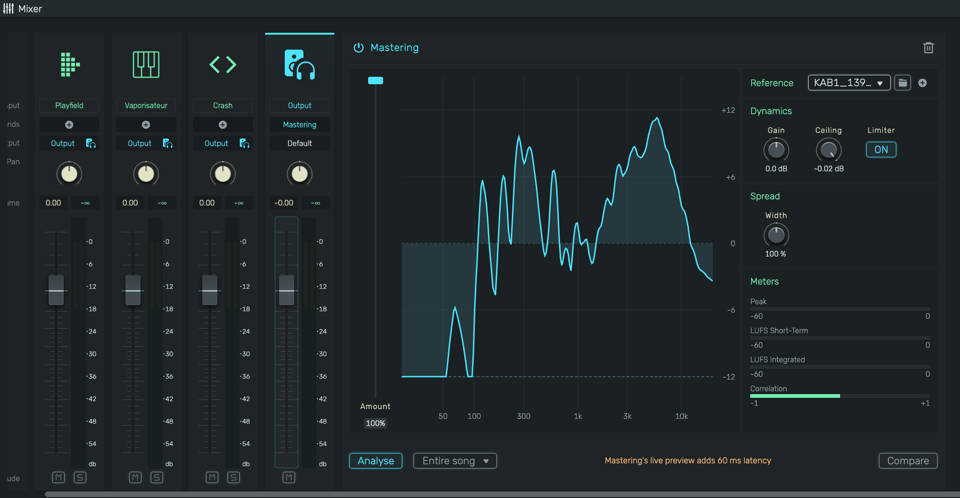
openDAW now has Mastering. It compares a song with a reference and matches its loudness, frequency balance and stereo width. The display shows how their own mix differs from the reference, and from then on the project plays mastered. Compare switches between the original mix and the mastered version at the same loudness. It makes audible what every engineer has to learn first: a louder version always seems better, so a fair comparison needs equal loudness. Only the analysis of a reference is stored in the project, never its audio. The analysis is based on Matchering by Sergree, an open source project.
https://opendaw.studio/manuals/mastering
Sample Editor
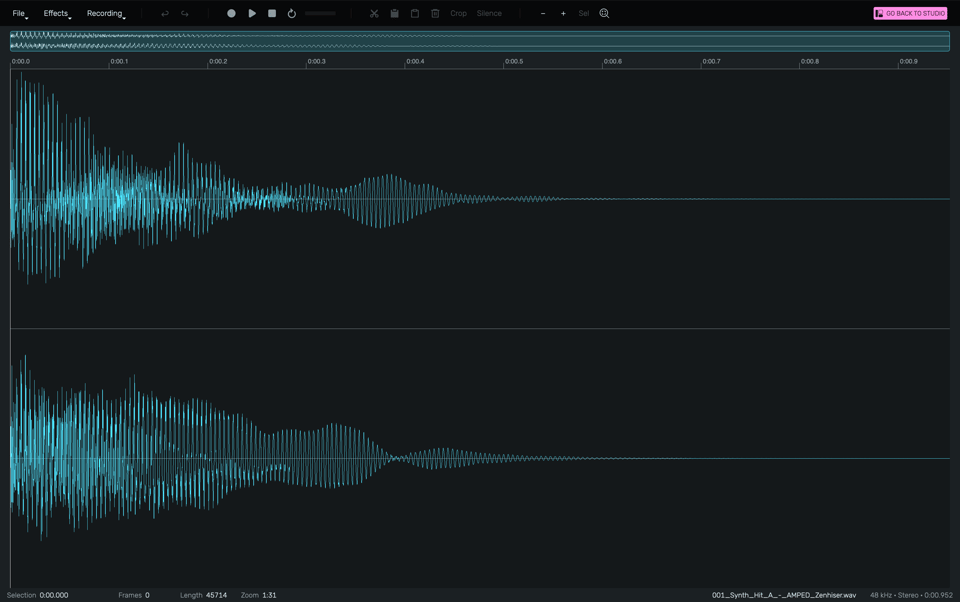
The sample editor records sounds, cuts and crops them and applies effects. It opens from the main menu, the sample browser and the menus of regions and clips.
Device Browser
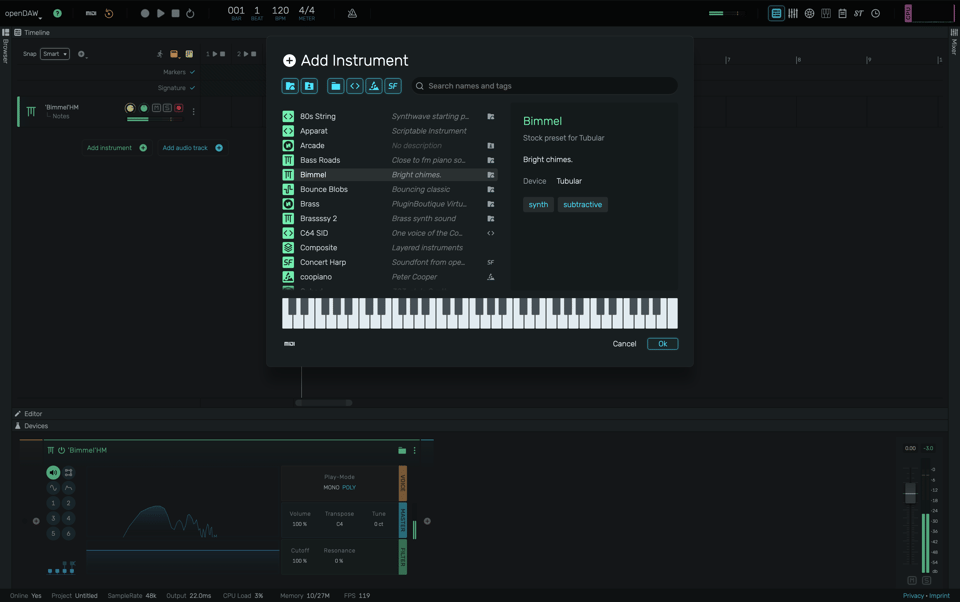
One dialog now holds everything that goes into a track: devices, presets, community scripts, WebCLAP plugins and soundfonts. A plus button sits at every place in the device chain. Every pick is created right away, so you hear an instrument or an effect before deciding, and Escape takes it back.
https://opendaw.studio/manuals/device-browser
Spotlight
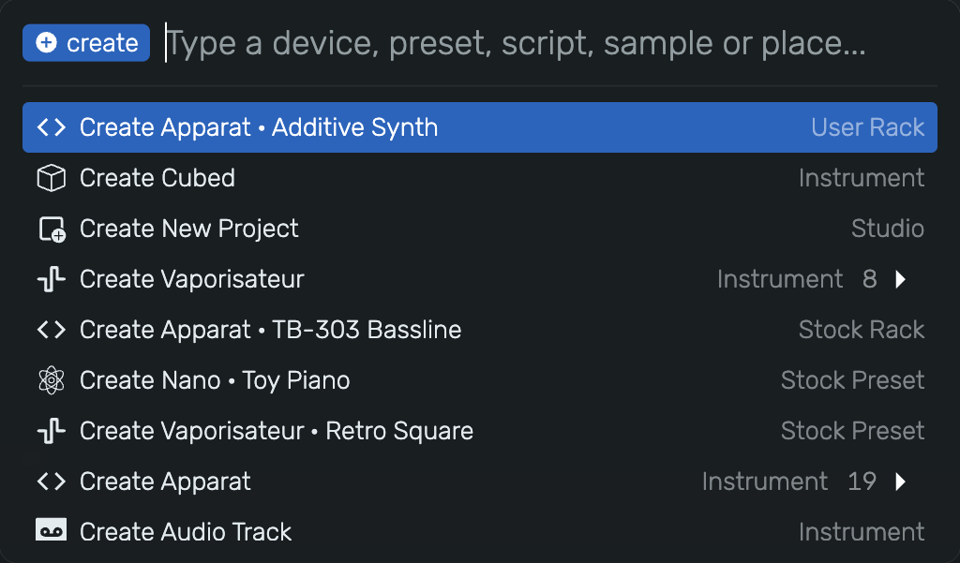
Spotlight is a command line for the studio. Shift+Enter opens it. A few typed letters create instruments, effects and presets, open projects and files, or go to any place in the studio.
https://opendaw.studio/manuals/spotlight
Script Devices and Community Scripts
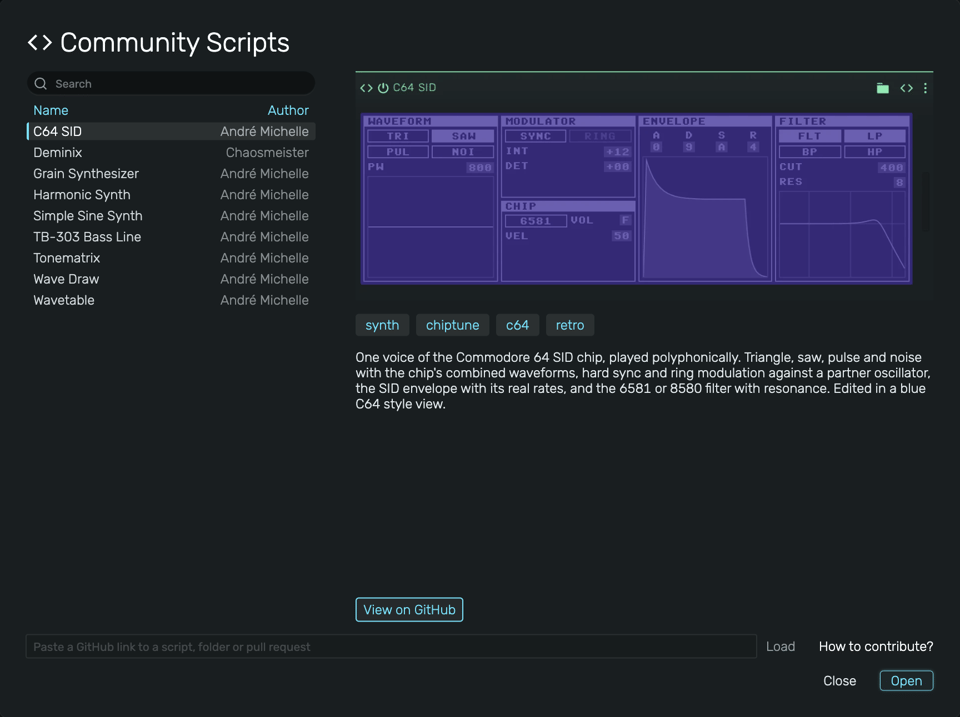
Script devices can draw their own interface in the device panel or in a window of their own. A public GitHub repository, opendaw-commons, collects scripts for Werkstatt, Apparat, Spielwerk and the code editor. Anyone adds one with a pull request, and after the merge it is in every Studio within minutes. You write a device in JavaScript, give it an interface and share it with everyone who uses openDAW.
https://opendaw.studio/manuals/community-scripts
Recording Latency Compensation
Recordings now land exactly where the engine played them. Measure Latency in the capture menu of an audio track measures the real delay of the speakers or headphones and the input in use. Takes recorded afterwards sit on the beat, also with Bluetooth headphones. In a classroom with mixed equipment, each computer is measured once.
https://opendaw.studio/manuals/latency-calibration
SoundCloud
The Project Info panel uploads a song to SoundCloud. You can publish a finished song directly from openDAW, as a private track if you prefer.
More to come ❤️