
Upcoming book, frustration and accessibility, and podcast stuff
Nearly a month since the last newsletter. That's ok, I promised 1 or 2 editions a month, so I'm still on track!
I've been busy writing. Just not for the newsletter. I'm writing a book, and I'm telling you a bit about that in the first entry of this edition.
The bigger piece today is about frustration, and how it's part of accessibility.
I'm also revisiting an older podcast episode.
Oh! Also, before I forget, I've reached 100 subscribers for the newsletter. Great milestone!
Let's dive in.
In this newsletter
Book News
I'm writing a book! Some of you may already have seen it mentioned either on LinkedIn or on Slack.
The working title is "100 things you need to know about accessibility". That title is likely to change.
I'm particularly happy to say I've reached a significant milestone: I have 100 articles drafted. That's a little bit over 62,000 words.
The "real" work begins. Organizing all these articles into one logical flow, and editing them.
Frustration is part of accessibility work
Frustration is a huge part of digital accessibility work. We don't talk about that often enough.
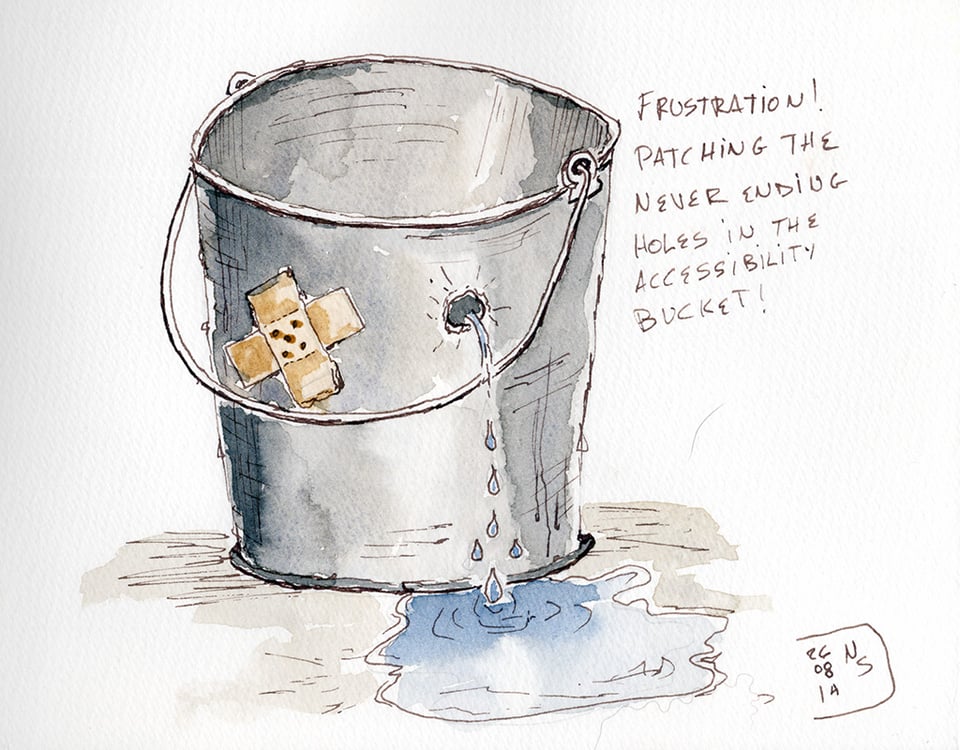
Disabled people get frustrated trying to use products and services that don't work for us. Accessibility practitioners get frustrated finding problems we've already explained. Designers and developers get frustrated when they've made a genuine effort and discover there's still more to do.
These frustrations aren't equivalent. Needing another round of fixes is quite different from being unable to apply for a job, make a purchase, or use your bank account. But frustration can tell us where our approach to accessibility isn't working.
The frustration of using inaccessible things
I use a wheelchair. I know how to use it. When I encounter a step at the entrance of a building, the problem isn't that I need more practice. The entrance doesn't work for me.
Digital barriers can be less obvious. Someone can know their screen reader extremely well and still be unable to use a website. A keyboard user can know how navigation is supposed to work and still get trapped in a component.
Disabled people try another route through the site or another browser. We remember workarounds, or ask someone else to do something we should have been able to do ourselves. Then another barrier comes along.
Auditors looking at accessibility one defect at a time miss much of that experience. We see a form with a missing label and record a defect. For the person using it, that form may be one more obstacle in a day full of them. Even within the same product, what works on one page may fail on the next.
Reporting barriers takes more work. I've known disabled people who have reported the same issue for years. They get an acknowledgement or a ticket number, and often nothing changes. Being told that nobody else has complained doesn't tell us how many people encountered the barrier and left without saying anything.
Some of this frustration is avoidable
Not every accessibility problem has a straightforward solution. Browsers, operating systems and assistive technologies can interact in unexpected ways. Sometimes we've done the work and still run into something difficult.
But some barriers come from decisions we can identify. Teams ship issues they already know about because a release date takes priority. An organization buys a third-party product despite known accessibility problems. A defect gets fixed, then returns when someone changes the component. Someone knew about the barrier, but it survived the process anyway.
Accessibility overlays add to the frustration. An accessibility icon can suggest that the problem has been taken care of while disabled people still encounter barriers. The widget may do nothing for that problem, and some interfere with the assistive technology people already use.
We can't keep asking disabled people to work around these decisions and treating each encounter as an isolated bug.
Frustration inside the accessibility work
I've been doing accessibility work for a long time. Some conversations I was having twenty years ago are conversations I'm still having.
Being brought in late is a familiar frustration. Problems that could have been prevented early require changes to finished work. Those changes are expensive. Accessibility gets associated with the cost, even though much of it came from asking for accessibility too late.
A team may assume a product is accessible because an automated checker returned a "clean" report. Plans to include disabled people in usability testing disappear when the schedule gets tight. A third-party product reaches accessibility review after procurement has committed to it. A more thorough audit won't solve how those decisions were made.
There are less clear-cut frustrations too. WCAG isn't a recipe book. Experienced practitioners can disagree about how a success criterion applies to a complex interaction. That is difficult for a developer who wants a definite answer, and for the practitioner trying to give one.
Then there is the question of responsibility. Accessibility is often described as "everyone's responsibility". I agree with that. In practice though... One person or a small accessibility team can still end up expected to catch problems created across an entire organization. It's much easier to blame the accessibility person when something inaccessible ships, rather than asking why everyone else involved in the product didn't catch it.
I thought we fixed accessibility
I have sympathy for a developer who fixes an accessibility issue and then learns there's something else wrong with the same component. They did the work they were asked to do. Another problem can feel like the requirements keep changing.
Accessibility has a learning curve. Someone may learn to make a modal window work from the keyboard, then later learn about managing focus when it opens and closes. As their understanding grows, they notice things they couldn't have noticed before. That's progress, although it doesn't always feel like it.
There isn't a point where somebody stamps ACCESSIBLE on a product and everybody goes home. An audit describes what was found in the version tested, at the time it was tested. The product keeps changing.
Telling someone "you should have known that" doesn't help if they're genuinely trying. We want them to understand why there's more work and recognize the problem themselves next time. Otherwise accessibility becomes the thing where someone appears at the end and tells them what they got wrong.
The same problems keep coming back
Repetition is where frustration becomes useful.
I once worked on a feature where we'd decided not to use a character counter because of accessibility concerns. A couple of months later, a character counter appeared as a requirement in an epic. The developers built it. The product manager was delighted that we'd got the counter for free. I said we'd received a free gift that would cost us a lot to remediate.
The issue wasn't really the counter. We'd discussed it and made a decision, but that information hadn't reached the next piece of work.
When a problem keeps returning, I want to know where it slips through. If it comes from a component in the design system, the fix belongs there. If developers keep discovering requirements late, the problem is earlier in the work. Sometimes everyone knows about an issue, but something else keeps getting priority.
Organizations can spend a lot fixing individual defects without getting much better at accessibility. We document an issue in an audit, add it to a bug tracker, fix that instance, and repeat the exercise elsewhere. Finding out why it keeps appearing is more useful than paying to repair it indefinitely or blaming people for missing it.
When people stop telling you
Repeated frustration changes people's behaviour. Disabled people may decide reporting something yet again isn't worth the effort. Practitioners get tired of raising issues that are routinely deferred. Developers may start avoiding accessibility questions if every encounter feels like an unexpected correction.
When reports fall, we need to find out why. Talk with disabled people about what they can and can't do. Look for problems that keep returning, and trace them to the decisions that let them through. When someone reports a barrier, tell them what happened next.
Frustration can show us where accessibility work needs to change. If people stop telling us about it, we have to go and find out for ourselves.
From the podcast archive
One A11y Rules conversation worth revisiting is my two-part interview with Tony Coelho. Tony is a the former U.S. congressman who championed the Americans with Disabilities Act. Coelho traces his advocacy to being shut out of the seminary and rejected from jobs after his epilepsy diagnosis. He even recounts confronting the Pope about a rule barring priests with epilepsy. These are personal experiences behind a landmark civil rights law.
In part two, Coelho argues that people with disabilities deserve the “right to fail”: the same chance anyone else has to try, learn, work, and succeed. His message is simple: “All we want is the same thing that everybody else has. We don’t want anything more. We don’t want anything less.” For those of us who spend our days thinking about WCAG criteria and testing results, it’s a reminder of what the work is for: making that equal chance real.
Tony Coelho recently published an Op-Ed titled The ADA is 36. AI is the New Frontier of Work. Our Fight Can't Retire
Wrapping up
That's it for now! I hope you enjoyed the newsletter. I'd love to get feedback - What was good? What could be improved? What topic would you like me to talk about? I'm not making any promise, but if a topic you suggest catches my fancy, I'll share my opinion on it. Just hit reply to this email, or send an email at [email protected]. I read every response. And a reminder that my content is Human Generated Content #HumanGeneratedContent