Software Updates — Week of September 8, 2026
Good morning everyone! Here's what's new this week in GovPossible:
Podcast & Grants
In our Mighty Municipalities podcast, Mark Partin and I talk about the upcoming election law changes in SC as well as about attracting more applicants to entry level jobs. Of course, we also mention the grants below:
- 9/15 & 916: NC Hurricane Helene Debris Disposal grant (up to $3m) and Resiliency Grant (up to $15m)
- 10/5 - EPA – Water Infrastructure workforce development Grant (~$1m)
- 10/5 - Bureau of Justice – Public Safety Crisis Response Training Grant (up to $650k)
- 10/8 - NC Trails – Grants to build connector trails to primary State trails ($10k-$100k)
- 10/9 - DOT/Fed Highway Administration – Surface Transportation Resiliency PROTECT grant (Dam Failures, landsides, etc) (80/20 grant, up to $60m)
- 10/12 USDA Forest Service Municipal forestry pair grant – planning & utilization of forested property ($200k-$750k_)
- 10/20- Americorp Senior Program to help encourage senior volunteerism (up to $75k + $350/volunteer)
- 10/30 - SC Commerce - Rural Development Initiative (RDI) ( up to $500k)
Finance: Add a Bill Straight from the Vendor's Record
When you're viewing a business that you work with as a vendor, the list of bills on that page now includes an add control right at the top. Click it, and you're taken directly to a new bill with that vendor already filled in — no need to navigate to the bills area separately and then search for the company you were just looking at.

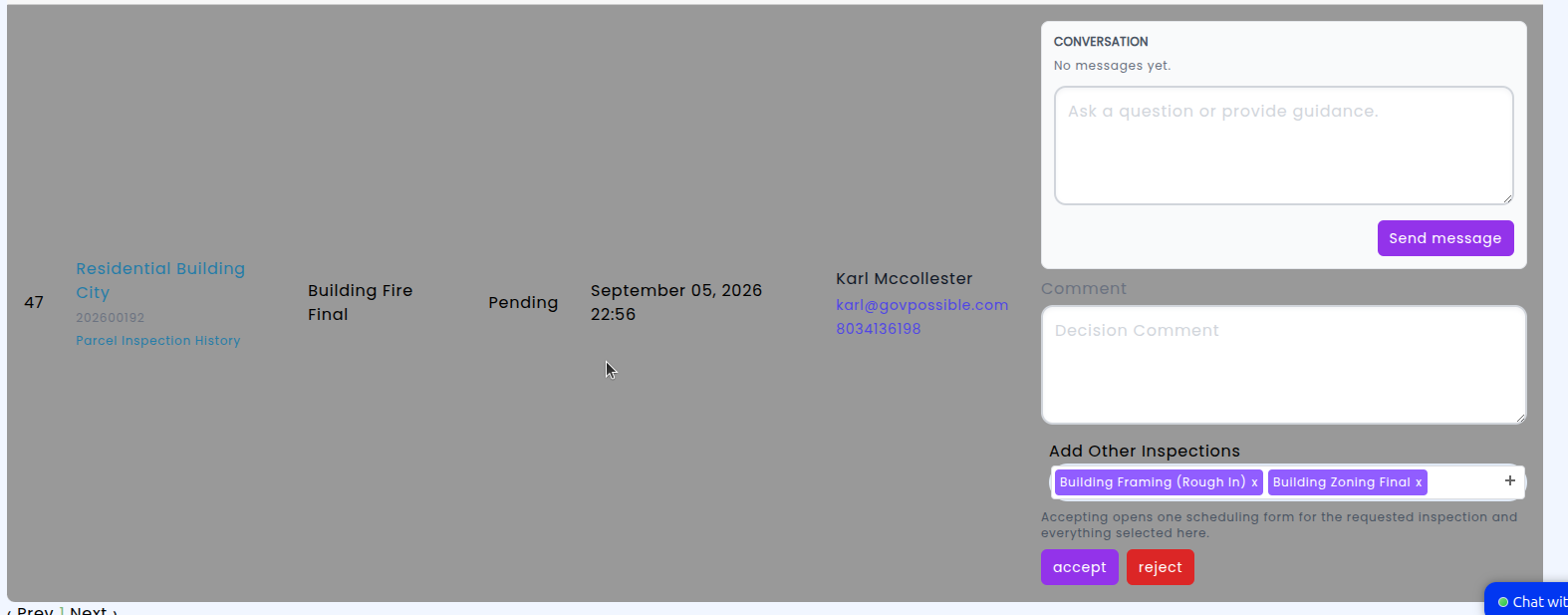
Permitting: Schedule Additional Inspections Directly from a Portal Inspection Request
When a contractor or property owner submits an inspection request through the citizen portal, your staff review and approve it, and an inspection is created automatically. Until now, that screen only let you work with the single inspection type the applicant asked for — if the site visit also needed a framing check or a final electrical, you had the screen and add them from the permit afterwards.
The inspection screen created from an approved portal request now offers the same multi-select inspection types you already use when adding an inspection directly from the permitting screen. Every inspection type available for that permit is listed, so you can add and schedule any combination of them in one pass.
Cemetery: Keep Notes and Interaction History on Plats
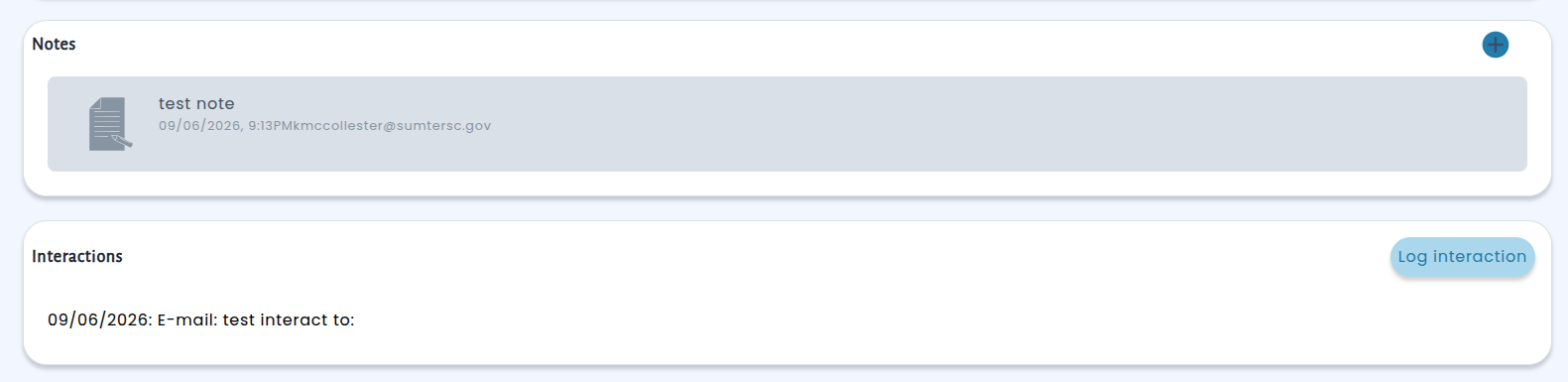
Cemetery plats can now carry their own notes and a record of interactions, just like contracts and interments already could. Open any plat and you'll find two new panels on its page: Notes, for internal comments your staff want to keep with that plat, and Interactions, a running log of calls, emails, visits, and other contacts related to it. Notes are stamped with who wrote them and the date they apply to, so the history stays clear even when a note is entered after the fact.
Licensing: Require Inspections and Tasks Before a License Is Issued
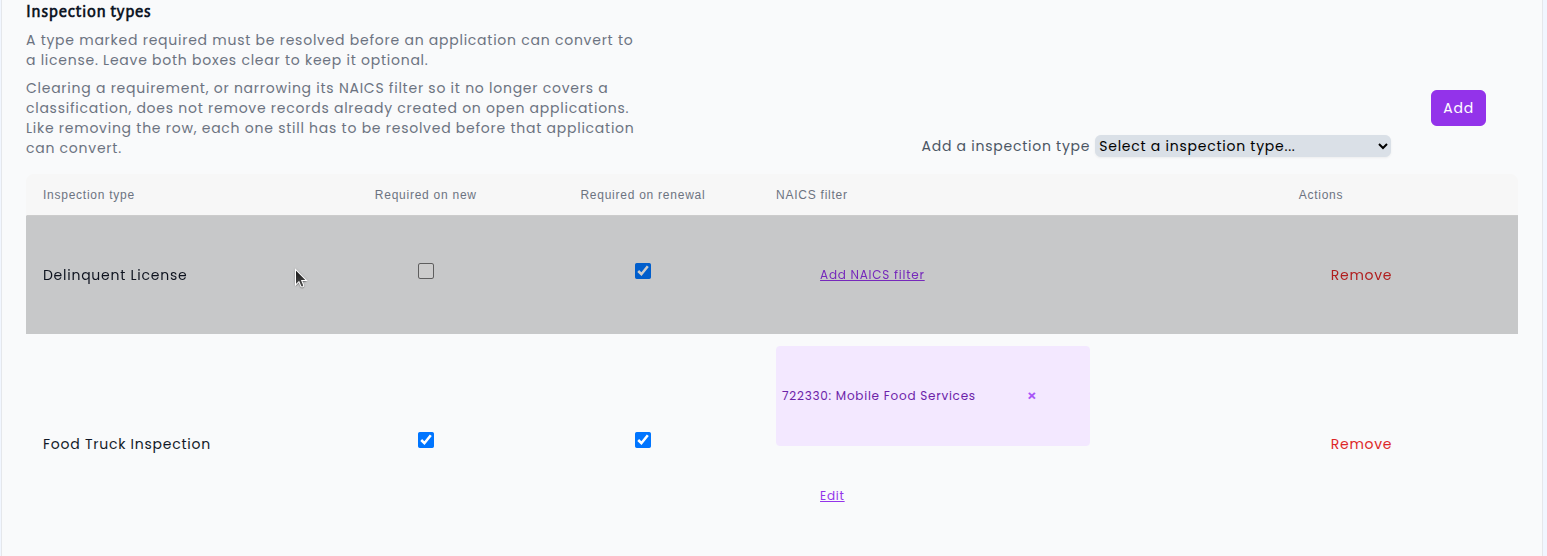
Business license types can now require inspections as well as tasks before an application becomes a license — and you decide, per license type, whether each requirement applies to brand-new applications, to renewals, or to both. Requirements can also be limited to specific NAICS classifications (or a parent classification, which automatically covers everything beneath it), so a food truck inspection only attaches to food service businesses instead of every applicant in your queue. Setup lives right in the license type screen alongside your existing settings, with simple checkboxes for "Required on new" and "Required on renewal."
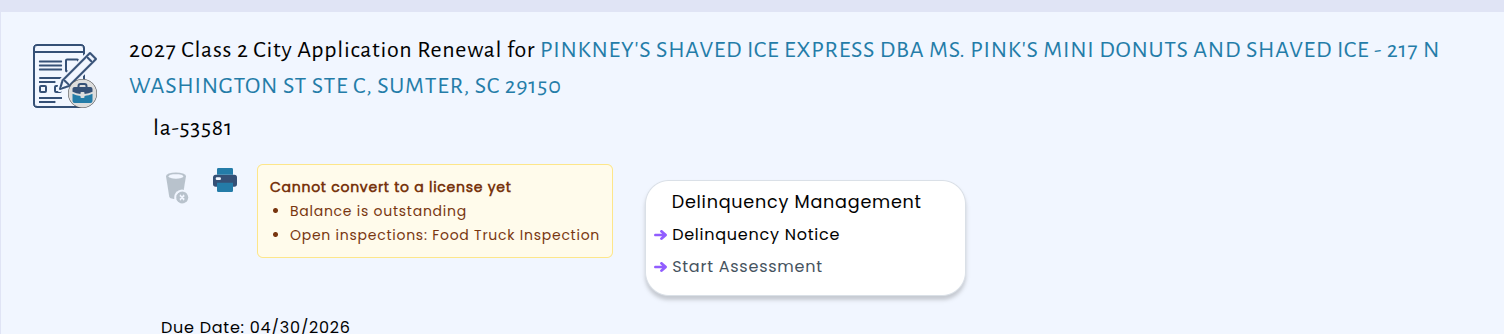
Once a requirement is in place, the system enforces it for you. An application will not convert into a license while a required inspection or task is still open, and staff see exactly what is holding it up — right on the application.
When a renewal application is created, any inspection or task that applies to that license type is generated automatically