Software Updates — Week of July 14, 2026
Hello everyone! I look forward to seeing all of you (who are attending) later this week at the MASC Conference!
Here's what's new this week in GovPossible:
Meetings Management Search
Finding specific agenda items and meeting minutes just got a whole lot easier. We've added full search capability to the Meetings module, so you can quickly locate agenda items and minutes by typing keywords into the search bar. Whether you're looking for a particular discussion topic, a resolution from a past meeting, or a specific agenda heading, results appear instantly as you type — no more scrolling through lengthy agendas to find what you need.
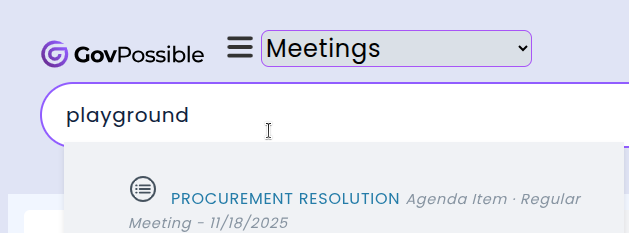
The search covers both agenda item headings and descriptions as well as minutes item headings and descriptions, so even detailed discussion notes are discoverable. Multi-word searches work naturally — typing "budget approval" will find items where those words appear anywhere in the title, even if other words appear between them. Clicking a result takes you directly to the full agenda outline or minutes document for complete context.
Planning: Cases View Shows Task and Fee Status at a Glance
The Planning cases list has been updated to display key status information right where you need it. When you open your cases index, you'll now see open task names and fee totals displayed beneath each case's description — so you can quickly tell which cases have outstanding work and where payments stand without clicking into each one individually.

This improvement brings the Planning module in line with how the Permitting applications list already works. For each active case, you'll see which tasks are still open (such as Plan Review or Inspection) along with a summary of fees charged and fees paid. This makes it much easier to scan your caseload and prioritize follow-ups, especially when managing a high volume of cases.
Inspections: Daily Summary Emails
These emails provide a convenient overview of the day's scheduled inspections along with a list of any past-due inspections from previous days that still need to be completed.
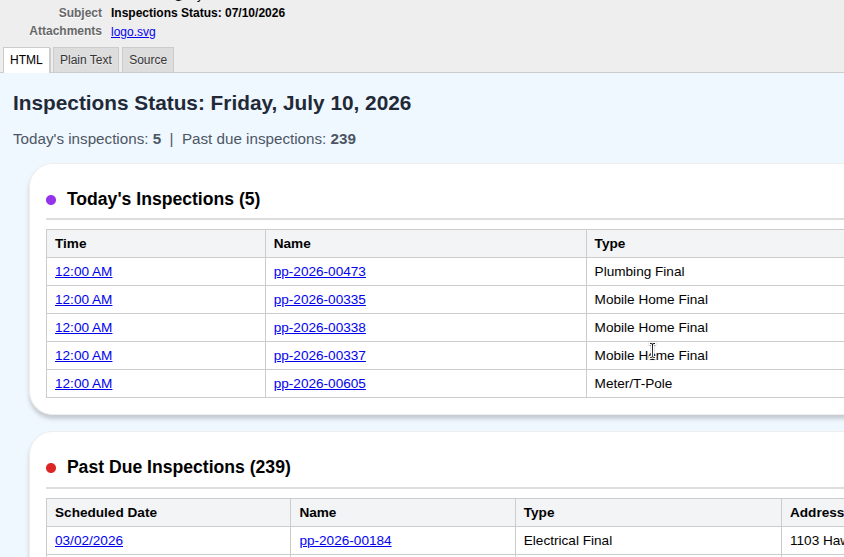
The email includes an accurate count of today's inspections and any outstanding items from prior days, making it easy to see at a glance what needs attention. If you have any questions or notice anything unexpected with your daily emails, please don't hesitate to reach out.
Finance: Automated Bank Account Reconciliation Is Here
We're excited to introduce a major new capability in the Finance module: automated bank account reconciliation. Previously, reconciling your bank statements meant manually downloading CSV files from your bank's website and uploading them into the system each month. Now, you can securely link your bank accounts directly from within GovPossible and have your transactions imported automatically every night.
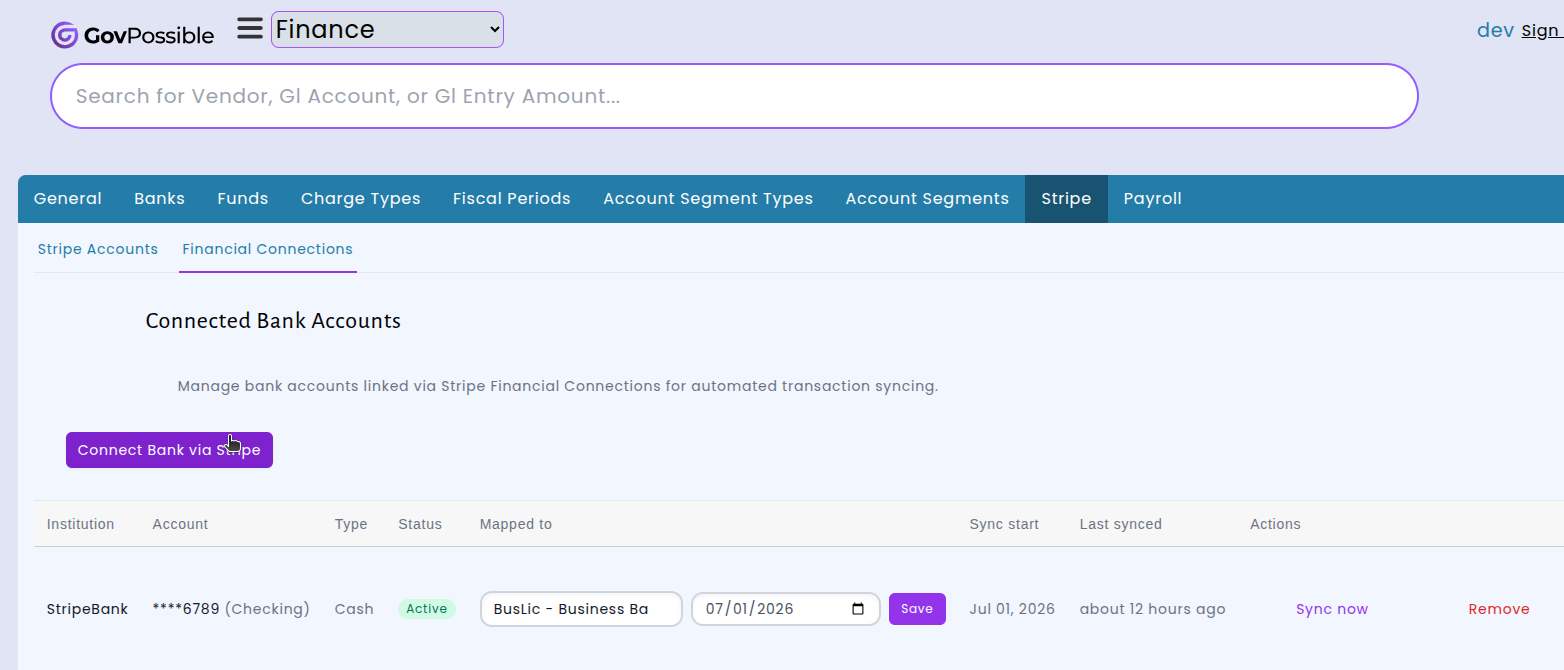
Getting started is simple. Navigate to the Stripe tab in your Finance settings, select Financial Connections, and click the "Connect Bank via Stripe" button. A secure window will appear where you can search for and select your bank, then authorize access to your account information. Once connected, you can map each bank account to the appropriate account in your chart of accounts, set a sync start date, and begin importing transactions right away with the "Sync now" option.
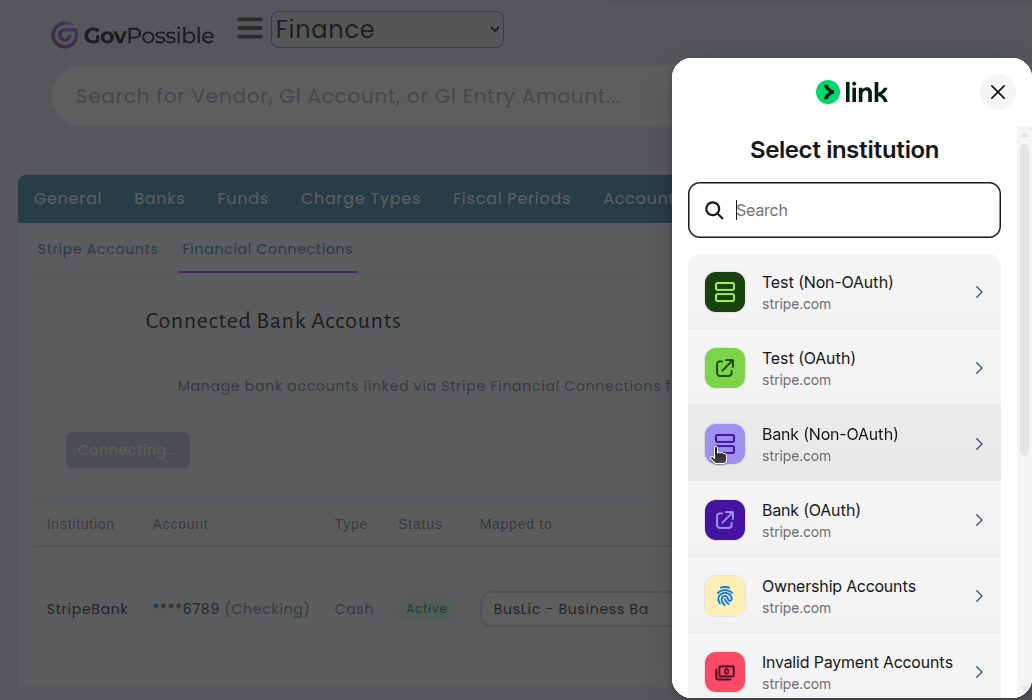
After linking your accounts, the system automatically downloads new transactions each night and organizes them into monthly balance periods — the same familiar view you use today for reconciliation. You can connect multiple bank accounts, see the sync status for each one, and trigger a manual sync whenever you need the latest data. This update saves your finance team valuable time each month and reduces the chance of errors from manual data entry, so you can focus on what matters most: keeping your books accurate and up to date.
Licensing: New Renewal Auditor Report
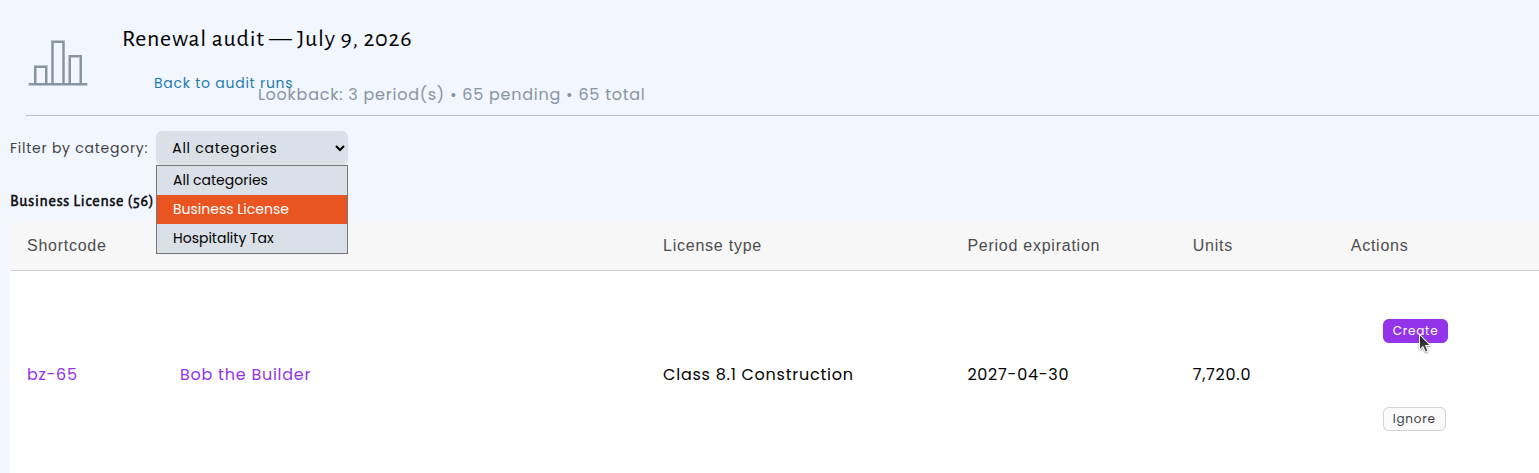
Keeping every business license renewal on track is critical, but sometimes renewals slip through the cracks. If a renewal application was voided — or if a business was temporarily inactive — gaps can quietly build up, leaving businesses with licenses for some years but nothing on file for others.
We've added a new Renewal Auditor report that scans every active business location and checks for gaps in license and application coverage. For each license category, the auditor reviews the full history of records and identifies any missing periods.
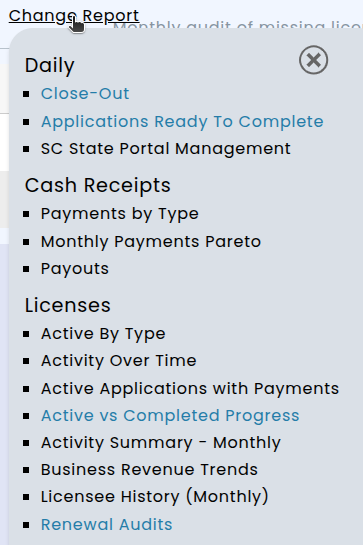
The auditor runs automatically on the 5th of every month and sends a summary report showing exactly what was flagged, organized by license category.

You can then access them here and take action, looking at the record and choosing to add the suggested license or ignore the recommendation, which will prevent it from making the same recommendation in the next audit.