GovPossible Updates — Week of June 30, 2026
Hello everyone!
Here's what's new this week in GovPossible:
Licensing: Progress Report Now Includes Residency Filtering
The licensing progress/burn-down report now lets you filter results by business residency status. A new dropdown control on the report page allows you to view data for resident businesses only, non-resident businesses only, or both combined — giving you more flexibility to analyze licensing trends for the populations that matter most to your jurisdiction.
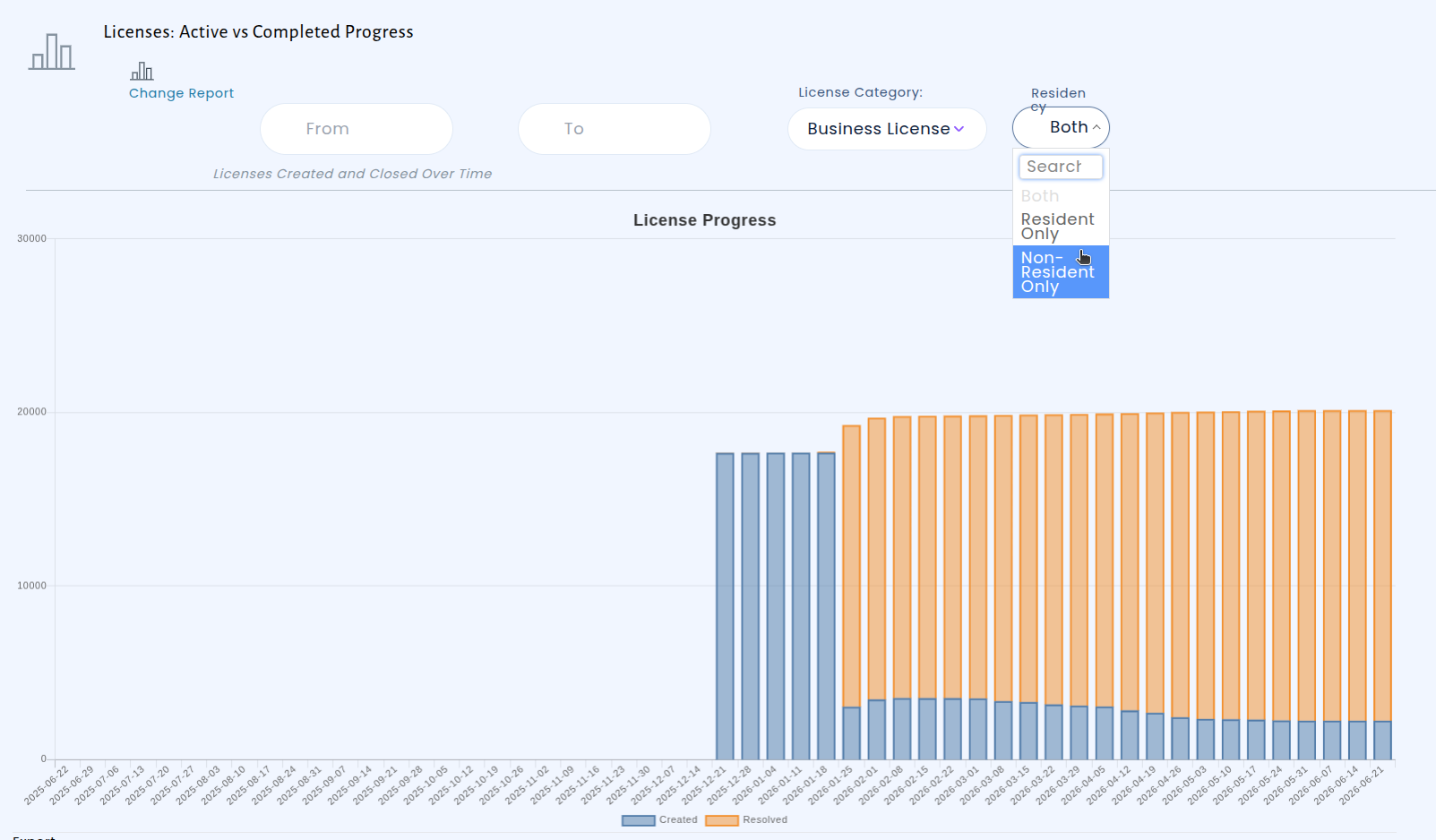
This filter works alongside the existing date range and grouping controls you're already familiar with. Whether you're preparing a council report on local business activity or comparing resident and non-resident licensing patterns over time, you can now get exactly the view you need without exporting data and sorting through it manually. Just select your preferred residency option from the dropdown and the chart updates automatically.
Permitting: Streamlined Job-Only Licensing for Permit Applications
Previously, if a business didn't have a standard active license on file, staff had to manually create a separate job-only license application before the permit could move forward — adding extra steps and slowing down the review process.
Now, when staff review an online permit application, the system automatically detects whether a linked contractor or business needs a job-only license. If one is required, reviewers are presented with clear options right on the permit review screen — they can create a new job-only license on the spot, or link to an existing one if the business already has a license for that location.
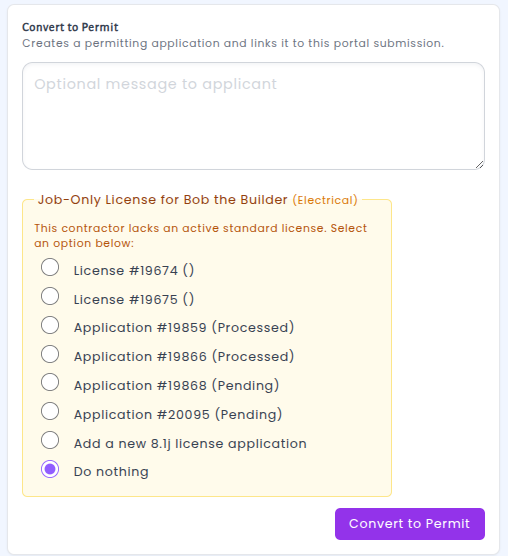
This means fewer back-and-forth steps between the licensing and permitting, faster permit processing, and less room for things to slip through the cracks. The new license is automatically connected to the correct parcel, so everything stays organized and properly linked from the start. It's a small change in the workflow that saves time for staff handling permit reviews every day.
Inspections: Calendars Now Show Contact Names
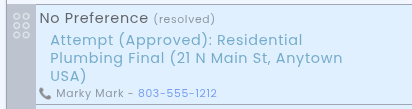
We've updated the inspection calendar to display the contact name alongside the phone number on each inspection card. Previously, inspectors could see a phone number for the person associated with an inspection, but had to look elsewhere to confirm who that number belonged to. Now, the contact's full name appears right next to their phone number, making it easy to see at a glance who to call.
Planning: Comments and Comment Memos
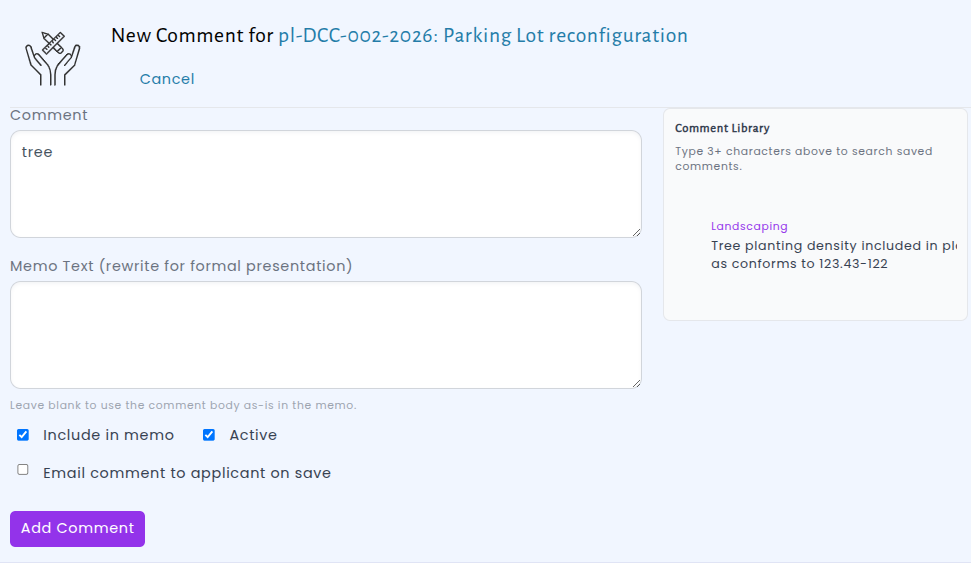
We're excited to introduce a powerful new feature for your planning review workflow — Planning Comments. Staff can now add detailed review comments directly to planning cases and individual review tasks, making it easier than ever to track feedback from every department involved in a case.
Each comment includes helpful options: you can flag whether a response is required from the applicant, edit the memo text independently from the original comment, and choose whether to include it in the official comment memo. Comments added to specific review tasks (like Zoning Review or Traffic Review) automatically appear on the parent case as well, so nothing gets lost.
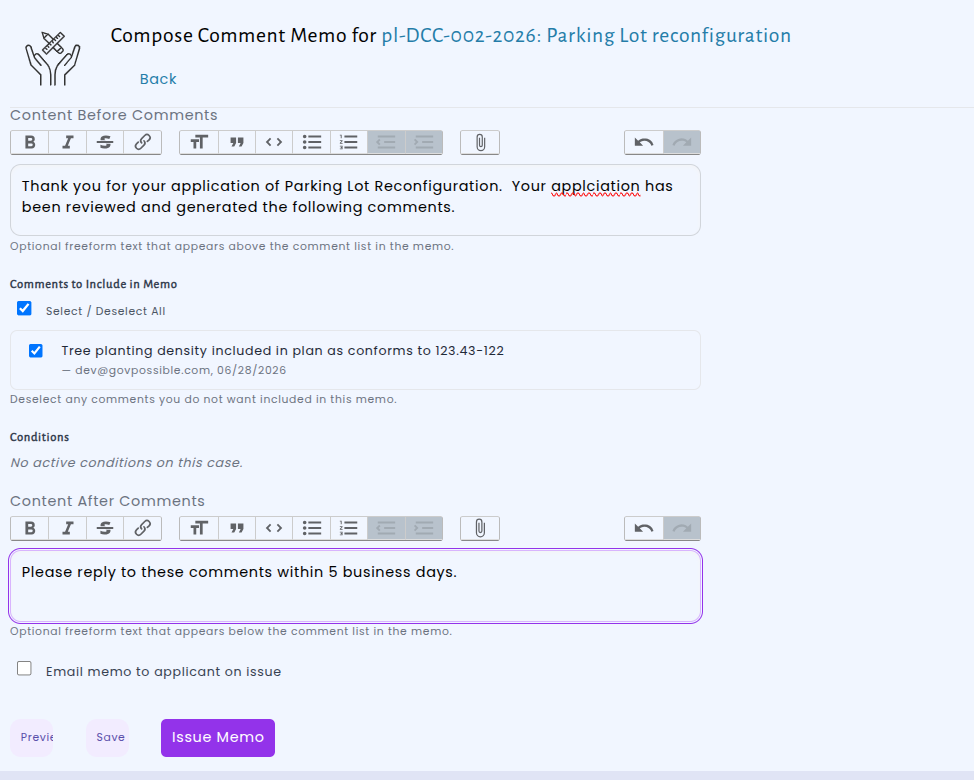
When it's time to communicate with an applicant, the new Comment Memo feature pulls together all active comments into a single, professional document. Comments are automatically grouped by review type — General, Zoning, Traffic, and so on — with space for introductory and closing text using the rich text editor. You can preview the memo before issuing it, and once issued, it's locked in with a date stamp for your records.
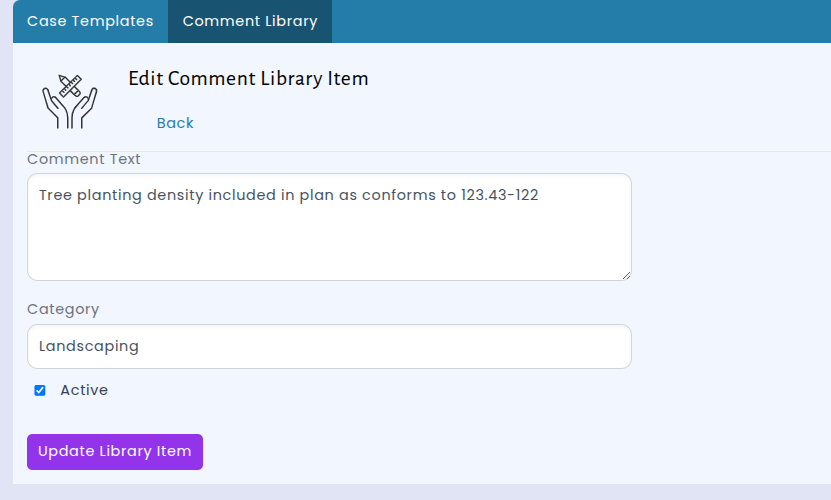
We've also added a Comment Library so your team can save frequently used comments and conditions for reuse. As you type a new comment, the system searches your library in real time and suggests matching entries. Click a suggestion to populate the comment field, then edit as needed for the specific case. This saves time and helps maintain consistency across reviews.
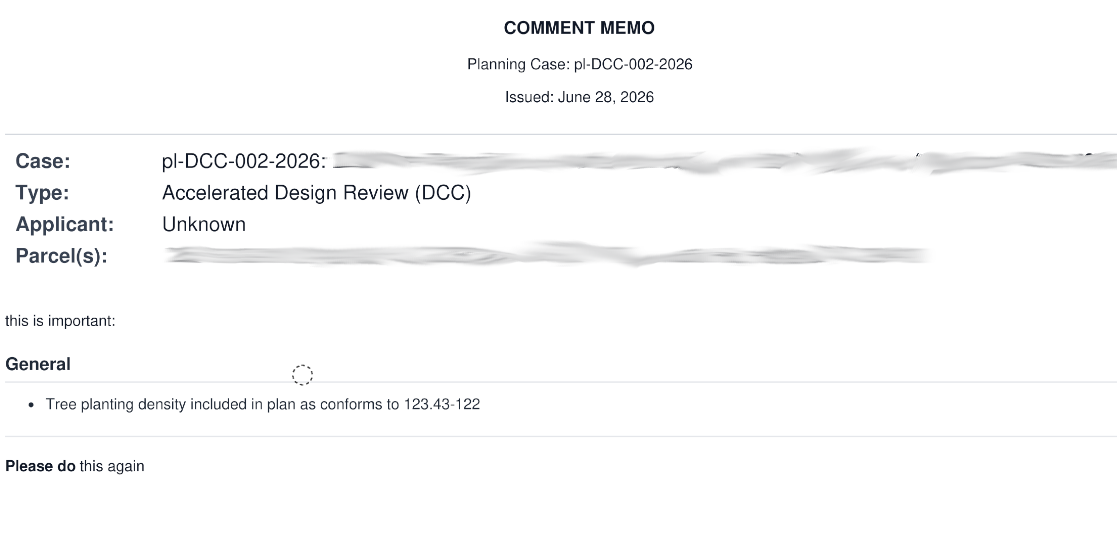
Together, these features streamline the planning review process — from capturing individual reviewer feedback, to assembling organized memos for applicants, to building a shared library of standard comments your whole team can draw from.
Permitting: Easier Navigation on the Inspection Requests Page
We've updated the Inspection Requests listing to make it easier to find what you need. The permit name and identifier on each row are now clickable — selecting them takes you directly to that permit's detail page, saving you the extra steps of searching for it separately.
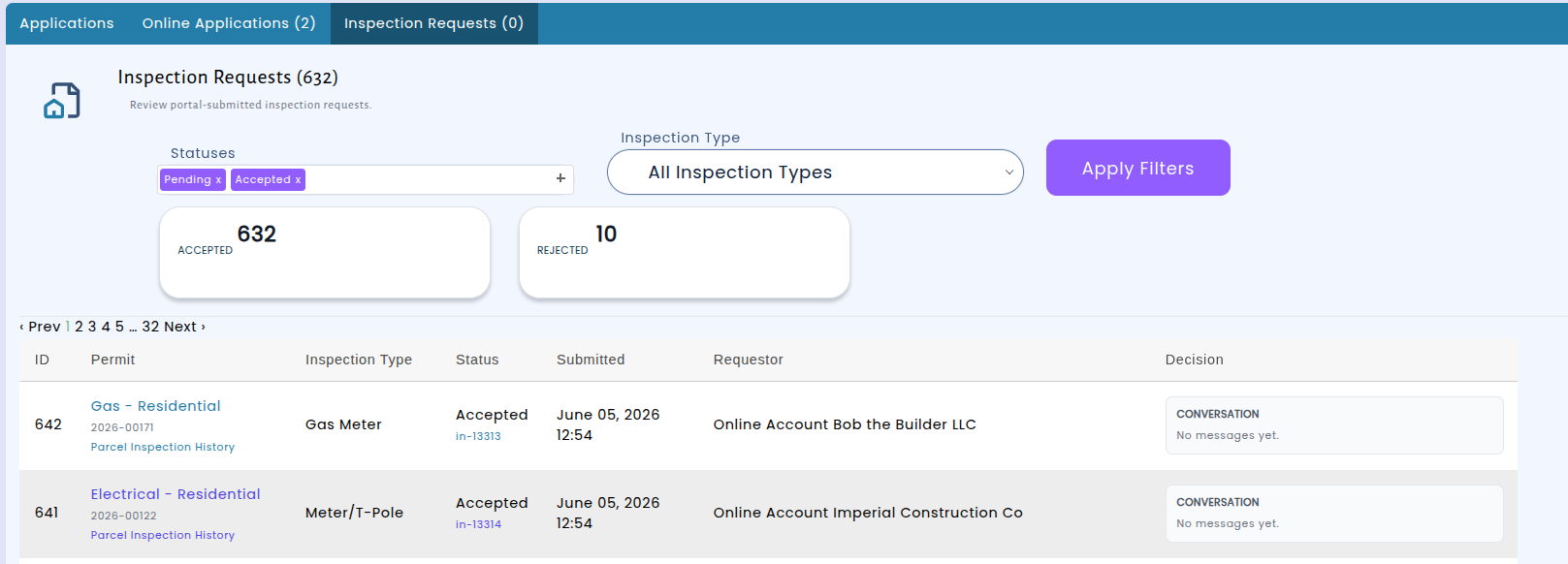
When an inspection request has been accepted and an inspection has been created from it, the inspection's shortcode now appears right below the status. Clicking it takes you straight to that inspection. Additionally, each row now includes a "History" link that opens the full inspection history for that permit in a new tab — giving you a complete view of all inspections tied to a particular permit at a glance.
These improvements are designed to reduce the back-and-forth clicking that staff experience when managing inspection requests. Whether you're looking up a permit, checking an inspection, or reviewing a property's inspection history, everything is now just one click away from the requests list.
New: Text and Voicemail Notification Opt-In
We're working towards giving you the option of sending text and automated voice calls to users across the board. To do that legally, it's important that when you sign up a user for text or voice communications (or when they sign up themselves on the portal) that we fully inform them how we might use it.
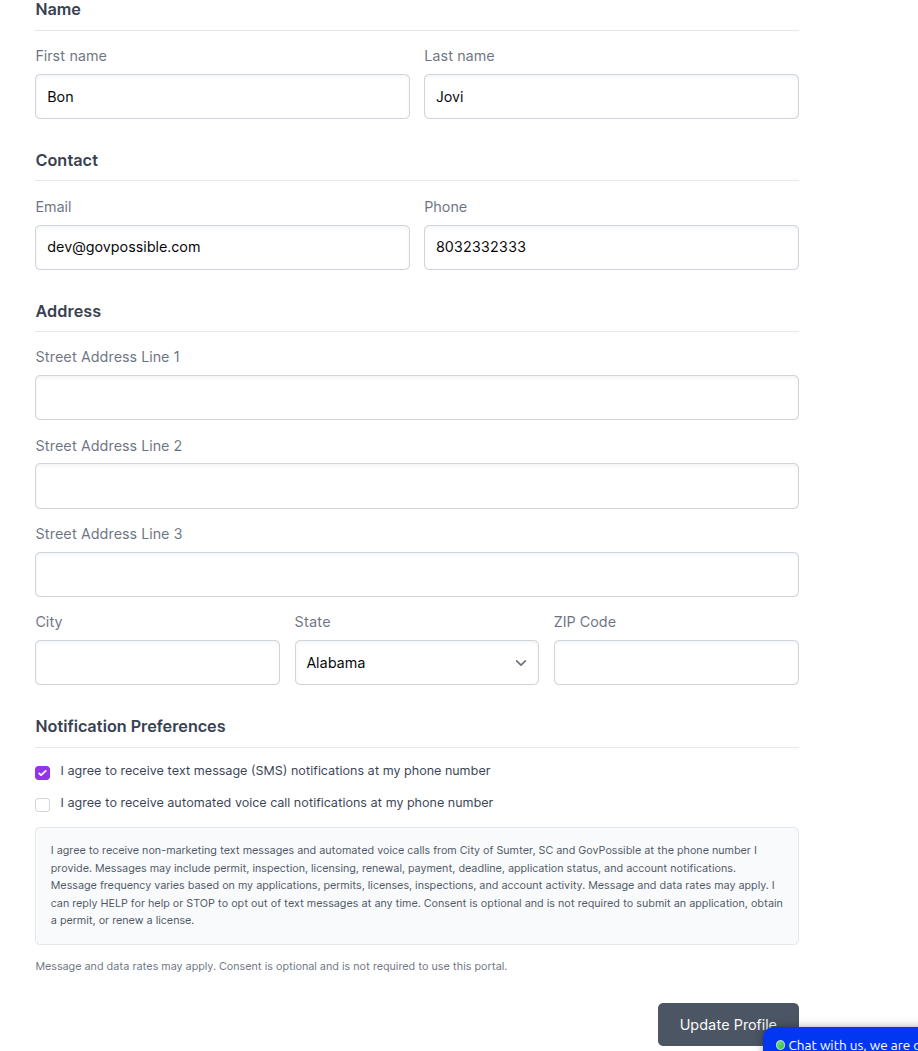
That's why users on the portal will see a specific opt-in message and why, when you're updating a contact, it provides you with the a script on what you need to ask them:
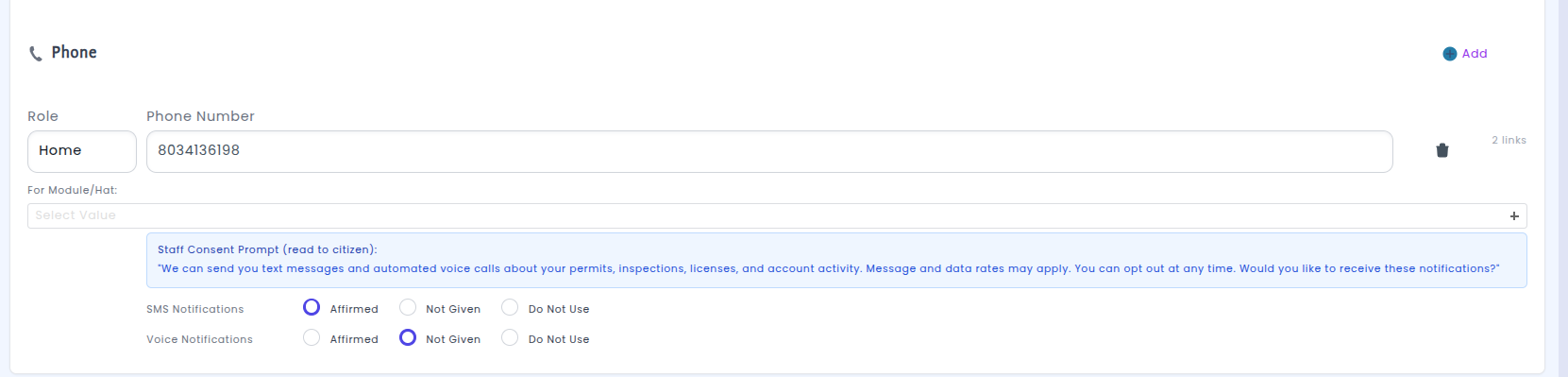
That way, if and when you do decide to start sending out messaging, you keep you and your town out of trouble! :-)