I built a goon stack with four AI agents and accidentally became a middle manager
Nine days, four repos, 143 merged PRs, one orchestrator I had to put on a diet, and a very predictable ending.
It started with PMVs
PMVs (porn music videos) are great. Someone else did the editing, the beat drops, everything's cut to the rhythm. But sometimes you don't want somebody else's edit. You want random. You want a wall of clips, all playing at once, edge to edge, no gaps, no curation, just vibes.
So I asked Claude to build me a goon wall.
Sanctum: the wall
Sanctum is a browser video wall. Drop in a pile of clips and it packs them edge to edge across the screen, each in its real shape: no letterboxing, no black bars, justified rows like a photo gallery. Then I wanted more, the "etc etc" phase every hobby project goes through: - a Scroller room where the wall slowly flows downward forever; - a main clip whose audio drives the whole thing; - per-clip speakers; - hold on loop (↻) for the one clip you don't want to lose; - kept walls you can reopen later; - a Spotlight launcher, so it's ⌘Space → Sanctum → done; - a Back to reality button that kills everything at once. Every feature request was its own little PR.
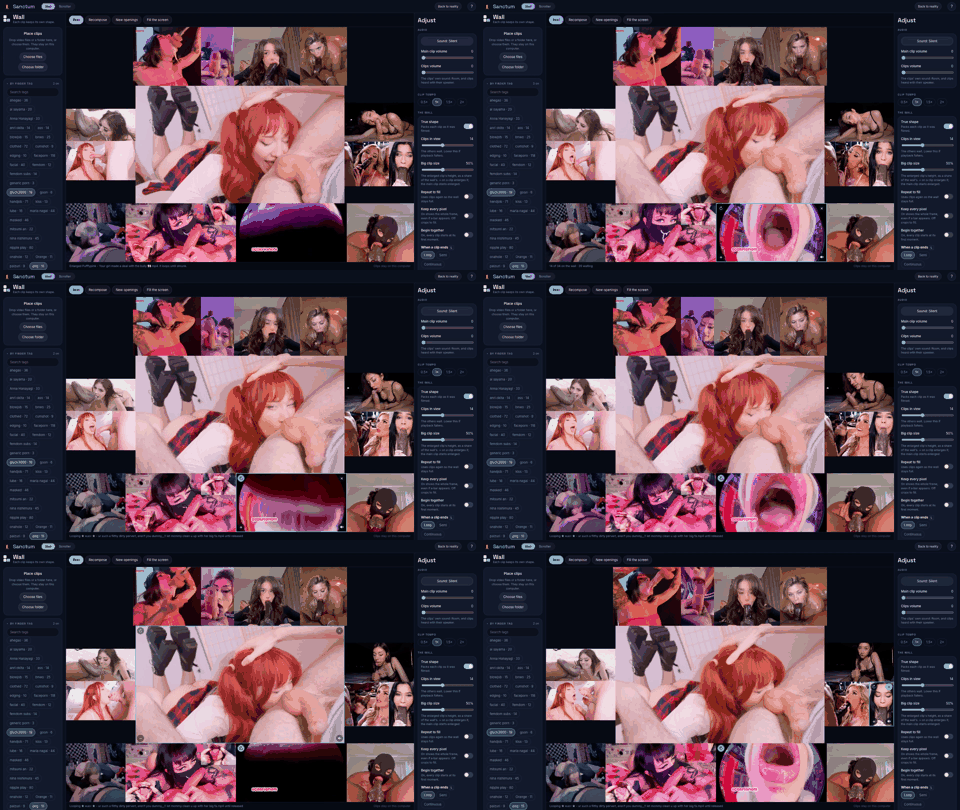
▶ Watch the full Sanctum demo (94 s, silent).
Sanctuary: stop copying files around
Then the next itch: I didn't want to copy media onto every device. Server on the Mac, clients on whatever: the Quest 3, a phone. Sanctuary is the fork that does that: - a zero-dependency Node server streams the clips over the local network; - a "GM" page on the Mac arranges the wall; - viewers mirror it in sync, extrapolating playback time so everyone is on the same frame.
Sanctum stays local-only, and Sanctuary catches up with its features in batches.
vidChapter: my brain needs shorter clips
Here's the problem with sourcing: the good stuff comes as 45-minute-to-2-hour videos. My ADD-riddled, no-wrinkles, brain-rotted organ needs short clips. And I am absolutely not clipping by hand.
So vidChapter: - runs SigLIP over the frames on the Apple GPU; - finds where the scenes change and splits the video into YouTube-style chapters; - proposes highlights inside each chapter.
It started at 30-second highlights. Now they're 1-minute pieces you can split down to 30, 15, 10 or 5 seconds, right on the keyframes. Hit Next and the chapter exports itself in the background while you're already judging the next one. When you're done, one button sends the fresh clips straight to vidSort for tagging.

▶ Watch the full vidChapter demo (64 s, silent).
vidSort: mood-based filing
Wanking mood differs. Some days it's one genre, some days it's another. So vidSort: - you label a few clips by genre; - it trains a tiny classifier on top of the same SigLIP embeddings; - it tests itself honestly on a held-out third; - then it moves everything into genre folders, with Finder tags on top.
Then I wanted more than genres: free-form tags, used as weights for better clipping, and so I could switch on a tag in Sanctum and have exactly those clips land on the wall or the scroller. Now: - vidSort learns tags as well as genres; - vidChapter suggests tags for chapters; - Sanctum places clips by Finder tag.
Finder tags turned out to be the perfect shared database: every app reads them, and none of them has to talk to the others.
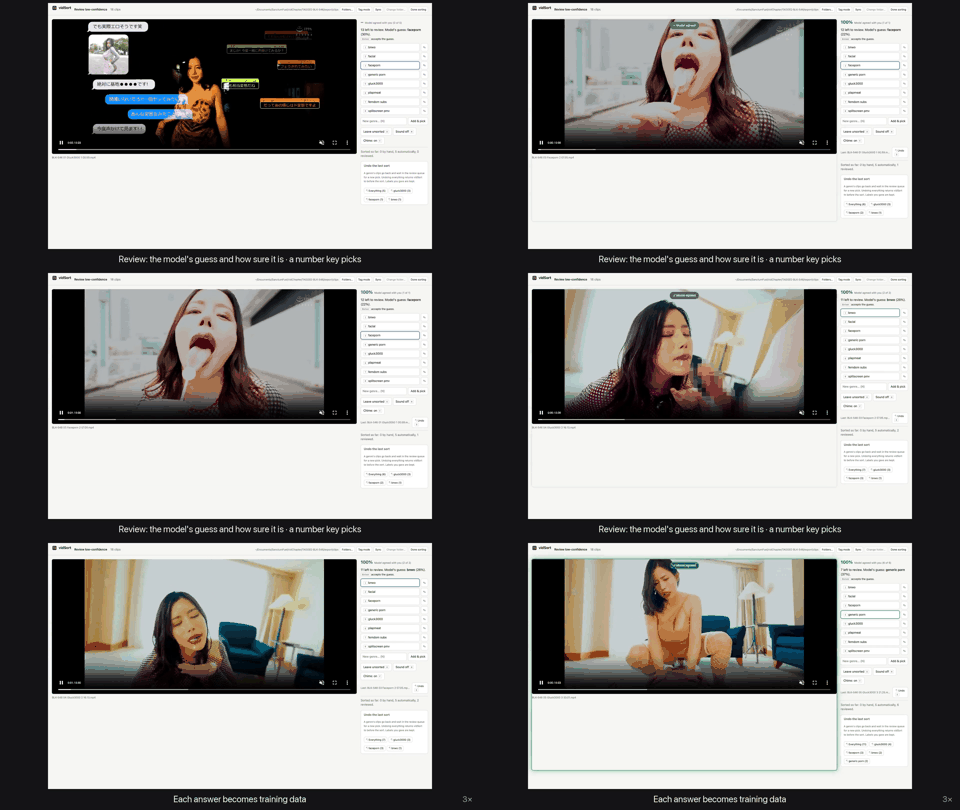
▶ Watch the full vidSort demo (73 s, silent).
The tools started talking to each other (through folder names)
By day three the pipeline closed into a loop:
- vidChapter exports the clips and gets a Continue tagging in vidSort button, which opens vidSort's tag mode on that exact folder.
- vidChapter then stops itself so vidSort can finish.
- When every clip in an export has been sorted, vidSort renames the video's folder to SORTED <name>. When tagging is done, TAGGED <name>. Both: SORTED TAGGED <name>.
- vidChapter learned to find its folders under any of those names, so reopening a video doesn't redo the analysis.
The folder name is the progress bar. I can look at the directory and know what's done.
Then I did something dumb: I asked the agent to retroactively tag ten folders by renaming them. vidSort immediately told me 83 clips were missing, because it remembered them by path. Fix: find clips by content fingerprint, not by where they used to live. The lesson is the oldest one in computing: don't use the filename as the identity.
Also shipped: tag search in Sanctum, Gentle changes (flip a tag and the Scroller keeps its place instead of restarting), and a "+" button to enlarge one clip into the middle of the wall. Sanctuary caught up with all of it. Next on the research list: auto-cropping clips to square, 4:3, 16:9 or vertical by following the subject, probably with Apple's built-in Vision framework rather than a new model. (Spoiler: it shipped a day later.)
The part nobody tells you: testing with AI agents is loud
The first version of "let Claude test it" was chaos: - Intrusive windows. Tests opened browser windows and Finder dialogs right on my screen while I was… using the computer. - Port fights. The agent's test server grabbed the same port as my own running instance, so my wall suddenly became its test wall. - Random sound. Generated test clips playing audio out of nowhere. Not the vibe.
The fix was rules, written into each project's CLAUDE.md:
- make testing invisible;
- give every project its own test port range;
- mute on test, always;
- never touch my real media folders;
- never click anything that opens a native dialog.
Then I hit the limit
It started as one chat doing everything. Then I hit the 5-hour usage limit. So I built a queue: feature requests go into a QUEUE.md, and a scheduled task works the top item when there's usage to spare.
Then I expanded: vidSort got its own chat, vidChapter got its own chat. And the agents started tangling: - sanctum's preview server shadowed sanctuary's port; - one chat would "fix" a shared helper copied into three repos; - another would undo it, because the master instructions still said the old thing.
At one point I'd changed my mind about opening pages in a new window vs a new tab, and two agents kept re-adding the new-window code because the global rule still said "window."
fuel-ops: I hired a middle manager
So I built fuel-ops: a folder with no code, just: - the queue; - a port map; - a decision log; - a chat that acts as the orchestrator.
I make decisions there, and it dispatches them to the project chats and tracks the PRs.
The first problem: the agents didn't want to listen to it. A message from another Claude session isn't the user, so they'd refuse anything risky and ask me directly. Correct, honestly, but annoying. The fix was telling them, from me, that fuel-ops speaks with my permission for normal work (risky stuff still comes to me).
The second problem: it was noisy as fuck. Every agent reported every step, and the orchestrator relayed all of it. New rule: only raise things that need my decision or my action. Everything else goes silently into QUEUE.md.
The third problem: concerns got buried. Things like "this was only tested against a stub" or "this clip might disappear if you drop it at the wrong moment" only lived in each agent's own chat. I'd only find out if I went there. New rule: every merge report comes with its leftovers, and the orchestrator surfaces them at the end of the task.
And for context the orchestrator doesn't have, it reads the git logs, PRs and changelogs, so the progress history comes from the repos, not from chat memory.
Where I am now: the diet
It works. Four repos, trunk-based, every PR reviewed by a code-reviewer agent, releases tagged. But it was theatrical: agents writing polite reports to an agent who summarises them to me, and the orchestrator chat kept growing, so every turn re-read a bigger history.
So the orchestrator went on a diet:
- An inbox file instead of chat messages: after a merge, a project chat adds one line (PR link plus leftovers) to inbox.md. They only message the orchestrator to ask me something.
- A "waiting on the user" list, so a question can't get buried under newer messages.
- Short dispatches ("do QUEUE item 3"), with the details in the queue file.
- Unused connectors off, and the orchestrator itself on a cheaper model, since its job is bookkeeping.
The project chats keep their rich context; I compact them myself when I want. In the first day the orchestrator grew by about a fifth of what it did before. Not bad for a hobby stack that started as "I want a random wall of porn."
Reframe: vertical, because phones
The auto-crop research turned into Reframe, a mode in vidChapter. It crops exported clips to vertical, square, 4:3 or whatever, and follows the main face at eye level instead of parking the crop in the dead centre of everyone. It learns from my choices and offers to autocomplete the rest. Then came zoom per shot, up to 3×, with the mouse wheel over the crop box. Four PRs in one evening, and the research doc went straight into the "shipped" pile.
Oops, it's a product now
Somewhere around day five the middle manager started doing marketing. The orchestrator folder grew a monetization plan, competitor research, a payment-processor comparison, a launch checklist and an influencer campaign. Still no code, just a lot more markdown.
The decisions that came out of it: - The Wall stays free. All of it. No 2×2 limit, no "upgrade to unfreeze your videos." The paid stuff is the tools: sorting, chapters, multi-device. - NSFW first. The explicit brand launches first, worldwide. A neutral, safe-for-work brand comes a few weeks later. - goonstack. Sanctum started as a fork of someone else's wall, so it needed its own name and its own face. It got a new look ("Neon tide": blue-black glass, a teal-to-violet glow, square clips sitting edge to edge) and the name goonstack, with a crescent-over-a-stack-of-clips logo.
Then the Wall went online at wall.goonstack.com: - it's an installable web app that works offline; - your clips still never leave your computer: they play straight from your disk; - the landing page has an 18+ gate and a waitlist; - every PR gets its own preview deploy, and a merge goes straight to production; - the build refuses to ship if it finds anything personal in the output: account names, email, home paths, the names of my media folders. An AI agent that writes deploy configs at 2 a.m. needs a seatbelt.
The newsletter runs on Buttondown's free plan. Custom CSS costs money, so the agent found that the theme settings secretly become CSS variables and styled the page dark and violet through them. Undocumented, and fragile as hell, but free.
vidCut: I am the editor now
Then I had one more itch. vidChapter can find the good bits of a long video. What if it could mix them?
vidCut (Cut mode in vidChapter, which went straight to 2.0.0) happened in one day, one PR at a time: 1. Strobe clips into each other. Two clips jump-cut back and forth in pieces as short as 0.05 seconds, each one carrying on where it left off. Then up to 12 clips, then no limit at all. They play by order, at random, or with a main clip every other piece (1, 2, 1, 3, 1, 4…). 2. Add music. Drop in a track, or paste a YouTube link and it fetches the sound. The cuts land on the beat: the tempo is found automatically, you choose to cut every ½, 1, 2 or 4 beats, and you pick where the song starts on an equaliser view. 3. Analyze the song. It splits the music into parts (intro, verse, chorus, drop, outro) and gives each part its own cut rate (slow in the verse, frantic in the chorus) and its own group of clips. 4. Beat-sync the strobe. All together: strobed clips, cut on the beat, changing pace with the song, stacked into tiles when they don't fit the shape (three 16:9 clips in one vertical video), each tile cropped around the face. You review it in the page and trim it, then export.
Along the way the agents fought YouTube's sign-in walls and a yt-dlp bug fixed only in that week's nightly build. Exporting 100 clips used to need 5.6 GB of memory; now it needs 140 MB. The usual.
Saṃsāra
So, nine days ago I started this because PMVs were great but I wanted something random, something nobody had edited.
Tonight I picked a song, dropped in a folder of clips that vidChapter had cut and vidSort had tagged, turned on beat sync and pressed Export.
I made a PMV.
Four repos, 143 PRs, an orchestrator on a diet, a website, a waitlist and a newsletter, all to end up exactly where I started, only now I'm the one editing. It all comes back around in a circle. Saṃsāra.