Helium 10 vs Amazon Advertising Console: The Real Cost
Disclosure: I'm a Helium 10 affiliate. If you sign up through my links below, Helium 10 pays me a commission and you pay nothing extra. Everything in this article was checked against Helium 10's own pricing page and help center, plus Amazon's own documentation, and I've included the places where the Amazon Advertising Console is simply the better choice.
The short answer
The Amazon Advertising Console and Helium 10 are not really rivals. The console is the free place where your Amazon ads actually run. Helium 10 is a paid toolkit that helps you choose what to sell, find the keywords to sell it with, and, on the Diamond plan, automate the ads that run inside your console.
So the useful question isn't "which one should I pick?" It's "is the console alone enough for me, or does adding Helium 10 on top pay for itself?"
My honest take: if you're selling on Amazon seriously, or planning to, the console alone leaves a lot of money and time on the table, and the Diamond plan is the version of Helium 10 that covers the most ground, including the ads side. If you're brand new and just testing the waters, start on the free plan and use the console for your first small campaigns. I'll show you exactly where that line sits.
Helium 10 code: FLEXOBA10
Since many people reading this are comparing costs, here's the offer first so you don't have to hunt for it.
- Code FLEXOBA10 gives you 10% off every month, for as long as you stay subscribed. It's the lifetime-discount option.
- My tracked link, start with Helium 10 here, applies 30% off for the first 6 months automatically, no code needed.
- The two don't stack. You pick one. The link is bigger up front, the code lasts longer.
- The break-even point is 18 months. If you expect to stay under 18 months, the link saves you more. Past 18 months, FLEXOBA10 comes out ahead. I walk through the exact math further down.
- Monthly plans have no long-term commitment, so you can test Helium 10 for a month, and if it doesn't earn its place, you cancel and don't subscribe again.
Prices and offers can change, so confirm the final price at checkout before you pay.
Why this comparison confuses so many sellers
If you've typed "Helium 10 vs Amazon Advertising Console" into Google, you were probably in one of three situations.
You're about to run your first Amazon ads and you've heard sellers say "get a tool." Or you've been running ads inside the console for a few months, the bids are eating your time, and you wonder if software would do it better. Or you saw Helium 10 advertise its PPC features and wondered whether you'd be paying for something Amazon already gives you for free.
All three are fair questions, and the confusion comes from one fact that most comparison articles skip: Helium 10's ad tool doesn't replace the console. It connects to your Amazon Ads account and works on top of it. The campaigns still live in Amazon's system. The money you spend on clicks still goes to Amazon. What Helium 10 changes is how you decide, how fast you react, and how much of the repetitive work you do by hand.
Once you see it that way, the comparison gets a lot clearer. Let's look at each side properly.
What the Amazon Advertising Console actually is
The Amazon Advertising Console is Amazon's own self-service platform for creating, managing, and measuring sponsored ads. Amazon describes it as a tool for setting up and managing campaigns, optimizing them, and tracking performance. If you sell as a Professional seller, you reach it through advertising.amazon.com or through the Advertising menu inside Seller Central.
Here's what lives inside it:
- Campaign Manager. This is your home base. You create Sponsored Products, Sponsored Brands, and Sponsored Display campaigns, edit bids and budgets, pause or archive things, and see spend, sales, ACoS, impressions, and clicks.
- Reporting. You can build custom and recurring reports, which is where you pull search term data, placement performance, and campaign history.
- Bulk Operations. Download a spreadsheet of your campaigns, edit it, upload it back. Handy for changing hundreds of bids at once if you're comfortable in Excel.
- Budget rules. You can have the console raise a campaign's budget on certain dates, or when performance thresholds are met. Amazon notes that performance-based rules look at the previous 7 days of data and need a minimum daily budget of $10.
- Brand Stores and creative tools. These come through Brand Registry, and Sponsored Brands requires it.
- Newer AI features. At its unBoxed event in November 2025, Amazon announced a unified Campaign Manager that merges the old console and Amazon DSP, plus an Ads Agent that takes conversational requests, builds campaign structures, and helps with analysis. That's real progress, and I'll give Amazon credit for it below.
What does it cost? Using the console is free. Sponsored ads work on a cost-per-click basis, so you pay Amazon when shoppers click your ads, and you set the budgets. You do need a Professional selling account to run sponsored ads, which Amazon charges at $39.99 per month, but that's a selling cost, not a console fee.
That's a strong package for zero software cost. It's also the reason many sellers never leave it. And for some of them, that's the right call.
What Helium 10 actually is

Helium 10 is an all-in-one Amazon seller platform. It sits in a different place in your workflow. Where the console starts at "I have a product and I want to advertise it," Helium 10 starts earlier ("what should I sell?") and runs all the way through to "what did I actually make?"
The main pieces, in plain terms:
- Product research. Black Box helps you search for products by sales, competition, and other filters. Xray shows you the numbers behind products you're looking at on Amazon. The Chrome extension lets you check a product while you browse.
- Keyword research. Cerebro does a reverse ASIN lookup, so you can see what keywords a competitor ranks for. Magnet builds keyword lists from a seed phrase. Keyword Tracker follows your rankings over time.
- Listing tools. Listing Analyzer scores your listing, and Listing Builder uses AI to help create one, integrated with the keyword research.
- Operations. Inventory management, profit and loss reporting, a managed refund service for FBA reimbursements, alerts, email follow-ups.
- Analytics. Dashboards, Market Tracker for watching competitors, and more.
- Advertising. This is the part that matters for our comparison. Helium 10 Ads, formerly called Adtomic, handles rules-based ad automation, dayparting, keyword recommendations, and AI-powered optimization.
- AI. Helium, an AI agent that works across keywords, listings, ads, and operations, plus a Helium 10 MCP connection so you can plug your data into your own AI tools.
- Learning. Freedom Ticket (Helium 10's training course, sold separately at $997 but included with an active Platinum or Diamond subscription), plus an Ads Academy.
I should be straight about what I've personally used. The part of Helium 10 I know best is product research. When I used it to search for products, I was impressed by how easy the site was to move around and how complete the data felt. The numbers were up to date, and when I needed help, customer care was good. I'll keep my claims about the ads tools tied to what Helium 10 and Amazon publish, because that's what I can verify for you.
The honest scoreboard: where the Amazon Advertising Console wins
I want to give the console its due first, because a comparison that only praises one side isn't worth reading.
It's free
There is no subscription to use it. If your total ad budget is small, a monthly software bill can be a real percentage of your profit. That's the strongest argument for the console, and it's a legitimate one.
It's the source of truth
Every number a third-party tool shows you originates in Amazon's system. When something looks odd in any tool, the console is where you go to check. A good seller keeps it open anyway.
It gets new ad features first
Amazon builds ad formats and features, and they appear in the console before any outside tool can support them. The unified Campaign Manager and the Ads Agent are the latest examples. If you want to use something brand new on the day it launches, the console is where it'll be.
It has no extra fee on your ad spend
Helium 10 Ads charges a management fee on Diamond (more on that shortly). The console charges nothing beyond the clicks.
It's good enough for small, simple setups
If you have a handful of products, a few campaigns, and the patience to check them a couple of times a week, Campaign Manager plus Bulk Operations plus budget rules can carry you a long way. Plenty of profitable sellers run exactly that.
Now the other side.
Where Helium 10 wins
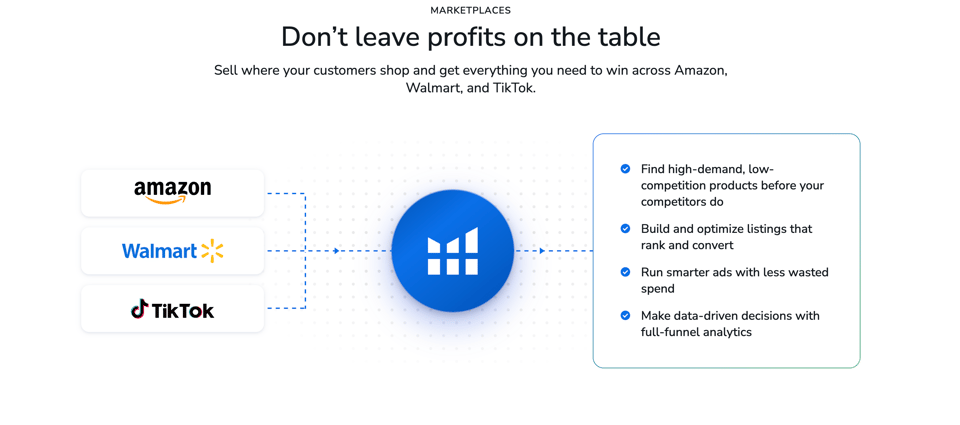
The console does one job, and it does it for free. Helium 10 does a lot of jobs, and several of them sit before and after the ad, which is where the console can't help you at all. Here's the breakdown by stage.
Before the ad: choosing the product
The console can't tell you what to sell. It assumes you already have a product, a listing, and a reason to advertise. But the single biggest driver of whether your ads make money is whether the product has real demand and manageable competition in the first place. A great campaign can't rescue a weak product.
This is where Helium 10 earns most of my respect. Black Box and Xray give you data to judge a product before you put inventory money into it. When I used Helium 10 to search for products, the data was complete enough to make a call without guessing, and that matters more than any bid strategy. Sellers lose far more money on the wrong product than on a poorly tuned bid.
Before the ad: choosing the keywords
Your ads are only as good as the keywords behind them. The console gives you suggested keywords and shows search term reports after you've already spent money. Helium 10's Cerebro and Magnet let you research keywords before you launch: what your competitors rank for, which terms have real volume, which ones are worth a bid.
That changes the first week of a campaign. Instead of launching broad and paying the learning cost in wasted clicks, you launch with a researched list. Keywords you find in Cerebro can go straight into your ad campaigns and your listing.
During the ad: automation and speed
This is the heart of the "versus." What does Helium 10 Ads do that the console doesn't?
According to Helium 10's pricing page, Diamond includes:
- Rules-based ad automation. Create, manage, and automate campaigns in bulk, with rules you set.
- Keyword recommendations with explanations, so you see why it suggests a keyword or bid change instead of just being told to click "apply."
- Dayparting. Schedule your ad spend through the day, so you're not spending the same at 3 a.m. as you are at 8 p.m. As far as I could find, the console relies on budget rules and placement adjustments rather than a dayparting feature of this kind, so this is a real gap Helium 10 fills.
- Manual bid and budget control options, so you can override automation whenever you want.
- AI advertising features that look for wasted spend and opportunity.
The console can do some of these things in a basic way, and Bulk Operations can handle scale if you're willing to live in spreadsheets. But "possible with a spreadsheet and an hour" is different from "happens automatically while you sleep." That's the difference you're paying for.
During the ad: the AI agent
Diamond includes Helium, Helium 10's AI agent. Helium 10 describes it as covering keyword, listing, ads, and operations intelligence in one conversation, and it diagnoses problems, surfaces opportunities, and recommends optimizations.
To be fair, Amazon now has its own Ads Agent inside the console. The difference is in scope. Amazon's agent lives inside Amazon's ad system. Helium 10's agent pulls from your broader data: research, rankings, listings, inventory, and profit, not just ads. Which one is more useful depends on whether your problem is ads specifically or the whole business.
After the ad: knowing what you actually made
The console tells you your ACoS. It doesn't tell you your profit. ACoS is a ratio of ad spend to ad sales, and it ignores your product cost, FBA fees, returns, and everything else. A campaign with a 25% ACoS can be profitable on one product and a loss on another.
Helium 10's profit and loss reporting (included in Diamond) fills that gap. You see what the business is earning after costs, which is the number that decides whether your ads are actually working. Diamond also includes inventory management, so you're not running ads on a product that's about to go out of stock, and a managed refund service that goes after FBA reimbursements you may be owed. Helium 10 takes a fee on those recoveries, 10% on Diamond versus 15% on Platinum, and you only pay if money comes back.
The things you'd never think to compare
A few extras that don't fit neatly into an ads comparison but matter for the total value:
- Monthly workshops and Q&A sessions with expert webinars, listed under Diamond.
- Five users and ten connected accounts on Diamond, versus one and two on Platinum.
- Freedom Ticket training included while you're subscribed.
- Long-term keyword trend analysis for seasonal planning.
None of those exist in the console, because they aren't what the console is for.
The cost question, answered with numbers
Here's the part where I don't dodge. The console is free. Helium 10 is not. So let's put the real figures side by side.
Helium 10's current pricing page lists:
- Platinum: $129 per month billed monthly, or $99 per month billed yearly.
- Diamond: $359 per month billed monthly, or $279 per month billed yearly.
- Enterprise: from $1,499 per month, billed annually, for larger brands.
- Helium 10 Ads fee: a 2% management fee on the ad spend inside any profile you set to Managed on the Diamond plan.
That last item is the one people miss, so let me explain it carefully. Helium 10's help center says the 2% fee applies to all advertising spend in profiles set to Managed, not only the campaigns the software actively changes. There's no minimum spend, the fee is charged whether or not you use the features, and it's non-refundable. If you don't want the fee, you set the profile to Analytics-Only or Disabled before ad spend happens.
What does 2% look like in real money?
- On $2,000 of monthly ad spend, the fee is $40.
- On $5,000, it's $100.
- On $10,000, it's $200.
Now think about what a small efficiency gain is worth. This is an illustration, not a promise, because results vary by seller and product. Suppose you spend $5,000 a month on ads at a 30% ACoS, which produces about $16,667 in ad sales. If better bidding and fewer wasted clicks let you reach the same sales at a 27% ACoS, you'd spend about $4,500 instead of $5,000. You'd save roughly $500, and the fee for that month is $100. That's the logic behind a management fee: it only makes sense if the optimization saves more than it costs. If it doesn't for you, you turn off management and you're out nothing but the subscription.
That's why I say the sweet spot is sellers with real ad spend. If you spend $300 a month on ads, a 2% fee is $6, which is nothing, but the larger Diamond subscription won't be justified by the ads alone, so you'd lean on the research and operations tools to carry the value. If you spend several thousand a month, the ad automation starts doing real work.
The cost of the console, if you're being honest
"Free" hides a cost too: your time. If you spend five hours a week adjusting bids, hunting wasted search terms, and building reports by hand, that's twenty hours a month. Put whatever value you give your hours on that. For a seller whose time is worth even $20 an hour, the console's "free" is costing $400 a month in labor, more than the entire Diamond plan after a discount.
It's not that the console is secretly expensive. It's that "free tool" and "free outcome" are different things.
Why I'd put serious sellers on Diamond
Platinum is a fine starting plan, and I'll say more about who should choose it below. But if I'm answering the exact question in this article, the one about ads, then Platinum doesn't settle it. Helium 10's own pricing FAQ says Helium 10 Ads is available in Diamond plans, and the help center says Platinum and other lower-tier legacy plans don't include the ad management features.
So if you're comparing Helium 10 to the Amazon Advertising Console because you want to automate your ads, Diamond is the plan that actually makes it a comparison. Platinum gives you research and basic operations, which are valuable but are a different category from the console.
Here's what Diamond adds, in the order I'd care about it:
- Helium 10 Ads. Rules, dayparting, AI recommendations, manual overrides. The direct answer to the console.
- Helium, the AI agent. One conversation across keywords, listings, ads, and operations.
- MCP, included free up to 1,000 calls. Helium 10 lists MCP as an included feature on Diamond, with the 1,000 included calls, and as a paid add-on starting at $50 per month beyond that. It lets AI tools you already use call Helium 10 data directly.
- AI Listing Builder integrated with keyword research.
- Bigger limits. Tracked products, markets, inventory SKUs, listing analyzer uses, and email volume are all higher than on Platinum. As examples from the pricing page: 1,000 tracked ASINs versus 20, 500 inventory SKUs versus 40, and 150 listing analyzer uses a month versus 50.
- Profit and loss reporting, inventory management, and a lower refund fee.
- Five users and ten connected accounts, which matters if you have a VA, a partner, or more than one store.
The pattern is simple. Platinum helps you start. Diamond helps you run and scale. And since the ad tool is exclusive to Diamond, it's the version that answers the question this article is about.
If you want to see what's inside before committing, open Helium 10 through my link and look at the plans with the 30% offer already applied.
FLEXOBA10 vs the 30% link: the actual math
This is the section people skim past and then regret skipping, so here it is in plain numbers. These figures use the Diamond monthly price of $359 and assume monthly billing. Annual billing already has its own discount, so confirm how an offer applies to annual plans at checkout rather than assuming.
The 30% link, first 6 months:
- 30% of $359 is $107.70 off each month.
- You pay about $251.30 a month for 6 months.
- Total saved over those 6 months: $646.20.
- After month 6, you pay the regular price.
Code FLEXOBA10, every month:
- 10% of $359 is $35.90 off each month.
- You pay $323.10 a month.
- That repeats for as long as you stay.
Where they cross:
- After 6 months, the link has saved you $646.20 and the code has saved you $215.40.
- The code keeps saving $35.90 every month after that.
- It takes 18 months total for the code's savings ($646.20) to catch up with the link's.
- At 24 months, the code has saved $861.60 and the link is still stuck at $646.20.
So the decision rule is easy:
- Not sure you'll stay a year and a half? Use the link and take the 30% now.
- Building something long-term? Use FLEXOBA10 and let the savings run.
Neither choice is a trick. It's just front-loaded versus long-run, and the right one depends on how long you plan to be selling.
The Black Friday question
You'll see plenty of articles claiming a Black Friday deal is live right now. I'm not going to say that, because I can't verify it, and I'd rather you trust the numbers here than get excited about something that doesn't exist yet.
Here's what I can say. Last year, during Black Friday 2025, Helium 10 reportedly ran 35% off annual Platinum and Diamond plans through Cyber Monday, restricted to new users and free plan holders. This year's offer hasn't been announced as I write this on November 3, 2026.
What I'd do, in your position, is think about it as a decision under uncertainty:
- The 30% link offer is available today.
- A bigger Black Friday deal might come, or might not, and it might apply only to annual plans, which means a larger up-front payment.
- If you're a serious seller, waiting costs you weeks of using a tool that could be making you money.
- You can start on the free plan right now, learn the tools, and decide on your upgrade when the real picture is clear.
I'd rather you started learning now than waited for a banner. The free plan costs nothing and teaches you the interface, so by the time any seasonal deal shows up, you'll know whether you want Diamond.
Who should stay on the console alone
I told you I'd be honest, so here are the cases where I would not tell you to buy Helium 10 yet.
- You haven't picked a product and you're only exploring. Use the free Helium 10 plan and the free Chrome extension first. There's no reason to pay before you've validated an idea.
- Your ad spend is tiny and your product list is short. Campaign Manager and a weekly check-in are enough.
- You enjoy the spreadsheet work and have time for it. Bulk Operations is a legitimately powerful free tool in the hands of someone patient.
- You're a vendor or brand with an agency already managing ads. Check whether your agency already has its own tooling before stacking another subscription.
- Cash is very tight this month. A $359 monthly plan is a real commitment. Start free, and move up when revenue supports it.
If none of those describe you, and you're a seller with real products, real spend, or real plans to scale, keep reading.
Who benefits most from adding Helium 10
- Sellers with more than a handful of SKUs. The more products you have, the more hours manual bid management costs.
- Anyone spending a few thousand dollars or more per month on ads. This is where the 2% management fee becomes small against the potential savings.
- New sellers who want to avoid expensive mistakes. Research data before you buy inventory is cheaper than learning from a failed launch.
- People who sell on more than one marketplace or run multiple accounts. Diamond's ten connected accounts and five users are built for that.
- Sellers who want AI help across their whole business, not only inside the ad console.
Where Helium 10 still has weak spots
A fair article has a cons list. Here's mine.
- It's a real expense. Diamond at $359 monthly (or $279 billed yearly) is a serious number for a small seller. The 2% ad fee comes on top of that.
- The learning curve is real. There's a lot of software here. Most sellers use a fraction of it at first. The Freedom Ticket course and Ads Academy help, but you'll need to invest time.
- Prices have gone up recently, and the old Starter plan is gone, which means the entry point for paid access is higher than it used to be. That's the main reason I tell newcomers to begin on the free plan.
- You should still cross-check your numbers. Keyword volumes and sales estimates in any third-party tool are estimates. Use them to narrow choices, then confirm with the console and your own results.
- Amazon will always get features first. A tool built on top of the console is, by nature, a step behind a brand new Amazon ad format.
The good news is that Helium 10 has been improving quickly, especially on the AI side, with the Helium agent, the MCP connection, and the AI Listing Builder all being recent additions. A tool that keeps shipping tends to close its own gaps. And my honest measure is the one I keep coming back to: when I used the product research tools, the benefit outweighed the price.
A 30-day test you can run without risk
If you're torn, don't decide on theory. Run a test. Here's how I'd do it.
Week 1: Start free, then upgrade. Create a free account through my link, install the Chrome extension, and explore Black Box and Xray on a few product ideas. When you're ready to test the ad tools, start a Diamond plan on monthly billing so you aren't locked in, and apply either the 30% link offer or FLEXOBA10.
Week 2: Build from research. Use Cerebro and Magnet to build a keyword list for one product. Launch or restructure a campaign using that list. Connect your Amazon Ads account to Helium 10 Ads and set the profile to Analytics-Only if you want to watch before you let automation touch anything. Remember that setting a profile to Managed starts the 2% fee on its ad spend.
Week 3: Turn on automation carefully. Pick one campaign, switch the profile to Managed, and use rules and dayparting with manual overrides available. Track ACoS, total ad spend, and, importantly, profit in the P&L report rather than ACoS alone.
Week 4: Compare against your console baseline. Look at your previous month in the console. What did the same campaigns cost and return? Count the hours you spent. Then decide:
- If Helium 10 saved you money or time that beats the subscription, keep it.
- If it didn't, cancel before the next renewal. Monthly plans have no long-term commitment, and you've lost one month's fee for a clear answer.
That's the whole "try it with the code, and if you don't like it, don't subscribe again" approach. It's honest, it's low risk, and it replaces my opinion with your own numbers.
Frequently asked questions
Is Helium 10 better than the Amazon Advertising Console?
They do different jobs, so "better" depends on the job. The console is free and is where your ads run. Helium 10 adds product research, keyword research, ad automation, and profit reporting on top. For serious sellers, the combination beats the console alone.
Does Helium 10 replace the Amazon Advertising Console?
No. Helium 10 Ads connects to your Amazon Ads account and works with your campaigns. The ads still run in Amazon's system, and you can still log into the console at any time.
Is the Amazon Advertising Console free?
Yes, using the console costs nothing. You pay for clicks on sponsored ads, based on the budgets and bids you set. Selling on Amazon with a Professional account has its own monthly fee.
Which Helium 10 plan includes the ads tool?
Helium 10's pricing page says Helium 10 Ads is available in the Diamond plan. Platinum doesn't include the ad management features.
How much does Helium 10 Ads cost?
On Diamond, there's a 2% management fee on ad spend in profiles set to Managed. There's no minimum, and the fee applies whether or not you use the features. You can avoid it by setting profiles to Analytics-Only or Disabled.
What was Adtomic?
Adtomic was the previous name of Helium 10's PPC tool. It's now called Helium 10 Ads, and it was formerly sold as a separate add-on, so older articles may quote different prices. Always check the current pricing page.
What is the Helium 10 code?
FLEXOBA10 gives 10% off every month for as long as you stay subscribed. My tracked link instead applies 30% off for the first 6 months. You choose one, since they don't stack.
Which is better, FLEXOBA10 or the 30% link?
Under 18 months, the link saves more. Over 18 months, FLEXOBA10 saves more. On a $359 monthly Diamond plan, the link saves $646.20 across its first six months, and the code needs 18 months to match that.
Can I cancel Helium 10 anytime?
Helium 10 says monthly plans have no long-term commitment and you can cancel from the Plans and Billing section of your account. Cancel before the renewal date to avoid the next charge.
Is there a Helium 10 free trial?
There's a free plan with limited usage, which works as the way to try the interface before paying. I don't want to promise a time-limited paid trial, because I can't verify one.
Does Helium 10 work for beginners?
Yes. Beginners often do best by starting on the free plan, learning product research, and moving to a paid plan once they're ready to buy inventory or run meaningful ad spend.
Can I use both the console and Helium 10 together?
Yes, and most serious sellers do. Keep the console as your source of truth for spend and results, and use Helium 10 for research, automation, and profit tracking.
Is the Amazon Ads Agent a replacement for Helium 10?
Not exactly. Amazon's Ads Agent works inside Amazon's ad system. Helium 10's agent, included in Diamond, draws on research, listings, inventory, and profit data as well as ads. They overlap in places, and you can use both.
Is Diamond worth it over Platinum?
If you want ad automation, yes, because Platinum doesn't include it. If you only need research and basic operations, Platinum can be enough. Diamond also adds the AI agent, MCP access, larger limits, profit reporting, inventory management, and more users.
My verdict
If I had to put this comparison on one line, it would be this: the Amazon Advertising Console is where your ads live, and Helium 10 is how you make smarter decisions about what goes into them.
The console is free, accurate, and always first with new Amazon features. For a small, simple setup, it's enough. But it doesn't help you choose products, find keywords before you spend, automate your bids while you sleep, or show you real profit. Helium 10 does all of that, and Diamond is the plan that brings the ad tools into the picture.
Is it free? No. Diamond costs real money, and the 2% ad fee is real too. But the discounts help, the monthly plan lets you leave if it isn't working, and the way I use it, the benefit outweighs the price.
So here's what I'd do, and what I'd suggest you do:
- Want the biggest discount up front? Start through my link and take the 30% off your first 6 months.
- Planning to stay long-term? Use code FLEXOBA10 for 10% off every month, for as long as you stay.
- Not sure yet? Begin on the free plan, get comfortable, and upgrade to Diamond when the numbers justify it.
Then run the 30-day test, compare it honestly against your console baseline, and keep whatever earns its place. The worst case is that you learn something in a month and cancel. The best case is that you stop doing by hand what software can do for you.
Try Helium 10 with my link and see what Diamond does for your ads
Sources
- Helium 10 pricing page: https://www.helium10.com/pricing/
- Helium 10 Help Center, "Which Plans Include Helium 10 Ads and How Much Does Helium 10 Ads Cost?": https://kb.helium10.com/hc/en-us/articles/1260804509910-Which-Helium-10-Plans-Include-Adtomic-and-How-Much-Does-Adtomic-Cost-
- Amazon Ads, advertising console guide: https://advertising.amazon.com/library/guides/advertising-console
- Amazon Ads, budget rules announcement: https://advertising.amazon.com/resources/whats-new/dynamic-budget-control
- Amazon Ads API and bulk operations FAQ: https://advertising.amazon.com/en-gb/about-api
- MediaPost, "Amazon Reboots Ads System, Agents For Advertising": https://www.mediapost.com/publications/article/410591/amazon-rebuilds-its-ads-system-agents-for-adverti.html
- Dataslayer, Amazon Ads news from unBoxed 2025: https://www.dataslayer.ai/blog/amazon-ads-news-3-ai-tools-from-unboxed-2025
- AMZ Dudes, Amazon Advertising Console guide: https://amzdudes.com/mastering-the-amazon-advertising-console-a-step-by-step-guide/
- DemandSage, Helium 10 coupon and Black Friday 2025 details: https://www.demandsage.com/?p=60204
