
AI Inference Server Bring-Up
Our return from our annual “local vacation” was greeted by a Category 1 hurricane, which delayed the bring-up of the new inference server by a few days. We are fine but there are many people who are suffering due to torrential flooding (mostly) and trees toppled due to wind. But Hurricane Lala was mostly a rain/flooding event for those most deeply affected. We were in Maui for 24 hours 2 days before the Hurricane passed Ka Le (South Point) and we drove through Lahaina on the 3 year anniversary of the Lahaina fires. It was hot, dry and windy, an echo of the conditions that caused that tragedy. The memorial to all the victims along the highway is heartbreaking to say the least.
I managed to get the two big boxes into the house right before we left on vacation. Yesterday I did an unboxing (sorry, no unboxing video, that is not my style). I haven’t had any kind of desktop PC in decades, so the size of a dual-GPU gaming setup was astounding to me (it’s plenty heavy, too!). CustomLuxPC’s did indeed secure what I could not: 2 Founder’s Edition 3090 nVidia GPU’s. A lot of extra cables and a curious triangular plate were in the box, all of them turned out to be unneeded. It was very well-packed and everything arrived in good shape.
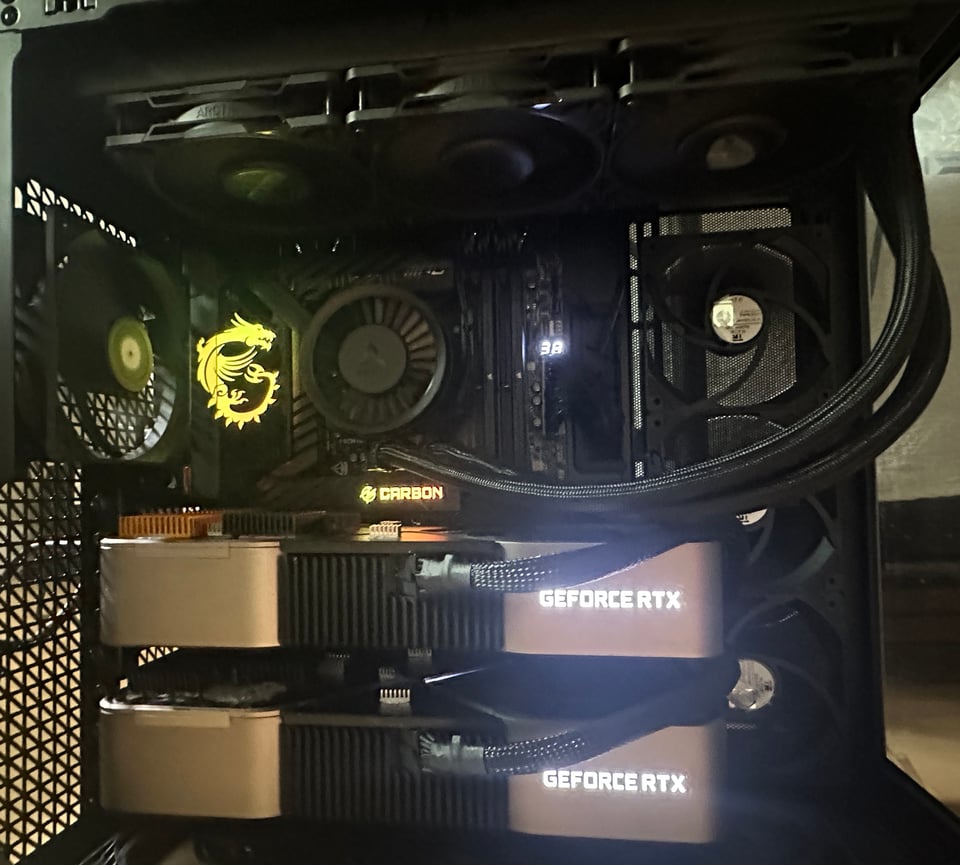
The most noteworthy thing about this setup is it is all about the cooling. There are more fans than you can shake a stick at, including a bank underneath the lower card not visible in this picture. The CPU is also liquid cooled. The setup is elegant without the rat’s nest of cables I remember from yesteryear.
The first thing that happened when I fired it up is it wouldn’t POST. Uhoh, did I not seat the cards well enough? I had the HDMI cable plugged into the Intel integrated graphics port which briefly shows the MSI Performance Gaming logo and then goes dark and the monitor loses sync. I had two problems. First, as soon as the BIOS detects a GPU card, the onboard graphics are disabled. Period, no recourse. Second, after I plugged into the top GPU card, all I had was black output, no BIOS screen. The HDMI cable I used for powering the Dell 27” monitor from a Surface dock would not sync the 3090 GPU output. I needed a (full-size) DisplayPort cable, and it was 10:30 at night. I had a full inventory of mini-DP cables and adapters which did me no good.
(Pat’s setup video he asks you to watch before you turn the rig on does say to plug into the GPU card, not the integrated graphics port so that was my rookie mistake).
This morning, after acquiring a proper DP cable, it booted straight into Windows Pro. After wrestling an inordinately long time to create a proper local user account (I accidentally put my Microsoft Account on the box which I definitely should not have done, force of habit), I was set to … um, do network configuration. 🙂
The network in our house is driven by a Ubiquiti Dream Machine 7 (UDM7). It already had a set of “virtual networks” (VLAN’s) which create isolation between various “zones” and client endpoints in those zones.
VLAN 10 Trusted 192.168.10.0/24
VLAN 20 Guest 192.168.20.0/24
VLAN 30 IoT 192.168.30.0/24
VLAN 40 Media 192.168.40.0/24
VLAN 50 AI-Inference 192.168.50.0/24 ← new
Laptops, phones and an Epson printer live in the Trusted zone (VLAN 10). Guest is self-explanatory and is isolated from the main network so we don’t have to worry if our friends’ devices are safe or not. IoT (VLAN 30) has all the various security nightmare devices, they are not only isolated from the other zones, they are isolated from each other inside VLAN 30. VLAN 40 has a streaming DAC (digital-analog convertor) and dedicated iPhone control appliance for our audio system. And VLAN 50 is new.
The network setup for the inference server and clients is fairly simple (I like simple in networks).
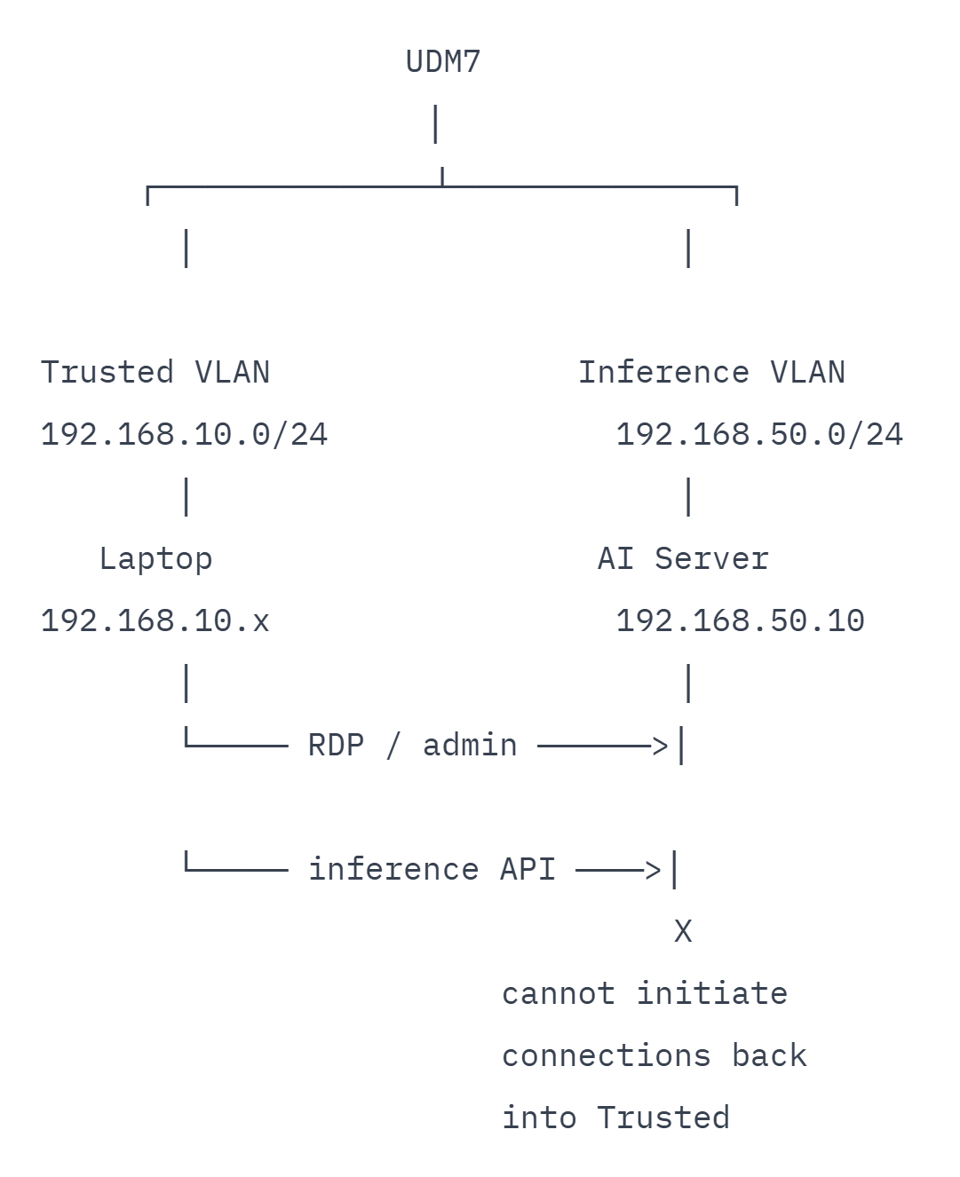
Ubiquti’s excellent administration UI has a new feature called “zone based firewall” (ZBF) which I had avoided in the earlier setup because it was brand new. I upgraded and it turned out to be quite simple to setup the necessary zone and rules. After creating the AI-Inference zone containing only the AI-Inference VLAN the configuration looked like:
Internal → AI-Inference BLOCK ALL
AI-Inference → Internal BLOCK ALL
AI-Inference → External ALLOW ALL
External → AI-Inference ALLOW RETURN
VPN → AI-Inference BLOCK ALL
Gateway → AI-Inference ALLOW ALL
This is well locked down but no one can talk to the server! Two exceptions are needed (and more later as the need arises):
1. Admin laptop → AI server
TCP 3389
ALLOW
2. Approved AI clients → AI server
TCP 11434
ALLOW

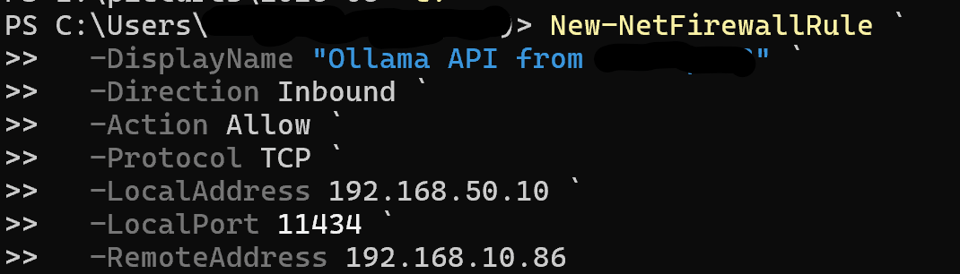
The first exception allows RDP to the server from my laptop in VLAN10 (trusted zone) via a device specific allow list. The second exception allows access to Ollama API (again device-specific allow list).
A DHCP reservation is made for the AI inference server (in Ubiquiti) so it has a known, fixed IP address that is not dependent on configuration inside Windows. I initially could not RDP to the AI inference server using its machine name, but it connected instantly via the IP address. So remote admin from Trusted VLAN, check.
At this point, there have been no visible connections to the GPU cards. Fixing that now.
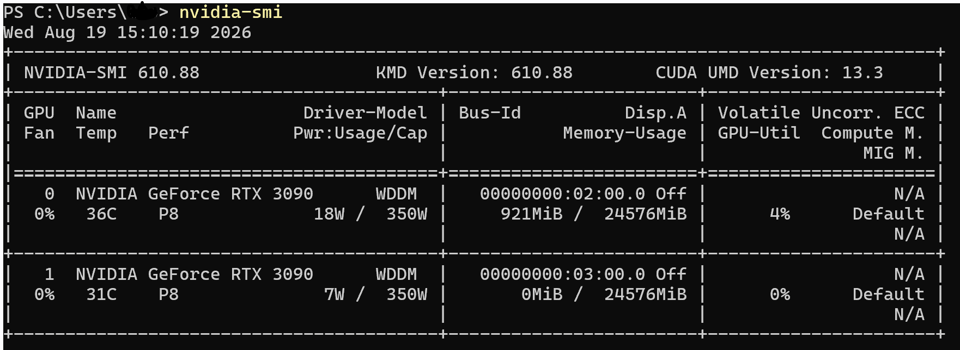
Or, more simply:
nvidia-smi -L
GPU 0: NVIDIA GeForce RTX 3090 (UUID: GPU-b1849f51-a15e-f06a-1838-b8d80ddcd4ad)
GPU 1: NVIDIA GeForce RTX 3090 (UUID: GPU-9c2d30c6-7b0e-1e61-9686-50ef54ac3735)
Next step is to install git, python, uv, VS code and ollama. (thank you winget).

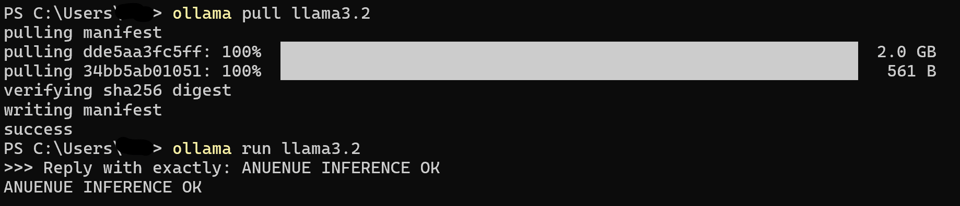
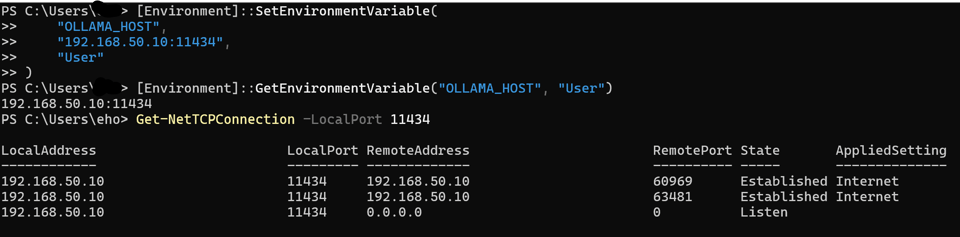
Now, via OLLAMA_HOST environment variable, make the API endpoint active on the network:
Switching to the (allowed) client device on the trusted VLAN:
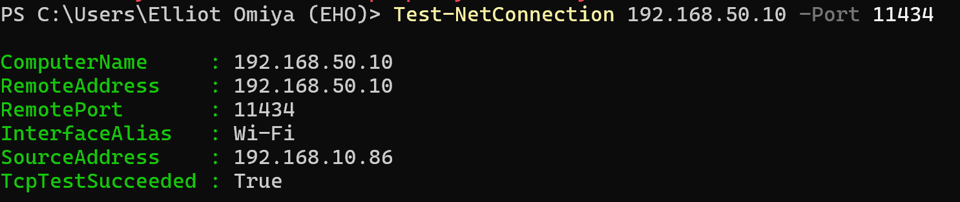
Verify we can connect from VLAN10 to VLAN50 (single allowed device to AI inference server)
And finally, a cross-VLAN API call 🤞🏻
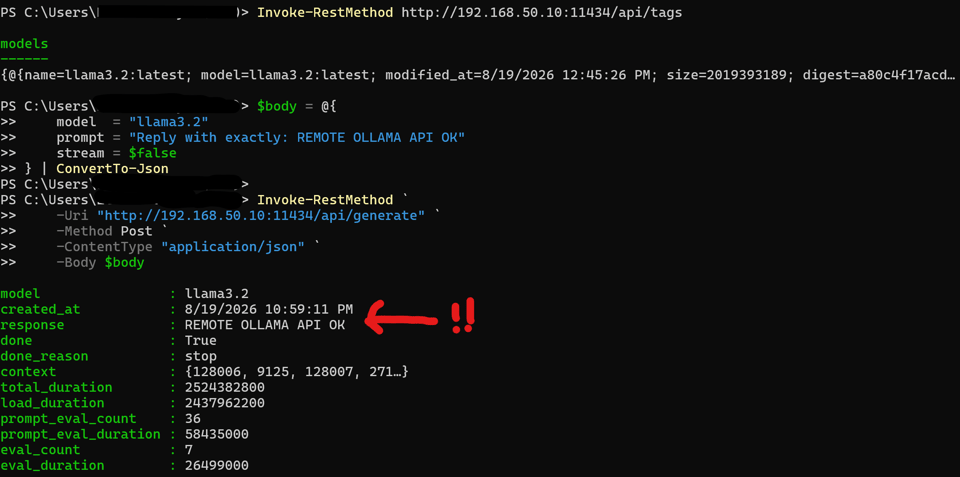
It all works! There was very little friction once I got the local user account set up properly on Windows. All the careful network planning fell into place due to the amazing capabilities of the Ubiquiti platform.
That’s where things stand today. The rig is on the floor in the “AI data lab” (i.e. “guest bedroom” 🤣). The setup runs very cool and quiet but of course I haven’t run any real loads into it yet. I can’t even tell it’s on in the solar monitoring app. (the clothes dryer suck a lot more power than it does right now).
Why Windows? I think most people would set up this kind of thing up on Linux. It’s simple: two decades of familiarity working on Windows. This kind of familiarity gives me higher confidence I can keep this configuration secure. And WSL is a fingertip away in case I need a Linux environment for anything.
The next step is to plan some exploratory jaunts for local AI inference. The distant goal is to have Opus 4.5 level reasoning with a 160K context window that fits into 48GB of VRAM. This is not possible today so I will be tracking innovations in inference efficiency and open weight model training. My usage of frontier models in the cloud isn’t going away but I’m hoping to shift more of my coding inference load to this local server. More musings on how I might approach this in future postings.
I have an AI safety topic to write about, I haven’t forgotten, but you could probably understand that with the tropical storm cleanup pretty much completed that setting up the server was going to get the immediate attention.🙂
Finally, a big shout out again to Pat and CustomLuxPC’s. The build was flawless and worked perfectly right out of the box. I could not have asked for anything more. I didn’t need any support for this part, but I know it is just minutes or hours away should I need it. A first-class builder that I highly recommend.