Redesigned for more practice tools
Captrice started as a metronome app with a simple twist - it kept track of the metronome activity in the background. The first version was released about two years ago. It has since evolved into a practice platform, with multiple tools for other kinds of practice as well.
If you tried the app recently, you may have noticed that the design of the practice interface has been in a flux. I’ve been trying out different ideas with a couple of goals in mind:
To make room for more practice tools, such that users can discover them intuitively
To make it easier and less overwhelming for new users as well as those new to guitar
After a lot of trial-and-error, I’ve finally settled on a design that feels right! And I’m happy to say that the new design doesn’t deviate much from the original one in terms of look and feel, yet allows for adding more tools in future in an elegant way.
Previously, when you clicked on an exercise, it opened the “Practice” tab directly. You could switch tools by selecting the other tabs.
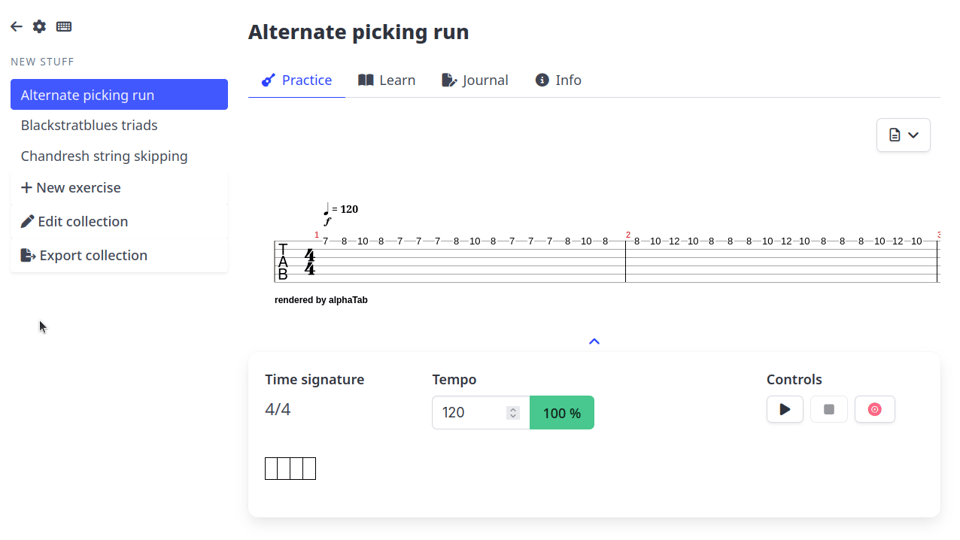
This doesn’t scale well with increasing number of tools. The new design that addresses the problem, looks like this:
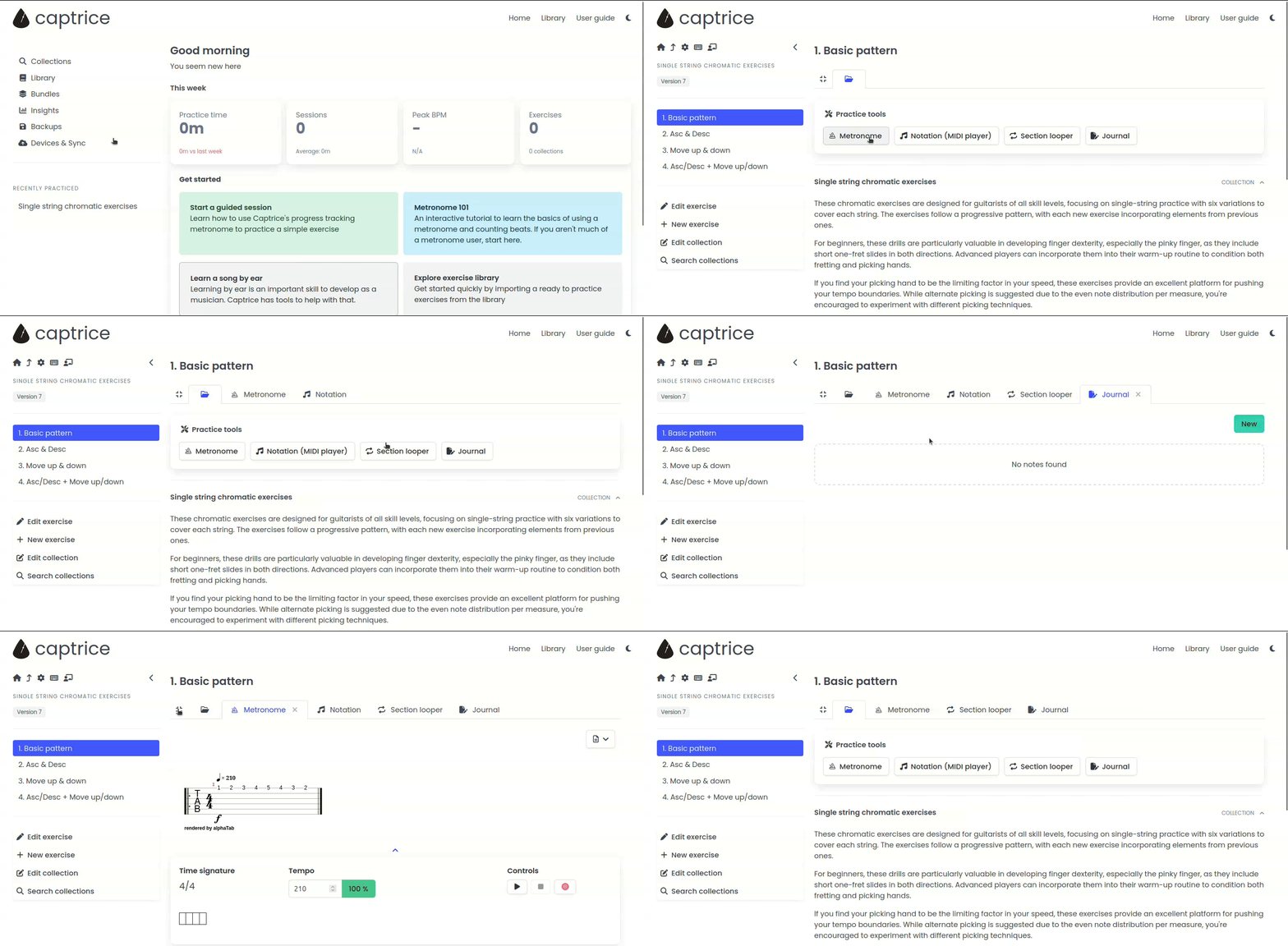
Clicking on an exercise now shows a list of tools, along with the exercise and collection details. A tab is added only when you click on a tool. You can add and remove tabs similar to how it works in a web browser. Also notice the toggle to compact (and expand) the tabs which can come in handy if the number exceeds beyond a point.
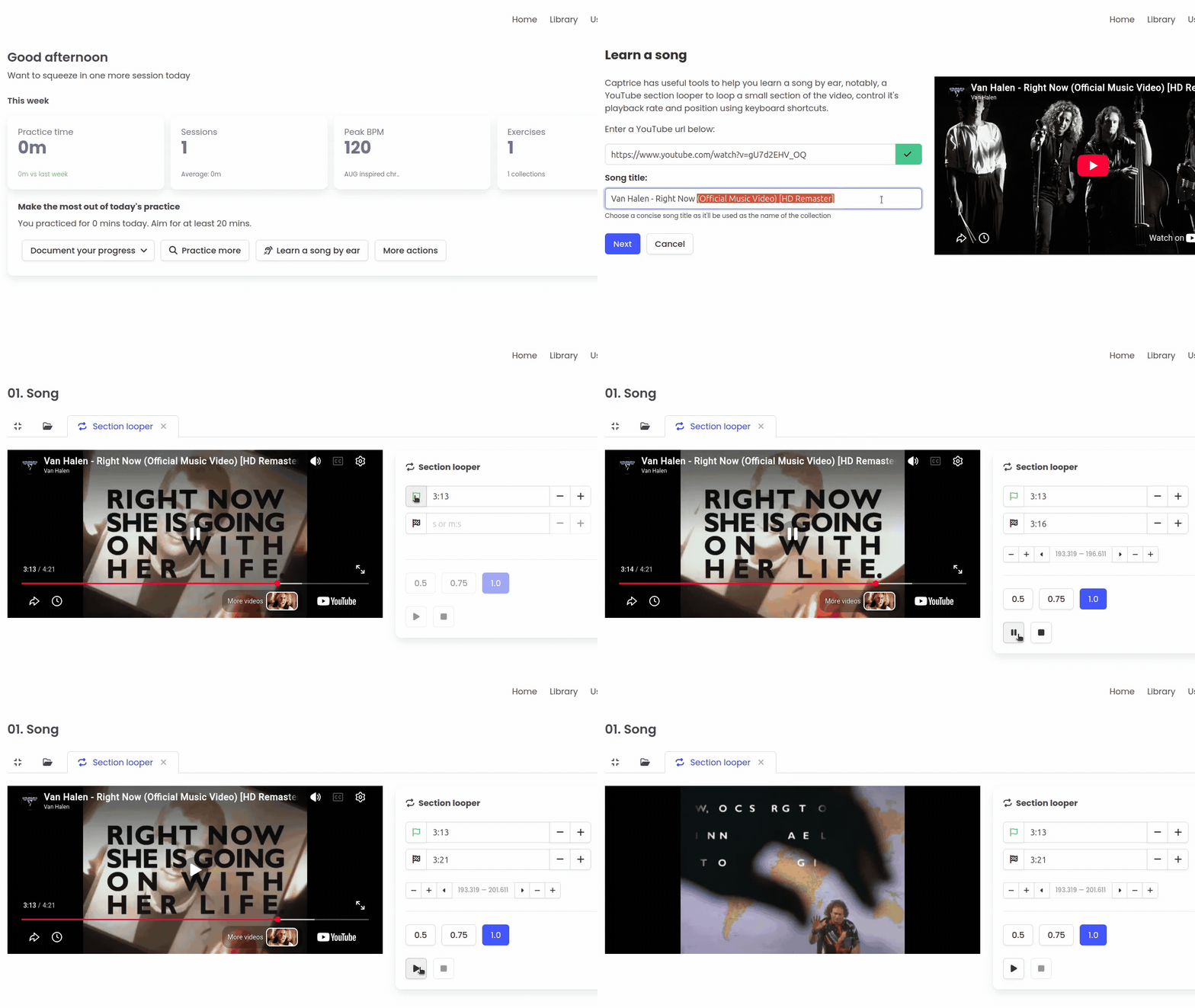
This tells the user which tools are available, but only when they are already viewing an exercise. The tools in Captrice always work in the context of an exercise. When a user starts with a blank slate, how’d they know which tools are available to them. To address this problem of discoverability of tools, the home page now has special buttons that gets you started with specific tools without having to go through the whole collection+exercise creation workflow (that’s done behind the scenes). The “Learn a song by ear” button is an example:
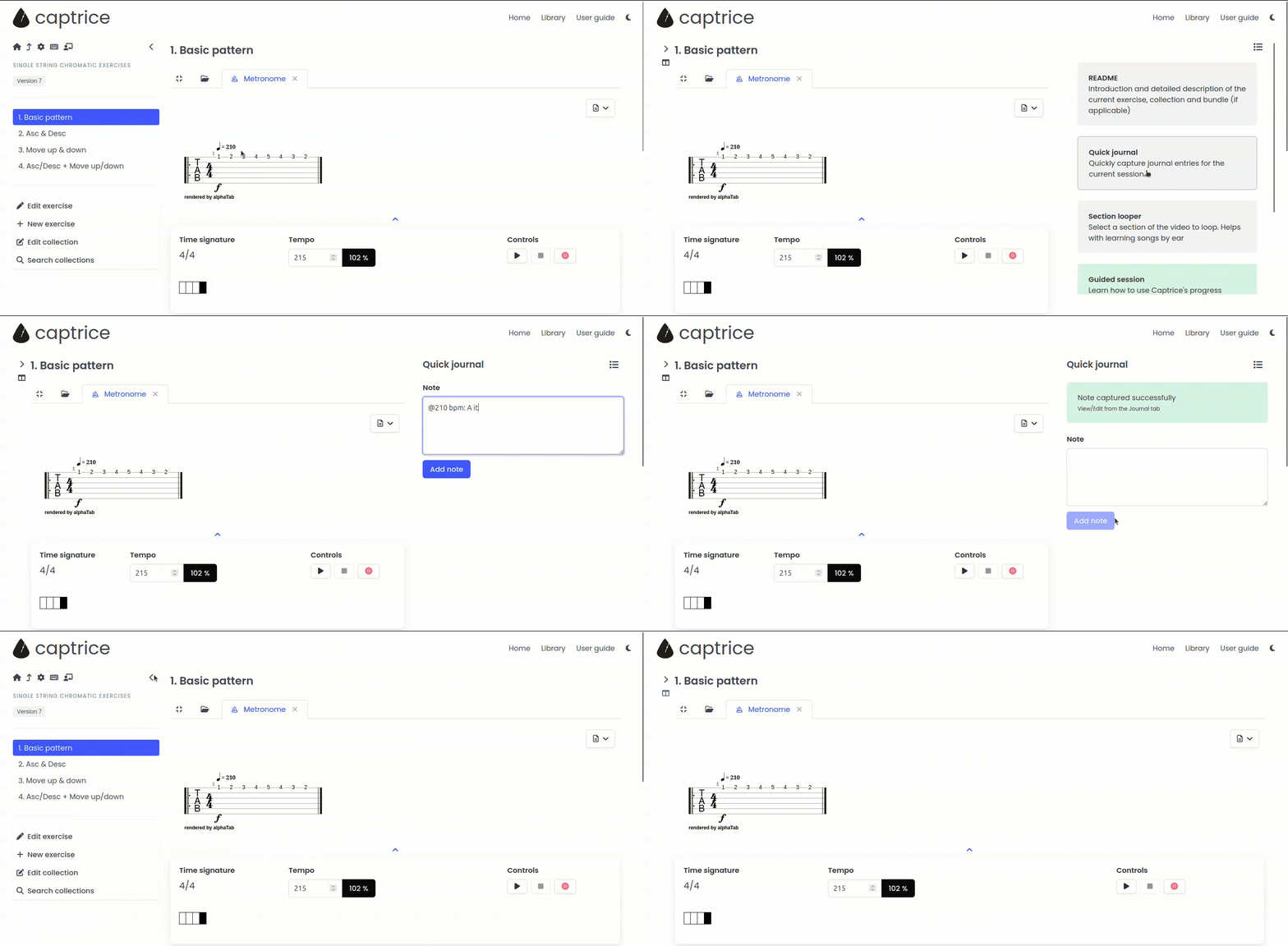
You may have noticed in the above GIF that there’s an optional right sidebar, and the left sidebar is collapsible as well. This allows more space for the main practice area if required. Another advantage is that the right panel can be used to display “widgets” containing information that you may want to access while practicing without having to switch to another tab. The quick journal widget is an example:
This functionality unlocks many tools that I don’t want to reveal yet, so stay tuned!
These are the main changes. As you can see, the original layout and workflows are pretty much intact. It took me multiple iterations to get the design right and that was also the reason I was holding off introducing more tools. A few of them are already developed and I’ve been using myself for a while. Can’t wait to make them available to everyone!
Besides the redesign, there are a few more updates since the last newsletter issue.
An interactive Metronome 101 tutorial
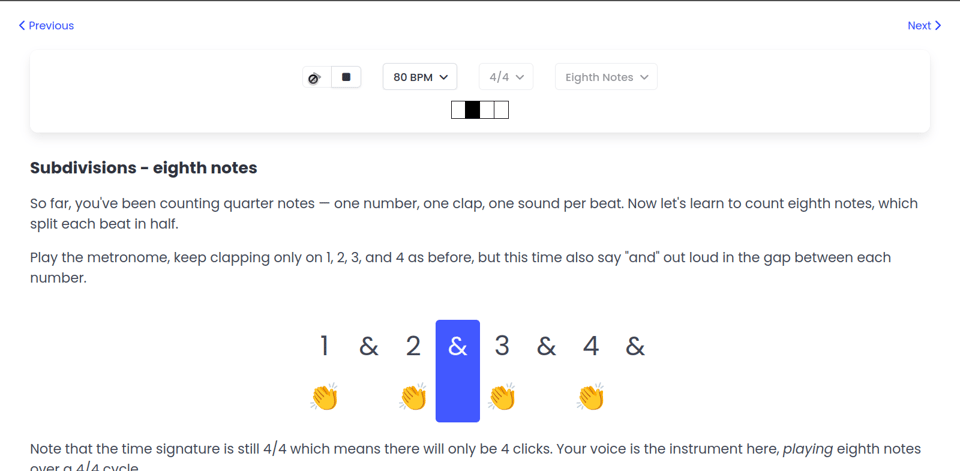
This is to help guitar players, especially those who are self-taught and are not formally introduced to the metronome. It also covers basics of time signatures and counting beats and subdivisions. You can take the tutorial even if you don’t have your guitar with you.
Try it out: Interactive metronome tutorial
Captrice for teachers
A couple of weeks ago I launched the “Captrice for teachers” program in closed-beta. The idea is that guitar teachers can share exercises and course material with their students in an actionable format through a “bundle code”. In short, students get the same practice tools that Captrice provides but in the context of their teacher's course material. This takes away a lot of decision fatigue from students, and can significantly improve the chance of them practicing consistently on their own.
The functionality is built such that students don't need to signup or pay separately for the app, teacher's don't have any "student management" overhead and at the same time, their course material stays private, accessible only to those who have the code. Most importantly, the self-motivated learner continues to be at the center of the app.
More details: Captrice for teachers
If you’re a teacher and this interests you, let’s talk! In case you know any guitar teachers, I'd really appreciate an introduction.
That’s all for now. Thanks for reading. More updates soon.