A new roadmap for Captrice
It’s been exactly 6 months since the last Captrice newsletter. After that I got busy with $work and couldn’t spend much time on feature development. In retrospect it turned out to be a blessing!
Even though I wasn’t actively building the app, I continued to use it regularly. I also spent considerable time reading books about learning and practicing music. The deeper I went into this fascinating subject, the more I realized that what makes Captrice work for me isn't arbitrary but has a strong neuroscientific backing. I also came to recognize my own mistakes that had held back my progress for years.
This clarity and newly gained perspective has significantly reshaped the roadmap for Captrice. I finally feel like I know what I'm building and I'm genuinely excited about it. I've even written a blog post about it - What makes Captrice work? (yes! Captrice has a blog now). I encourage you to read it, but to quickly summarize:
I intend to build Captrice as a toolkit for highly focused, deliberate practice, the kind that leverages neuroplasticity of the brain to build long term mastery.
Every feature will be designed to make the user work things out for themselves and understand what they're doing. The goal is musical fluency, not just replicating sounds from tablature.
I've spent all of June working towards this. If you've checked the app recently, you'd have already seen some of these changes.
A section looper for learning songs by ear
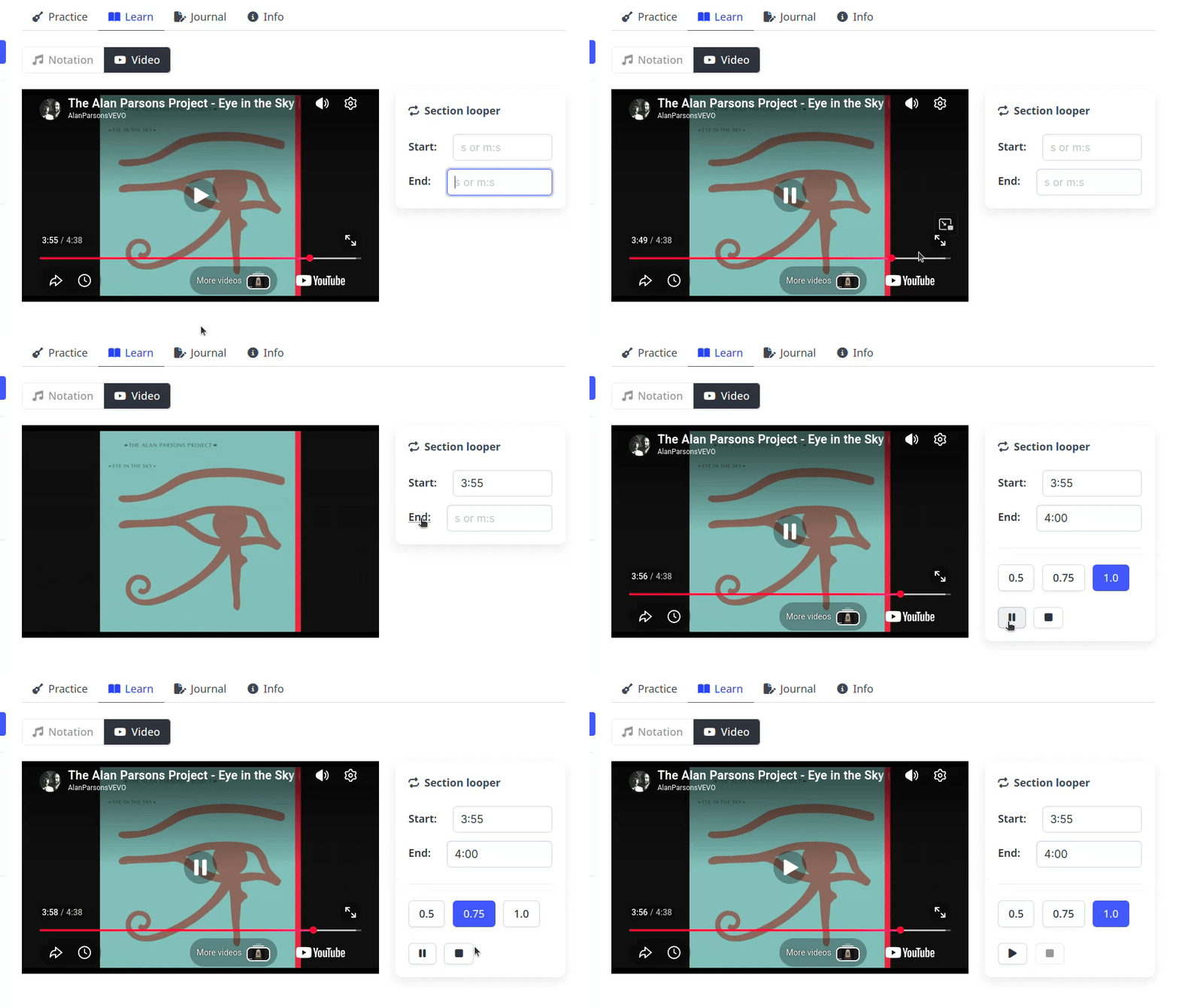
YouTube is an underrated tool for learning music by ear. It implements a pitch-correction algorithm to ensure that changing playback rate doesn't affect the original pitch. This means slowing down a song to figure out the notes works surprisingly well
Captrice already allowed users to embed YouTube videos. To take advantage of this, I’ve integrated a simple section looper with the embedded video player. You mark a section of the video and it gets played repeatedly in a loop. You can pause/resume, rewind as well as control the playback rate using keyboard shortcuts, so it’s easy to operate while playing guitar. Similar to the metronome, the app keeps track of your activity and use of section looper is counted as practice time. Check the instagram reel to see the looper in action.
The section looper is not a feature by itself, but part of a larger toolset for learning music by ear, an essential skill to develop for any one who aspires to be a real musician. I am not against using tablature, but it's a lossy medium, so you tend to miss the nuances. When you try to learn by listening, it forces you to pay attention to every little detail and that reflects in your playing. In my experience it also helps remember the piece better.
Home screen
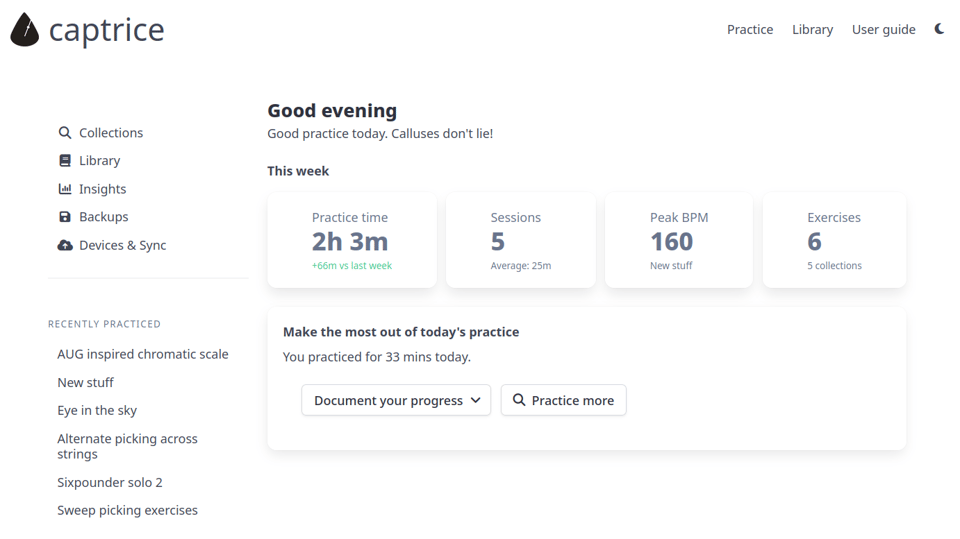
Previously, the app dropped you straight into the most recently practiced exercise, with other collections accessible from the sidebar. The intention was to reduce friction or number of clicks before the user could start practicing. But I have received feedback from a few first time users that on clicking the back button they were expecting some kind of a home page. Given the upcoming features and how the app is evolving, that seemed like a good at this point. The home page works like a central hub from where the user can get an overview of their recent practice sessions, discover the various tools and quickly decide what they want to practice.
Collections are searchable
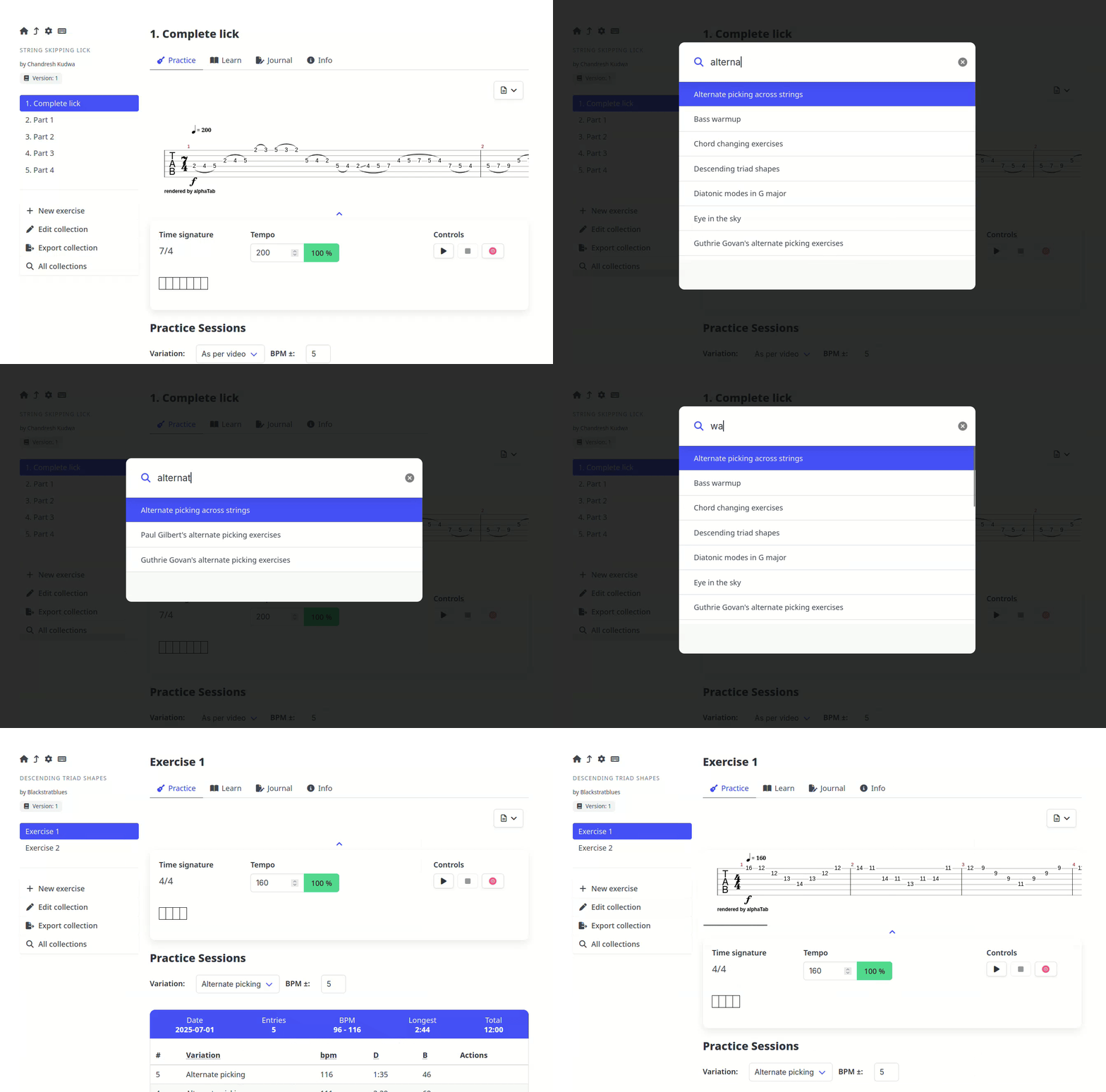
With the growing list of collections (as of today, I have 25+), it was starting to get really inconvenient to visually scan and select one from the side bar. To address this, the side bar now shows only the recently practiced collections, and search functionality is available for accessing the rest. Besides de-cluttering the side bar, it also gives you a sense of what all you've been practicing lately.
Revamped insights
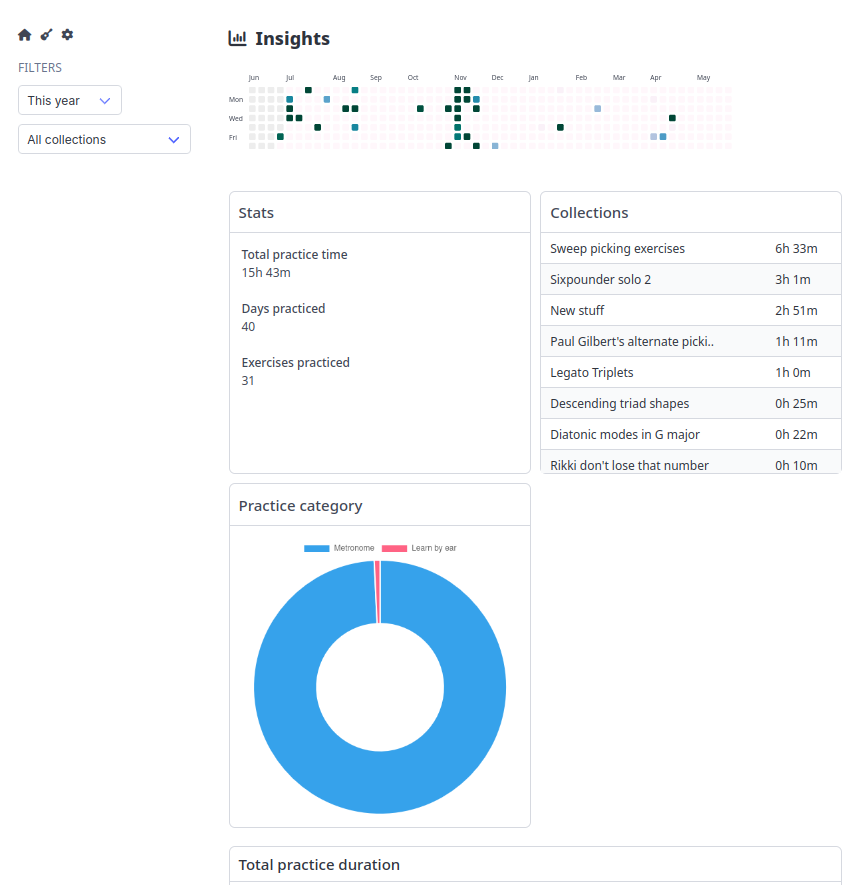
The new layout of the insights page (previously called "Analytics") is much cleaner. Filters for date range and collections now apply to all charts which makes it a lot more coherent and intuitive. There's a new pie chart for showing the newly introduced concept of “practice categories”. For now there are only two categories, with more to be introduced soon (stay tuned!).
Additions to the library
Two new collections are added to the library:
Alternate picking across strings: I came up with this exercise myself and for me it has helped unlock higher speeds when picking 16th notes.
Chromatic scale exercises inspired by Absolutely understand guitar, a highly recommended video series on YouTube.
That's all for this month. I'm back to actively developing Captrice for at least a few more weeks, with quite a few features already in the works.
Until next month, keep practicing and leveling up!
If you are reading this on the web, subscribe to get the updates in your inbox