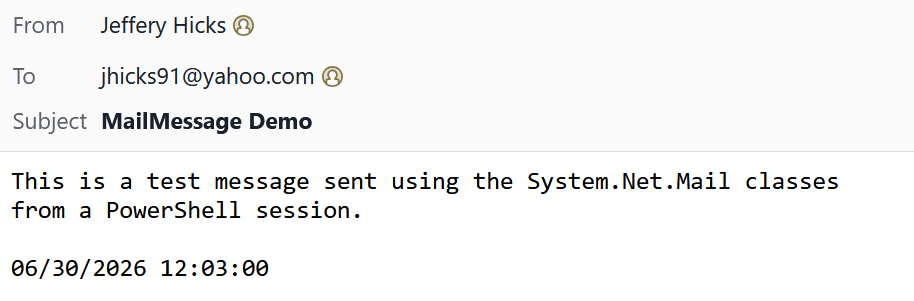
More PowerShell Mail Solutions
In this issue:
It is the start of a new month, but we have some left-over business to attend to. At the end of last month I started sharing my solution for the May PowerShell scripting challenge. I demonstrated how to use the [System.Net.Mail.SmtpClient] class to send a mail message.
> If you are just joining us, I know that this class isn't recommended for production use and there are solutions you can use. But, there is no problem in using this class as a learning device. The whole point of the challenge is to create a set of PowerShell tools around a .NET class you may not know much about.
I left you with some code that met the initial challenge requirements. But I challenged you with much more. Let's tackle those items today.
System.Net.Mail.MailMessage
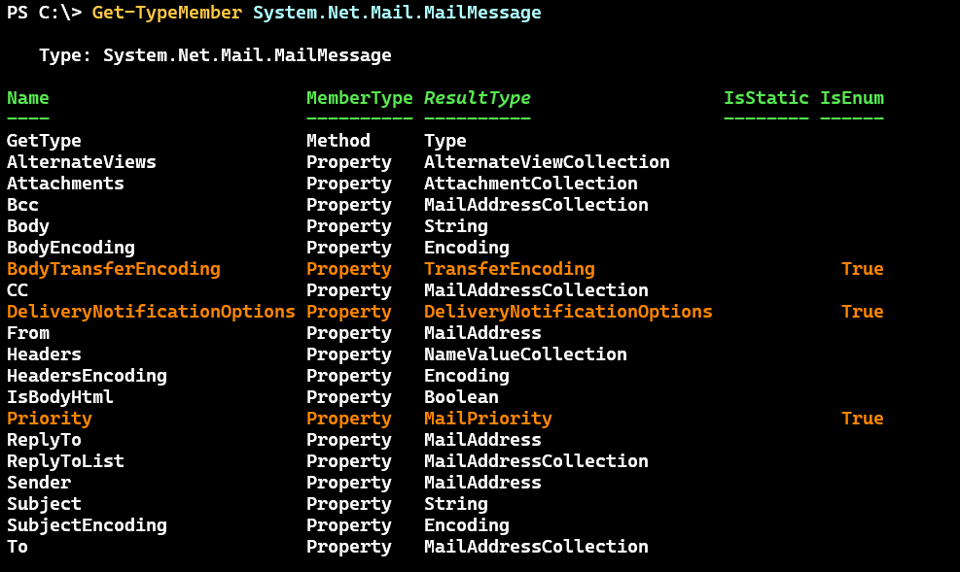
To meet the other challenge requirements, we will need to use the [System.Net.Mail.MailMessage] .NET class. Once again, Get-TypeMember from the PSScriptTools module is very helpful in exploring this class.
MailMessage Constructors
I can also discover how to create an instance of the object.
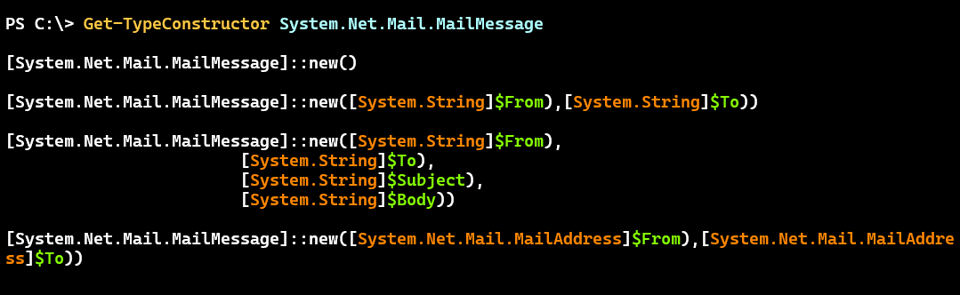
Creating a a simple message doesn't look that difficult.
$to = '[email protected]'
$from = '[email protected]'
$subject = 'MailMessage Demo'
$Body = @"
This is a test message sent using the System.Net.Mail classes
from a PowerShell session.

$(Get-Date)
"@
$msg = [System.Net.Mail.MailMessage]::new($from, $to, $subject, $body)
Looking at the object I can already see how I can use it.
PS C:\> $msg

From                        : jhicks@jdhitsolutions.com
Sender                      :
ReplyTo                     :
ReplyToList                 : {}
To                          : {jhicks91@yahoo.com}
Bcc                         : {}
CC                          : {}
Priority                    : Normal
DeliveryNotificationOptions : None
Subject                     : MailMessage Demo
SubjectEncoding             :
Headers                     : {}
HeadersEncoding             :
Body                        : This is a test message sent using the System.Net.Mail classes
                              from a PowerShell session.

                              06/30/2026 12:03:00
BodyEncoding                : System.Text.ASCIIEncoding+ASCIIEncodingSealed
BodyTransferEncoding        : Unknown
IsBodyHtml                  : False
Attachments                 : {}
AlternateViews              : {}
Sending the MailMessage
One important thing I see is that this class is only about the message. There is no provision to send it.
PS C:\> $msg | Get-Member -MemberType Method

   TypeName: System.Net.Mail.MailMessage

Name        MemberType Definition
----        ---------- ----------
Dispose     Method     void Dispose(), void IDisposable.Dispose()
Equals      Method     bool Equals(System.Object obj)
GetHashCode Method     int GetHashCode()
GetType     Method     type GetType()
ToString    Method     string ToString()
For that, I still need the [System.Net.Mail.SmtpClient] class.
#values from previously defined variables
$mc = [System.Net.Mail.SmtpClient]::new($mailHost, $SmtpPort)
$mc.EnableSsl = $True
$mc.credentials = $Credential
Now I can send the message.
$mc.send($msg)