Locked Out: Why OTP and 2FA Often Fail Users with Disabilities
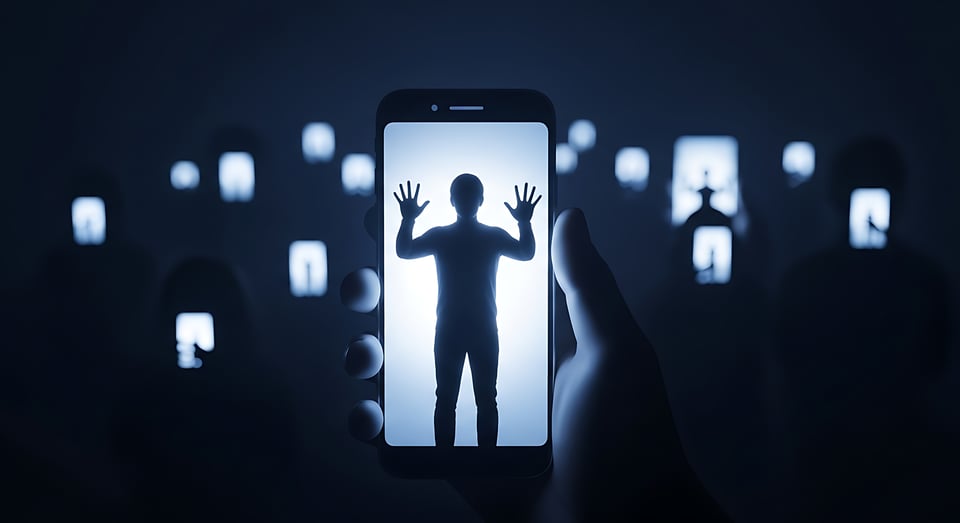
Two-factor authentication (2FA) and one-time passwords (OTPs) have become cornerstones of digital security. For most users, they are a minor inconvenience: a quick glance at a phone, a tap of a button, and they are in. For millions of users with disabilities, however, they can be a wall that is nearly impossible to scale.
This article explores the accessibility barriers embedded in common OTP and 2FA implementations, and the practical steps developers, designers, and product teams can take to fix them.
Why This Matters
Somewhere between 1 in 7 and 1 in 4 of your users live with some form of disability. That is a significant proportion of any product's user base. When authentication systems are inaccessible, the result is not just frustration. Users are locked out of banking, healthcare portals, government services, and workplace tools, often with no recourse unless they have a non-disabled person helping them. This gets complicated when you are talking about exposure to financial and health care information.
Accessible authentication is not a nice-to-have. It is a legal obligation in many jurisdictions under frameworks like the Americans with Disabilities Act (ADA), Section 508, and the European Accessibility Act, and it is the right thing to do.
The Most Common Barriers
Before looking at solutions, it helps to understand where things go wrong.
Time Limits Are Too Short
OTP codes expire in as little as 30 to 60 seconds. For users who rely on screen readers, switch controls, or have motor disabilities that slow down input, this time limit can be impossibly short. A user navigating with a keyboard might need much more time just to find and focus on the input field, not to mention typing the code.
Text Message as the Only Option
SMS is typically the primary method for systems to send OTPs, but this delivery method has several problems. Deaf-blind users who rely on Braille displays might not receive or be able to interact with standard SMS alerts. Users with cognitive disabilities could find it difficult to switch quickly between apps or to get the code on their phone and then type it into their laptop. In some regions, users may lack reliable cellular service. People without smartphones are completely excluded.
CAPTCHA as a 2FA Companion
Many systems add CAPTCHA challenges to or alongside authentication processes. Visual CAPTCHA is mostly inaccessible to blind users, and audio alternatives are often so distorted that they become difficult to understand, even for users without hearing loss.
Poor Screen Reader Support
OTP input fields are frequently implemented without appropriate ARIA labels, focus management, or live region announcements. A screen reader user may have no way of knowing that a code has been sent, where to enter it, how long they have, or whether their submission succeeded or failed.
Inaccessible Authenticator Apps
Even when teams recommend authenticator apps as a more secure alternative to SMS, many of those apps have their own accessibility problems. Small tap targets, poor color contrast on time-remaining indicators, and a lack of screen reader support are common complaints.
What Good Looks Like: Practical Recommendations
No single 2FA method works for everyone. Where possible, give users a choice:
SMS or voice call (voice calls benefit users who cannot read screen text quickly)
Email OTP in addition to SMS, which allows users to leverage their own accessible email client
Authenticator app codes
Hardware security keys, which require no reading or typing at all
Backup codes stored in a location of the user's choice
Biometrics, although it can never be the only option.
Allowing users to register multiple methods and select their preferred method at login time dramatically reduces friction for users with disabilities.
Extend or Eliminate Rigid Time Limits
WCAG 2.1 Success Criterion 2.2.1 requires that users be able to turn off, adjust, or extend time limits unless the limit is essential. A 30-second OTP expiry is not essential for most use cases. Consider:
Extending the OTP validity window to at least 5 to 10 minutes
Providing a clearly labeled, easy-to-activate "resend code" option
Warning users before the code expires, using an accessible live region announcement
Build Accessible OTP Input Fields
The input field itself is often where accessibility breaks down. Follow these practices:
Use a single text input rather than multiple individual character boxes, which are notoriously difficult to navigate with a screen reader or keyboard
If you use multiple boxes, ensure focus moves automatically between them and that the entire group is announced as a single logical unit
Add a descriptive aria-label such as "Enter the 6-digit code sent to your phone"
Use inputmode="numeric" to trigger a numeric keyboard on mobile without restricting the input type
Set autocomplete="one-time-code" so that browsers and screen readers can offer to autofill the code from SMS on supported devices
Accessibility bonus points will be awarded to teams that ignore your designers’ requests for countdown clocks and for switching the “resend code” button between active and inactive. As an assistive technology user, I can’t even begin to describe how annoying these “features” are.
4. Announce State Changes with ARIA Live Regions
Screen reader users need to know when things change. Use ARIA live regions to announce:
When a code has been sent, to which method
Error messages when the code is incorrect or has expired
Success confirmation when authentication completes
Use aria-live="polite" for informational messages and aria-live="assertive" only for critical errors that require immediate attention.
5. Ensure Full Keyboard Navigability
Every element of the authentication flow, including the code input, resend button, method selector, and submit button, must be reachable and operable via keyboard alone. Test with Tab, Shift+Tab, Enter, and Space. Ensure visible focus indicators meet WCAG 2.1 AA contrast requirements.
6. Provide a Voice Call Option
For users who cannot use SMS or authenticator apps, a voice call that reads the OTP aloud is an effective fallback. Ensure the read-back is slow, clearly enunciated, and repeated at least twice. Avoid synthesized voices that compress or distort numbers.
7. Evaluate Authenticator App Accessibility Before Recommending It
If your system is going to recommend a specific authenticator app, investigate its accessibility. Try it with VoiceOver on iOS and TalkBack on Android. Check that codes are read aloud correctly, that the time-remaining indicator is announced, and that tap targets meet minimum size requirements (at least 44x44 pixels per WCAG 2.5.5).
8. Support Passkeys or Oauth as a Long-Term Direction
Passkeys, based on the FIDO2/WebAuthn standard, are one of the most accessible authentication methods available. They replace passwords and OTPs with biometric or device-based authentication, removing the need to read, copy, or type codes entirely. For users with visual, motor, or cognitive disabilities, passkeys can significantly simplify the login process. Adoption is quickly increasing across major platforms.
OAuth reduces authentication burden in ways that directly benefit users with disabilities. Instead of creating, remembering, and typing unique credentials for every application, users authenticate once with a trusted identity provider such as Google or Microsoft and grant access to other services from that session.
For users who are blind or have low vision, this eliminates the need to repeatedly navigate through inconsistently structured, often poorly labeled login forms.
For users with motor disabilities, it reduces keystrokes and fine-motor demands associated with repeatedly entering credentials.
Users with cognitive disabilities benefit from managing only one set of credentials rather than dozens, lowering the memory and decision-making load of account management.
OAuth also supports passkey and biometric authentication flows via the identity provider, making it more accessible than traditional password fields for a wide range of users. Using OAuth effectively shifts the responsibility for accessibility from individual application developers, who might not prioritize it, to large identity providers with more robust accessibility programs and resources.
Testing with Real Users
Automated accessibility testing will identify some issues, like missing labels or color contrast problems. However, the most crucial testing involves real users with disabilities. Recruit testers who use screen readers, switch access, braille displays, and voice control software. Compensate them fairly for their time. Conduct usability sessions focused on the authentication process, not just the main product experience.
A Note on Account Recovery
2FA accessibility goes beyond just login. Account recovery often becomes even more difficult to navigate. When a user loses access to their second factor, the recovery process can involve extra hurdles: identity verification documents, customer service calls, or secondary codes. Ensure recovery processes receive the same focus on accessibility as the primary login, and that there is always an alternative that doesn't rely on a method the user cannot access.
Summary
Making OTP and 2FA accessible is not a one-step solution. It requires combining various approaches, such as offering method choices, extending time limits, creating clearly labeled and keyboard-navigable inputs, and testing with real disabled users. The good news is that accessible authentication also means better authentication for everyone. Clearer error messages, more flexible timing, and additional input options reduce friction overall.
Security and accessibility are not in conflict. A system that works for everyone is more resilient. Begin with the fundamentals, test thoroughly, and view accessibility as an ongoing effort instead of a checklist item.
Subscribe now
Add a comment: