Foldable Phones and Accessibility: Benefits, Barriers, Weight, Care, and Cost
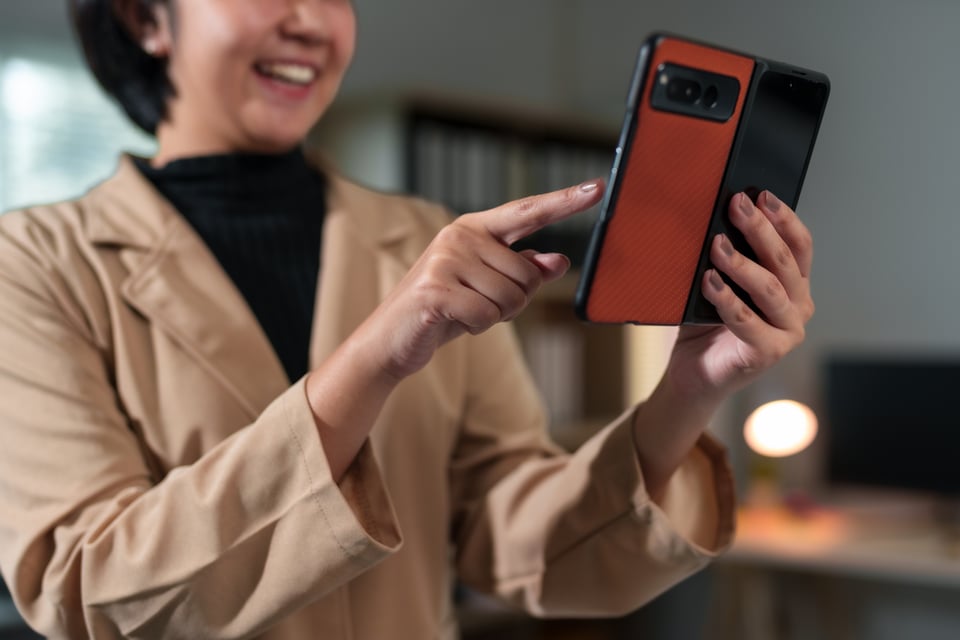
Apple announced the iPhone Duo, its first foldable iPhone, on September 9, 2026. ABC News reported a starting price of $1,999, with the phone arriving in stores on October 23. With Apple joining Samsung, Google, and Motorola, foldable phones are getting more attention this fall than they have since the category launched in 2018.
Accessibility professionals will get questions from clients, colleagues, and disabled friends and family about whether these phones are a good choice for a particular person.
Where Foldables Help
A larger screen that still fits in a pocket: Book-style foldables open to an inner display of about 7.6 to 8 inches. The iPhone Duo and the Galaxy Z Fold8 open to 7.6 inches, and the Galaxy Z Fold8 Ultra opens to 8 inches. For people with low vision who use screen magnification or very large text, a wider screen means less horizontal panning and more words visible at the same zoom level. Text that wraps into a narrow column on a standard phone can display in longer lines.
Hands-free positions: Foldable phones can stand on their own when partially folded. Samsung calls this Flex Mode, and Apple says the iPhone Duo can be used partially folded. A phone that holds itself up is useful for several groups:
Deaf and hard of hearing people who sign on video calls, since signing needs both hands free and the camera at a steady angle.
People with tremor, weak grip, or fatigue who find it hard to hold a phone through a long call or video.
People who need to follow captions or instructions while their hands are occupied with something else
More room for AAC and multitasking: Many people who use augmentative and alternative communication (AAC) apps carry a tablet because a standard phone screen cannot show enough symbols at a usable size. An open foldable offers a larger grid in a device that closes to pocket size. Split-screen use can also help, for example, keeping a live transcription app on one half of the screen while a meeting or document is open on the other half.
A cover screen for quick tasks: The outer screen handles short tasks such as reading a notification or sending a quick reply without opening the phone. For someone who finds unfolding difficult, a capable cover screen reduces how often they have to do it. According to T-Mobile's lineup overview, the Galaxy Z Fold8 has a 5.5-inch cover screen, and the Galaxy Z Flip8 has a 4.1-inch cover screen.
Where Foldables Create Barriers
Barrier 1: Folding and unfolding requires manual dexterity that many people do not have: Opening and closing a foldable is a two-handed (or hand substitute) task for most users. It requires a combination of physical abilities:
Enough grip strength to hold one half of the phone steady
Enough pinch or push strength to overcome the hinge resistance and the magnets that hold the phone closed
Enough coordination between both hands to do this without dropping the phone
Many disabled people do not have that combination. This includes people with arthritis, cerebral palsy, Parkinson’s disease or essential tremor, multiple sclerosis, spinal cord injuries that affect hand function, Stroke, particularly with weakness on one side of the body, and limb differences.
Some clamshell flip phones can be opened with one thumb, but that takes controlled force applied at the edge of the phone, which is the same kind of fine motor movement that is hard for people with tremor or weak fingers. When a phone’s best features sit behind a physical fold, a person who cannot open it is left with the cover screen, a smaller, more cramped experience than a standard phone at a fraction of the price. Opening force also isn't a standard item on manufacturer spec sheets, so buyers have no way to compare hinges before trying one in a store.
Barrier 2: Layout changes at different breakpoints: Websites and apps switch between layouts at set screen widths called breakpoints. On a standard phone, people rarely cross a breakpoint in the middle of a task. On a foldable, every fold or unfold can cross one, and foldables produce screen widths that many sites and apps have never been tested at, including:
The cover screen
The inner screen, which is close to square on newer book-style models
Each half of a split-screen view, which can be about as narrow as a standard phone
When a site or app crosses a breakpoint, navigation and content can move to different places on the screen, and screen reader and switch users have to relearn where things are. If the new layout presents content or focus in an order that does not make sense, it can fail WCAG Success Criterion 1.3.2 Meaningful Sequence or Success Criterion 2.4.3 Focus Order. At 200 percent zoom on the inner screen, a low vision user can end up with the mobile layout on a device the site treats as a tablet, so testing needs to cover each screen at more than one zoom level. Google's window size classes give Android app teams a defined set of widths to test against.
Barrier 3: One-handed and left-handed use: Researchers presenting at CHI 2026 found that one-handed use of an open foldable with content on both halves requires users to change their grip to reach each screen. On book-style foldables, the hinge sits on the left edge, which pushes the power button and fingerprint sensor to the right side on many models. A person who only uses their left hand may find unlocking the phone and reaching controls harder than on a standard phone.
Barrier 4: Screen changes when the phone folds or unfolds: When a user opens or closes a foldable, the app on screen has to redraw for a different size and shape. Apps that do not handle this change reload the page, lose what the user typed into a form, or send screen reader focus back to the top of the screen. For a blind user, losing focus halfway through a form means finding their place again one element at a time, which can take minutes. The problem comes from how the app is built, and many apps have not yet been updated to handle fold changes.
Barrier 5: The fold: Visibility of items crossing through the fold crease has improved, and T-Mobile describes the Galaxy Z Fold8 as near crease-free. A visible crease can still distort text and images running across the middle of the screen, which is more noticeable at high magnification. A crease that can be felt can also interfere with swipe gestures and small touch targets near the fold.
Barrier 6: Weight: Weight matters for people with arthritis, muscle weakness, chronic pain, or fatigue-related conditions, and for anyone who holds a phone for long stretches. Foldables are no longer dramatically heavier than large standard phones, but weights vary a lot from model to model.
Table 1. Weight, price, and dust and water ratings of current foldables
Samsung Galaxy Z Flip8 | Flip | 180 g (6.3 oz) | $1,199.99 | IP48 |
Samsung Galaxy Z Fold8 | Book | 201 g (7.1 oz) | $1,899.99 | IP48 |
Samsung Galaxy Z Fold8 Ultra | Book | 215 g (7.6 oz) | $2,099.99 | IP48 |
Google Pixel 11 Pro Fold | Book | 239 g (8.4 oz) | $1,899 | IP68 |
Apple iPhone Duo | Book | 254 g (9.0 oz) | $1,999 | IP68 |
Sources: T-Mobile, Samsung, PhoneArena, Android Central, MacObserver, ABC News, AT&T, CNET via Yahoo Tech, and Tech Insider. Prices are U.S. starting list prices before trade-ins, carrier credits, or sales.
For comparison, the non-folding iPhone 18 Pro weighs 211 grams and the iPhone 18 Pro Max weighs 249 grams. The Galaxy Z Flip8 is lighter than both, while the iPhone Duo is Apple’s heaviest iPhone to date.
An open book-style foldable is roughly twice as wide as it is closed, so holding it in one hand puts the weight farther from the wrist. Reviewers have noted that the weight difference becomes obvious when you hold an unfolded phone in one hand. The added leverage makes an open foldable feel heavier and demands more grip strength than its grams suggest. A protective case adds more weight and thickness, and a bulky case can also make the phone harder to open.
Barrier 7: Special Care and Handling: Foldables need more careful handling than standard phones. Samsung's precautions for its foldable devices include the following:
Do not press the main screen with a hard or sharp object, such as a pen or a fingernail, and do not apply excessive pressure
Do not remove the preinstalled screen protector film, and do not add other films or stickers
Do not leave cards, coins, or keys between the screens when folding the phone
Fold the phone before putting it away, and do not store it open
Keep the phone a safe distance from credit cards and implantable medical devices because of the magnets inside, and consult a physician before use if you have an implanted medical device
Several of these rules conflict with the way many disabled people use their phones. People who cannot use a fingertip often touch the screen with a knuckle, a fingernail, a stylus, a mouth stick, or a head pointer. Many adaptive styluses have hard tips. Samsung warns that hard or sharp objects on the inner screen can scratch or damage the display. Confirm that a specific stylus or pointer is safe for the inner screen before using it.
Because owners are told not to remove the factory screen protector on the inner screen, Samsung has directed owners to an authorized service center for replacement. Getting to a service center is a significant barrier for someone who depends on paratransit or lives far from one, and mail-in service can leave them without a phone for days.
Barrier 8: Magnets and implanted medical devices: Foldables contain magnets that help hold them closed and align them on wireless chargers. People with pacemakers, implanted defibrillators, or other implanted medical devices such as cochlear implants should talk with their physician before using a foldable phone.
Barrier 9: Dust, sand, and water: Dust and water protection differs across models. The 2026 Samsung foldables are rated IP48, and an IP4X rating protects against solid objects larger than 1 mm but is not fully dust-tight. The Pixel 11 Pro Fold and iPhone Duo carry IP68 ratings. Fine grit in a hinge can cause damage over time, which is worth considering for anyone whose phone rides in a bag or mount on a mobility aid that goes outdoors.
Barrier 10: Drops and repair costs: People with tremor, weak grip, or reduced sensation in their hands are more likely to drop a phone. Inner screen repairs on foldables are expensive, and some manufacturer repair programs specifically exclude them. Google’s store notes that its $0 screen repair offer does not cover the inner screens of Pixel Fold phones. Anyone considering a foldable should add the cost of insurance or a protection plan to the purchase price.
Barrier 11: Mounts and holders: Wheelchair mounts, bed mounts, and AAC mounts are generally sized for standard phones. The iPhone Duo is 11.3 mm thick when closed, compared with 8.75 mm for the iPhone 18 Pro, and it is 164.6 mm wide when open. Before buying, confirm that an existing mount can hold the phone in the position the user actually needs, and that the clamps do not press on the hinge or the inner screen.
Price Is the Biggest Barrier
For many disabled people, and particularly for those who rely on disability benefits, a foldable is cost-prohibitive.
Disabled people are far more likely to live in poverty: According to the 2026 Annual Disability Statistics Compendium, which uses American Community Survey data, 23.6 percent of people with disabilities ages 18 to 64 living in the community were in poverty in 2024, compared with 9.6 percent of people without disabilities. Smartphone ownership also differs by disability status. In a Pew Research Center survey, 72 percent of adults with a disability owned a smartphone, compared with 88 percent of adults without a disability.
SSI payment and resource limits: The maximum federal Supplemental Security Income (SSI) payment for 2026 is $994 per month for an individual. The least expensive iPhone Duo costs more than two full months of the maximum federal SSI payment, before sales tax, a case, or a protection plan. The cheapest current flip phone, the Motorola Razr (2026), starts at $800, which is still most of a month's maximum federal SSI payment.
SSI also limits countable resources to $2,000 for an individual. Household goods and personal effects don't count, so the phone itself doesn’t count once it’s been purchased. Saving close to $2,000 in cash to buy one leaves almost no room under the limit, and any other savings would push the person over it and put their benefits at risk. ABLE accounts can help some people save without that problem, but eligibility rules apply, and many people don't know these accounts exist or that they don’t have access to them.
Carrier deals: Advertised deals that bring a foldable close to free usually come with conditions. AT&T's Galaxy Z Fold8 offer requires a trade-in worth $290 or more and a qualifying unlimited plan, with the savings delivered as bill credits over time. T-Mobile's financing terms are limited to well-qualified buyers. Someone with an older phone, a prepaid plan, or a limited credit history will usually pay much closer to full price.
Fewer lower-cost options: Samsung released a lower-priced Galaxy Z Flip7 FE in 2025, but it did not get a successor in 2026. That leaves the Motorola Razr as the main foldable option under $1,000 in the U.S. A large standard phone paired with an inexpensive stand delivers several of the same benefits described earlier at a much lower cost.
Recommendations for disabled buyers and the people who advise them
Try the exact model in a store, and open and close it several times with your own hands before buying
Test the phone with your screen reader, magnification, switch access, or voice control turned on
Start filling out a form in an app you use often, then fold and unfold the phone to see whether you lose your place
Check whether your stylus, case, and mount work with the phone in both the folded and unfolded positions
Find out the return window before you buy, and include a protection plan in the total cost
Compare the total cost against a large standard phone plus a stand
For app and website teams, including public entities
Test on at least one book-style foldable and one flip-style foldable
Make sure content reflows at both the cover screen and inner screen sizes without horizontal scrolling, consistent with WCAG Success Criterion 1.4.10 Reflow
Do not lock content to a single display orientation, consistent with WCAG Success Criterion 1.3.4 Orientation
Preserve form data, scroll position, and screen reader focus when the fold state changes
Do not make any feature depend on the phone being folded or unfolded
State and local governments covered by the Department of Justice's Title II web content and mobile app accessibility rule must meet WCAG 2.1 Level AA. A city or county app that loses a resident’s data or fails to reflow when the phone is unfolded can fail WCAG 2.1 success criteria and create compliance exposure under that rule.
For manufacturers
Publish hinge opening force in product specifications so buyers can compare models
Offer lower-cost foldable models
Provide care and handling instructions in accessible formats, in addition to setup screens and printed inserts
Design button and fingerprint sensor placement that works for left-handed and one-handed users
Include inner screens in screen repair programs
Add a comment: