AI will Eliminate the Need for Accessibility Professionals? I think not.
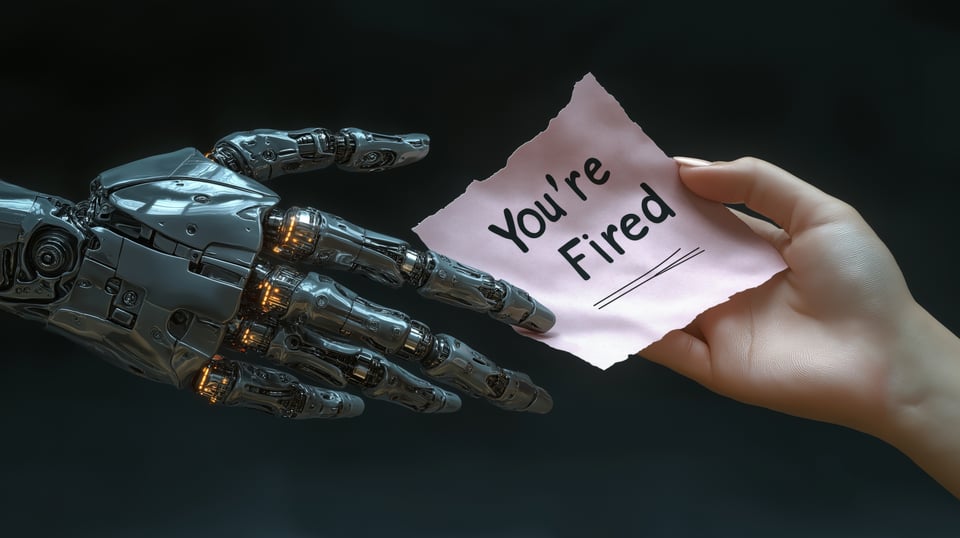
Every day, there are more articles about AI replacing people in tech. Accessibility testers, who are very often viewed as “unnecessary overhead,” are not escaping this treatment. It was this “we can replace accessibility testers with software” strategy that made overlays so successful. You would think that engineering managers and technical leadership would have learned by now that if it is too good to be true, it probably is. These days, the only thing overlays are good for is painting an “accessibility lawsuit” target on your organization, since a good chunk of 2025 litigation was against companies that used them.
To provide accessibility professionals with an easy-to-access defense, I have identified common accessibility tasks and tagged them with one of four statuses
1) AI could replace the accessibility professional
2) AI could help the accessibility professional, but not replace them
3) AI could not replace or help the accessibility professional
4) This is currently doable with non-AI-based technology
Automated Testing
The major tasks associated with automated testing are triggering scans on pages and components, executing automated test suites for regression testing, and reviewing automated scan results and filtering false positives
Summary: Triggering automated tests and automatically logging bugs can be done with non-AI-based technology. Interpreting false positives requires an understanding of context, something that AI is currently terrible at. All of these tasks fall under categories 3 and 4 - either you don’t need AI for it, or AI doesn’t help.
Manual Laptop/Desktop Screen Reader Use
Some of the major tasks associated with screen reader testing include navigating components, verifying proper heading structure and landmarks, testing form labels and error messages, verifying dynamic content updates are announced, triggering modal dialogs and popups, checking table navigation and structure, and checking videos for captions and described audio.
Summary: Screen reader testing is about whether a human user receives the right information to navigate a page. Mobile screen readers require gestures, which are physical interactions on the screen. Since AI can’t trigger those in the same way humans can, that falls under 3, AI can’t help. Heading structure and some aspects of landmark testing are included under 4, can be done with pre-AI software. Intentionally triggering error messages, listening to the adequacy of announcements, and deciding whether a video needs described audio, and if it does, is it good enough? None of that can be done by AI.
Keyboard Navigation Testing
Keyboard testing ensures that the user can access all functionality without a mouse. This includes tasks such as tabbing through all interactive elements, verifying the logical tab order, reviewing skip links and bypass blocks, checking for visible focus indicators, using all keyboard shortcuts and access keys, looking for keyboard traps, and interacting with dropdown menus, lists, and custom widgets.
Let me go on the record: I hate doing keyboard testing. “But Sheri,” you say, “you claim you are primarily a keyboard user.” This is true; however, pressing a key, stopping, and checking the results at every keystroke is slow and annoying. In many cases, it doesn’t require a human to execute; it only requires a human to interpret some of the results. This is why I’ve spent a lot of time over the past decade figuring out how to automate keyboard testing.
Long before generative AI skyrocketed, automated tests were used to check the presence and contrast ratios of focus indicators. Menus and lists are trickier because you have to test for typeahead and ensure the dynamic announcements are correct, which requires an understanding of context. Verifying logical tab order requires context that AI cannot infer. Some of these tasks are “in between”: the action can be triggered by automation (for example, by executing a skip link or a keyboard shortcut), but how would AI know that the user ended up in the right place? Keyboard testing on mobile is complicated because it requires Bluetooth and cannot be simulated.
Summary: Hopefully, you are starting to see a theme here - anything that requires contextual understanding can’t be done with AI at this time. Most types of keyboard testing come under 4) This is currently doable with non-AI-based technology, and 3) AI could not replace or help the accessibility professional.
Visual and Display Testing
Visual and display testing ensures that the interface remains accessible across different viewing conditions and user preferences. This includes tasks such as checking color contrast ratios, testing at 200% and 400% browser zoom levels, activating Windows High Contrast Mode, enabling dark mode, verifying spacing and touch target sizes, and confirming content doesn't require horizontal scrolling.
Summary: Almost all visual and display testing requires a sighted human to review, especially to ensure responsive breakpoints are triggered correctly and that text doesn’t overlap or overflow other text and containers. This falls under 3) AI cannot replace or assist the accessibility professional.
Content and Semantics
Content and semantic testing ensure that all text and structural elements are meaningful and properly conveyed to assistive technologies. This includes tasks such as reviewing image alt text for accuracy and appropriateness, verifying decorative images have empty alt attributes, checking that link text is descriptive and meaningful without full URLs or vague phrases like "click here" (and confirming ARIA attributes provide specificity when needed), reviewing heading hierarchy for logical structure, verifying button labels are clear, checking that error messages are helpful and specific, reviewing instructional text for clarity, and confirming language attributes are set correctly.
Summary: Almost every automated test suite, including WAVE, Axe, and Lighthouse, covers most of these, except for error messages and alt-text. AI cannot yet trigger errors or determine whether messages contain enough information for the user to continue. AI cannot determine whether images are decorative with 100% accuracy or what the correct alt text is, because that requires context. Two more votes for categories 3 and 4.
Form Testing
Form testing ensures that all input elements are properly labeled and provide clear feedback to users. This includes tasks such as verifying that all form fields have proper labels, testing required field indicators and legends, checking inline validation messages, testing error summaries and error-prevention mechanisms, verifying that success messages are announced to assistive technologies, testing complex form patterns such as multi-step forms, and checking autocomplete attributes.
Summary: Error messages? Nope, we’ve already said several times AI can’t do that yet. Required fields, legends, and visible labels are already covered by most if not all automated test suites. Two more votes for “already exists” and “can’t help.”
Test Plans
Logging bugs from automated test cases with a single button press is old pre-AI technology. Assigning severity and priority levels to bugs requires an understanding of context. Creating test plans and test cases is something AI is relatively good at, but most seasoned accessibility professionals prefer to use templates they can customize rather than starting from a blank Word document. Also, I have yet to see a single AI-generated test plan that didn’t require at least some, sometimes significant, modification. AI-generated test plans are good starting points, nothing else. That also assumes that you (or your organization) can get past the “they are stealing content from other people to generate output” objection.
Summary: Junior accessibility testers may find AI helpful for generating or assessing test plans. But they still need to be reviewed by a human, and everything else requires context. Our first vote for 2, AI can help, except in very specific circumstances. The rest AI can’t help.
Developer Collaboration
Can AI review pull requests or suggest remediation approaches? Of course, but the real question is “how successfully?” Only 1/3 of accessibility issues can be found through automated code inspection. Adding in ML and AI, you might be able to stretch that to half. Frequently, when accessibility professionals review code, they are rendering the code in their heads to determine if a) the accessibility issue is solved, and b) whether the code introduces any new accessibility issues. They are also c) asking themselves whether there is a better way to do it.
Summary: Sometimes a “better way” means a usability fix. Weighing an accessibility fix against a usability fix requires context: how much work is involved, what users expect, and when the deadlines are. These are things AI can’t do. So, a very limited vote for 2, but still needs to be reviewed by a human.
Design Collaboration
Can AI review designs for accessibility? Like developer collaboration, the answer is “of course, but how successfully? AI as an accessibility design reviewer might be a competent assistant, but a poor substitute.
AI can absolutely review designs for accessibility. It excels at mechanical checks, such as simple contrast ratios, touch target sizes, and identifying missing labels in wireframes. It can scan component libraries against WCAG standards and suggest proven accessible patterns faster than any human reviewer. It can compare and contrast two designs and identify inconsistencies probably faster and more accurately than a human can.
Here's the gap: AI evaluates designs against rules, not against human experience. It can tell you that a color palette fails to meet contrast requirements, but it can't assess whether your navigation pattern will confuse someone with a cognitive disability. It can flag that a modal needs focus management, but can't judge whether your entire interaction model makes sense for switch device users. It suggests "accessible alternatives" through pattern matching rather than by understanding how a design can create accessibility and usability barriers in the first place.
Most critically, AI can't participate in the strategic design conversations that matter most: 1) whether a feature should exist at all
2) whether the user flow assumes abilities that exclude populations
3) whether the flow can be simplified
AI cannot advocate, negotiate, or escalate when accessibility conflicts with other priorities.
Summary: AI is effective at catching obvious accessibility violations early in the design stage. For actually ensuring designs work for disabled users? You still need humans. Another split between two and three.
Reporting
If you are manually updating dashboards with testing metrics, you need to wake up and join the new millennium. That is a complete waste of time; your metrics will ALWAYS be out of date, and the more human involvement there is in the updates, the more likely it is that mistakes will be made. Non-AI-based technologies have existed for years to support accessibility dashboard and metric automation.
Summary: Some areas of reporting, similar to test plans, can benefit from AI. AI can, for example, review a list of tagged JIRA tickets and begin summarizing and drafting comments for an ACR/VPAT. But it can’t do it without a human. Things sometimes get lost in the summarization process, and AI may hallucinate which WCAG criteria to apply when summarizing defects. So reporting falls under 2 (could help, but needs a human) and 4 (already exists).
User Research Activities
User research (UXR) has been hard hit by recent layoffs, but absolutely cannot be replaced by AI. Some of the most important UXR tasks include:
Analyze support tickets from users with disabilities
Participate in usability testing sessions
Interview users about their experiences
Compile user insights for the team
Summary: None of these can be done by AI with 100% human-equivalent performance. AI might be able to help with some of them, like proposing interview questions and analyzing transcripts. That makes UXR professionals more efficient, but they absolutely can’t be replaced by AI. So some UXR activities fall under 2 (could help, but needs a human). Others come under 3 (can’t help).
Final Thoughts
If you're a manager or executive who read through this entire breakdown and still thinks you can replace your accessibility team with AI, congratulations—you've just become the punchline to a joke that will be told at CSUN for the next decade.
Where AI can help right now is with the collaborative components of accessibility testing, such as working with Designers, Developers, UXR, and generating test plans and reports. And I emphasize HELP, not replace, because none of these categories had tasks that could be fully replaced by AI.
AI can help accessibility professionals work faster. It can automate the tedious parts of their jobs. It can catch obvious violations and generate first drafts of documentation. What it absolutely cannot do is understand context, make judgment calls, advocate for users, or tell you whether your brilliant new feature is actually a nightmare for someone using a switch device.
The accessibility professionals you're considering replacing? They understand that a technically WCAG-compliant interface can still be completely unusable. They know the difference between "this passes an automated scan" and "this actually works for real humans." They're the ones who will tell you—kindly or not—that your AI-powered solution is creating the very barriers you claim to be removing.
So yes, use AI. Let it handle the mechanical checks and the grunt work. Let it create templates and starting points for refinement. But can it replace the humans who actually understand disability, context, and the nuanced reality of accessible design? Well, don't say you weren’t warned when your next lawsuit arrives. The overlays industry already tried this playbook, and we all know how that turned out.
You'd think we would have learned by now. But apparently, some lessons need to be expensive and painful.
-

Excellent post, Sheri. I'm with you — to think that AI can replace all human endeavour, especially around those with more complex input needs, is a shallow response to addressing accessability.
Add a comment: