
Sensei Notes #04 - The lazy developer's toolkit
Welcome back to another edition of Sensei Notes!
This week, I'm sharing a quick gltfjsx trick that will save you time, a powerful Blender extension for facial animations, and highlighting some incredible work from the community.
🎨 Asset Resources
Add Facial Animations to Any 3D Character
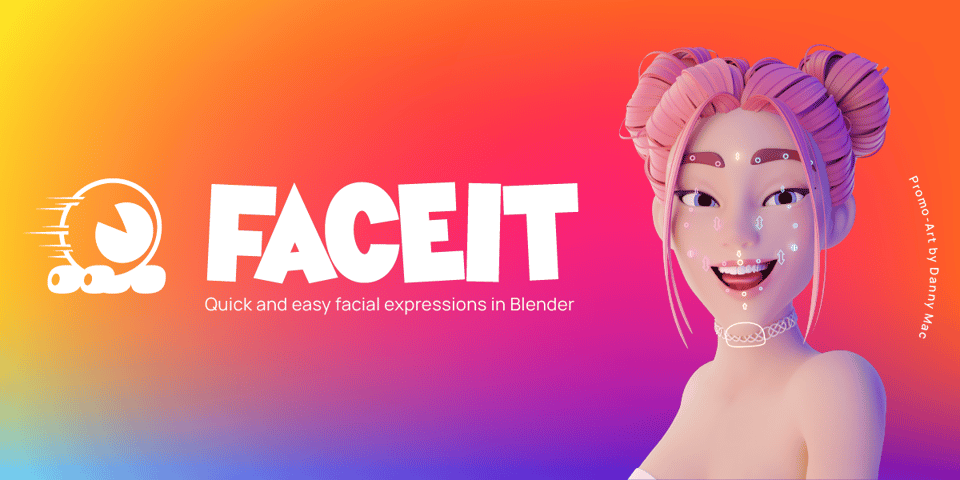
After my Santa chatbot video, several of you asked how to add facial expressions and viseme blendshapes to custom 3D models. The answer is FaceIt.
FaceIt is a Blender extension that lets you add:
ARKit facial expressions (Out of the box)
Visemes for lip-syncing (With custom presets creation)
It works with your custom characters, not just pre-rigged models. If you're building AI chatbots, virtual assistants, or any project that needs expressive characters, this tool will save you some time!
🪄 Tips & Tricks
Use gltfjsx Like a Pro: The Position Trick
Here's something that caught me off guard when working on a recent project. I had multiple GLB files using the same meshes but with different positions, and I kept running gltfjsx every time I updated my Blender files.
The issue? By default, gltfjsx outputs hardcoded position values:
<mesh
  castShadow
  receiveShadow
  geometry={nodes.Burner_Thermocouple_OuterBody.geometry}
  material={nodes.Burner_Thermocouple_OuterBody.material}
  position={[0.148, 0.909, -0.044]}
/>
This means if you move something in Blender and re-export, you need to regenerate the component to get the new positions.
The fix is embarrassingly simple. Instead of using the hardcoded array, reference the position directly from the node:
<mesh
  castShadow
  receiveShadow
  geometry={nodes.Burner_Thermocouple_OuterBody.geometry}
  material={nodes.Burner_Thermocouple_OuterBody.material}
  position={nodes.Burner_Thermocouple_OuterBody.position}
/>
Now your component automatically picks up position changes from your GLB file without regenerating anything. The same trick works for rotation and scale too!
🌟 Community Highlights
Alex's TSL & WebGPU VFX Engine
The legendary Alex (@mustache_dev) is building an incredible VFX engine for TSL and WebGPU. If you've been following the cutting edge of Three.js development, you know TSL (Three.js Shading Language) is the future, and Alex is pushing it to its limits.
Check out his tutorial and demo, the results are stunning. 🚀
Fun fact: his work is inspired by my wawa-vfx library, which we build from scratch in my React Three Fiber course to get solid foundations with particle systems and visual effects. Alex actually contributed to wawa-vfx, and now he's building his own TSL-powered version. It's a great solution if you want to explore WebGPU VFX today. Maybe it's my turn to contribute back to his project, or finally get that TSL version of wawa-vfx out the door!
That's it for this one — let me know what topics you'd like me to cover next. Join the conversation on Discord!
Happy coding 🧑💻
Wawa


