
v4 Encryption Release - Touch ID Supported Now!
VaultSort v4 Encryption
- Encrypt with your fingerprint — VaultSort now supports Touch ID
- Touch ID support is here, and we rebuilt the encryption underneath it
- VaultSort V4: Touch ID support + hardware-bound encryption
Hi,
Today we're shipping the two biggest upgrades VaultSort has ever had at once. The first one you'll notice immediately. The second one is the reason we could ship the first one responsibly.
Touch ID support is here. You can now encrypt and decrypt files with your fingerprint — no YubiKey to carry or plug in, just your Mac's Touch ID.
V4 encryption is the foundation underneath it — a complete rebuild of how VaultSort derives encryption keys that makes your hardware a cryptographic requirement, not just a UX gate. It's what makes Touch ID genuinely secure as an encryption key rather than just a convenient shortcut.
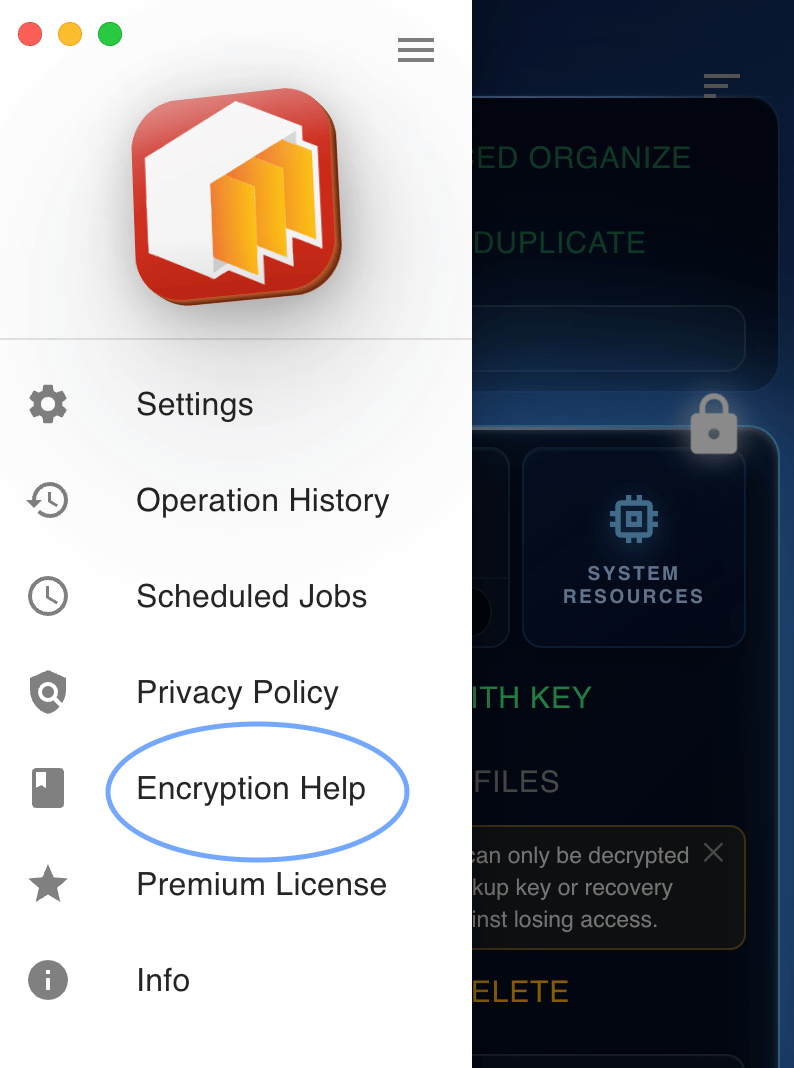
Read on for the full story. Or if you just want to get started: update to the latest version, click the YubiKey status widget to open Key Settings, and register Touch ID. We've also added an Encryption Help section inside the app (look for it in the sidebar) — it's a good reference for how everything works, including a glossary and a walkthrough of the encryption model.
Touch ID support
This is the one we're most excited about.
Starting today, you can register Touch ID as a primary encryption key in VaultSort. Once registered, it becomes your primary key — VaultSort uses it first, and you authenticate with your fingerprint instead of carrying and plugging in a hardware key. Encrypt a file, approve with Touch ID, done. It's the most convenient encryption experience we've ever shipped.
You can use Touch ID on its own, or alongside a YubiKey. If you have both registered, Touch ID is always your primary key — it's tried first. Your YubiKey remains available as a backup.
(One thing to know: like every key in V4, authenticating with Touch ID briefly opens a browser tab — see "A quick heads-up about the browser tab" below. It's expected, and it's the same for YubiKey.)
A few things you should know before registering:
- When Chrome opens during setup, choose iCloud Keychain when asked where to save your passkey. This is a required step — other storage options don't support the encryption protocol VaultSort uses. Touch ID won't work for file encryption if you skip this.
- Touch ID passkeys sync across your Apple devices via iCloud Keychain. This means if you get a new Mac, your Touch ID encryption key comes with it automatically. It also means your Apple account is part of the security chain. If your threat model includes a compromised Apple account, use a YubiKey and don't register Touch ID — whenever Touch ID is registered it becomes your primary key, so new files would be encrypted to it and could be reached through a compromised Apple account.
- Touch ID encryption requires macOS 14 Sonoma or later. If you're on macOS 13 or earlier, your YubiKey still works exactly as before.
A quick heads-up about the browser tab
This is new in V4, so we want to call it out before it surprises you.
When you register a key, encrypt, or decrypt, VaultSort briefly opens a tab in your default browser and shows a small VaultSort status window alongside it. This is expected — it is not an error, and nothing about your files is sent over the internet.
Here's why it happens. The security standard VaultSort uses (WebAuthn) requires a real browser to talk to your YubiKey or Touch ID — a desktop app can't do it directly. So VaultSort hands just the authentication step to your browser, which runs entirely on your own machine (a local address, localhost). You enter your PIN and tap your YubiKey, or approve with Touch ID, and the tab closes by itself. There's a Cancel button if you ever want to back out.
It works the same way for both YubiKey and Touch ID. If you see a browser tab flash open during encryption, that's normal — it's the secure handoff doing its job.
Why we rebuilt the encryption underneath it
We could have shipped Touch ID without rebuilding the encryption format. But we wouldn't have felt good about it.
During a routine security review of VaultSort's V3 encryption, we found something that bothered us. V3 required you to touch your YubiKey when encrypting or decrypting — that part worked. But the cryptographic key that actually protected your files was derived from data stored on your disk: credential IDs and public keys sitting in VaultSort's configuration file. The YubiKey touch was enforced at the application layer, but someone with both your encrypted files and a copy of VaultSort's credential database could technically derive your encryption key offline, without ever touching a YubiKey.
To be clear: this wasn't a trivial attack. An attacker needed two things they don't normally have together. But it was a gap between what we claimed to provide and what we actually provided, and we don't think that's acceptable.
V4 closes it completely. The key that protects your files now comes directly from a secret that lives inside your hardware — inside the YubiKey chip or inside Apple's Secure Enclave, depending on which key you're using. That secret never touches your disk and can't be extracted. An attacker who steals your files and your credential database still gets nothing without the physical hardware in hand.
This is what made us comfortable shipping Touch ID. Touch ID via iCloud Keychain is protected by Apple's end-to-end encryption and the Secure Enclave — the cryptographic guarantees hold. With V3, we couldn't have said that honestly.
Recovery codes
V4 also ships with a recovery code — a 20-character passphrase VaultSort generates when you register your first key. Store it in your password manager or write it somewhere safe. If you ever lose all your hardware keys, it's your way back in.
It's shown exactly once. We strongly recommend setting one up before you start encrypting files.
What you need to do
If you already use VaultSort with a YubiKey:
Update to the latest version. Your existing encrypted files will continue to work exactly as before — V3 files stay in V3 format and are fully readable. There is no automatic upgrade.
Important: Credentials registered before V4 are not V4-capable. They were enrolled without a PRF salt, which V4 requires for hardware-bound key derivation. This means they can still decrypt your existing V3 files, but they cannot encrypt new files in V4 format.
To get V4 support for your YubiKey: open Key Settings, register your key again using the same physical device. The new registration will be V4-capable. Archive (do not delete) your old registration — it stays active for decrypting any V3 files it was originally used to encrypt. You can archive it safely and it will remain available for those older files.
If you want to add Touch ID:
Update, then click the YubiKey status widget in the main screen to open Key Settings, and click "Register Touch ID." Follow the prompts — remember to choose iCloud Keychain in the browser. Then set up a recovery code if you haven't already.
If you're new to VaultSort:
Welcome. V4 is the format you'll start with. Register a key, set up a recovery code, and you're ready.
Not sure how any of this works?
Open VaultSort and look for Encryption Help in the sidebar. It covers everything — how to set up and use encryption, a full glossary of terms, and a plain-language explanation of the security model. We'd encourage every user to read through it at least once.
Under the hood (for the curious)
V4 uses WebAuthn's PRF extension to get a 32-byte hardware output, runs it through HKDF-SHA-256 with a per-file random salt, and uses the result to wrap your file key via AES-256-KWP (RFC 5649). Files are encrypted with AES-256-GCM, with the full metadata header as authenticated additional data. Recovery codes use Argon2id with OWASP-minimum parameters.
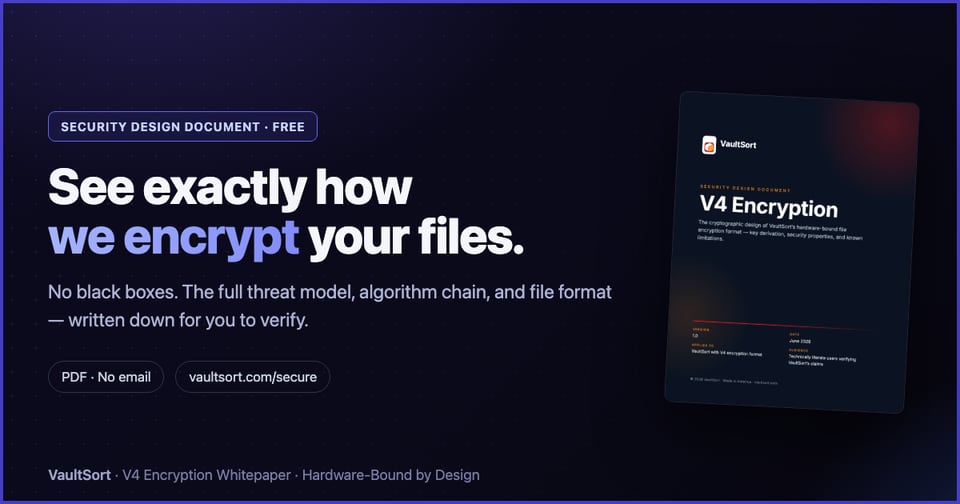
We've published a full Security Design Document on the website covering the threat model, algorithm choices, and what V4 protects against — and what it doesn't. We believe encryption tools should be transparent about how they work.
As always, thank you for using VaultSort. This update is something we've been working toward for a long time, and we're proud of what we were able to ship.
— The VaultSort Team

Add a comment: