09: Visuals
This is the tenth Procedural Note.
The ninth promised UX enhancements by 5/15, and a playable demo by 5/22.
This, a month after that, is a demonstration of some of the former and a timeline for the whole of the latter.
The promised UX enhancements were:
- Better font for displaying digits/text
- Displaying Help text/any needed user settings
- SFX tweaks
- UX tweaks
Of these four:
- Better font and Help/user settings are coming up
- SFX tweaks seem unneeded at this time, but may be folded into later releases
- UX tweaks to gameplay happened
For the last point, see a screenshot of gameplay without the tweaks..
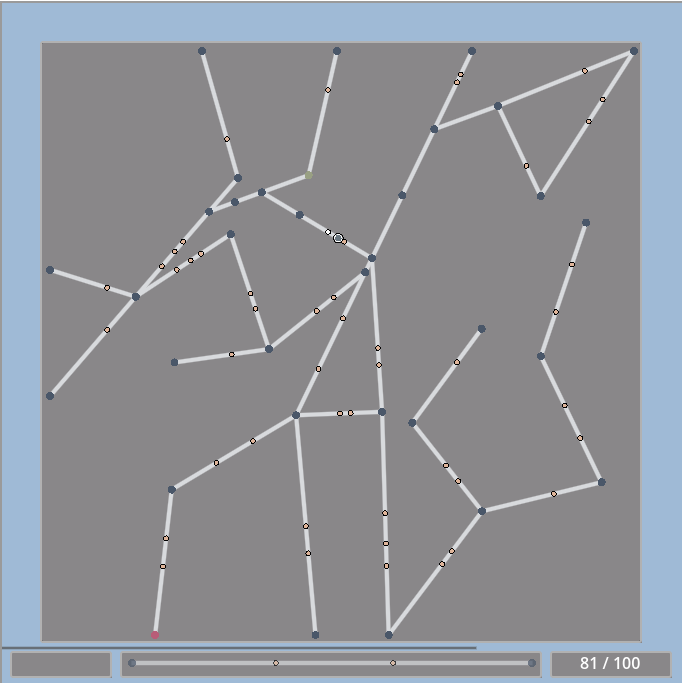
.. and with:
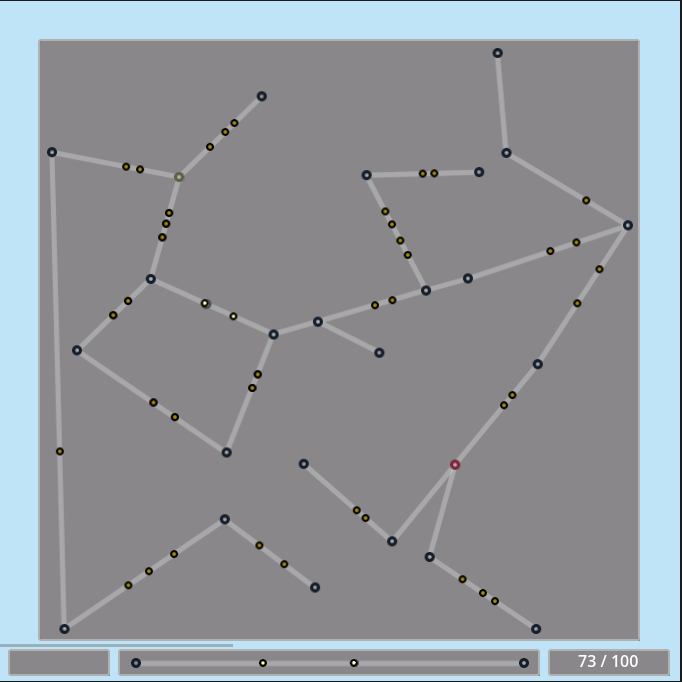
Junctions, Edges, Stops, and Walkers are textures and GIFs now.
They were rendered by Godot draw_* calls previously - animations for Stops and Walkers were achieved by calling queue_redraw for each frame.
Now, those animations are AnimatedSprite2Ds - the animation frames are loaded in-code, and then played/paused as needed.
Junctions and Edges only need to be static Sprite2Ds. Junction states are represented by a set of pregenerated sprites, loaded and displayed as needed.
Edge states are created in RampantTrackGeneration (since their position/orientation is procedurally generated).
Generation is done via the Python graphics library aggdraw (here)
edgeCanvas = Draw("RGBA", (graph.attrs["width"] + 2 * widthOffset, graph.attrs["height"] + 2 * heightOffset), (255, 255, 255, 0))
edgeCanvas.line((edgePointOffset0.x, edgePointOffset0.y, edgePointOffset1.x, edgePointOffset1.y), edgeGraphicsPen)
.. and the Python image file creation library Pillow (here):
edgeImage = Image.frombytes(edgeCanvas.mode, edgeCanvas.size, edgeCanvas.tobytes())
edgeImages are created for an Edge's " redirect applied " and " redirect not applied " states and stored in the track generation call's JSON response as base64 strings:
"edgeImageDefault": 'iVBORw0KGgoAAA..',
"edgeImageFocused": 'iVBORw0KGgoAAA..',
In Godot, those strings-representing-images are transformed into ImageTextures..
func _make_image_texture(imageStr: String):
    var imageBytes = Marshalls.base64_to_raw(imageStr)
    var image = Image.create_empty(1, 1, true, Image.FORMAT_RGBA8)

    image.load_png_from_buffer(imageBytes)

    return ImageTexture.create_from_image(image)
.. which are then displayed as needed in-game.
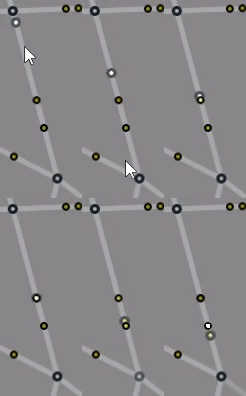
These new animations look less grainy.
Compare a Stop being drained of its fuel as the new animations show it..
.. versus the old animations:
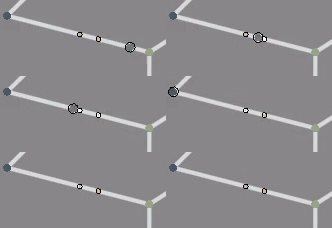
The newer animation lacks the unpolished " jaggedness " of the older, and also more clearly conveys " fuel " cycling in and out.
The Walker animation is similar - it's gone from being " draw the inner circle smaller and smaller, to represent fuel depletion " to a similar fuel cycling:
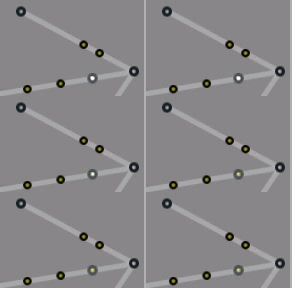
This cycling runs at a different speed than the Stop's, reflecting it being an moving object instead of a stationary point.
The UX for acting on Junctions and Edges also looks less grainy.
See the old UX for Blocks

and Redirects being placed
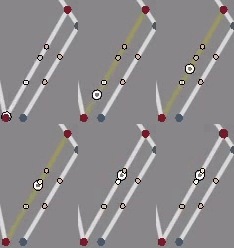
and the placing itself:

Compare them with the new animations for Blocks
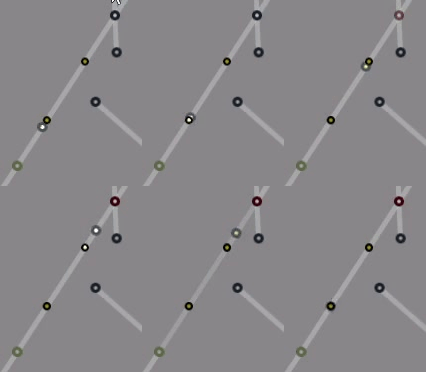
and Redirects
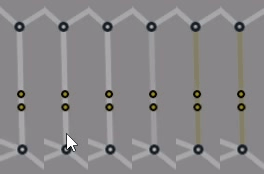
and the placing:

With these new animations come some additional enhancements, which can be seen in these GIFs:
- the " placing " line no longer fades as the
Progress Bardoes, because.. - the
Walker's progress on the " placing " line is shown if theWalkeris currently moving over the correspondingTrackline. - The cycling of any
Stops on theTrackline is likewise reflected. - When the " placing " line is hovered over, the line on the
Trackit currently corresponds to flickers to indicate that it's the one currently selected.
The Walker is drawn on the " placing " line via a Godot shader that applies the Walker's color to a pixel if that pixel's position would correspond to the Walker's position on the Track line.
float dx = pow(VERTEX.x - curr_x, 2);
float dy = pow(VERTEX.y - curr_y, 2);

float dist = floor(sqrt(dx + dy));

if (dist <= walker_radius) {
    COLOR = walker_color;
}
So what's next?
- Better font by 6/12 - additionally, game flows that aren't just gameplay
- Startup screens, start menu, Help/user config
- Gameplay mechanic enhancement by 6/19
- Current " get
Walkerto destination " gameplay, but with fixes for obvious gameplay experience issues - Game will be on other platforms than my website
- Current " get
Additionally, I'm building a tool that uses OpenCV to generate 2D tilemaps from pictures taken.
It's in a very rough form at https://jpshh.com/, under IRWave - it currently only takes a specific type of picture, 400x300 JPEGs, and draws boundaries around it.
Progress this month will include:
- making sure it can take any picture and transform it into a general format
- refactoring the " generate boundaries from pictures " logic to accept more than one specific type of picture
- also general code refactoring
- actually generating 2D tilemaps
No set date for that, and for anything that might spin out of it, but it will be happening this month.
Subscribe to this newsletter if you'd like to know more about these things as they come, or if you're just curious.