06: Demo
The seventh Procedural Note - describes the recently created " visual demo " for Rampant on the Tracks.
This is the seventh Procedural Note.
The sixth promised, by 2/20, a " visual demo " of Rampant on the Tracks.
It's been about a month since then. There is a visual demo:
It's available on my site - click First Godot demo under Rampant on the Tracks:
It has most of what's present in the previous demo:
- Blocking Walkers
- Redirecting them by clicking on Track paths
- Track paths having Stops
- Start and End nodes (green/red, respectively)
There is no " limited number of Steps " here - a similar mechanic will be implemented in future demos.
There are two Walkers in this demo to demonstrate the current behavior when two of them show up on the same path:
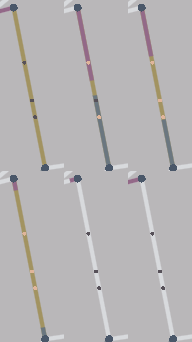
(A Redirect was applied to the edge as the two Walkers were on it.)
This behavior, as well as the speed of Walker progression, will be refined in future demos. The point of this one is to illustrate the game's minimalist UI/UX.
The minimalism is practical.
It's intended to
- communicate the game's necessary information
- Walker's position on the Track
- most recent Stops that a Walker's crossed
- currently active Blocks/Redirects
- appeal with a clean and efficient aesthetic
The minimalism is not just in the presentation of the Track and Walkers, but in the panels providing further info:
This is an initial form of those panels - they'll be refined further in future demos. For now, these panels illustrate the efficiency driving the game's UX - both the color information that distinguishes each Walker and how to Block/Redirect are presented in visible, straightforward text.
Those panels will never change - what will change is the Mouse over.. panel, which does so whenever the player mouses over an edge, a Stop, or a node:
The information shown is currently only unique UUIDs - future demos will make it significant to gameplay.
What's illustrated here is that the info panel's contents change depending on what you're hovering over.
- node: UUIDs of the edges it's connected to
- node UUID text color changes to reflect a Block being applied
- edge: edge UUID, UUIDs of the two nodes it's between
- edge UUIDs text color changes to reflect a Redirect being applied
- Stop: UUID of the stop
- Stop UUIDs text color to reflect a Walker just having passed over it
The panel updates as the state of what you've hovering over, and the state of any entity related to that, does.
This demo also reflects recent changes to Track generation logic.
The current form of TrackGeneration.generateTrack():
@staticmethod
  def generateTrack(
      diagramWidth: int,
      diagramWidthOffset: float,
      diagramHeight: int,
      diagramHeightOffset: float,
      diagramNodeRadius: float,
      numDiagramRegions: int,
      diagramEdgePercentageToProcess: float,
      newConnectionAngleMinQuantile: float,
      lonelyConnectionMinLengthQuantile: float,
      connectionLengthVertexPadding: float,
      connectionLengthNodeBuffer: float,
      destinationDistanceUpperQuantile: float
  )
The generated Track now includes startNode and destinationNode - calculated during generation -
@dataclass(frozen=True)
class Track:
    nodes: dict[uuid4, Point]
    stops: dict[uuid4, tuple[Point]]
    edges: dict[uuid4, EdgeVertexInfo]

    startNodeId: uuid4
    destinationNodeId: uuid4

    nodeInfo: dict[uuid4, NodeInfo]
as well as additional NodeInfo
@dataclass(frozen=True)
class NodeInfo:
    distanceToDestination: float
    numNeighbors: int

    def __repr__(self):
        return f'{"distanceToDestination": {self.distanceToDestination}, "numNeighbors": {self.numNeighbors}}'
The additional NodeInfo is used by the game logic - it can be extended further as that requires.
The previous numWalkers/DestinationsOnTrack parameters were removed to reflect revisions in the game's design.
The new parameters added:
*Offset,diagramNodeRadius: used to offset the generated diagram so that it can be positioned as in the demo, without having to do that offsetting in the " frontend " game logic itselfdestinationDistanceUpperQuantile: the higher this percentage, the further the generatedTrack'sstartNodeis from itsdestinationNode
The effects of this revision can be seen in a GIF illustrating Track generation under this logic:
From the initial Voronoi diagram, we're able to create an interesting-looking Track - startNode in blue, destinationNode in red - for a Walker to navigate.
What's next?
From here, the next step is to build a gameplay demo - look forward to that in about two weeks, on 4/2.
Subscribe to this newsletter if you'd like to be notified when that comes. Or if you're just curious.