
30 Days of Vibe Coding - Day 29 - n0ti0n
A Notion-inspired block editor with nested pages, slash commands, and real-time sync via Firebase Firestore
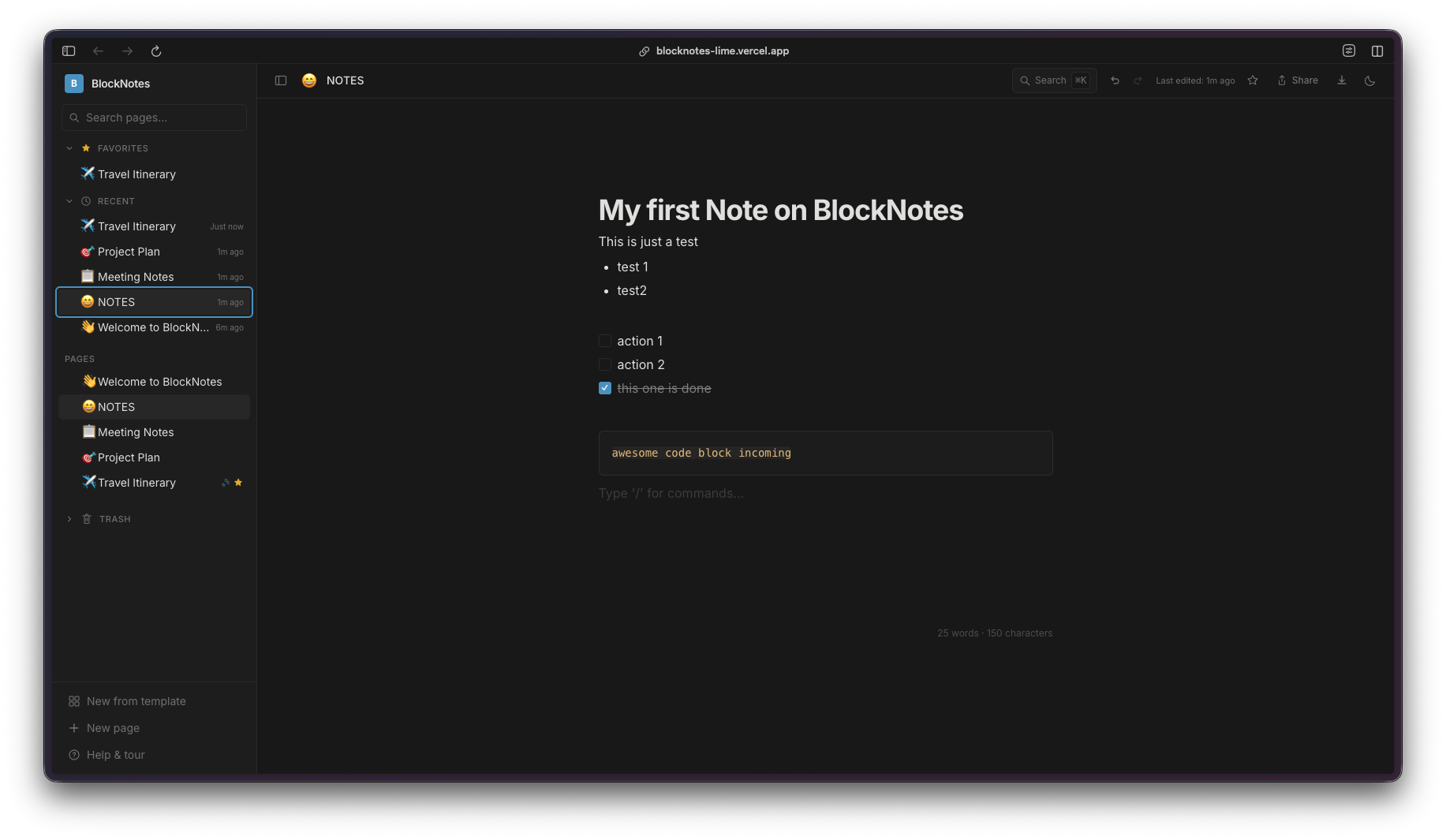
A Notion-inspired block editor with nested pages, slash commands, and real-time sync via Firebase Firestore
Day 29. One day left after this. So I cloned Notion.
Not all of it. But the core experience: a block editor with nested pages, slash commands, and a clean sidebar for navigation. The result is n0ti0n. It came together fast on the frontend. The deployment was a different story.
The Prompt
Try it out yourself here
What I Got
The editor uses Tiptap 3, which is a fantastic block-based editor framework, and it gave me most of what I wanted out of the box with the right extensions. You get slash commands that pop up when you type /, letting you insert headings, lists, code blocks, tables, task lists, dividers, and even nested pages. Select any text and a bubble menu appears with inline formatting options like bold, italic, strikethrough, highlight, and links.
The sidebar is where the nested pages really shine. You can create pages inside pages, and the tree structure shows up in the left panel with collapsible sections. There is a search/command palette (Cmd+K) that lets you jump between pages quickly, toggle light mode, or create new pages on the fly.
There are also templates built in. When you create a new page, you can pick from pre-built templates like travel itineraries, meeting notes, or project plans. Each template comes pre-filled with a useful structure.
The slash command menu itself is clean and functional. Type / anywhere in the editor and you get a dropdown with all the block types: headings, text, bullet lists, numbered lists, to-do lists, code blocks, tables, blockquotes, dividers, images, and nested pages.
Pages can be shared to the web with a toggle, and there are export options for Markdown and JSON. The whole thing is responsive too, working nicely on mobile.
Everything syncs in real-time through Firebase Firestore with anonymous auth, so anyone can open the app and start writing without creating an account.
The Firestore Saga
Here is the thing about this project that is actually worth talking about in detail. The editor itself came together relatively smoothly. Tiptap is well-documented, the extensions are modular, and Claude handled the integration without much hand-holding. The real challenge was getting Firestore to work properly in production.
...
---
Read the full article →


Add a comment: