
30 Days of Vibe Coding - Day 27 - Terminal
A native terminal emulator built with Tauri 2 and Rust, featuring tabs, split panes, configurable themes, and smart features.
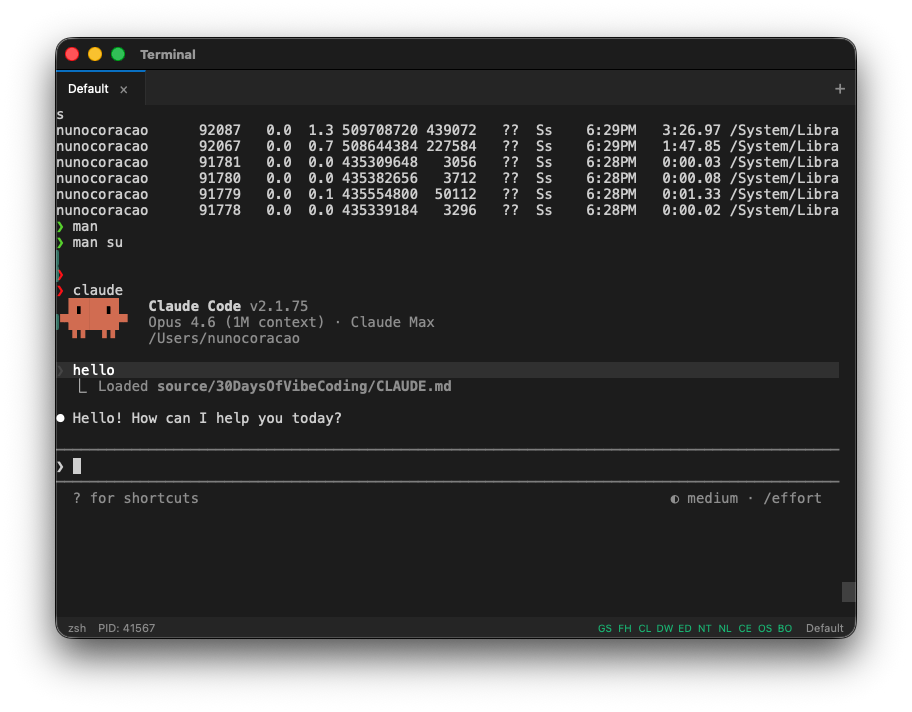
A native terminal emulator built with Tauri 2 and Rust, featuring tabs, split panes, configurable themes, and smart features.
Day 27. Four days left. Time to stop playing it safe.
The last stretch of this challenge is where I want to push into things that probably shouldn't work in a single day. A terminal emulator is one of those things. Not a web toy that pretends to be a terminal. An actual native desktop app that spawns real shell sessions, renders at 60fps, and handles everything from vim to htop.
The Prompt
> "Build a terminal emulator using Tauri 2 and Rust"
That was the core ask. Everything else came from iteration.
Download it from the latest release
How It Was Built
This was a big one. Watchfire broke the work down into 19 tasks, and it needed every single one of them. Building a terminal emulator is not trivial. There's PTY management, shell integration, input handling, rendering performance, and a dozen other things I never would have thought about.
The task list went something like this:
1. Scaffold a Tauri 2 + Vite project with basic PTY support
2. Multiple tabs with open, close, and rename
3. Split panes, horizontal and vertical
4. Settings panel with themes, fonts, and shell config
5. UI polish, scrollback, and shell fixes
6. GitHub Actions for automated releases
7. AI command suggestions inline
8. Visual polish for transparency, blur, and window chrome
9. Clickable links and smart detection in terminal output
10. Shell profiles and quick actions
11. Dangerous command warnings with confirmation dialogs
12. Long-running command notifications
13. Fuzzy history search with a rich Ctrl+R overlay
14. Inline ghost suggestions from history files
15. Intelligent error detection with quick-fix actions
16. Natural language to command translation
17. Command explanation and AI output summarization
18. Block-based output grouping with collapsible sections
19. Smart features settings panel and integration testing
Then came the CI/CD fixes. Getting Tauri to build and sign across macOS, Linux, and Windows through GitHub Actions is its own adventure. Install scripts for all three platforms too.
What I Got
It is a real terminal. This is not a simulation. It uses Rust's portable-pty crate to spawn actual shell sessions. Bash, zsh, fish, whatever you have configured. Full PTY support means everything works: vim, htop, interactive prompts, all of it.
xterm.js with WebGL acceleration. The rendering is fast. Like, noticeably fast. Scrollback goes up to 10,000 lines and it doesn't choke. The WebGL renderer makes a real difference compared to the standard canvas approach.
...
---
Read the full article →


Add a comment: