30 Days of Vibe Coding - Day 20 - MoodBoard
A collaborative mood board where anyone can pin images, links, and notes to a shared canvas with real-time updates.
A collaborative mood board where anyone can pin images, links, and notes to a shared canvas with real-time updates.
Day 20. I wanted a shared canvas where a group of people can throw images, links, and notes at a wall and just see what sticks. Literally.
The Prompt
> "Build a collaborative mood board app. Anyone with the link can pin images, text notes, and links to a shared canvas. Real-time sync, anonymous auth, freeform layout."
That was the seed. Watchfire broke it down into 7 tasks that took it from a basic Firebase backbone to a full collaborative pinboard.
Try it out yourself here
How It Was Built
Seven tasks, each one layering on a new piece:
1. Firebase real-time sync as the foundation
2. Three pin types: text sticky notes, image uploads, and link cards with OG previews
3. Drag-to-arrange pins on a freeform canvas
4. Pin color tagging so you can visually group things
5. Zoom and pan plus pin resizing for canvas control
6. Board lock so the creator can freeze a board to read-only, and export to PNG
7. Cursor presence so you can see where other people are hovering, plus a visual redesign pass
The progression made sense. You can't drag pins until they exist, and you can't worry about visual polish until the core interactions work.
What I Got
This one clicked right away.
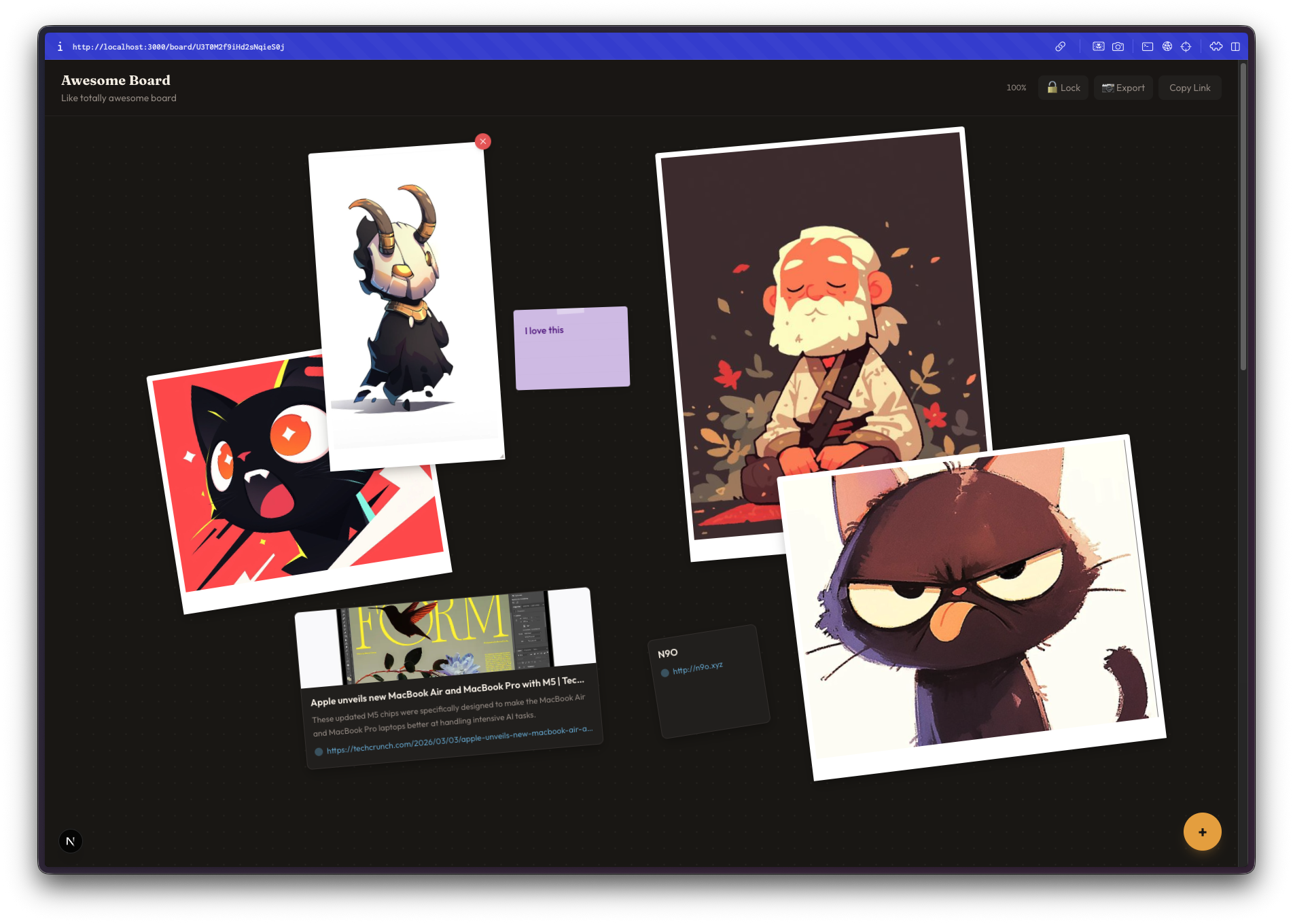
The landing page sets the tone. Big logo, scattered sample pins in the background, one button to create a board. No signup, no account, no friction. You click "Create New Board" and you're in.
A fresh board is a blank canvas. Dark background with a subtle dot grid. The toolbar is minimal, just options for lock, export, and copying the share URL in the top right. The floating action button in the bottom right opens up the pin type selector.
Three pin types cover the basics. Text for sticky notes, image for uploads, and link for URL cards. Hit the plus button, pick your type, and drop it on the canvas. Simple enough that anyone with the link can figure it out without instructions.
Sticky notes look like actual sticky notes. They have that slightly tilted, paper-like feel. You can type whatever you want, pick a color, and drag them wherever. The peach color on a dark canvas looks surprisingly good.
...
---
Read the full article →


Add a comment: