
30 Days of Vibe Coding - Day 14 - WeatherTUI
A terminal-based weather dashboard with ASCII art weather scenes, animated effects, and multi-location support.
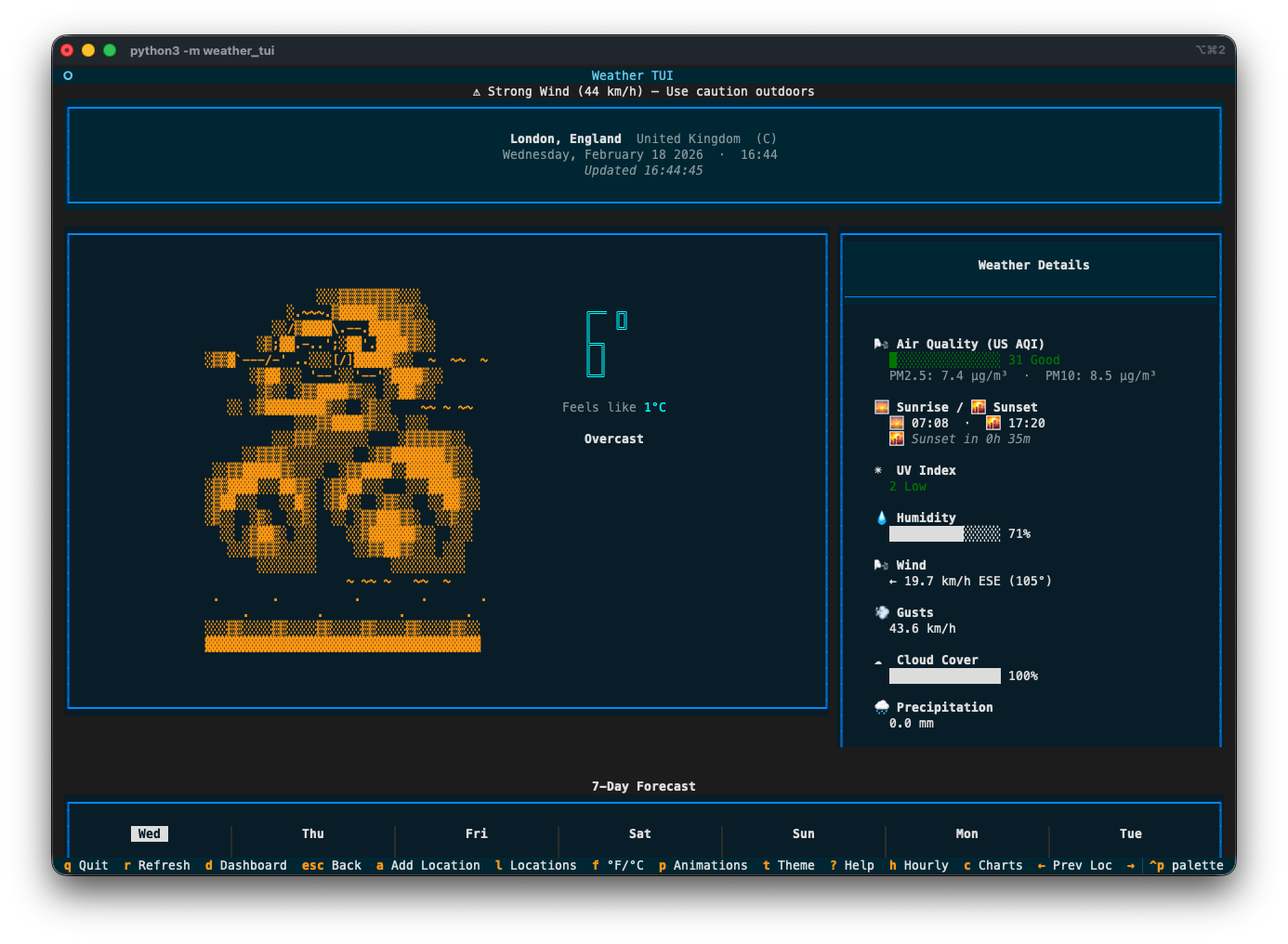
A terminal-based weather dashboard with ASCII art weather scenes, animated effects, and multi-location support.
Day 14. I wanted to see what a weather app looks like when you strip away every modern UI framework and force everything into a terminal.
The Prompt
> "Build a terminal weather dashboard with ASCII art weather scenes, animated weather effects, and multi-location support"
How It Was Built
I used Watchfire and it broke the work into 23 tasks. That sounds like a lot for a weather app, but the scope grew fast once ASCII art and animations entered the picture.
The task list covered the expected stuff first: project setup, API integration with Open-Meteo, basic layout. Then it got into the fun territory: 12 unique ASCII art weather scenes (sun, moon, rain, snow, thunderstorm, fog, wind, clouds), particle-based animated effects for each weather condition, temperature and precipitation charts, hourly and daily forecast views, a multi-location dashboard, color themes, mouse support, and a scrollable layout.
23 tasks. I didn't sit there guiding each one. Watchfire queued them up and worked through them while I did other things.
What I Got
This one surprised me more than most.
The ASCII art is genuinely impressive. Each weather condition gets its own scene. There's a big overcast sky with layered clouds, rain with falling droplets, snow with drifting flakes, a sun with radiating rays. The art is detailed and fills the terminal with actual character. Not the lazy "it's raining: //" kind of ASCII art. Real multi-line scenes with shading and depth.
The animations are smooth. Rain drops fall. Snowflakes drift. Stars twinkle in the night sky. Wind particles blow across the screen. Lightning flashes during thunderstorms. All of this happening in a terminal. You can pause and resume the animations with a single keypress.
The dashboard is clean. Multiple locations displayed in a grid, each with a small ASCII weather icon, current temperature, and conditions at a glance. Click any card or press a number key to jump into the detailed focused view for that location.
The detail view has everything. Air quality index, sunrise/sunset times, UV index with color coding, humidity bar, wind speed and direction, cloud cover, precipitation breakdown (rain vs snow). Plus a 7-day forecast at the bottom with mini ASCII art for each day. You can toggle to a 12-hour hourly view too.
...
---
Read the full article →


Add a comment: