
30 Days of Vibe Coding - Day 11 - Treelo
A full-featured Trello-style kanban board with drag-and-drop, labels, checklists, due dates, calendar view, and activity tracking.
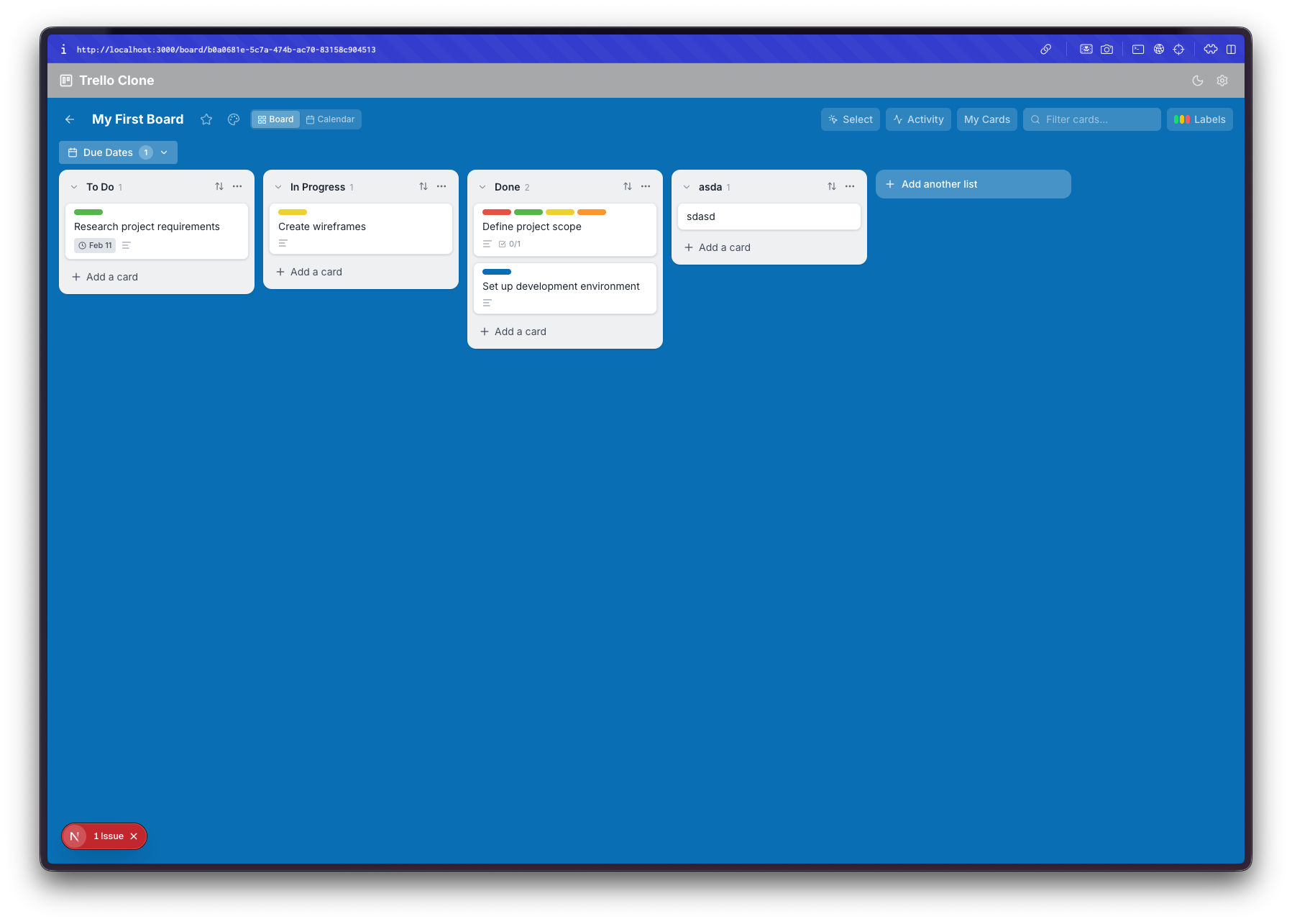
A full-featured Trello-style kanban board with drag-and-drop, labels, checklists, due dates, calendar view, and activity tracking.
Day 11. I asked for a Trello clone. Kanban boards, drag and drop, card details, the works.
The Prompt
> "Build a Trello-style kanban board app with boards, lists, cards, and drag-and-drop"
I named it Treelo because I'm very creative with names.
How It Was Built
Watchfire broke this one down into 18 tasks. The core stuff came first: boards, lists, cards, and drag-and-drop. Then it kept going. Labels. Due dates. A card detail modal. Custom board backgrounds. Search and filtering. Card archiving. Multi-select with bulk operations. An activity feed. A calendar view. And then a performance optimization pass at the end to keep everything smooth.
That's a lot of features for a single prompt. Most of these I didn't explicitly ask for. The initial prompt was just boards, lists, cards, and drag-and-drop. Everything else was Watchfire deciding "a kanban board should also have these things" and just building them.
What I Got
It looks like Trello. The layout, the card styling, the blue background, the list columns. If you squint it could pass for the real thing. There's a top bar with search, activity, calendar, and filter buttons. Lists have card counts. Cards show labels and due date badges.
Multiple boards. There's a homepage with recently viewed boards and a "Create new board" button. It tracks which boards you've visited recently. Simple but functional.
The card detail modal is surprisingly complete. Click any card and you get a full modal with labels, a due date picker, a checklist with progress tracking, a description field, comments, and an activity log. On the right side there's a set of actions: move, copy, archive. This is the kind of thing that would take days to build properly by hand.
Labels actually work. You can assign color-coded labels to cards and then filter by them. The filter panel slides out from the right side. Cards on the board show their label colors as small colored strips at the top.
There's an activity feed. Every action gets logged. Card created, card moved, label added, checklist completed. It shows timestamps and describes what happened. This is one of those features that separates a toy from something usable. You can actually trace what happened on a board.
...
---
Read the full article →


Add a comment: