
Nitro Kit 2.0 beta
Friend! This is Mikkel (@mikker) here.
You signed up for my Nitro Kit mailing list at some point and I finally have something to invite you to try.
Nitro Kit, if you forgot, is a Ruby on Rails UI kit. Components. Rails-y. All that.
I announced it 2 years ago or so. Got to 1.0, kinda, and then.. oh man. Everything changed?!
Suddenly, all that Nitro Kit was built for was flipped on its head. The agents came and completely upended the work we do – and how we do it.
So I rebuilt Nitro Kit for this new reality.
The beta is live at https://nitrokit.dev.
Join the Discord to talk about it – https://discord.gg/zpG5RaDAk9
$ bundle add nitro_kit -v ">= 2.0.0.beta.1"
Nitro Kit 2.0 (the beta)
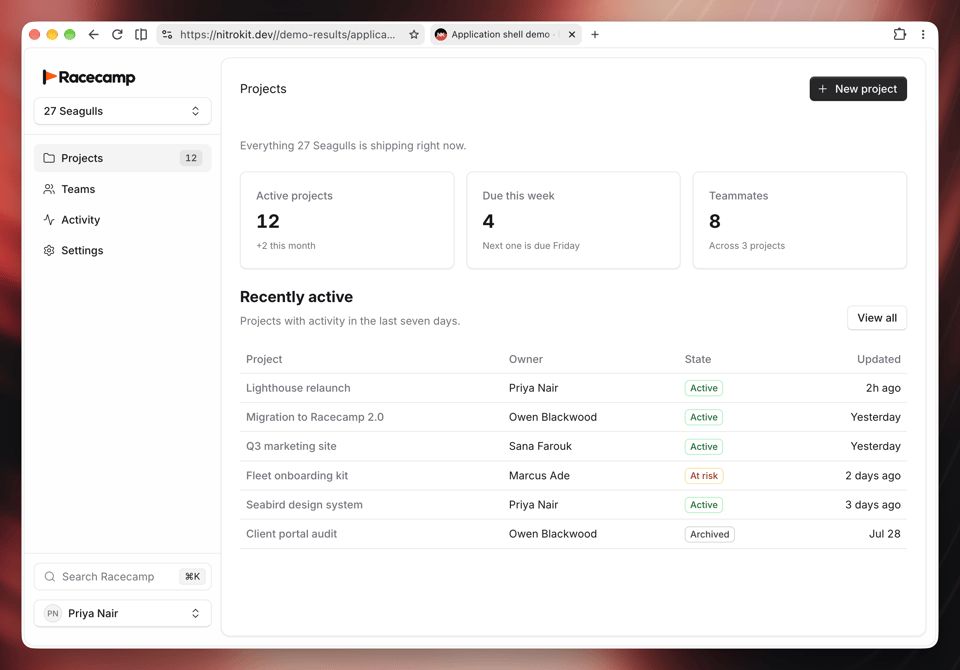
First off, if you bought Nitro Kit 1.x, you'll be grandfathered into a 100% off, lifetime sub. Say the word and you'll get the code.
Nitro Kit 2 is both free and has a paid Pro subscription. Let me explain...
What's free
All Nitro Kit components. The simple ones, the fancy ones, the application layouts. Their styling and interactive behavior, too.
Plus documentation and instructions for your coding agent. Nothing you need to use the components is behind the Pro subscription.
Install the gem, tell your agent to set it up, and you’re off. Components stay in the gem, so updates come through Bundler.
What's paid
Nitro Kit Pro gives your agent a playbook: 10 Rails patterns (and more coming), with real application source and guidance on how to put it together. Authentication, onboarding, team management, account settings, CRUD pages, billing, uploads, webhooks, application shells, and upgrading from Nitro Kit 1.
Your agent searches and retrieves these through MCP. These are actual models, controllers, views, and tests.
Of course, anything you generate becomes part of your application. You can change it, use it in your own and client projects, and keep using it if you cancel. The subscription pays for catalog access and ongoing updates.
A metaphor
Imagine Nitro Kit is IKEA. The components are the individual items – except you can grab as many as you want for free. Pro then is the catalog with its example rooms and setups.
Instead of saying "put the cupboard there, put the soap there" you can just say "add a bathroom" and it'll come out nice.
What changed?
Nitro Kit was built on pre-AI assumptions.
- Mainly: Developers write the code = familiarity has high value. If it looks and acts like something you're familiar with, you already know how to use it.
- Customization should be easy. You know what you're doing and you're testing as you go. Some of what makes Tailwind so fast is that you can just throw a
bg-red-500on there and be done with it. - Strictness gets in the way. You know what you're doing, "just give me the source."
- Upgrades are tedious. It's manual work and hard to automate.
Now, with AI:
- Familiarity mostly doesn't matter. I can build in Rust while never having written Rust myself. The agents know the APIs or can just look them up in an instant.
- Customizing components, on the case by case level, should actually be discouraged. To keep your system coherent, agents should have a toolbox of already consistent components and building blocks to pick from. They will so gladly write 4 different design systems instead of just using the one you have.
- Strictness is helpful. When your agent guesses a
class="danger"but it should actually beclass="destructive"will you notice? Or will it just silently be wrong until someone else does. If we rely on HTML, partials, CSS we just won't know. When the components are Ruby, a wrongvariant: "danger"can raise immediately. Ruby – excellent language for programming!
Those are my conclusions anyway. I'm already building with Nitro Kit 2 on all the sites I run and it's honestly, tooting my own (car) horn here, really, really helpful.
To mention a few,
- https://nitrokit.dev itself
- https://mikkelmalmberg.com
- https://10er.com
- https://funnymost.com
- https://yaplog.dev
- https://tunaformac.com
... and so on.
Nitro Kit doesn't make your app for you – but if you let it, it can be such a powerful, fast way to build the other 95% of your app in an almost instant. You wont see that part in the examples above, but trust me it's in there: The user and team management, the admin interfaces, the CRUD pages. You know, all the things you only remember after you solve the important thing.
Try it now
I invite you to try it now on a new or existing project. If you do, please let me know what works, what doesn't or how your agent failed.
As a thank you for showing your interest early, the code [REDACTED] at checkout will give you 50% off on the first year of Pro.
Thanks,
Mikkel

