Cognitive overload, diversity, people
Welcome to this edition of my newsletter
This time, I'm challenging some assumptions about accessibility in this newsletter (don't I always, though?). I'll look at cognitive overload and why it matters for more users than you think. I'll share news about a new podcast. And I'll revisit a critical point: Diversity that excludes disabled people isn't real diversity.
These topics connect to a larger truth. Accessibility work centers people, not checkboxes. Not standards. Not compliance. People.
When we lose sight of that human focus, our accessibility work becomes performative. We pass audits but fail users. We meet standards but miss the point.
Let's dive in.
In this newsletter
- Cognitive overload
- Podcast news
- From the old blog: Diversity without disability isn't diversity
- Accessibility is about people
- Wrapping up

Cognitive overload: When your brain is already working at capacity
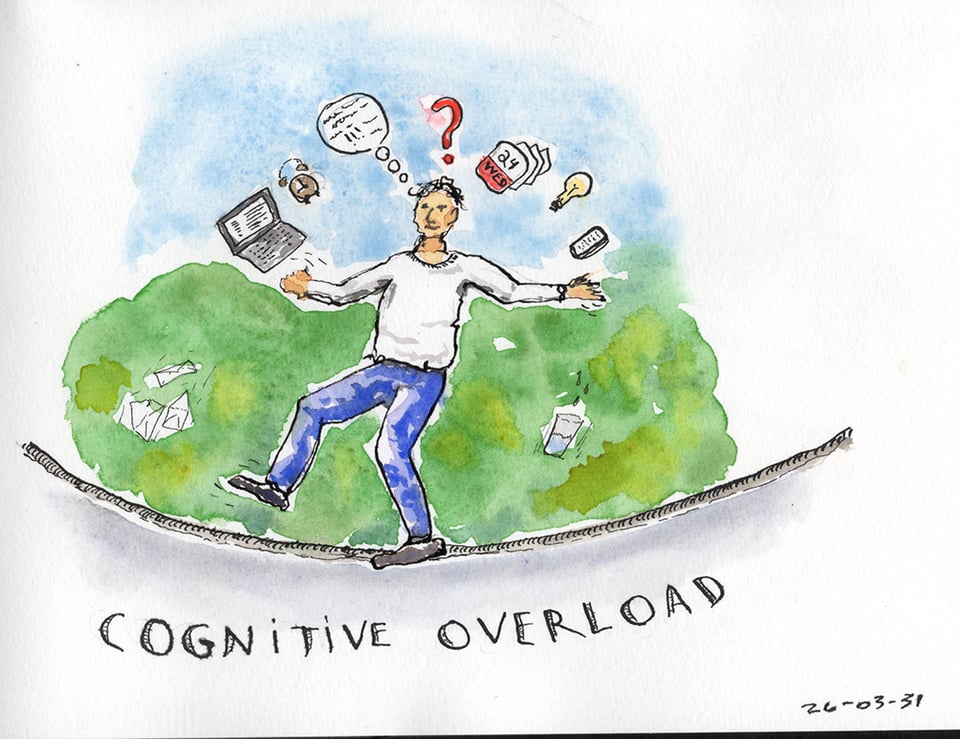
Many conditions reduce your brain's ability to process information and complete tasks. Traumatic brain injury. Stroke. Cognitive impairments. Depression. Long COVID brain fog. Even learning to use assistive technology like a screen reader.
All these situations create constant cognitive overload. Understanding this overload helps us design more accessible digital products.
The backpack analogy
Imagine you're hiking with a 50-pound backpack. You're in good shape. The pack holds everything you need: tent, sleeping bag, dry clothes, food, cooking equipment. All survival essentials.
You can carry this load easily. You walk for hours without trouble.
On day two of your three-day hike, you hurt your ankle. Suddenly that backpack becomes much harder to carry. Every step on your injured ankle hurts more. But you can't leave the pack behind. You need what's inside to survive. You still have a full day of hiking ahead, maybe two days because of the injury.
You must keep going despite the pain. You must keep carrying that weight. That's physical overload.
Reduced capacity doesn't reduce demands
We all process information and complete tasks throughout our day. Work deadlines. Shopping lists. Remembering appointments. Responding to messages. These are survival activities in modern life.
Many conditions reduce your brain's capacity to handle this processing. A stroke survivor might struggle with memory and executive function. Someone with a traumatic brain injury might need extra time to process information. A person with autism might find sensory input overwhelming while trying to focus.
But the tasks don't go away. Reduced capacity doesn't reduce demands.
You still need to work to pay rent and buy food. You still need to shop for groceries. You still need to manage your healthcare appointments. You need to survive.
So you keep functioning with reduced capacity. You keep processing information and completing tasks when your brain is already struggling. That's cognitive overload. It's constant. It's exhausting.
The web adds to this burden
Every poorly designed interface increases cognitive load. Complex navigation structures. Inconsistent layouts. Walls of text without clear hierarchy. Auto-playing videos. Pop-ups demanding attention. Forms with unclear error messages.
These design choices overwhelm everyone sometimes. They overwhelm people with reduced cognitive capacity constantly.
When your brain is already working at maximum capacity just to function, every extra cognitive demand matters. A confusing checkout process isn't just annoying. It might prevent you from buying necessary groceries.
Unclear navigation doesn't just waste time. It drains mental resources you need for other survival tasks.
Learning assistive technology compounds the problem
Someone learning to use a screen reader faces cognitive overload on multiple levels. They're learning complex software with dozens of keyboard commands. They're relearning how to navigate websites through a completely different interaction model. Often without formal training, discovering things on their own. They might also be processing the trauma of recent vision loss.
All while trying to complete the same daily tasks as before. Check email. Pay bills. Shop online. Apply for jobs.
The cognitive load of learning assistive technology is enormous. When websites have confusing structures or inconsistent patterns, that load becomes unbearable.
Long COVID creates new challenges
Long COVID has created millions of new people experiencing cognitive impairment. Brain fog. Memory problems. Difficulty concentrating. Reduced processing speed.
These users face the same cognitive overload challenges. Your website's complexity directly impacts their ability to complete necessary tasks.
COGA provides solutions
The Cognitive Accessibility (COGA) work provides concrete guidance for reducing cognitive load. This task force within the W3C focuses specifically on making digital content accessible for people with cognitive and learning disabilities.
Their documentation covers clear language, consistent navigation, error prevention, and progressive disclosure. These aren't theoretical guidelines. They're practical solutions based on real user needs.
Design for reduced cognitive capacity
Start with these principles:
- Use clear, simple language. Keep sentences short. Avoid jargon. Front-load important information. Create consistent navigation across your site. Users shouldn't need to relearn your interface on every page.
- Break complex tasks into smaller steps. Let users complete one action at a time. Save progress automatically.
- Provide clear error messages that explain exactly what went wrong and how to fix it. Don't make users guess.
- Use visual hierarchy to guide attention. Make important actions obvious. Reduce visual clutter. Allow users to customize their experience. Adjustable text size. Reduced motion options. Simplified layouts.
The human impact
Behind every cognitive accessibility barrier is someone struggling to complete a necessary task. A stroke survivor trying to manage their medical appointments. Someone with a TBI trying to work. A newly blind person learning their screen reader while applying for benefits.
These users are working harder than they should have to just to survive.
When we reduce cognitive load in our designs, we don't just help people with cognitive disabilities. We help everyone who's tired, stressed, multitasking, or learning something new.
But for people experiencing cognitive overload every day, these design choices aren't conveniences. They're necessities.
Build products that work when someone's brain is already at capacity. That's when accessibility matters most.
New show!
I'm launching a new podcast!
The Work Between: Conversations around creativity, identity, and disability.
I'm aiming for launch mid-May 2026.
The show is about the relationship between creative practice and identity. I'm talking with disabled creators, artists, and makers (painters, quilters, musicians, sculptors, photographers, and more) about how their artistic work and disability shape each other.
These won't be inspiration stories. They'll be conversations about the actual, sometimes complicated ways people make things. Not "creativity despite circumstances" or "art as therapy," but the real co-constitutive relationship between who someone is and what they make. That word "around" in the subtitle is intentional. The show treats this as a relationship worth examining directly, not as background color for uplifting narratives.
There's no website yet. I'm actively building it. I'm aiming for that first episode in mid-May.
If you know disabled artists or creators whose work you respect and who might have something to say about this relationship, send recommendations my way. I'm looking for people at any career stage, working in any medium. In fact, it doesn't have to be a career! If you're creating as a hobby, that's also good because we still have that push-pull of creation and disability and how it influences identity. I'm not looking for "content creators" that produce work for social media though. That's not what the show is about. It's about artists and makers
More details coming as launch gets closer. This is going to be good.
Diversity Without Disability Isn't Diversity
A disability advocacy organization promoted 22 podcasts about diversity and inclusion. I investigated them in 2020. Only three provided transcripts. That's 13.64% accessibility for content specifically about inclusion. The irony burns.
The numbers tell the story
I searched for transcripts on each show's website. Nineteen out of 22 podcasts had no transcripts. Even NPR-hosted shows lacked them. Three podcasts mentioned disability in their descriptions. Only one provided transcripts. That show's website had serious accessibility barriers.
A disability inclusion organization promoting inaccessible content reveals a deeper problem. Diversity and inclusion experts consistently forget disabled people.
Why this matters
Podcasts without transcripts exclude deaf users completely. They create barriers for people with ADHD and other cognitive disabilities who process information better through reading. They deny access to disabled people in the name of teaching about inclusion.
As I wrote in the original article:
"Most D&I experts are ableist and discriminatory towards the disability community."
Diversity without disability is no diversity at all. I wish diversity and inclusion experts got a handle on that.
This pattern appears everywhere. Conference talks about inclusion held in inaccessible venues. Diversity training videos without captions. Articles about equity written in inaccessible PDFs.
Moving forward
I wonder if the situation is the same five years later. Something to investigate if I find time. I suspect we haven't made much progress.
Every diversity and inclusion initiative must include disability from the start. Not as an afterthought. As a core component of what diversity means.
When disability advocacy groups promote inaccessible content, they undermine their own mission. When diversity experts ignore disability, they reveal incomplete understanding of inclusion.
Real diversity includes everyone. Start acting like it.
Diversity and Inclusion podcasts found to be not accessible.
Accessibility work is for disabled people
He aha te mea nui o te ao. He tāngata, he tāngata, he tāngata.
This Māori proverb asks: what is the most important thing in the world? The answer: it is people, it is people, it is people.
This truth should guide all accessibility work. Yet we often forget it.
We lose sight of who we serve
Organizations chase higher search rankings through accessibility improvements. Marketing teams tout accessibility features to boost brand perception. Legal departments implement changes to avoid lawsuits. Teams target WCAG conformance as if passing an audit were the goal.
These motivations miss the point entirely.
Disabled people are why we do this work
Accessibility work is a tech solution for problems disabled people experience. Every line of accessible code serves a human need. Every design choice either includes or excludes real people trying to complete real tasks.
When we forget this, our work becomes hollow. We optimize for bots instead of humans. We chase compliance instead of usability. We build technically conformant experiences that still fail disabled users.
Remember the human impact
Behind every accessibility requirement is a person. Someone trying to apply for a job. Buy groceries. Access healthcare information. Connect with friends and family.
When our digital products exclude them, we deny equal participation in society. That's not acceptable.
AI doesn't experience barriers. Search engines don't struggle with inaccessible forms. Legal compliance frameworks don't feel frustration when a website won't work with their screen reader.
Disabled people do.
Center people in your work
Use WCAG as your foundation. Meet legal requirements. Enjoy any SEO benefits that follow. But never mistake these secondary outcomes for your primary purpose.
Your purpose is serving disabled people. Your goal is removing barriers they experience. Your success is measured by whether real people can complete real tasks.
He tāngata, he tāngata, he tāngata. It is people, it is people, it is people.
Keep disabled people at the center of your accessibility work. Everything else is just a side effect.
Wrapping up
That's it for now! I hope you enjoyed the newsletter. I'd love to get feedback - What was good? What could be improved? What topic would you like me to talk about? I'm not making any promise, but if a topic you suggest catches my fancy, I'll share my opinion on it.
Just hit reply to this email, or send an email at info@nicolas-steenhout.com. I read every response.
And a reminder that my content is Human Generated Content #HumanGeneratedContent