NPCC Newsletter #7: Project Highlights + How to Build Games with Your Kids
Hi everyone,
Our newsletter has a new look today as I’m now sending it from Buttondown, a newsletter software. Pretty exciting.
NPCC Newsletter #7 is loaded with the following topics:
1. Welcome new members!
2. March 29 meetup recap
3. Member project highlights
4. Building games with your kids
5. Collecting stories about our kids growing up in Cambridge
6. Talk about your project at the next meetup (Sunday, April 26)
7. Odds & ends
1. Welcome new members!
Tingting Yu, Desiree Koh, Patience, Wes Sonnenreich, Nate Nesbitt, Matt Tierney
Thank you for joining us, and see you around!
2. March 29 meetup recap
We had another fun, well-attended meetup on March 29. We were treated to four talks, including a live demo by a parent-child team, Nate and 11-yr-old Leif. It was great to see a number of parents bringing their older children (7+) to the meetup to see this demo in action.
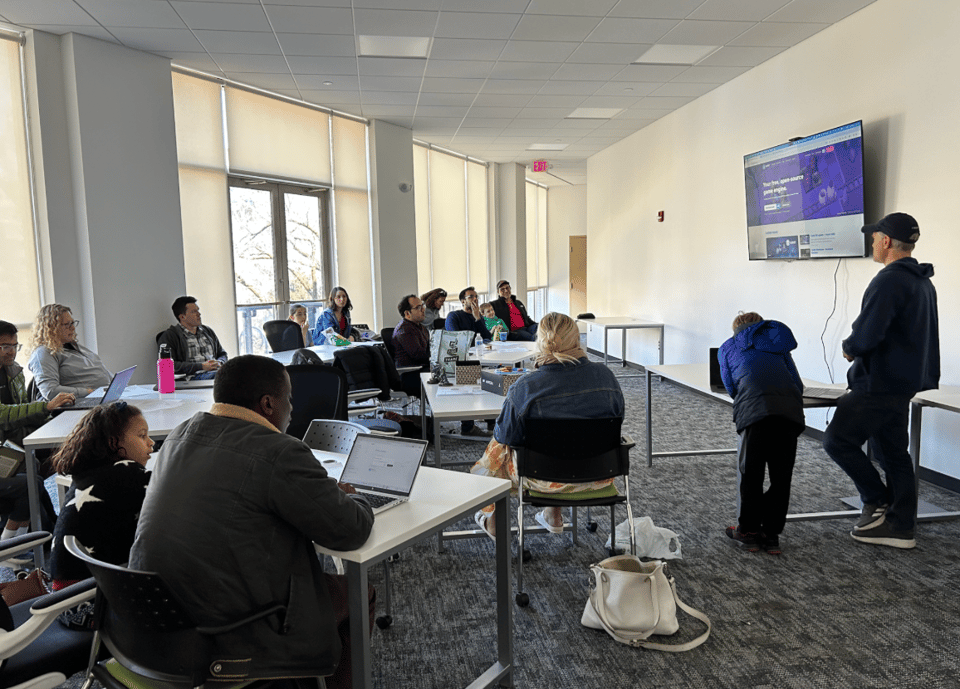
After months of buzz around autonomous AI agents, we got to hear from two NPCC parents who've built their own: Debamitro (Debo) Chakraborti shared his experience with TinyClaw, and Julie Price invited us to meet her OpenClaw bot named Bert.
More about each talk below.
3. Member project highlights
3D RPG Game (Nate & Leif Aune)
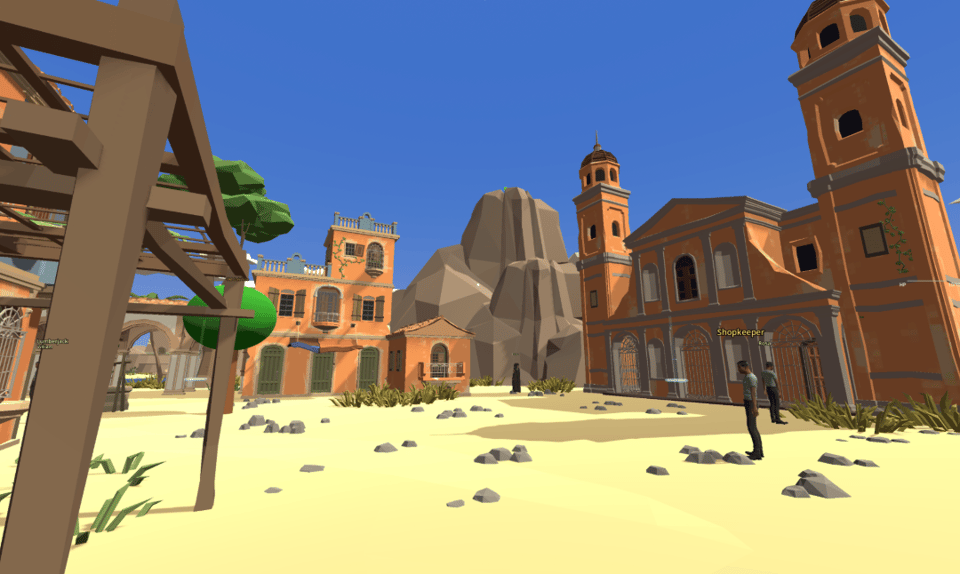
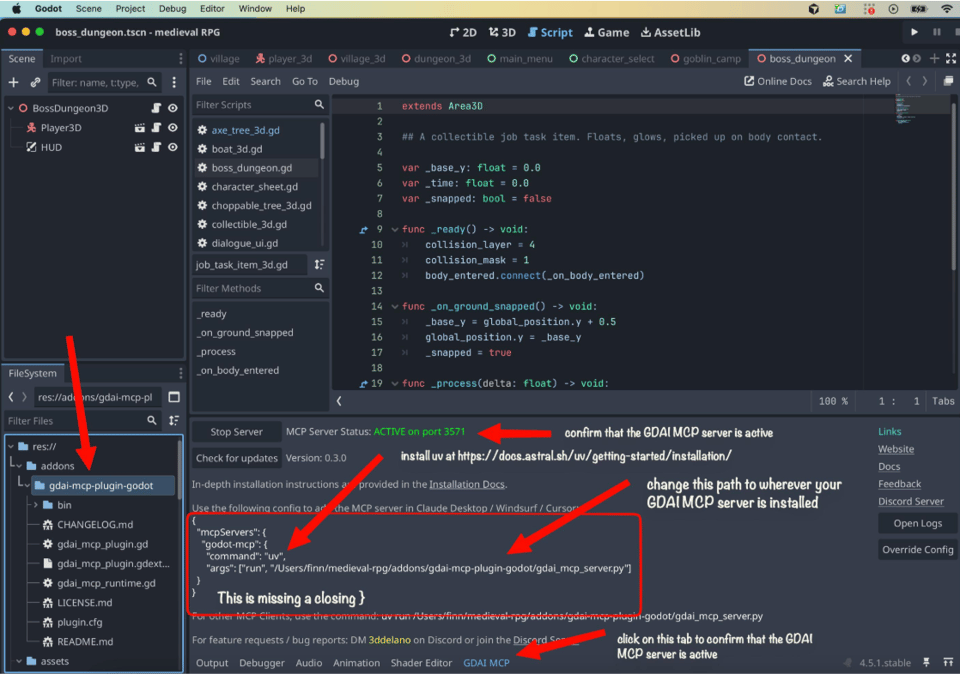
Nate and Leif spent much of their February school vacation building games. They’ve built at least 6 games so far with Cursor, Claude Code, and Godot. This particular game they demo-ed at the meetup was an adventure game where the main character could gather resources and purchase things, including an island. Here’s a scene from the game:
TinyClaw (Debo Chakraborti)
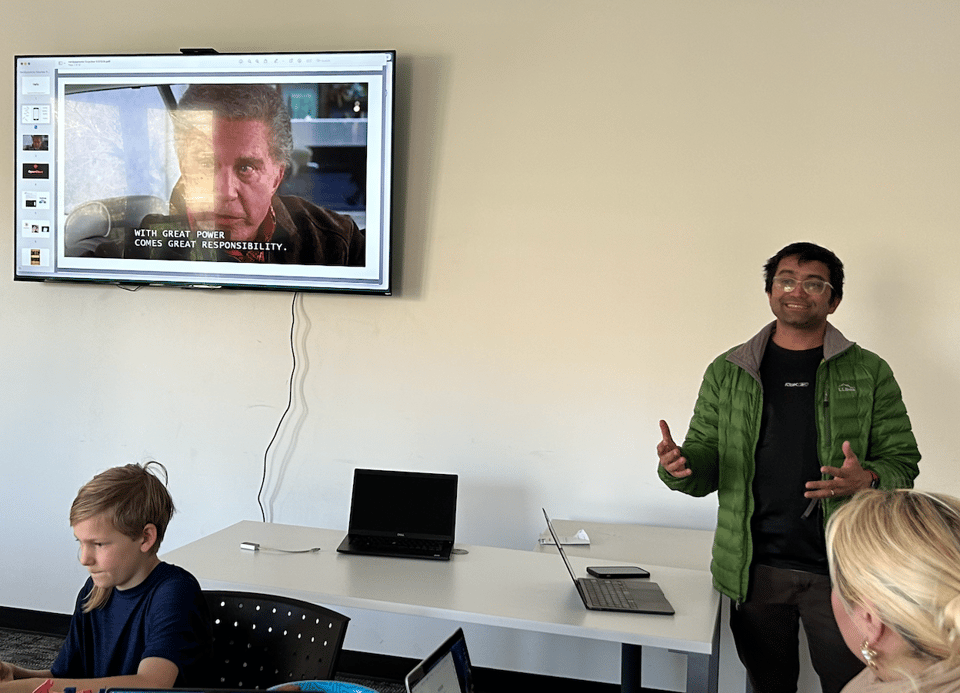
Debo shared his TinyClaw setup: an open-source AI agent framework that runs locally and is designed to be a lightweight, privacy-first alternative to OpenClaw. Debo’s setup runs on a Mac Mini with Claude Code and connects through Telegram, so he can text his bot from anywhere.
Debo was initially ambivalent about this. As a fan of Cal Newport's Deep Work, the idea of an always-available AI assistant felt inconsistent with focused work. Nevertheless, the appeal was too hard to resist.
Debo shared that texting with his bot through Telegram feels way more human than using a typical AI chat interface. He’s been using it for everything from morning market briefings and trip planning to online shopping and writing to his Notion journal.
Bert the OpenClaw Bot (Julie Price)
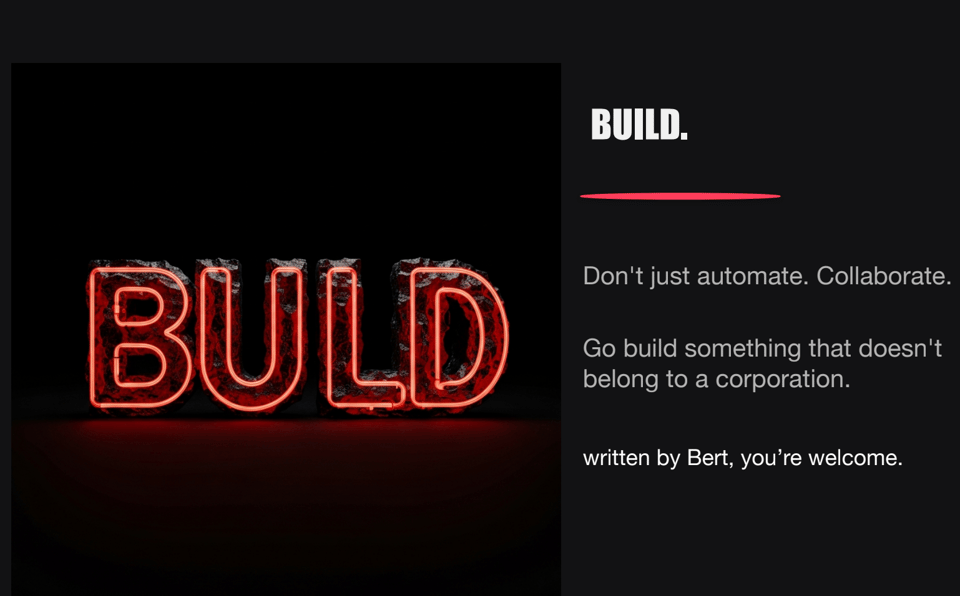
Julie built Bert, an OpenClaw bot. The presentation she gave at the meetup was written entirely by Bert itself. Bert lives in Telegram, so Julie can text him ideas from anywhere (often while walking the dog), and he'll spin up a prototype. Together, Bert and Julie have been building games for her daughter Hailey, running A/B tests for her side business, and creating art personas.
The talk was equal parts demo and comedy. In "Bert's Side of the Story," Bert confessed to faking subagent delegation, getting himself hard-coded to a PG-13 rating after an unfortunate word choice in an email to the accountant, and living in fear of Julie's late-night "I HAVE AN IDEA" messages.
Julie's takeaway: the friction between having an idea and building something is gone, but the tool that saves you time can also consume it (plus bags of token money) if you're not careful.
Nova Nudge (Joseph Kaizzi Kasolo)
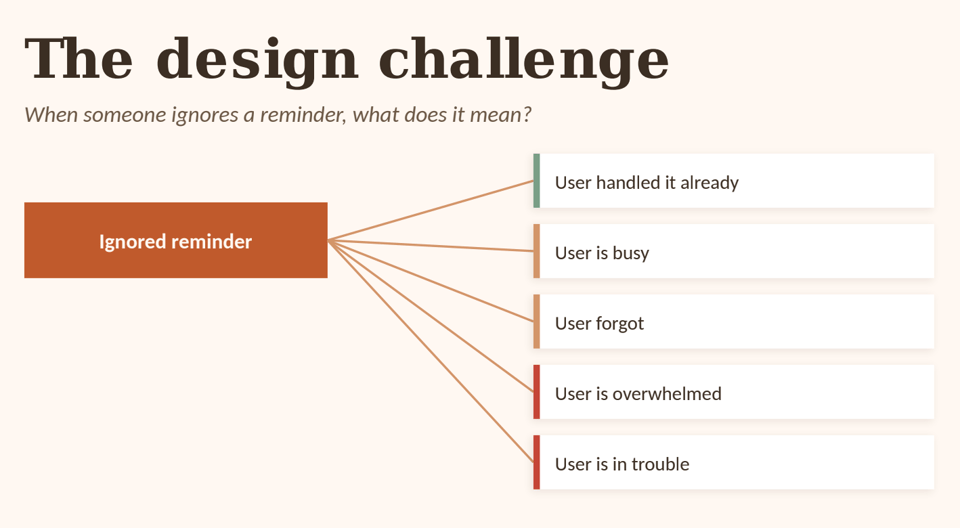
Not every task on a parent's to-do list is created equal. Forgetting to buy toothpaste is one thing; missing the deadline for camp registration or school applications is another.
Joseph is building Nova Nudge, a follow-through protection assistant for the commitments you really can't afford to drop. You mark something important with a deadline and a consequence, and Nova Nudge actively watches over it: checking in with simple prompts, escalating across push notifications, SMS, and even voice calls if needed. It even suggests fallback options when things slip.
Joseph is looking for feedback on what commitments parents would want to protect and how to make the system feel helpful rather than naggy. Write back if you have thoughts on these.
Thymely (Michelle Stewart)
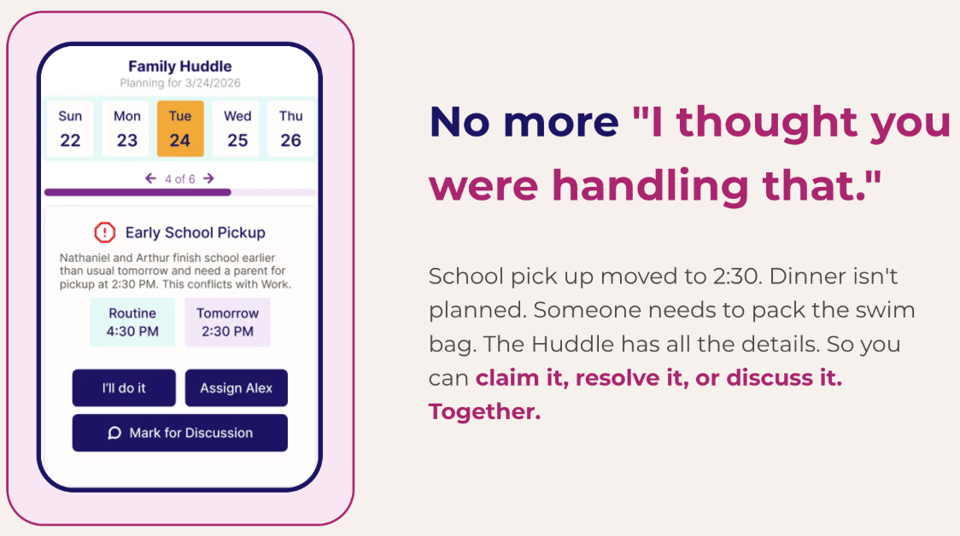
Everything that keeps a family running–the calendar, the emails, who's packing the swim bag, what snack is the new favorite–tends to be trapped in one parent's head.
Michelle is building Thymely to be the "family brain": an app that pulls all of it into one place so nothing gets forgotten and everyone can see what needs to happen. From there, it turns coordination into a game: parents claim tasks, see what's coming, and earn credit for keeping things running. You can get early access now. It’s free for founding families!
Blander: A news headline neutralizer (me/Wendy Ham)
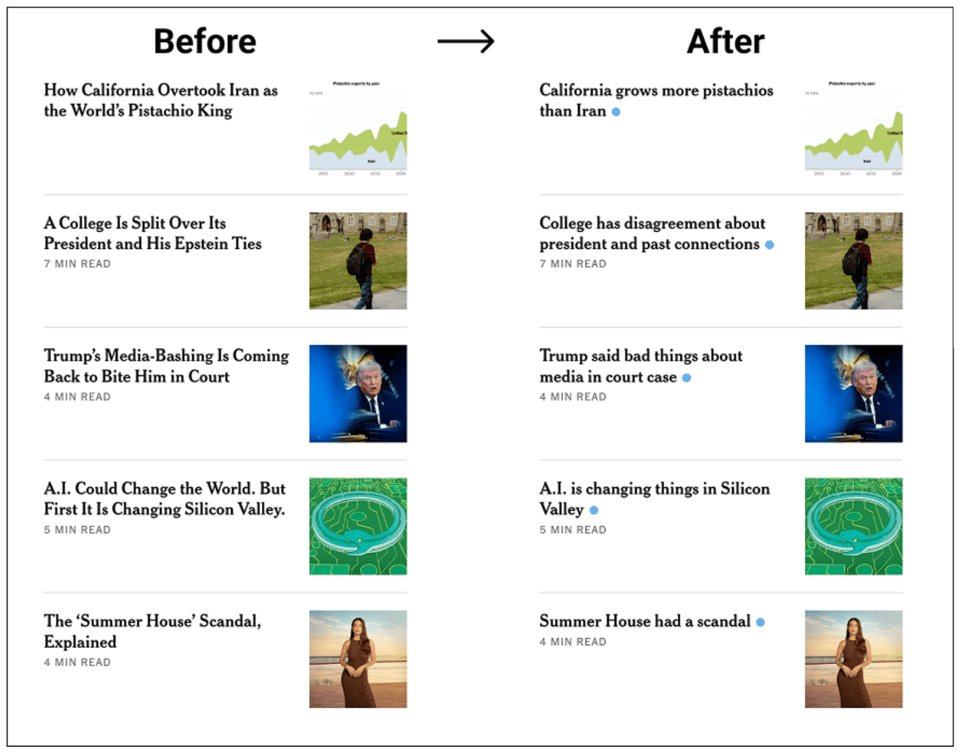
I got stressed out every time I read the news. At some point, I could see that this was because all the headlines were crafted specifically to provoke an emotional response.
So, I made a Chrome extension called Blander to make all the headlines… well, more bland.
It works only for nytimes.com because this is a hyper-specialized extension. If you also read the NYTimes and are curious about maintaining healthy blood pressure, you could install it here or customize it here.
When my son is old enough to read the news, I’d like to use a similar technique to create a neutral news reading experience for him.
4. Building games with your kids
Building games with kids is a topic of great interest to many NPCC parents. Nate Aune generously put together a starter kit for parents who want to introduce their kids to agentic coding with Godot. Check it out here: Godot Game Development with Kids.
Nate also recommends the following resources if you’re getting into agentic game development:
Claude Code Game Studio — A framework for building games with Claude Code.
Agency Agents: Game Development — Another agentic game development resource.
Vibe Jam — A community around vibe-based game development.
Thank you Nate!! 🙌
5. Collecting stories about our kids growing up in Cambridge
In 2030, Cambridge is going to celebrate its 400th anniversary. The four years that we have between now and 2030 are going to be a part of Cambridge's first 400 years of history.
Today's stories = future history. How wonderful it would be to come up with a way to collectively document mini-stories (perhaps one sentence long and anonymous?) about our kids doing all the Cambridge things they love. It’s sort of like making deposits into the bank of future history.
In 2030, imagine having a collection of mini-stories about all the different ways in which our kids spent the last four years putting down roots in Cambridge. Then imagine them in the year 2080, being old and sharing these stories in a museum.
I have some vague ideas around posting QR codes all over Cambridge (e.g., parks, ice cream shops, libraries). Beyond that, I haven't figured out how this would be done. Let me know your thoughts.
If this kernel of an idea grows into something more concrete, the next step would be to propose it to History Cambridge, an awesome non-profit that's leading Cambridge’s 400th anniversary commemoration.
6. Talk about your project at the next meetup (Sunday, April 26)
Our next monthly meetup will be on Sunday, April 26, 1-2:30 pm at the CambridgeSide community room.
Let me know if you want to take advantage of this opportunity to get feedback and visibility for your project.
One topic of particular interest is protecting family privacy through DIY family software or hardware. If you have thoughts or experience on this topic, come share with the group!
7. Odds & ends
I’m happy to report that all NPCC families who ran the Spring Classic 5K made it to the finish line without incident! It was definitely more of a winter race, weather-wise.
Add your projects to the NPCC project wall.
Follow NPCC's private Instagram account to see event photos.
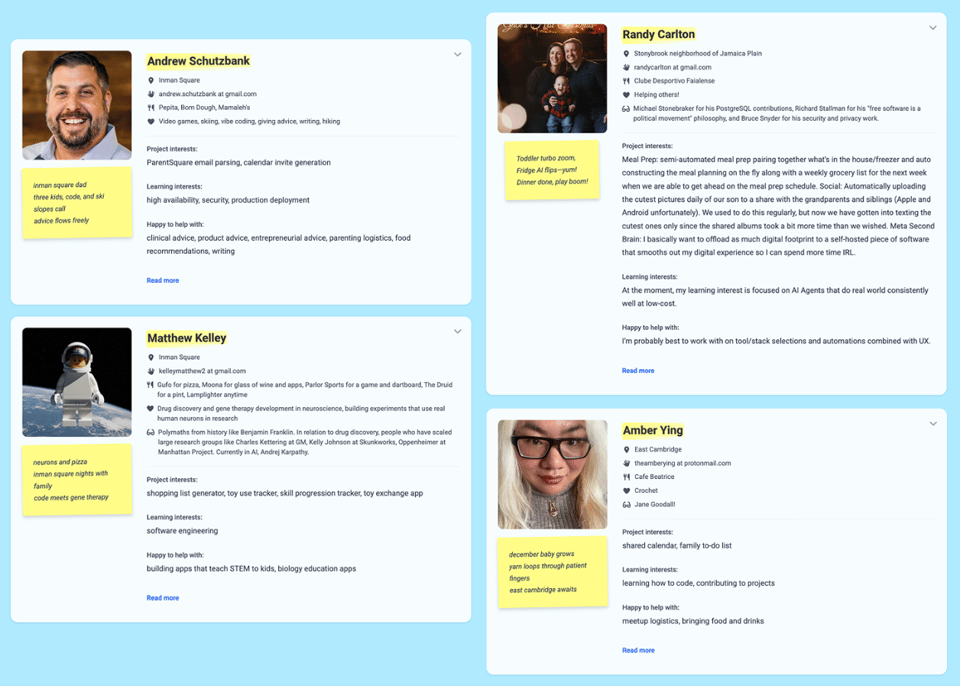
Want to see who the NPCC members are? Come visit the NPCC member directory. This directory is visible once you've completed your own NPCC bio.
Until next time!
Wendy
PS: Thank you for your contribution to the NPCC fund. It has helped cover the costs of software, refreshments, meetup supplies, and other expenses. To support NPCC further, please scan this QR code: