
How to Remove the Fatal Flaw That Enables Ransomware
A deep dive into the Achilles’ heel that makes file systems vulnerable to malware — and what we can do about it.
Why are we still plagued with ransomware and other kinds of malware after all this time? Why has this problem been so hard to solve?
The answer is that there’s a single, fundamental flaw that’s present in all current file systems — and that vulnerability is arguably the single greatest danger in computer security. It’s the built-in Achilles’ heel that puts every computer at risk.
Why? Because it makes it possible for attackers to run ransomware on any computer — and it also allows them to steal all of the data in the files.
But here’s the good news: that flaw can be readily removed.

Photo by Dr. K, via Wikimedia Commons
Understanding How File Systems Work — And Why They’re Vulnerable
In order to understand both the flaw and the solution, we need to have a brief discussion about how file systems work. With a few rare exceptions, computers store all data permanently in files that are located on hard drives, USB sticks, DVDs, and other types of storage media.
A file system is the software used by the Operating System (OS) to access files. The most common operating systems are Microsoft Windows and macOS, but techies often use one called Linux; they're the software that makes your computer work.
When you want to read or edit a document, first you need to ask a program to open the file that contains the data for your document. Typically, you do this by clicking on a menu option, and then selecting the name of the file from a dialog box.
Alternatively, you can view a list of files using a file manager, and then double-click on the name of the desired file. But the thing is, neither of these actions actually opens the file.
Instead, they just provide the name of the selected file to the program. At that point it’s up to the program to request that the OS open the file. (I’ll discuss more about how file systems work in future articles.)
Addressing The First Central Flaw of Computing
The surprising truth is that this interaction with users isn’t even necessary, because every program has the capability to request that the OS open any file. Even though there are user permissions that can restrict whether the OS will honor the request, it’s an easy task for attackers to skirt those permissions.
Which means that any program can request that any file be opened, even without the knowledge or consent of the user. In fact, ransomware is nothing more than a program written by an attacker that exploits the assistance of the OS to open your files and encrypt them. The fact that all modern operating systems grant this capability to all programs constitutes what I call the first central flaw of computing.

In a sense, the keys are right there in the door.
Researchers tend to be keenly aware of this flaw, even if they haven’t written explicitly about it. In fact, several software systems have been created specifically to restrict the ability of programs to open files — examples include SMACK (Linux), Santa (Mac), and AppArmor (Linux).
These systems differ in various ways, but they follow the same general approach: each system stores permissions that allow particular programs to open specific files. And this comes with an important built-in weakness, because these permissions are themselves stored in files that can be attacked. On top of that, the creation of permissions involves some level of manual administration, thereby inviting errors.
No More Achilles’ Heel: Removing the Vulnerability from File Systems
The solution to this flaw is to change the way that programs are allowed to open files. There are a few different ways of constraining the ability of programs to do this, but the simplest approach would be to allocate a dedicated storage area for each program. Each program would be allowed to open all files that are located in its storage area — but not files that are outside of that area.

Applications should too.
In theory, making this simple change would be enough to prevent most ransomware, all by itself. But realistically, there are circumstances that would undermine its utility. Users often want to open files using different programs — for example, to insert a spreadsheet or graphic image into a word processor document.
The other complication here is that each program has different versions — which include legitimate versions as well as possible malicious updates that the user may have been duped into installing.
That means our solution needs to have more flexibility, so it can support necessary functionality while also effectively preventing ransomware attacks.
And since we can’t exclude the possibility of a malicious update happening, we also need to compartmentalize storage on the basis of program version.
Specifically, each program version needs to be provided with its own subarea of program storage. As a result, when the program creates a file, it would get stored in that subarea for that particular version. Each newer version would also be permitted to read files from older version subareas.
But here’s the important limitation: whenever a newer version tries to write to (i.e., modify) an existing file, a copy of the file would be placed in the newer version’s subarea first, and then the newer version would write to that specific copy.
The Capability to Preserve, Protect, and Restore
The value of this tactic is that it preserves the original file that belonged to the prior version. Which means that ransomware installed as a malicious update would only be able to encrypt its own copy of each file — and it couldn’t modify the original files that belong to prior versions.
With the help of a simple utility program, the program version could be rolled back from the malicious update to an earlier legitimate version. The version change would not only deactivate the ransomware, but would also restore the document files to their previous state from just before the malicious update.
Another simple utility that would be supplied with this revised file system would permit only users — not programs — to copy files from one program storage area to another. This approach to copying would allow the user to open the file with two or more programs while still protecting original files from malware.
Further Reading, and More to Come
Some other important aspects of this are discussed in my book Zero Day Secure: A Radical Guide to Successful Computer Security — including the utilities needed to install and update programs that obey these storage rules, and additional security mechanisms, such as entirely eliminating the ability of programs to directly open certain types of user files.
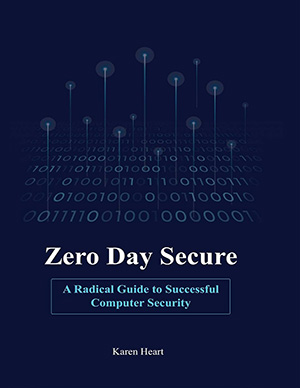
My book also carefully lays out all of the necessary details to implement a robust solution that fixes the worst flaw in computing. From the perspective of the user, the only really significant change would be the requirement to copy files when sharing them among programs — a minor tradeoff that doesn’t seem like too much to ask in exchange for an approach that effectively eliminates ransomware, as well as the vast majority of other types of malware.
By the way, I’m also working on a forthcoming book (as yet untitled), that will delve into these issues as well — but the new book will be aimed at a more general readership with a bit less technical detail.
Finally, as I’m sure you can imagine, AI agents bring a whole new set of problems to the table in terms of the file system flaw discussed above, with huge ramifications for security.
I’ll be talking more about various aspects of AI and how it relates to all this in future posts, so please stay tuned. In the meantime, thanks for reading!
P.S. If you’re not already a subscriber, you can sign up via the form below. (It’s completely free.)


Add a comment: