Inclusive Android Apps #9: The Problem of Fixed Heights
Ninth issue covers fixed heights and how they can break the layout for larger font sizes.
When I started working with one app, and fixing its accessibility problems, the biggest quick win was to remove fixed heights from container components.
The Problem of Fixed Heights
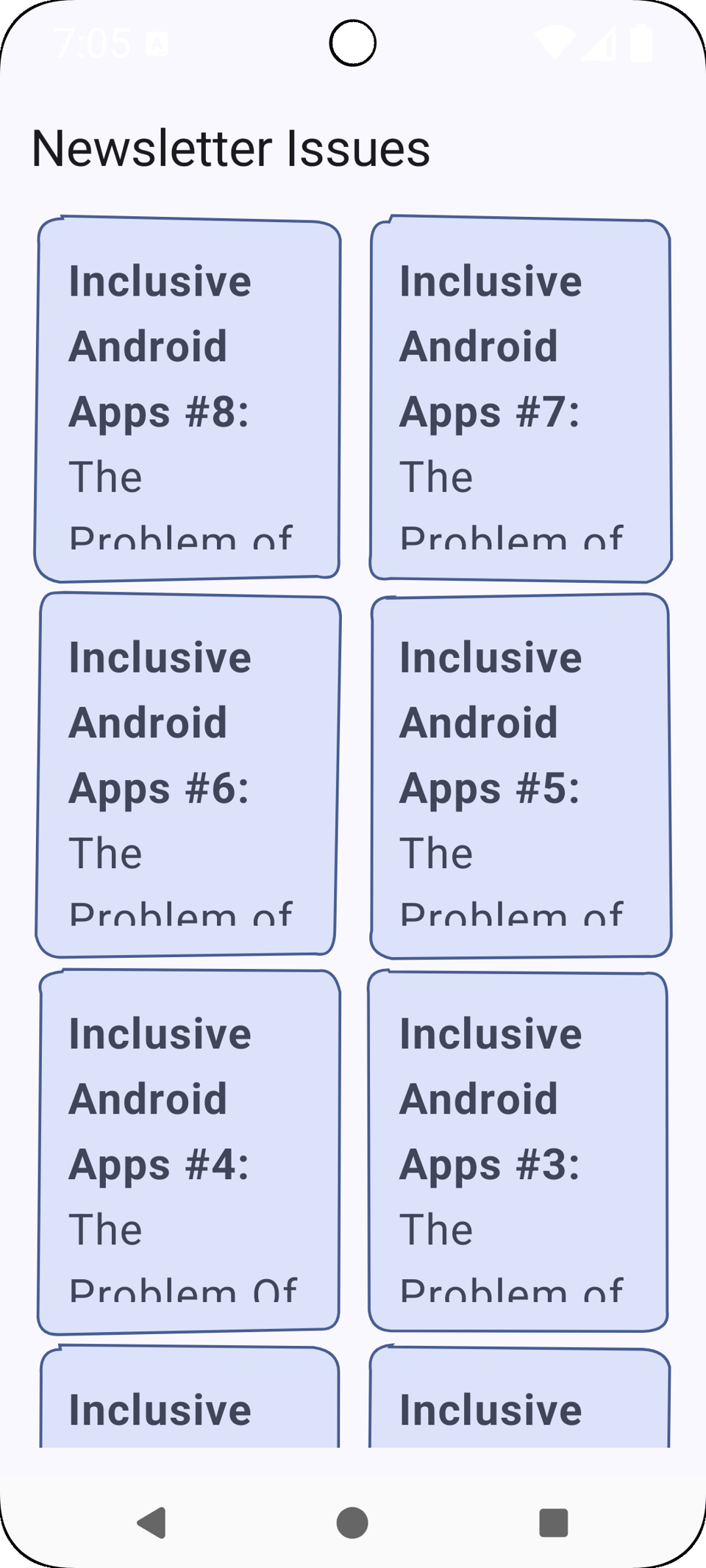
Fixed heights mean that a component has a set height that doesn't change regardless of its content. When a user increases their font size, the text takes up more vertical space but the container doesn't grow with it. The result is that content gets clipped at the bottom, and users can't read everything that's there.
Let's take a look at this screen containing a list of this newsletter's issues as cards:
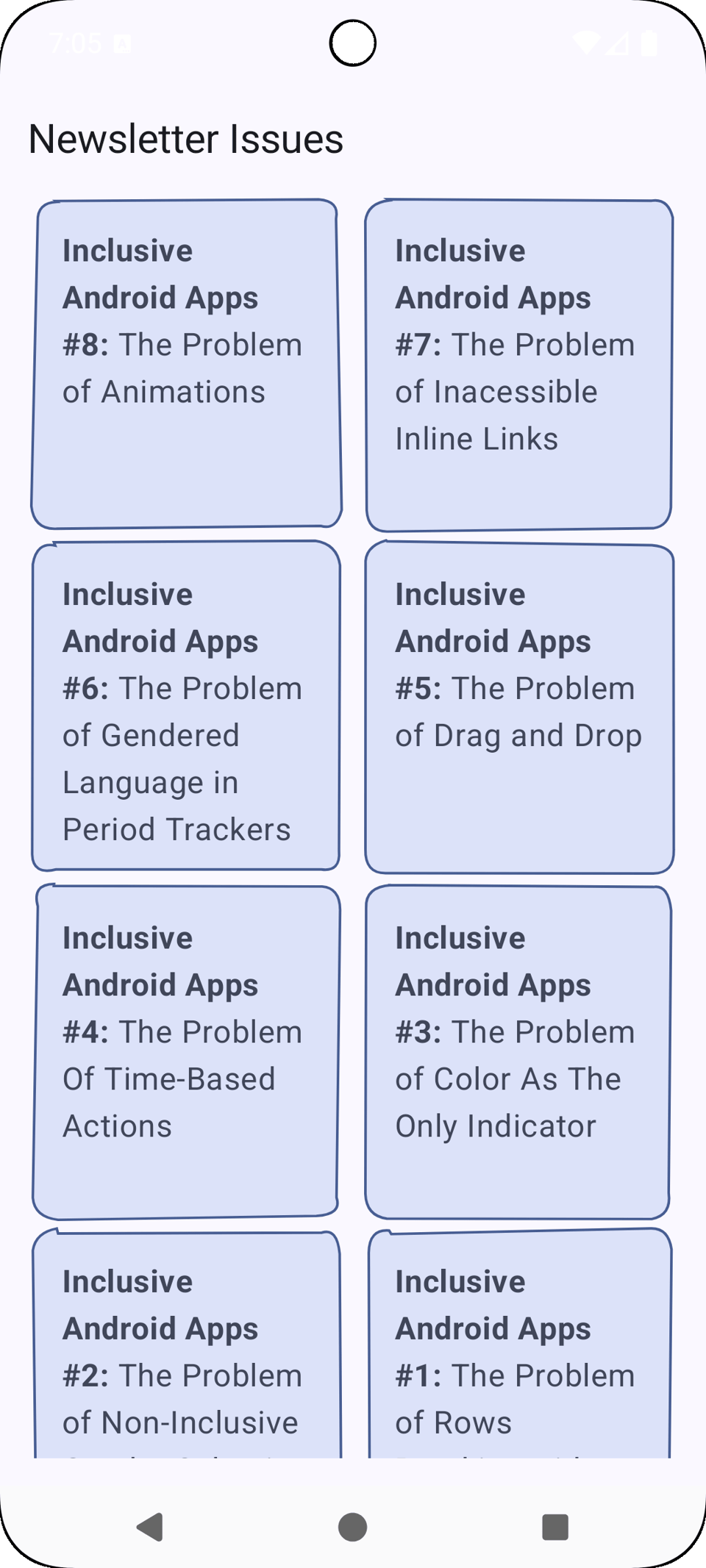
It looks good, but when we increase the font size to, let's say, 180%, the problems become evident:
Who This Hurts
Users using larger font sizes
Users using smaller displays
Why Developers Do This
Fixed heights often come from designs. When a designer creates a component in Figma or another design tool, they usually set a specific height to make everything look neat and predictable. Developers then implement what they see in the design, and a fixed height becomes a fixed height in code.
There's also the visual control aspect: fixed heights make layouts more predictable. When you don't know how much text a component might contain, setting a fixed height feels like a safe way to keep things consistent. And when you test on your own device with the default font size, everything looks fine. The text fits, the layout is clean, and there's no obvious problem to fix.
The Solution
The simplest solution is not to set fixed heights.
But if you really need to have a minimum height for a component, you can use heightIn-modifier:
@Composable
private fun Card(
    title: AnnotatedString
) {
    Column(
        modifier = Modifier
            ... // Omitted
            .heightIn(min = 160.dp)
    ) {
        Text(
            text = title
        )
    }
}
Testing
Open accessibility settings and change your font size and display size to biggest
In your app, go around and test different screens.
It’s a good habit to always test your apps with larger font and display sizes. It’s often surprising how many components break with these larger sizes, fixed heights being one of the most common culprits, but not the only one.
Read More
heightIn-modifier
The official Android documentation for the heightIn modifier, which lets you set minimum and maximum height constraints for a component instead of a fixed height.
Understanding SC 1.4.4 Resize Text (Level AA)
WCAG's requirements for resizing text. Even though the name states "Web Content Accessibility Guidelines", the principles apply to mobile too.
That's a wrap for Issue #9 of Inclusive Android Apps. What would you like to learn in the next newsletters? Hit reply and let me know!
Next month: Alternatives to gestures.
Thanks for reading!
-Eevis
eevis.codes

