GovPossible Updates - 11/20/2023
Happy Thanksgiving!
As we settle into this short week, I just want to take a moment to let you know how much I appreciate and enjoy working with y'all! Happy Thanksgiving!
-KarlLicense Penalties Enhancement - Penalty GL
This has been a long standing customer request: the ability to send license penalty revenue to a separate GL!

If you'd like to put this in place, just let us know the GL account and if any license types should not use that penalty account.
SC: 2023 Conversion Tasks Loaded!
MASC has released the rebalancing changes for the 24/25 license year:
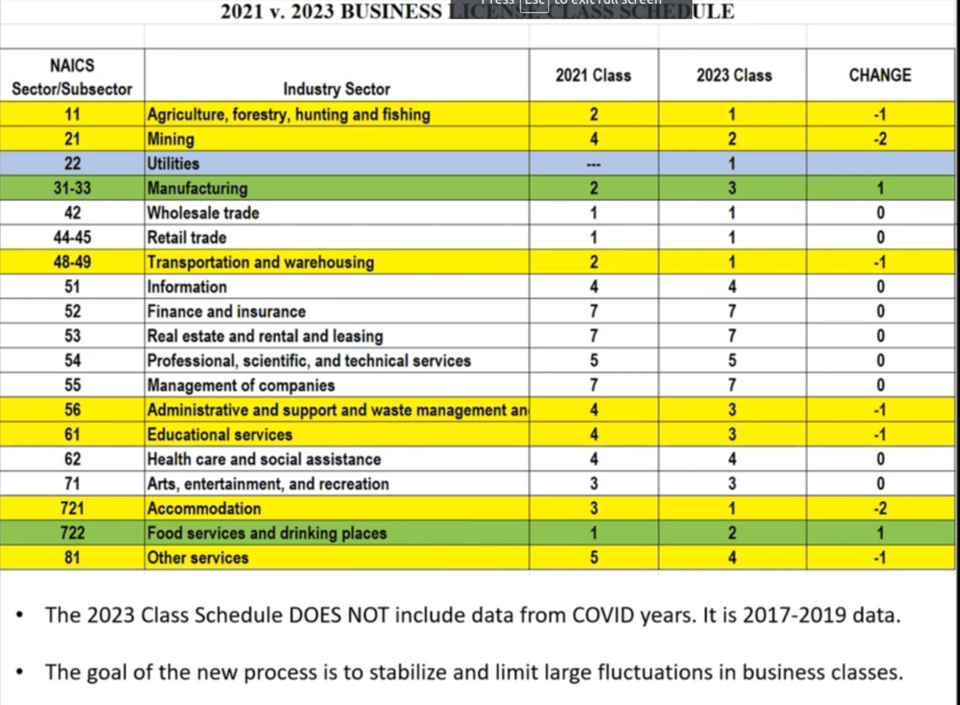
...and like last year, we make it easy for you to make these changes. We've loaded the changes into GovPossible so you can review them and have them lined up for renewals next year. The instructions are below and also available via the help button in-app:
Click on the menu bar:

at the top and go to the ‘Admin’ menu:
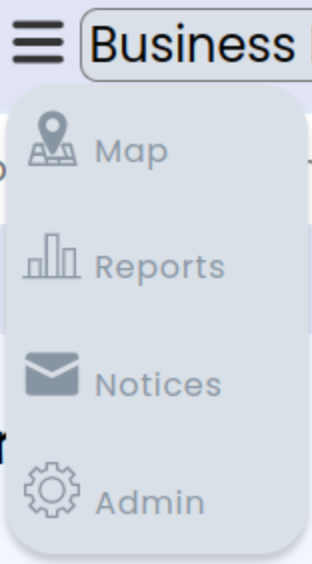
If you have conversion tasks outstanding, you’ll see a new link called ‘NAICS Conversions’:

Click on the link.
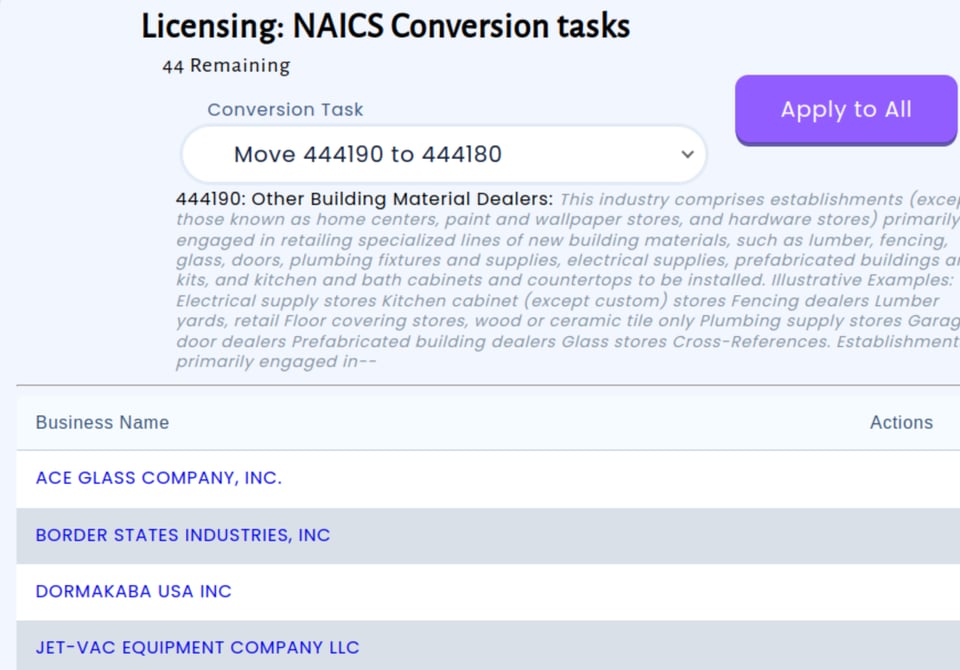
The NAICS conversion screen will show you how many conversion tasks you have based on the number of NAICS changes that affect your organization:
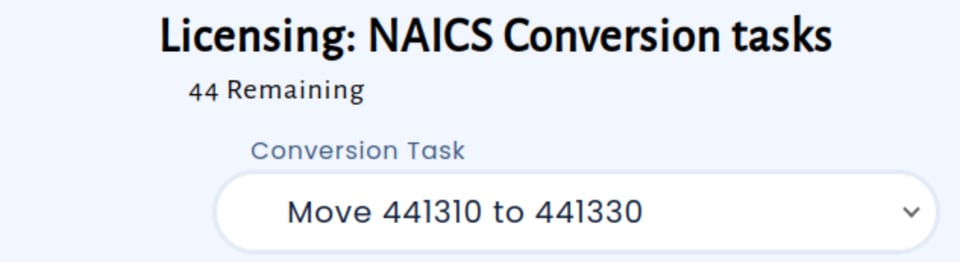
Clicking on the ‘Conversion Task’ dropdown menu lets you move between the various tasks. Clicking on a task shows you the licenses impacted by that task and your available actions:
Move Tasks
Tasks where we only have one option, to move the licenses from one NAICS code to another, have an ‘Apply to All’ button.
Review the impacted licenses to make sure they don’t need reclassified.
If they do, click on the link to go to the license or application in question and update their classification.
Come back and refresh the page; they’ll no longer be in the list!
When you’re satisfied that all businesses are accurate, click the

button! You’ll see a message at the top of the screen letting you know the moves were completed successfully:

..and your list of remaining tasks are reduced by one:

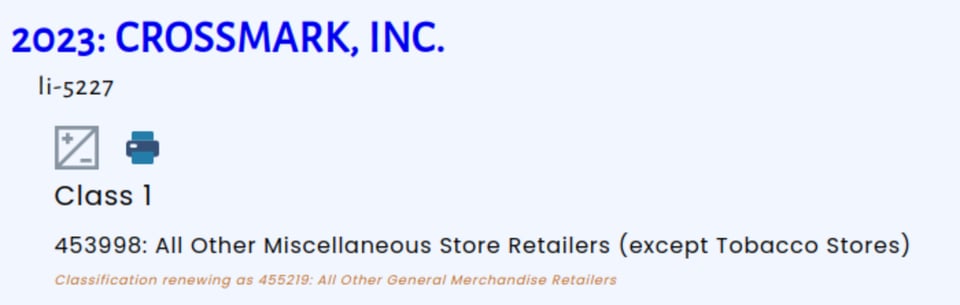
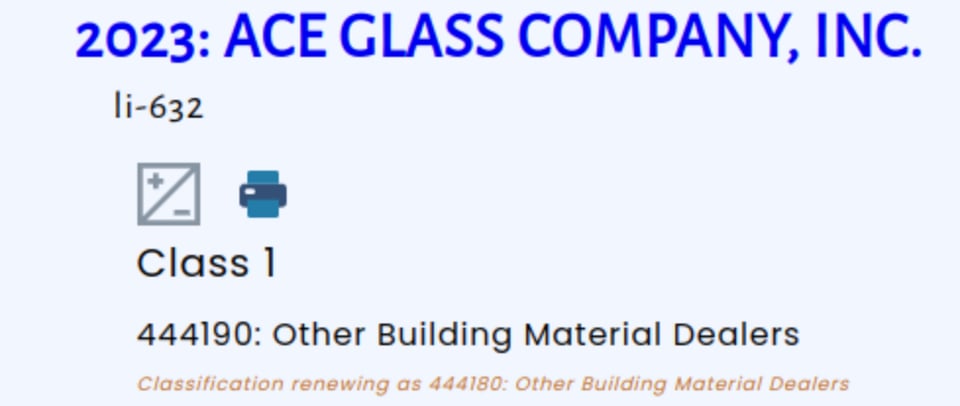
If you go to one of the licenses that were moved, you’ll now see an alert that the license will renew as a different classification:
Split Tasks
For some codes, we have the option to move to more than one code or license type. In those cases, each license will have its own dropdown to choose from the valid options:
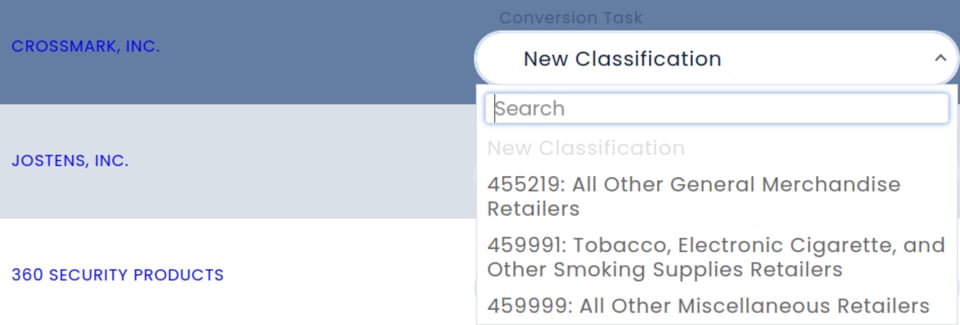
Click on the ‘New Classification’ dropdown to choose among the designated alternatives NAICS has determined are valid:

If you don’t see one there, you may want to instead click on the license and reclassify the existing license to a better code.Click on the new code you think best matches, the system will update the code for renewal:

Clicking on the business name will take you to the license where you can verify the renewal code has been set: