
🔺 Crazy stuff you can do with ASCII and a bit of JavaScript — FullStack Bulletin #452
avaScript powered ASCII animations, explore POSSE publishing, meet the new <geolocation> element, Temporal dates, and think about life at 1x speed. Plus Tool UI for richer chat experiences, lazy iterators over arrays, and a TypeScript 5 book pick.
Heyo,
Crazy that we are already more than halfway through January 2026. This year is flying already!
And this simple thought, somehow, got me thinking about pace. Am I going too fast and doing too many things at once? Too many ideas, too many tabs, too many “I should learn this” threads running in parallel? Most likely, yes! I known, I know... It is a bit of an eternal struggle for me, and it's probably because the full-stack World moves fast, too fast, and my brain loves to sprint... even though I can barely keep up!
But after all, that is one of the many reasons why this newsletter exists. Part of it is pure curiosity, and part of it is my attempt to stay grounded. If I am going to chase the ever evolving web anyway, I might as well turn that anxious energy and all the material I try to digest into a weekly guide of things that, I believe, are genuinely interesting, useful, or inspiring. For you, and for me.
But enough of me rambling. Let’s get into the good stuff.
Oh, I almost forgot! If, after reading this issue, you found something particularly inspiring, please reply to this email and tell me, “Hey Luciano, you know, that stuff was particularly cool.” It might not seem like much, but messages like that remind me this work is useful to you too, and they keep me going. Plus I love hearing from readers, so do not be shy!
Enjoy the journey ahead!
— Luciano
"Not everything I say is correct. It's correct modulo the little details you're going to have to worry about"
—John Hopcroft, Computer Scientist

Crazy stuff you can do with ASCII and a bit of JavaScript — This site is a live playground where you write a little bit of JavaScript and suddenly you are making ridiculously cool ASCII animations right in the browser. There are tons of examples to remix, including classics like the Doom Flame, the 3D rotating Donut, and even Conway’s Game of Life. My favorite are the camera based demos that redraw in realtime using your webcam input, but the Sand game is also weirdly satisfying. Under the hood, the API feels more like GLSL and rasterisation than “draw some shapes on a canvas.” You write a single function that gets invoked for every cell, kind of like a fragment shader. That mental model makes the examples click fast, and it nudges you toward playful, shader style experimentation. The best part is that every example is small enough to understand, then you can tweak the code, save it, and see your changes instantly. If you want to go deeper, the built in manual in the sidebar is actually great. It shows what is possible and explains the underlying APIs the playground exposes. I promise, it is fun, and sneaky educational too. You might even steal an effect or two for your next landing page! Oh, by the way, if you liked this one, you should also consider reading this other insanely good article about renderding with ASCII characters! Check the Playground
POSSE — Last week I bumped into a concept I somehow missed for years: POSSE. It stands for Publish (on your) Own Site, Syndicate Elsewhere. The idea is simple and kind of radical in 2026. You publish on your own site first, then you share copies or links to the usual social platforms, always pointing back to the original post so people can reply, subscribe, or interact with the real source. Your site stays the center. Everything else becomes a distribution channel, not the place your writing lives. What I like most is the mindset shift: you keep control of your content, your URLs, and your archive, while still meeting people where they already hang out. There is also a solid ecosystem of tools to make this workflow easier. I am tempted to experiment with it and even use an LLM to adapt a post for each channel, because a Bluesky thread and a LinkedIn post want totally different shapes. Have you tried POSSE already? Let me know, I am genuinely curious. Read Article
Introducing the <geolocation> HTML element — I am genuinely surprised, in a good way, to see a more declarative API like this taking shape. Chrome is introducing a new <geolocation> HTML element, so something that used to require JavaScript glue code and permission handling can now start as a simple bit of HTML, with the browser doing more of the heavy lifting. I love this direction, and I am really curious if we will see more web platform APIs move toward capability specific elements like this. If this trend continues, the web might get a little simpler, and a lot more ergonomic. Read Article
Date is out, Temporal is in... — If JavaScript’s Date has ever made you question your career choices, this piece is for you. It does a great job explaining why the current API is full of traps, from confusing parsing rules to the fact that Date objects are mutable, which is wild for something that represents an immutable moment in time. Then comes the good news: Temporal is the modern replacement and after being in the works for a while, it's finally here! It is a namespace packed with focused types like PlainDate, ZonedDateTime, and Duration, built for sane date math, real time zone handling, and fewer “wait, why did it change” bugs. This API is finally showing up in all major browsers, so it feels like a great moment to start updating your mental model. But there's one small-ish reality check: after reading this, I realized it is still not available by default in Node.js, at least not in Node 24 and Node 25. The nice part is that there is a good polyfill you can use right now, so you can start writing Temporal code today and swap to native support later. Read Article
Life Happens at 1x Speed — This is an inspirational little read that hit me right in the developer brain. The author explains why they stopped consuming everything at 2x and went back to 1x for podcasts, videos, and audiobooks, with a simple rule: if it is not worth it at 1x, it is not worth it at all. It is really a piece about attention, anxiety, and the quiet productivity trap of trying to optimize every minute. The line that stuck with me is the reminder that life itself runs at 1x. That said, while I am sold on the idea, I am not totally convinced it is always practical. I think I am still going to watch a few videos at 1.5x or listen to some audiobooks at 1.25x. I will probably come to regret this, but right now it still makes sense to me to squeeze something potentially interesting into less time rather than not consume it at all. If the content is particularly good and it clearly deserves more attention, I can always go back and consume it again at 1x. What do you think? Read Article
Tool UI — I admit I have been curious about building agents and chatbots for a little while now. While I have built a couple of PoCs, I have not made anything I would call production ready, and it is, honestly, pretty boring stuff. I mean, why would you want anything other than ChatGPT, Claude, or the other mainstream services? Then I discovered Tool UI, and something clicked. It made me realize there are real opportunities to build very context specific chatbots, if we put special effort into creating interactive components that are specialised in what matters in a given business context. Tool UI is basically a set of beautiful React components for AI tool calls, where tools return JSON and the UI renders it as usable surfaces right inside the conversation. Typed, accessible, and easy to copy and paste. Built on Tailwind, Radix, and shadcn/ui. Need an example? Think about internal software for car dealers. You could render car cards, comparisons, financing tables, and inventory views, instead of spitting out another wall of chat text. The sky is the limit, and I would bet we will see a lot more of this over the next few years. That is why this library makes so much sense to me. It turns tool output into an experience that actually feels interactive and immersive, not just more business text. I am thinking: what if you can combine something like this with a chat UI components library like assistant-ui? You would probably get a very fast path to building something cool. I think I will play more with this in the next few months, but let me know if you have already done something similar, and which tools and libraries you used. I am super eager to learn more. Check it out
Stop turning everything into arrays (and do less work instead) — If your JavaScript data flow looks like map, then filter, then slice, then another map, this post is a friendly nudge to pause and ask, “Do I really need to eagerly build three new arrays just to render ten items?” The core idea is simple: do less work, allocate less stuff, and stop early when you can. This is probably why I still get excited by streams, iterators, generators, and other lazy ways of processing data after so many years, because these tools still feel pretty underutilized and mostly unknown to many. I also built two free workshops to try to evangelise these topics more: one about Node.js streams, and one about iterators and generators (and their async counterparts). This article is a great tour of JavaScript iterator helpers, which let you chain map, filter, take, drop, and friends on iterators, not arrays. You start from something like values() or a generator, build a pipeline, and only materialize it at the end with something like toArray(). The big win is short circuiting. If you only need the first ten matching items, you can stop after ten, instead of processing thousands. It also calls out where this shines in real apps, like large lists, infinite scrolling, and async pipelines that pull from paginated APIs. Plus it covers the gotchas, like one shot iterators and the fact that logging can accidentally consume data. If you have ever wished your array chains could behave a bit more like streaming, this is worth a read. Read Article
The Astro Technology Company joins Cloudflare — Astro is one of those tools I have grown to love over the last couple of years. I ended up using it for almost all my static sites. I love the content centric approach, the great defaults, and how easy it is to sprinkle in components when you need them, without committing your whole site to a single client side framework. A few days ago I noticed the Astro 6 beta was putting a big spotlight on Cloudflare Workers and a smoother dev and deploy loop. That felt like a clue. Then the news dropped: the Astro Technology Company is joining Cloudflare, and the whole team is moving over. Is that a good thing or a bad thing? I admit I have mixed feelings. There is a real opportunity here for Astro to get serious backing and let the team focus on building the best possible framework for modern content driven sites. But I also cannot help wondering if Cloudflare will become the default priority, and other deployment targets will slowly feel like second class citizens. Both announcements try to calm that exact fear. They say Astro stays open source, MIT licensed, and platform agnostic, with the same open governance and public roadmap. Still, we will have to see how it plays out in practice. If you are curious, read the official posts. This one is from Astro, and of course Cloudflare has its own too. Read Article
📕 Book of the week!
Essential TypeScript 5, Third Edition, by Adam Freeman
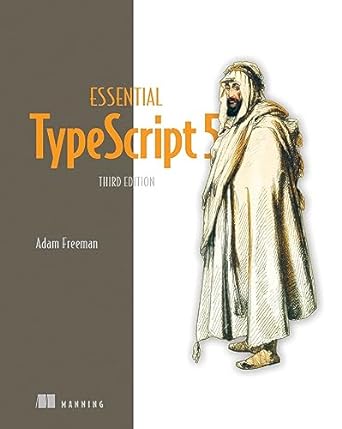
Now in its third edition, this bestselling guide to TypeScript takes you through the nuts and bolts of the language. No frills, no fuss—just TypeScript essentials!TypeScript enhances JavaScript with static typing, while keeping all the JS flexibility you know and love! It's the perfect choice for any developer looking to improve the predictability and reliability of their code. Essential TypeScript 5, Third Edition teaches you how to get the most out of TypeScript 5 for a consistent, dependable development experience. Inside Essential TypeScript 5, Third Edition you'll learn how to:
- Configure the TypeScript development tools
- Use type annotations
- Create strongly typed functions and classes
- Use generic types
- Use type guards to determine types
- Create and consume type declaration files
- Use TypeScript to create web applications with Angular and React The book starts you off with a proper understanding of the JavaScript type system that will make using TypeScript so much easier. On that solid foundation, you'll build your understanding of TypeScript development, following a hands-on learning path all the way to TypeScript's advanced features.
Buy on Amazon.com - Buy on Amazon.co.uk
More awesome content for your reading pleasure! 📚
- Very Good Components
- tinypdf: Minimal PDF creation library
- React has changed, your Hooks should too
- Software engineers should be a little bit cynical
- How wrong can a JavaScript Date calculation go?
- Web dependencies are broken. Can we fix them?
- SVG Filters are just amazing!
- Tips for making the Performance Panel less overwhelming
- Death to Scroll Fade!
- Not All Browser APIs Are "Web" APIs
- Memlab: Analyzes JavaScript heap and finds memory leaks in browser and Node.js
Mission accomplished! 🚀
You made it to the finish line! Got thoughts, feedback, or just want to say hi? Drop us a line – we love hearing from you! 💌
Add a comment: